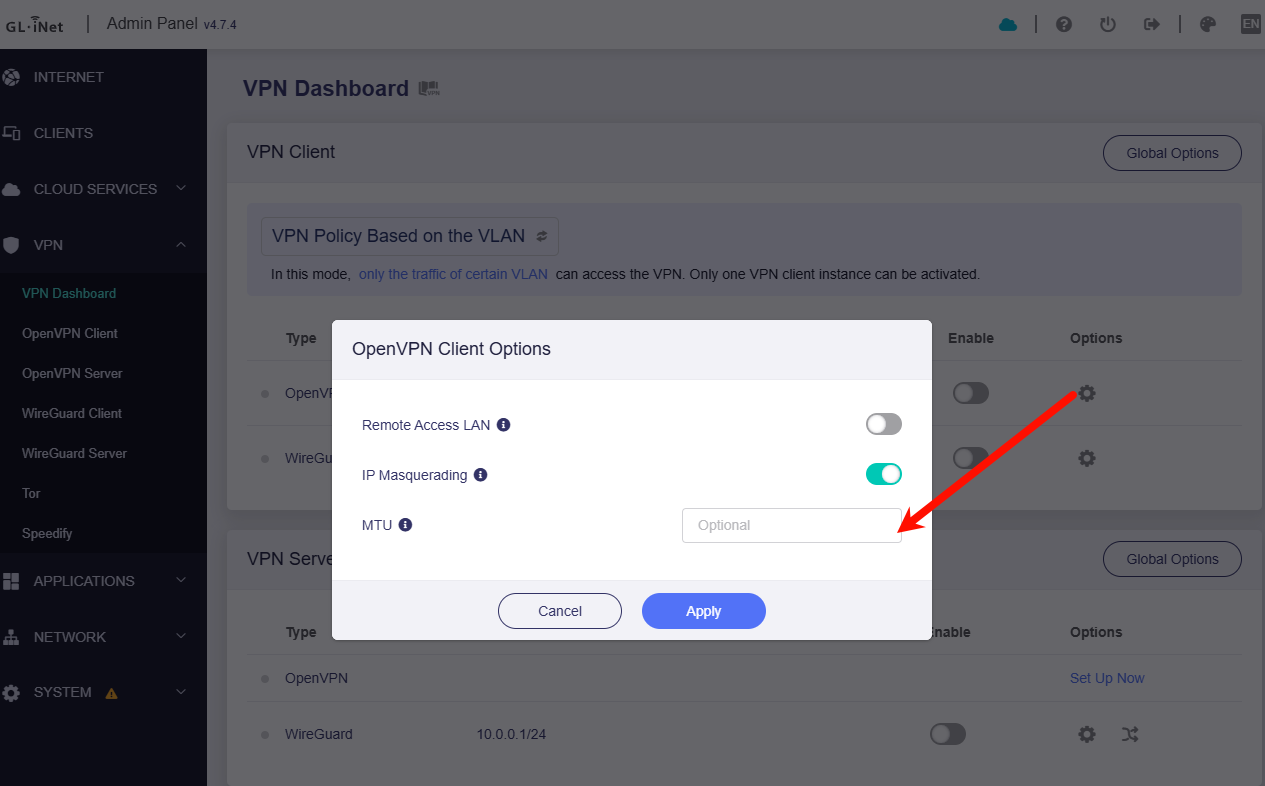
Hello, I saw many posts like this but none with a decent reply or solution at all.
I've correctly configured the VPN Client, it connects to the service (CloudConnexa - openvpn.com, i can see the client online from the CloudConnexa dashboard), but the mobile phone and the computer connected to the Mango's WiFi don't have internet access.
i was able to get internet access by selecting "Auto Detect" in the Proxy mode , but now VPN traffic is at zero and my external IP is always the router's one, which should not be.
If I put the Proxy mode to the first option, and execute a traceroute to 8.8.8.8 (which is set as DNS in the VPN settings as well), i get this:
traceroute to 8.8.8.8 (8.8.8.8), 64 hops max, 40 byte packets
1 console.gl-inet.com (192.168.8.1) 5.887 ms 2.741 ms 3.232 ms
2 dns.google (8.8.8.8) 40.691 ms !N 44.446 ms !N 43.578 ms !N
On the CloudConnexa portal there's not a option "Allow traffic through VPN" or somethiing like that. so it might be an issue with the Mango configuration, which I cannot figure out.
As many people have this issue, is there a possible solution that will work in the major cases?
Thank you.