I know it's possible to spoof or update the HID, PID, and VID of a USB device to make it appear like a standard keyboard or mouse. But I'm curious—can organizations still detect a GLKVM device even after doing this? Has anyone successfully used GLKVM in a setup that went undetected?
1 Like
I suggest you simply disable virtual media to prevent the emulation of USB drives and CDROMs on the controlled computer. I suspect most IT software wouldn't flag a brand they don't recognize.
It looks like GLKVM is now a recognized brand in some enterprise environments. An infosec alert was triggered in an org (possibly using Carbon Black), and their security team specifically reached out asking if "GLKVM" is hooked up to the machine. That level of specificity was honestly surprising. Version used is 1.3.1 release 2
As you mentioned, disabling virtual media is a good step. I also updated the /etc/kvmd/override.yaml file to restrict USB gadget mode to HID-only (keyboard/mouse).
 If both these steps are done, would that fully remove any GLKVM trace from being detected by endpoint security tools?
Just wondering if there are any other identifiers still exposed even with these changes.
1 Like
I also suggest you rename the USB identity and switch to a third-party EDID. These features have already been implemented in the WEBUI of version 1.4.0 beta1. You can give it a try.
2 Likes
Did you try the EDID changes in the beta? Was the KVM still identified?
Didnot try it as I was already flagged once. If there’s a way to test and ensure there’s absolutely no trace of GLKVM, I’d be confident to try again. Otherwise, I’d be risking my job over repeated InfoSec violations. At the very least, I need to have a valid justification ready if questioned.
1 Like
change EDID ,the default one named GLKVM
1 Like
Is there a guideline how to do that? And if I make the changes with the device on my personal laptop then hook it up to work laptop, will the changes be saved on the device or do I need to do that separately?
Is this a uefi or Windows detection on USB?
Not sure why a company would care about display.
saved on device
Is there any way to check in the connected device(org windows laptop) to see if there is GLKVM trace to make sure it is not flagged again.
Can I scan with any software or is there a way to check what GLKVM shows itself as both HDMI and usb
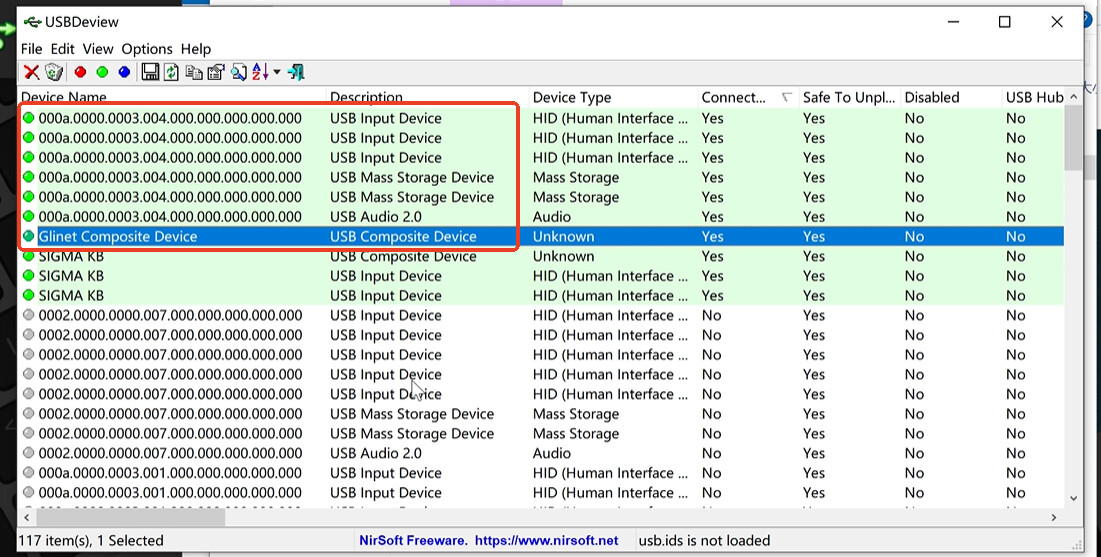
The devices circled in red are those that will be emulated by GLKVM. In reality, only the composite device displays its name.
Before version 1.4.0, they were displayed as GLKVM Composite Device, and after version 1.4.0, they are displayed as Glinet Composite Device.
1 Like
After the last update 1.4.2, I was able to adjust screen, keyboard and mouse which is great, thank you very much!
Is there any option to change or disable the following?

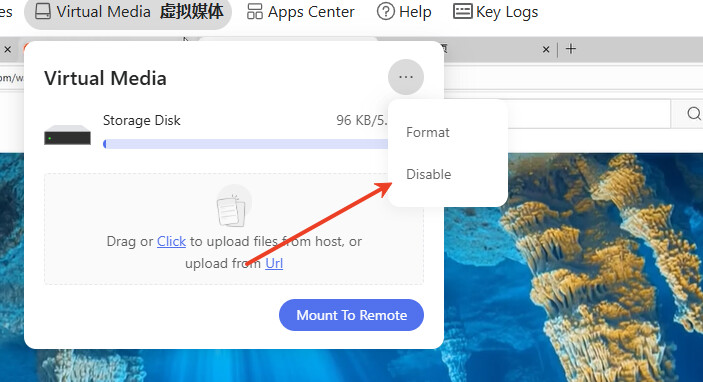
Im wanting to buy this, but are we able to change the name and identifiers of this composite device? I see the other devices can now be changed.
In theory, if you modify the device identity, the names of all virtualized devices will change accordingly.
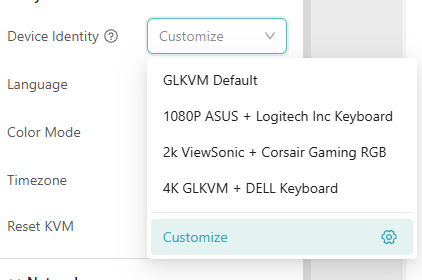
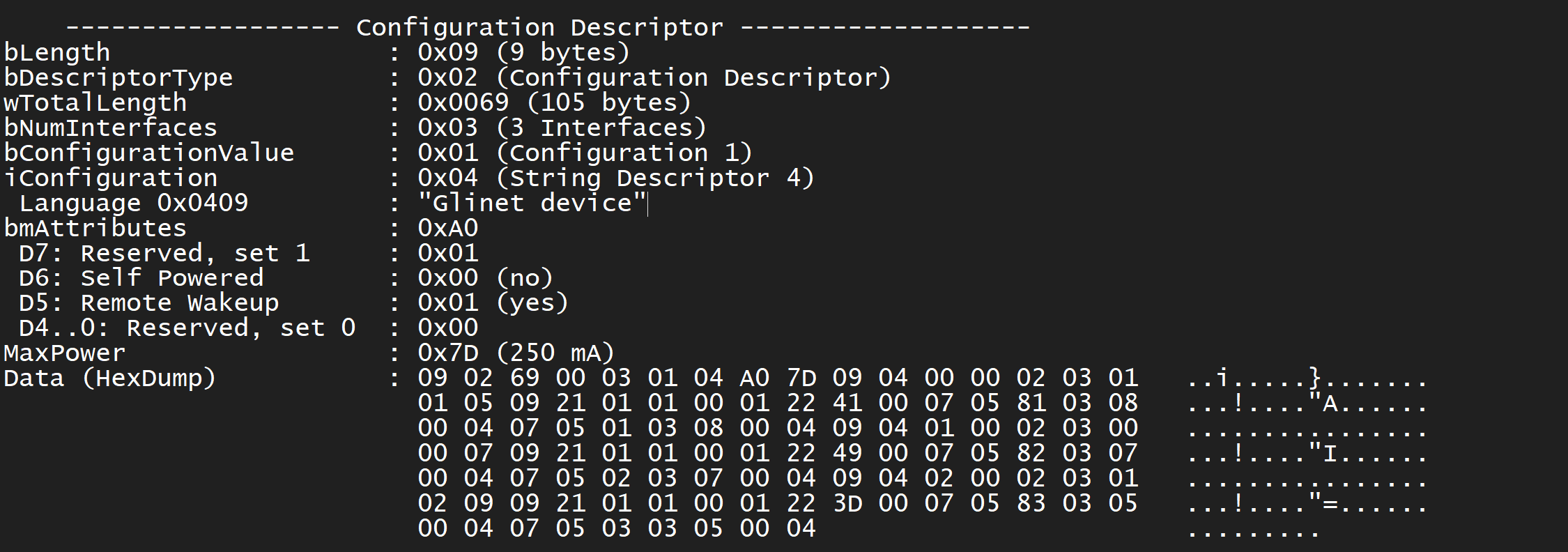
@minmie The “Customize” option mostly works, but if you load the resulting device in USBTreeView you can see that regardless of your custom setttings it still identifies as a '“Glinet Device” in the configuration descriptor. It also defaults to a serial of CAFEBABE, which is a PIKVM v2 default.
This could be really bad news for someone who didn’t want it to be recognized and thought that customizing it would help.
2 Likes
Yeah. Regarding the serial number, we might make some optimizations in the future, but I should mention that it can be modified when customizing the identity. As for the GL.iNet device, I’ll look into how to handle it.
1 Like
