I tried several times before come here to post my challenge. I'll explain how my home network is now, and what I'm trying to achieve with my AXT-1800 model.
I have setup a Pfsense firewall connected to my ISP modem. This firewall is fine and already up with ProtonVPN on it just setup on my LAN port. I means all traffic that goes through the LAN port is under a VPN tunnel. All good.
That comes family members which requires streaming features and so on not working most times under a VPN connection.
I then got my AXT1800 router and plugged in an OPT available port which bypass the VPN, and the other side in AXT1800 WAN port.
From this context, I started to setup the AXT1800 to work as an access point, but….no way to have any connection to the Internet.
I tried static route, a firewall rule, gateway, interface and got nothing. AXT1800 does not get any valid IP address at all so members of my family are getting several website errors not opening their URLs.
I appreciate any comments or the right way I have to check and set on both to get the GL-inet works like it should
In fact, no other laptop gets an IP address from that OPT port via DHCP. Something is really not going well in terms of configuration. I'll dig a bit more following your article suggestion. Back here with results later on.
As we don't know the exact model of pfSense that you have, we have selected documentation for a different model at random.
To ensure configuration consistency, remember to select the documentation for your specific model from the left sidebar on their website.
If you need assistance with the pfSense configuration, you may contact their technical support as well.
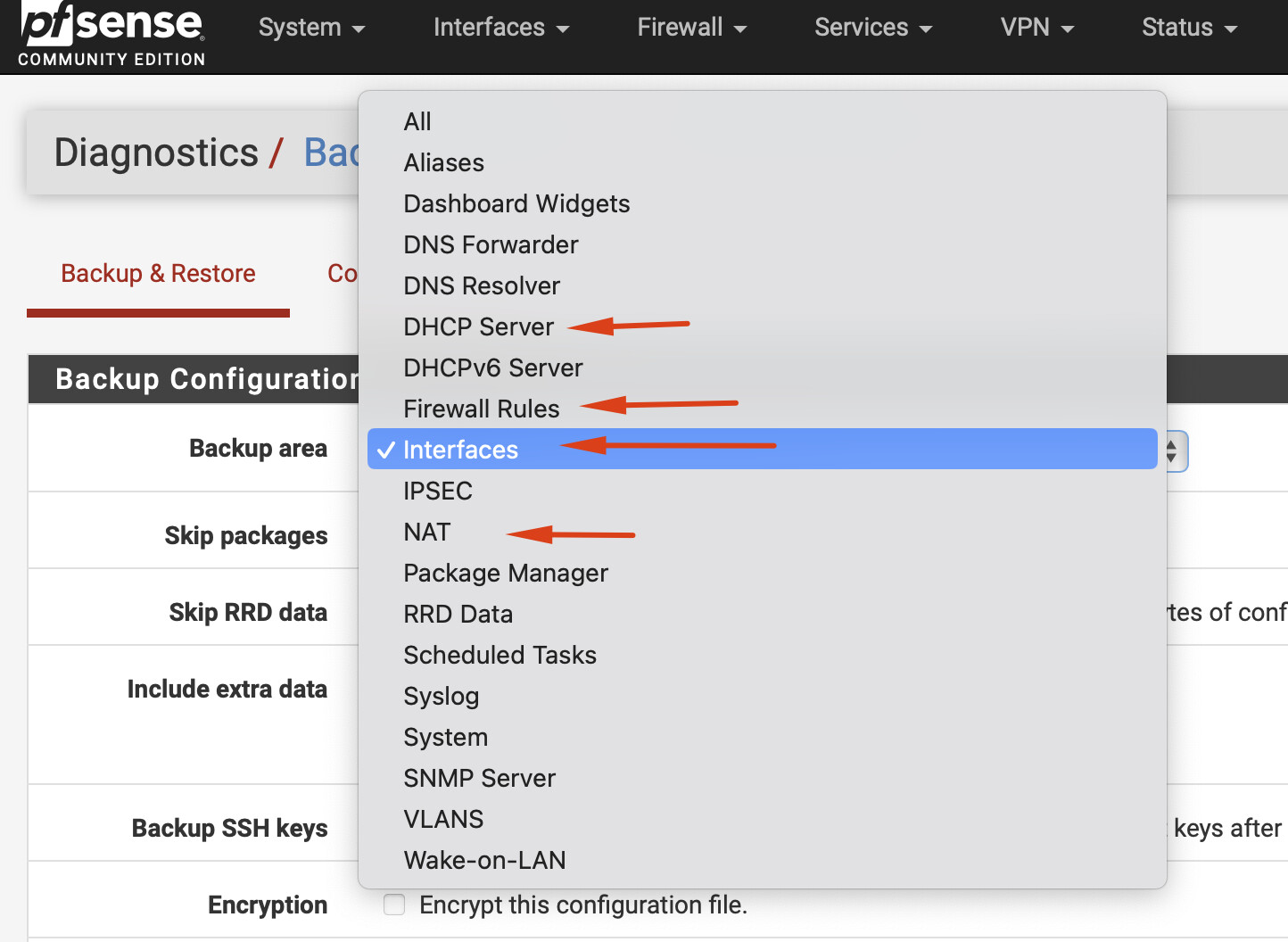
Under your PFsense router, go do Diganostics → Backup & Restore and then download the following files and upload them to Pastebin or here. There won’t be anything in there that links to you, so it’s usually ok for privacy to do this. Having these files will let us see routes and interface setup. As mentioned its probably something on the setup of OPT interface.
I see you have WAN (em0), Lan (em1), opt1 (bridges to OpenVPN) and opt2 (em3).
The opt2/em3 interface does not seem to have any NAT setup - you will need to setup hybrid NAT here following pfsense manual so it wooers to WAN and not OpenVPN by default.
I also cant see any DHCP settings for OPT2 - you’ll want to enable this on the “DHCP Server” page.