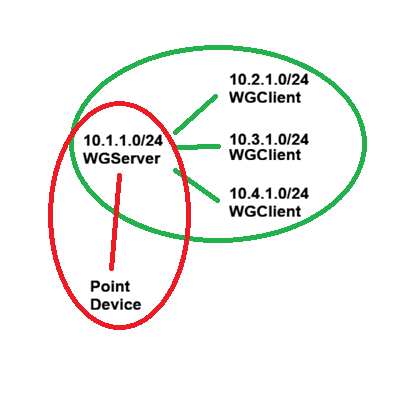
My Site to Site and Client to Client connections (green) all work perfectly as one big network. My problem comes in when I connect a Wireguard Point to Site client.(Red) (Android or PC) I can only see the WG server LAN at 10.1.1.0/24. It is totally blind to the other clients LANs. My Config file for my point clients looks like this:
[Interface]
Address = 172.16.236.229/2
PrivateKey xxxxxxxxxxxxxxxxxxxxxxxxx
DNS = 172.16.236.225,64.6.64.6
MTU = 1420
I am assuming that it should use the same routing tables as the other clients.
They look reasonable to me as a layman and work perfectly with the other clients which btw are miles apart on different ISP's so ports are open and working.
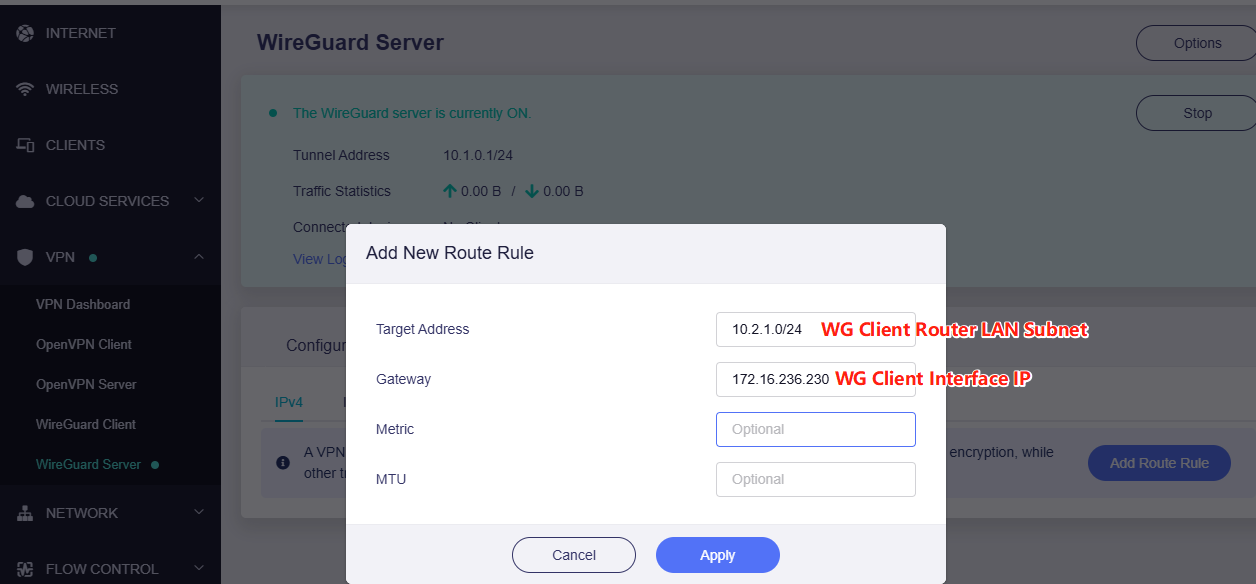
|(wgserver)|10.2.1.0/24|172.16.236.226|1|
|(wgserver)|10.3.1.0/24|172.16.236.227|1|
|(wgserver)|10.4.1.0/24|172.16.236.228|1|
|(wgserver)|172.16.236.224/28|-|0|
I am just not sure where to start? Config? Firewall? Forwarding?
What is different about the Point to Site client from the Router Clients?
I am sure I need to change something in LUCI but have no idea where to start.
Bruce...... If you read fully these settings are already in and working as the GL-inet clients communicate fully with the GL-Inet server. All addresses on any network are fully viewable from any of the clients or server. This issue only pertains to single point to server devices running the wireguard client app/application. This single point clients can only see the subnet of the router they are connected to. This appears to be a routing issue from just single clients.
Again all the routing tables for the clients and server are solid.
Sorry, I misunderstand the red circle earlier. Thanks for clarifying!
I get it now. The red circle marks a point device (PC or phone), the green circle are some routers. The routers in the green circle can access each other's LANs without issue, but that red-circled PC/phone is unable to reach the WG client router's LAN clients.
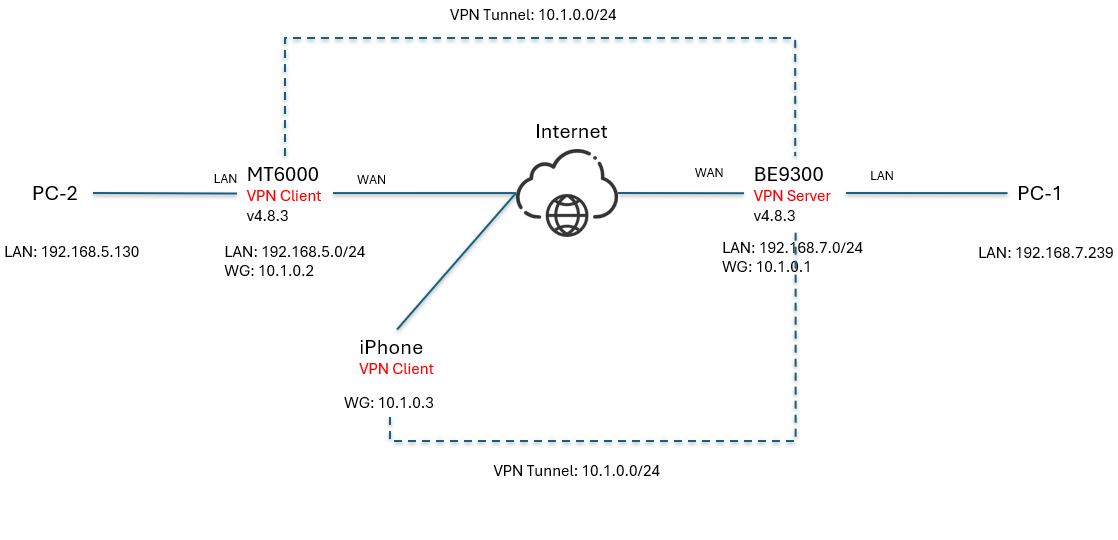
I set up an environment to try to reproduce this issue, but they work properly, the phone is able to access the WG client router's LAN client (PC-2).
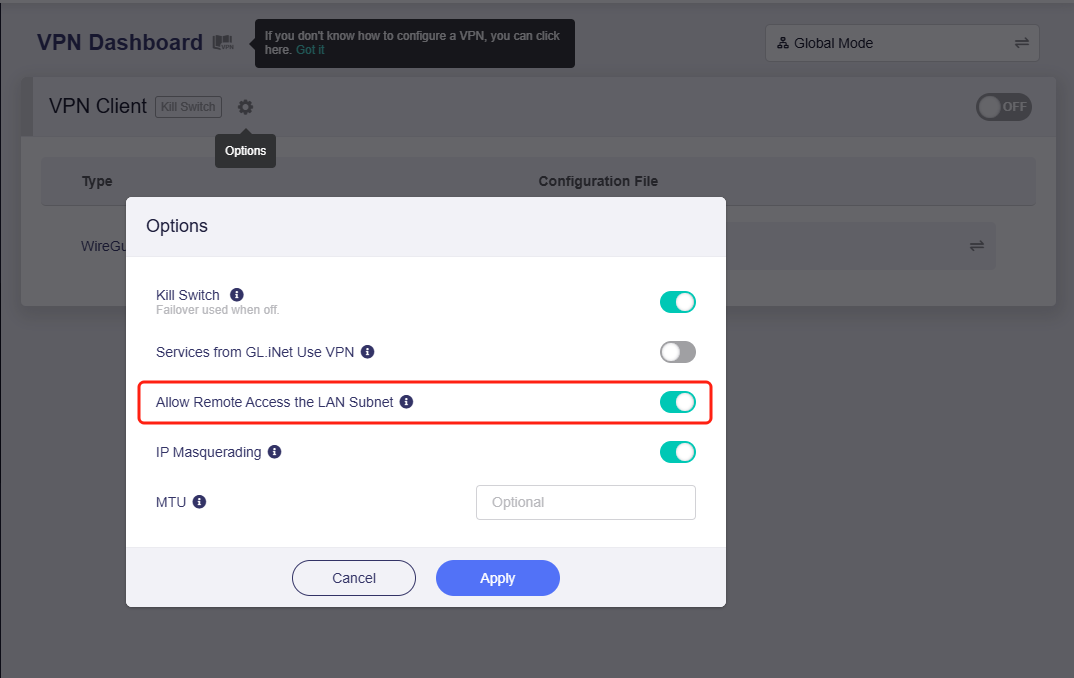
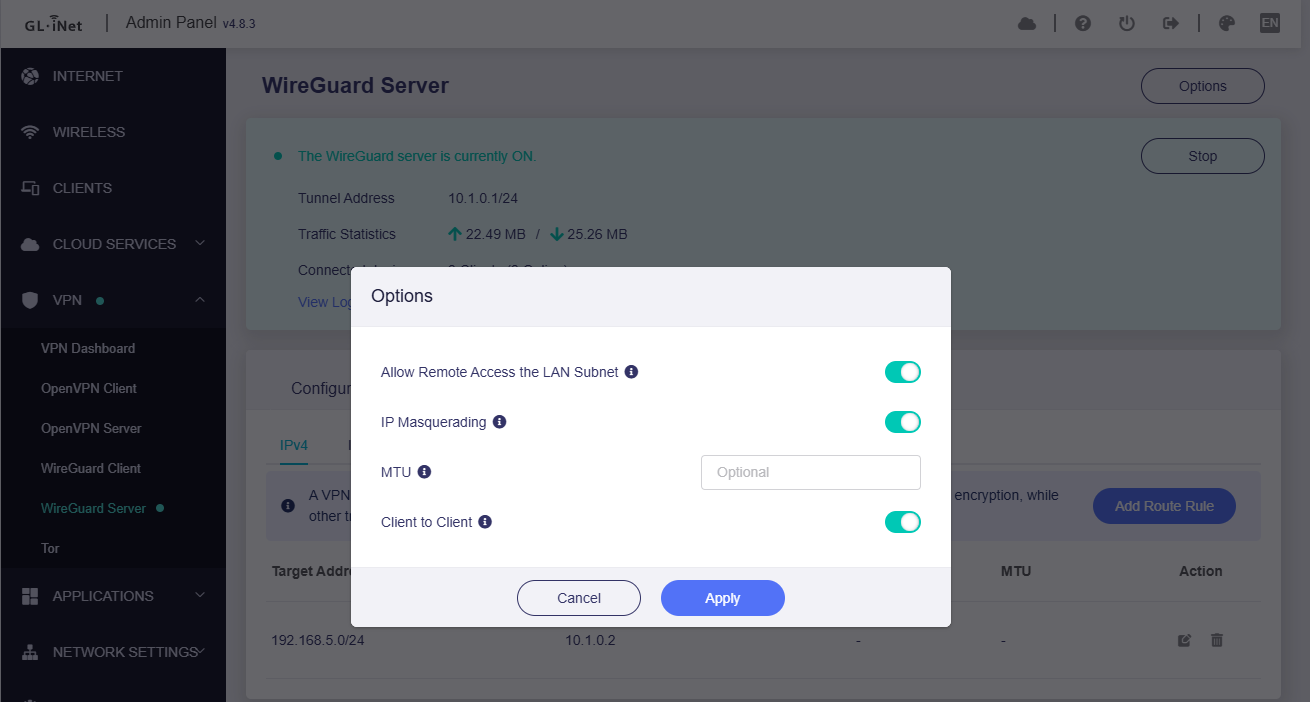
The only thing I see different is IP Masquerading......... I have mine off....
It seemed to break things when I turned it on so I never really fooled with it.
The network was working fine so I didnt see the need but that may be it...
The phone si probably showing up directly in the tunnel with no lan IP.
Bruce, I played with it a bit.......... seems like IP Masquerading breaks it any where I turn it on...... Server/Remote Client/Both. Any of them on breaks the link. And yes I am aware that the firewall stops IMCP on Windows boxes but I have enough non firewall devices that will respond to check it........ Everything I have read seems to point to leaving masquerading off for networks where the lan IP's on the remote networks are "known". Nonetheless, this configuration will not work.. The trick may be to figure out how to leave the core network configured as is and masquerade the point to network clients. I think that may be what I am seeing. The point device is coming in with a tunnel ip as a client and no traffic is forwarded that way in the configurations. I may try adding the tunnel ip to the networks on the clients and servers to allow a return path back to the client on the 172. subnet..... Still at a loss though.. thats just a guess. I kinda got sidetracked on that issue with bigger fish to fry setting up a new server and domain controller for the network. My next hurdle is getting AD DC through the Wireguard pipe which has been difficult to this point....
Any thoughts on that? May need to massage the firewall to open ports in the tunnel.
I cant find any real info on whether they are blocked or open on the GLINET config.
That is weird, if possible, could you please share the GL Router VPN server and the one of the GL Router VPN clients with us on GoodCloud, so we can try to inspect them remotely?
We haven't been able to reproduce the issue locally, which makes it hard to guess and troubleshoot further.
We need a separate profile on the VPN server, so that test in my point devices can connect to the VPN server via tunnel. Then we will check the point device → VPN server → VPN client → LAN device (from the GL Router VPN client), to see where the problem in.
Please PM me your router MAC address and the Admin Panel password.
Sent........... Note the second message with the passwords.......
I have them all backed up so hammer away on them........
While your in there see if you can give me some pointers on how to force Active Directory through the pipes..... I can ping the server and see the open ports but I cannont get the traffic though for the DNS resolution from the DNS at 10.1.1.20.
I was playing with it tonight and crashed the router messing with the firewall zones and traffic rules.. Got it restored back to normal. You will see all the DNS entries pointed at that server but I also had to leave a DNS leak to 8.8.8.8 so internet stuff will work when I am not messing with it.............
Received the info in our PM, but the routers hasn't been shared to me on GoodCloud.
Let's check to the VPN server and each client available first.
About the DNS issue: if you disconnect the VPN tunnel, DNS will go to 8.8.8.8 (custom DNS); when the VPN tunnel is enabled, DNS requests are sent to the VPN server always, to ensure DNS does not leak.
Bruce,
Sent the screen shot of GoodCloud connections in PM.........
The 3600 is the only one connected directly to the network via repeater.
Network is working fine from everywhere except the point device. It is communicating back to home automation on the server to control the solar farm......
On the DNS yeah that appears to be the way it should work. From looking at the routing table the best I can tell is by default port 53 is open...... I am trying to get active directory through
Essential AD Firewall Ports:
DNS:** TCP/UDP 53 (Name resolution)
Kerberos:** TCP/UDP 88 (Authentication)
LDAP:** TCP/UDP 389 (Querying/Directory access)
LDAP SSL:** TCP 636 (Secure LDAP)
Global Catalog:** TCP 3268 / 3269 (LDAP/SSL)
SMB/CIFS:** TCP/UDP 445 (Group Policy/Sysvol)
RPC Endpoint Mapper:** TCP 135 (Service location)
RPC Dynamic Ports:** TCP 49152-65535 (Replication, Group Policy)
NetBIOS:** UDP 137, TCP 139 (Older systems)
Kerberos Password Change:** TCP/UDP 464
NTP:** UDP 123 (Time sync)
If I am looking at it correctly I will need to put in a separate traffic rule for each port.
Meanwhile, I am spooling up another server as a Backup Domain Controller for that site until I get the tunnel sorted.
If some messages need PM, let’s updates in this PM channel, please do not create new PM channel.
I just checked your VPN server (call it BE9300-Server). The WireGuard server configuration is fine. But I found you have manually added some AllowedIPs to the profile.
I assume you exported these profiles and then imported to the VPN client (for example, another BE9300, call it BE9300-Client) and connected it to the VPN server (BE9300-Server).
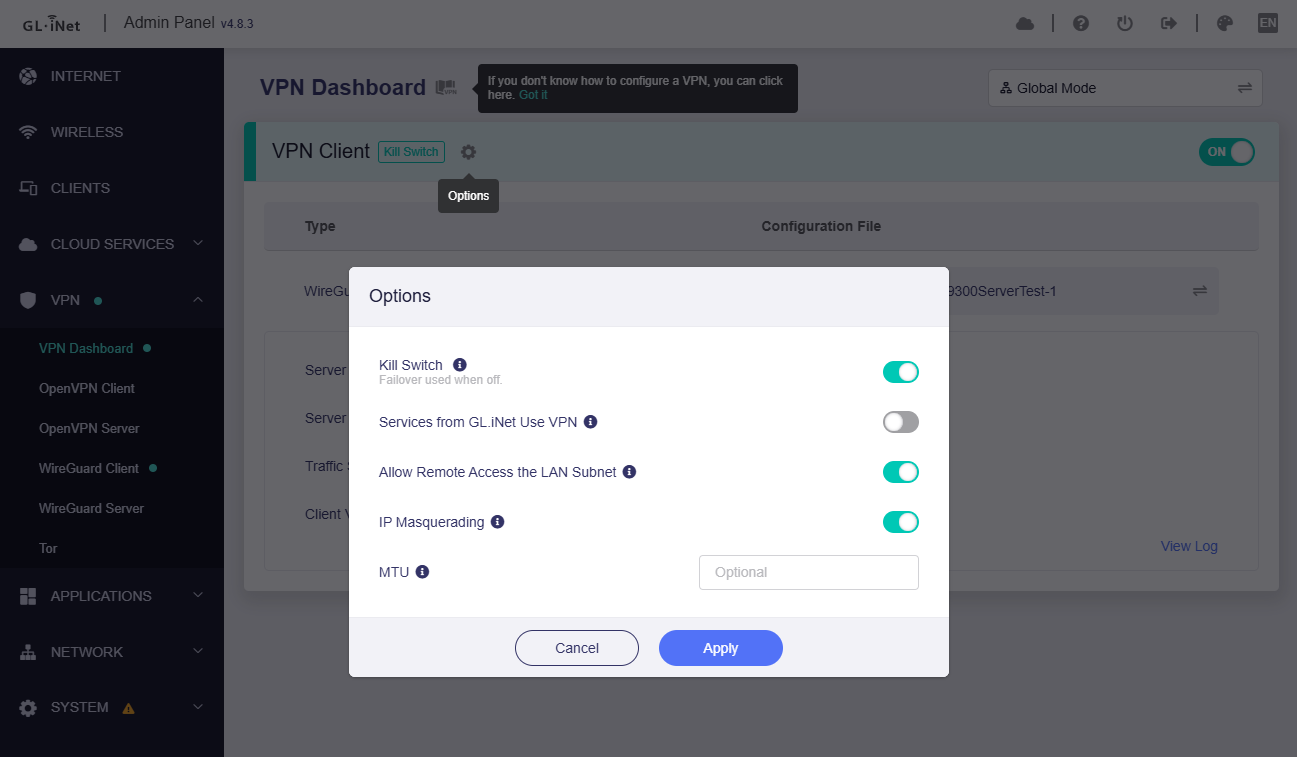
In firmware v4.8.x, the VPN dashboard features updated/changed some policies:
the VPN client no longer support AllowedIPs in the profile. You need to change the AllowedIPs in the VPN client’s profile (BE9300-Client) to 0.0.0.0/0 and save.
And, input the AllowedIPs into the to list on the VPN dashboard, to enforce which destination IP or subnets should go to the VPN tunnel.
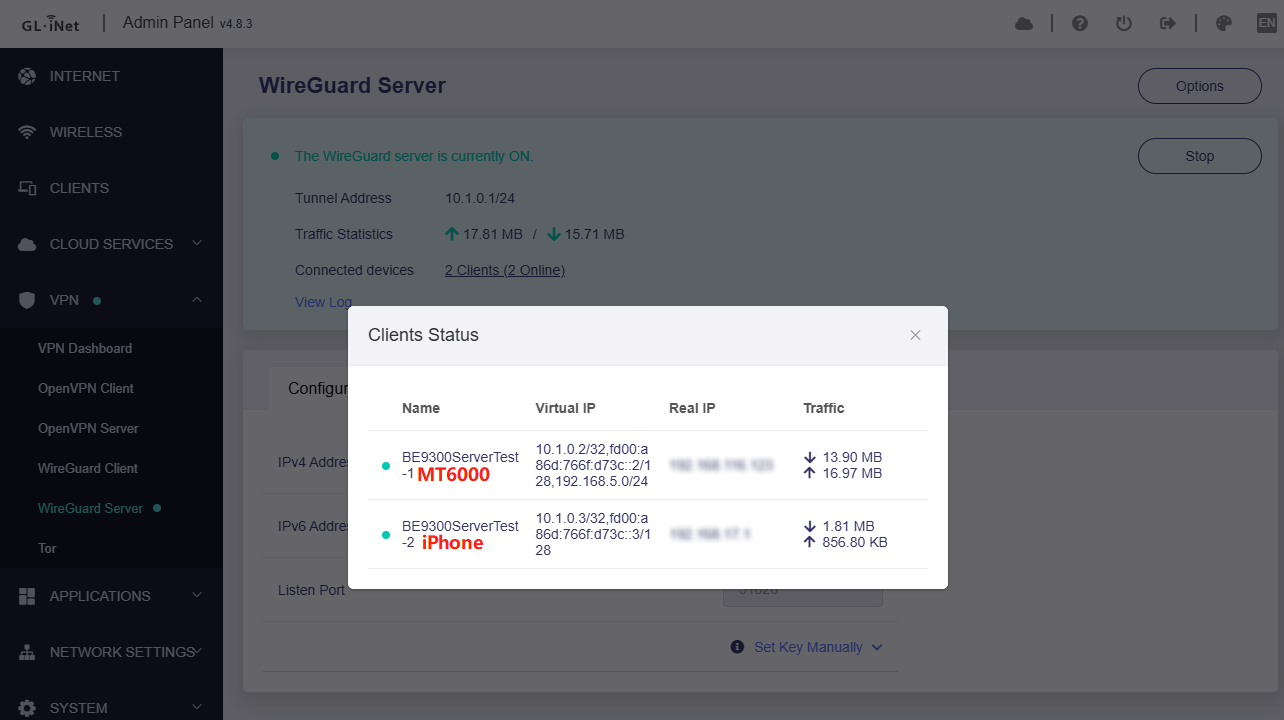
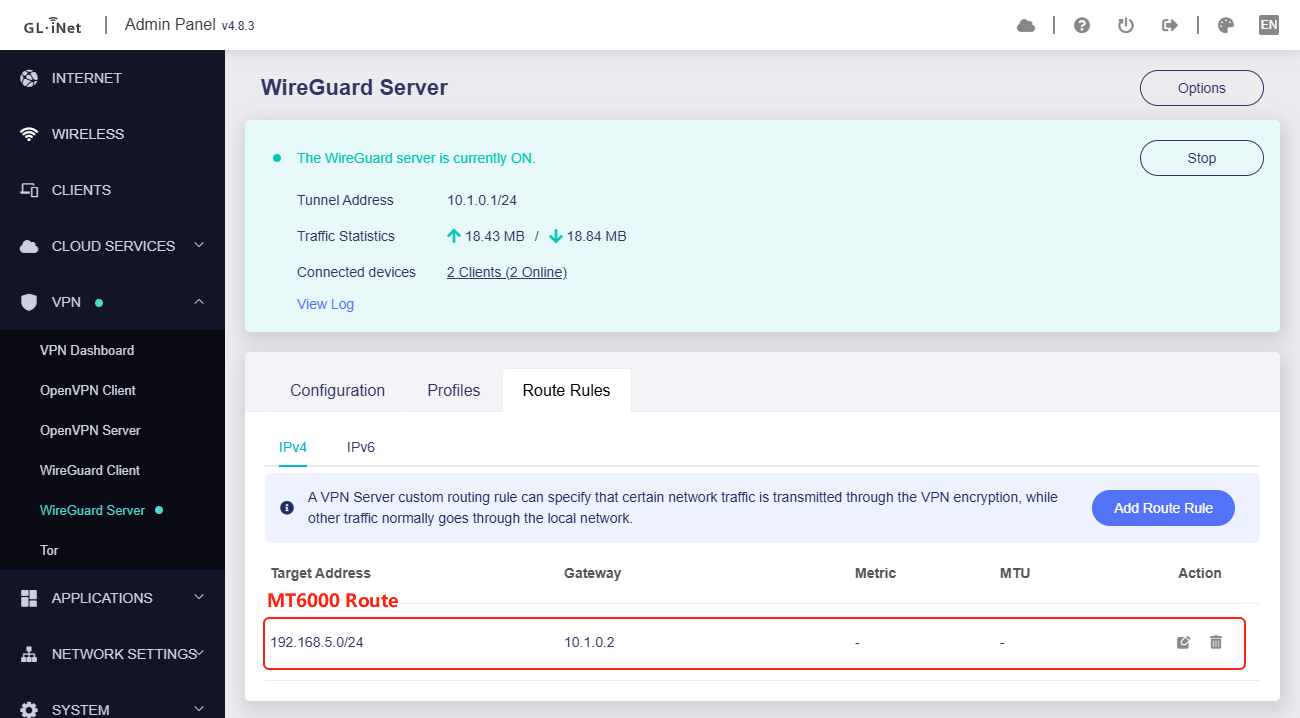
I temporarily created a profile on the VPN server (BE9300-Server), only to verify whether the point device be able to access the VPN client (BE9300-Client) LAN devices.
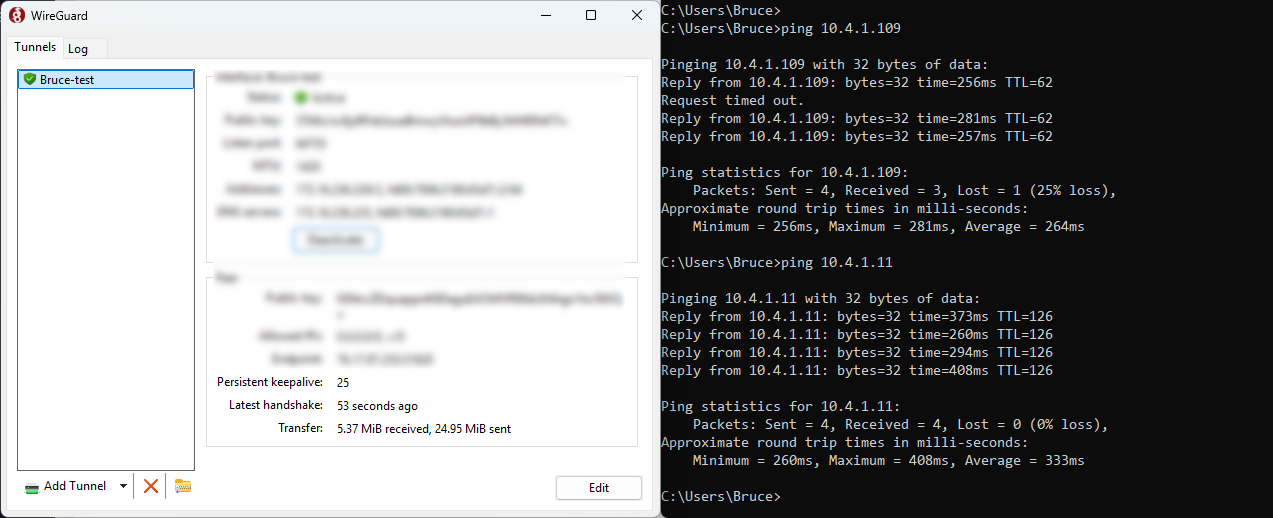
My PC connected to the BE9300-Server and verify it, it works properly:
After verification, the temporary profile was removed.
I only checked on BE9300-Client unit and confirmed they were fine. I don't have remote access to the other VPN client routers, so you'll need to modify them yourself.
If the other routers are working properly, you can stop sharing all.