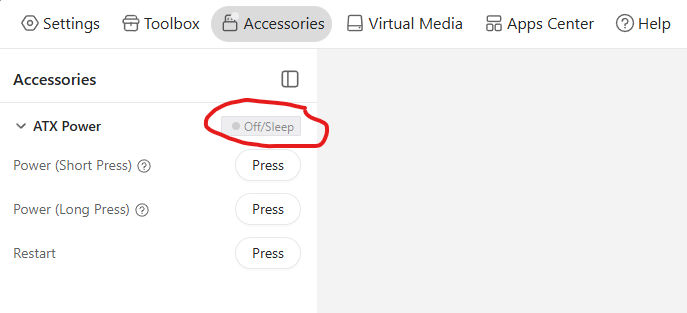
Power LED passthrough from ATX board doesn't work quite right

I have the comet's ATX board wired up to a PC, and it's behaving strangely regarding the power LED passthrough.

Through trying every possible combination I could think of with swapping polarity of the cables going to the case LED, swapping polarity of the cables going to the motherboard, and swapping the two connections on the ATX board (the docs call them Interface 4 and Interface 5), I have not been able to figure out a configuration that makes everything work correctly.

I am certain I have the polarity of the case and motherboard cables correctly since they are clearly labeled and color coded, and they work when directly wired.

For example, if I correctly connect power LED between ATX board <--> motherboard, and ATX board <--> PC case, the following happens:

  • The two LEDs (blue and green) on the ATX board indicate motherboard's power status (they are both on when the computer is on)
  • The power LED on my PC case does not work

If I swap polarity of just ATX board <--> case:

  • The two LEDs on the ATX board still work
  • The power LED on my PC case still does not work

If I swap polarity of just ATX board <--> motherboard:

  • Neither ATX board power LEDs nor case power LED works

If I swap polarity of both ATX board <--> motherboard, and ATX board <--> PC case:

  • The two LEDs on the ATX board do not work
  • The power LED on my PC case does work!

That covers all four possible arrangements of swapping polarity, and I also tried all four of those again after swapping Interface 4 and Interface 5, which made no difference in any case. No configuration gets both the power LEDs on the ATX board and the power LED on my case to work at the same time.

Of note is that my case's HDD activity LEDs work just fine when wired as I would expect them to be, and I believe all of the power and reset buttons work. It is just power LED that is being wacky.

Also, I'm slightly curious to me is why there are two LEDs on the ATX board, are they supposed to be one for power and one for HDD? They're both behaving as power indicators for me.
2 Likes

Hi Thanks for your feedback.
We have two leds on the board and the both led behaiver is the same as the Power LED(blue is system for ATX; green is power for PC) , we didi't have HDD LED on the ATX board.

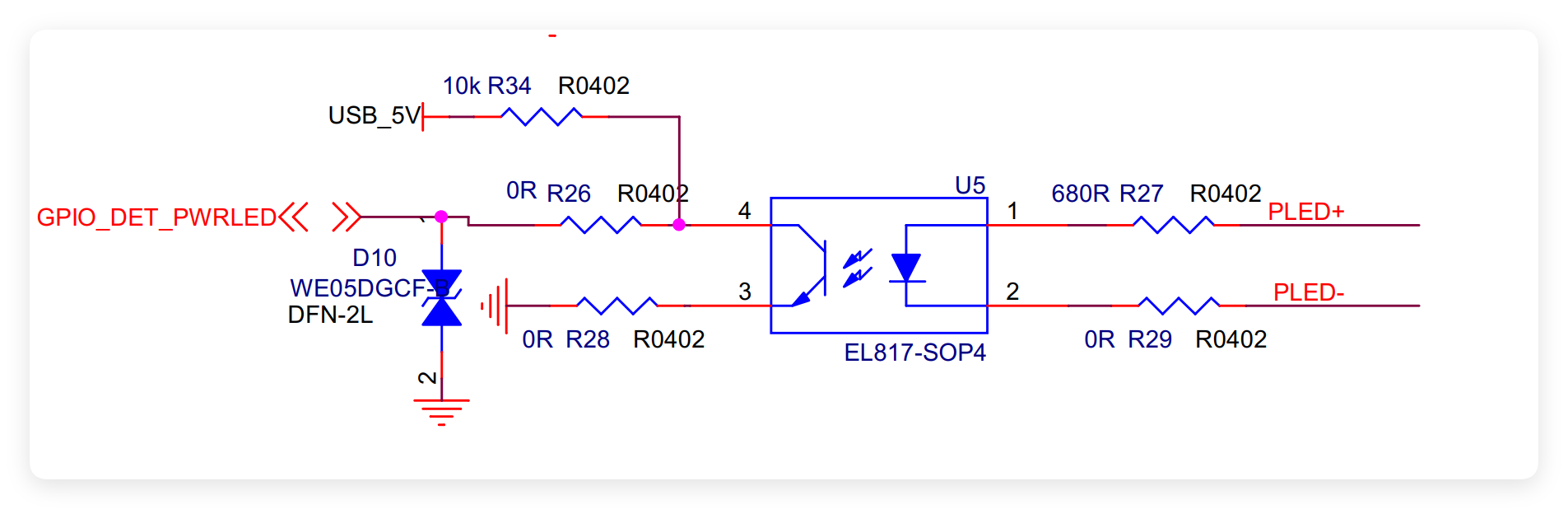
There is a Optocoupler on the ATX board, and inside the Optocoupler there is a LED; so if you plug the right polarity the power LED will work good. otherwise the led won't work.

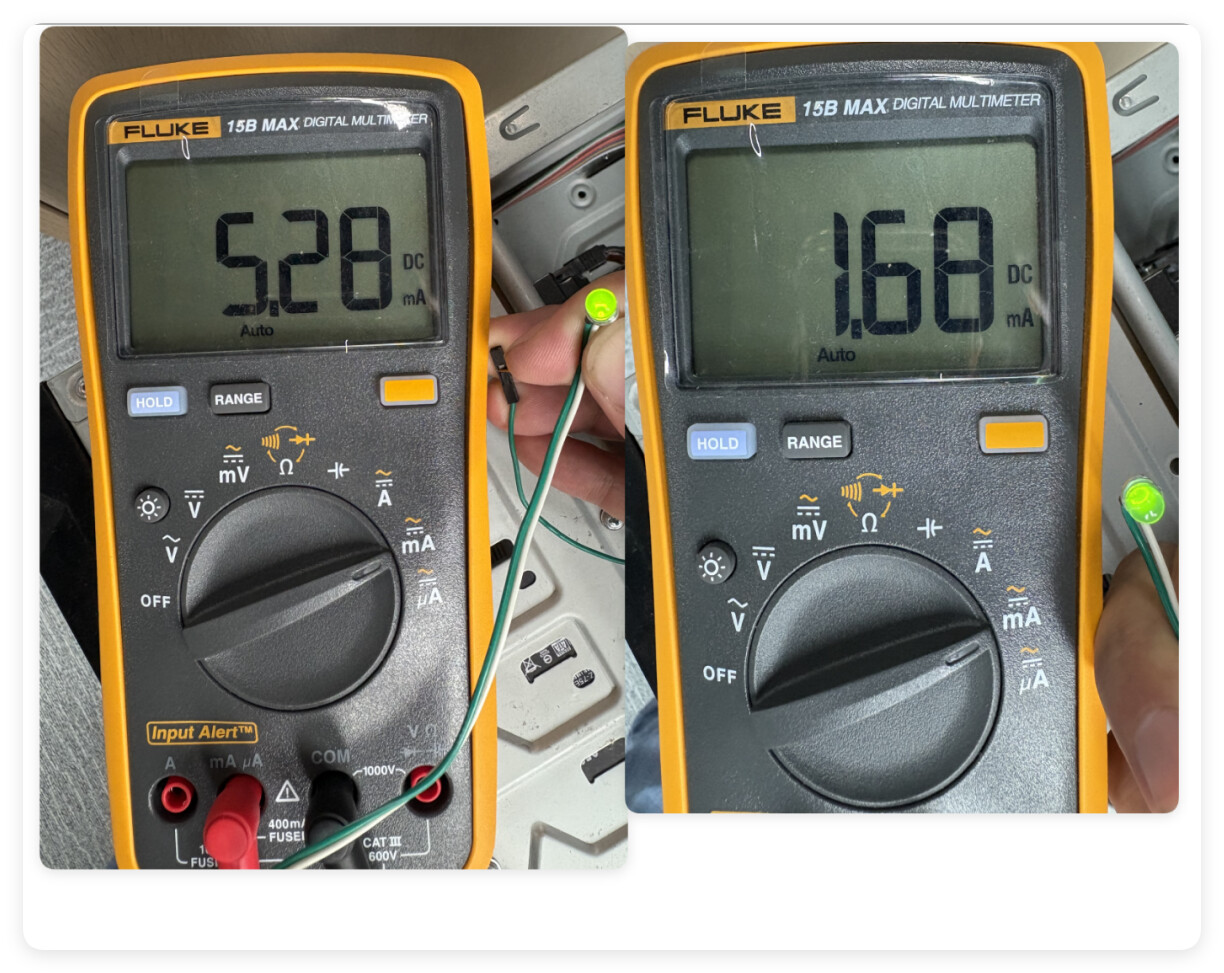
The power LED on my PC case does not work releated to the Current driving capability of the motherboard. In your correctly connect situation. the Power LED signal will driving two leds. so you can't see the brightness of the case power led; (on my side when connect in the right polarity the case LED brightness will decrese so does the current)

when you swap polarity of both side. the led in the Optocoupler in the wrong polarity; the Power LED signal will driving only one led. and the case led works ok.

I’m experiencing the same problem. Would it cause any issues if I connect it in a way that makes the PC case LED work instead of the ATX board LEDs?

Does the ATX board use the Power LED to detect whether the PC is on?

Motherboard: ROG STRIX B550-F GAMING
PC Case: Fractal Design Define R5
ATX Board: KVM-ATV-V1.0

’m experiencing the same problem. Would it cause any issues if I connect it in a way that makes the PC case LED work instead of the ATX board LEDs?
--------->Nope. you can connect the PC case LED

Does the ATX board use the Power LED to detect whether the PC is on?
------------->It can read the status of the Power LED and send it to RM1. but right now we didn't use it to detect the PC status.

As I posted GL-ATXPC May have a design issue

I too am having this issue. It seems the ATX board is not providing adequate power out to drive the original case LED for some of us, or as I noted in my post some boards may be faulty. I have a second board on the way to compare.

I’m also having issues with the ATX board and this same case and a Gigabyte mobo.

1 Like

Same issue here, Asus motherboard. Has anyone found a fiy?

Could you please confirm that the connection is corrrect. The ATX board should also connect to Comet's usb port.

Please execute atxpower /dev/ttyACM0 click_power_short in Terminal and offer us with the outcome?
If still not work, try reversing the polarity of POWER SW (The pins that connect to the motherboard )

Update: The issue with ATX LED lightness is under processing, we are finding ways to improve it, please give us some time.

Apologies for the delay. The investigation into the brightness of the LED indicator on the ATX board has been completed.
We identified the issue a bit later than expected, but we have recently begun addressing it from the hardware side. The problem only affects the brightness level of the computer power button indicator light and does not impact the ATX board’s functionality in controlling power on and off.

We will gradually replace the old version with the improved new version. Sorry for the inconvenience caused