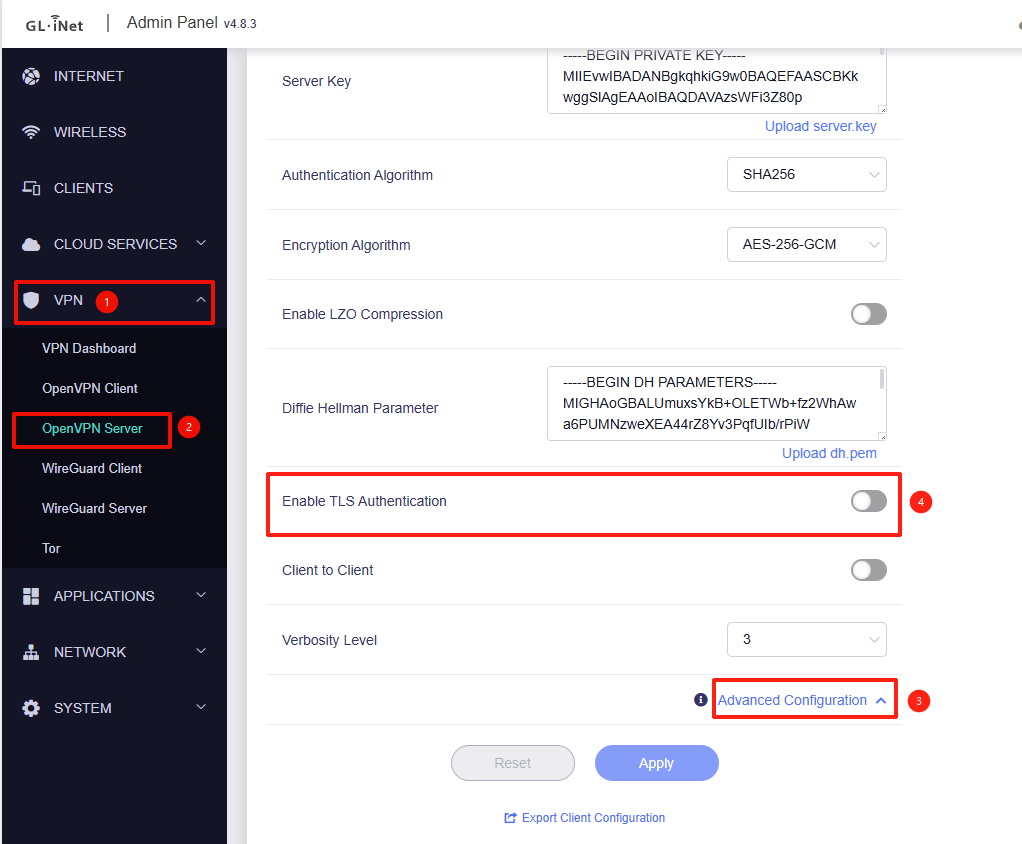
I’m moving from an ASUS router to a GL-MT6000 and hoped to use the same OpenVPN client config I’ve used with the ASUS router. That would involve uploading a CA cert, server Cert, and server Key. I assumed I could just copy these from old OpenVPN client config file. The uploads seemed to work, but when had the MT600 export a client config file (which I wanted to compare with my existing config file) it generated an invalid file - no server certificate was included:
Also, the GL-iNet OpenVPN config contains a TLS-auth 2048 bit OpenVPN static key that my ASUS Openvpn client config doesn’t have. (Nor, incidentally, does the client config for the OpenVPN server on one of my NASs). Is there some way to exclude this from the server and client?
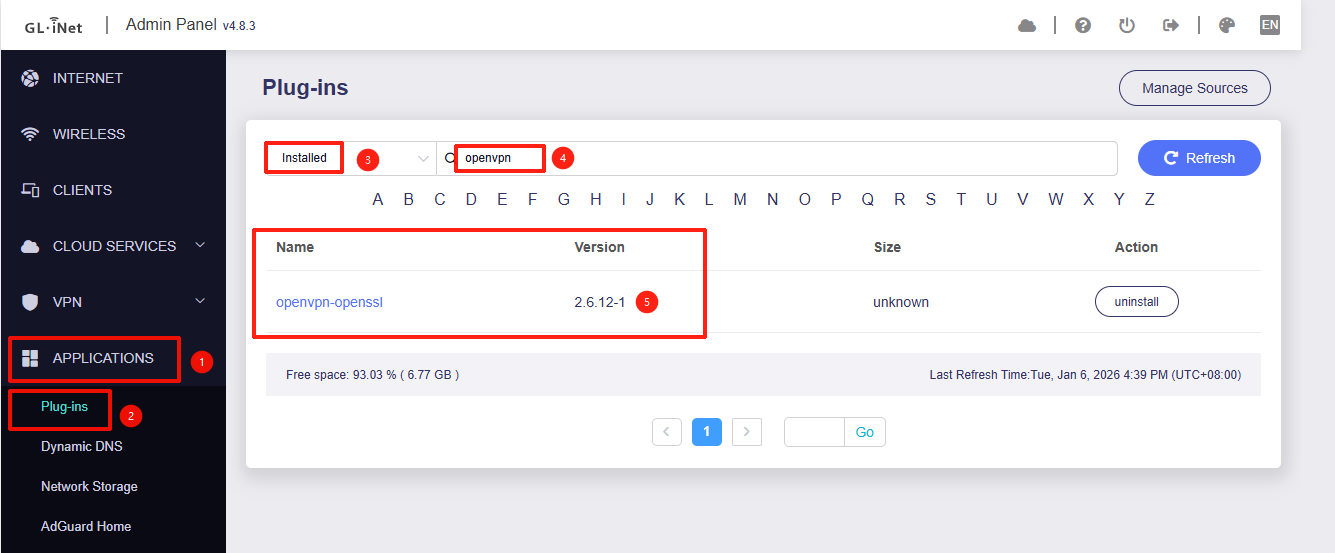
Also, I can find nothing mentioning what release of the OpenVPN server is in MT6000. I know there were some significant security changes to OpenVPN within the last couple years and I would like to know if the are included in the MT6000. Some supported encryption key formats were added and deleted.
Thank you for your report. It appears there is currently a bug preventing server certificates from being saved properly.
We have reported this to the development team and will fix it in a future release.
Sorry. I missed this posting. Thank you for the information.
My goal is to import certificates and keys that would allow my existing OpenVPN client config files to work with the GL-iNet OpenVPN server. But maybe that’s an impossible goal even if the import function worked.
Regarding the certificates issue, can I just edit /etc/openvpn/ovpn/server.ovpn and insert the appropriate certificates and key?
Regarding the TLS issue, I don’t want to disable it. My client other router’s VPN config file contains the statement “remote-cert-tls server”. I think that meant the TLS certificate is included as a field in the server’s certificate. If I could import that other router’s server certificate then maybe I could get my old config files to work.
Or maybe I should give up on OpenVPN and use WireGuard.
Interesting. openvpn-openssl was not showing with the “Installed” filter. I guess because its status was “Update” (update from 2.6.12.-r1 to 2.6.14-r2). Once I did the update it showed with the Installed filter.
While technically true that its status was not “Installed”, the plugin was installed and should have been listed as such.
Currently, we are still discussing with the R&D team how to improve the handling of custom certificates in OpenVPN Server mode.
Theoretically, once you have imported the CA certificate, Server Key, and Server Certificate on the server side, you should be able to connect using an existing client configuration file by simply updating the server's IP address entry.
However, the "Export Client Configuration" feature on the router will remain unavailable in this scenario. This is because the CA Private Key is not present on the router, making it impossible for the router to sign and generate new client certificates.
Since the OpenVPN Sever configuration files are generated in real-time by the GL.iNet Admin Panel, the manual modification method won't work in this specific case.
However, you can consider installing luci-app-openvpn and use luci to achieve this.
Yes, that makes sense. I'll pass that feedback on to the R&D team as well.