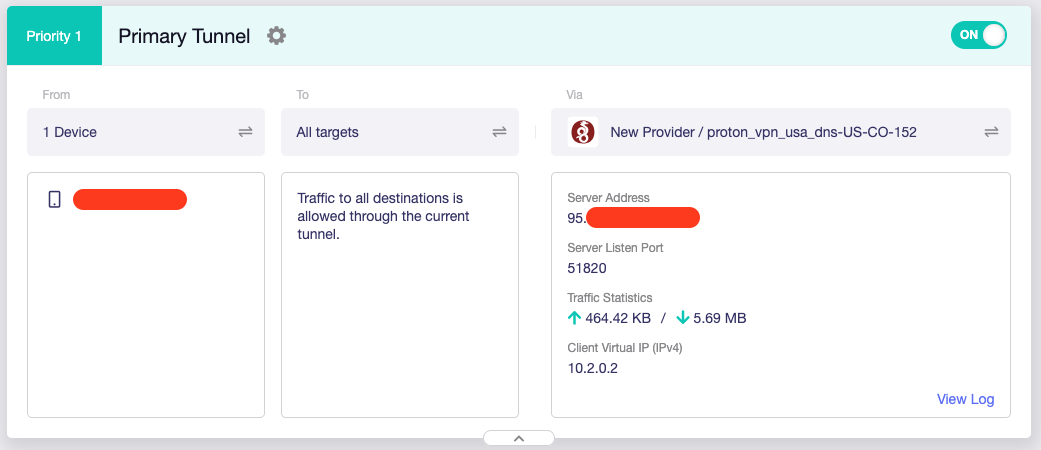
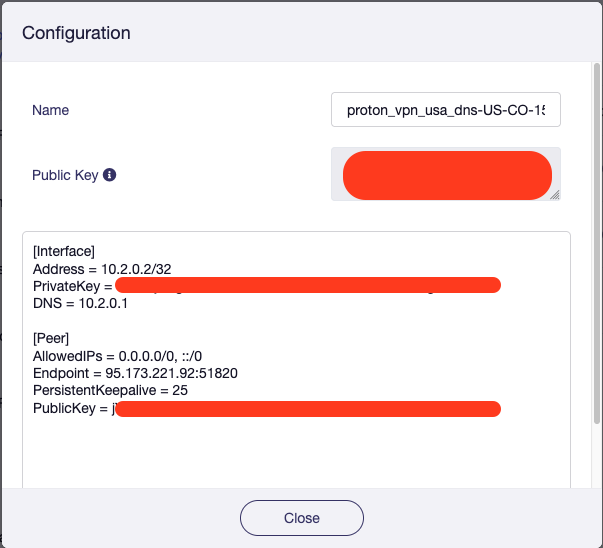
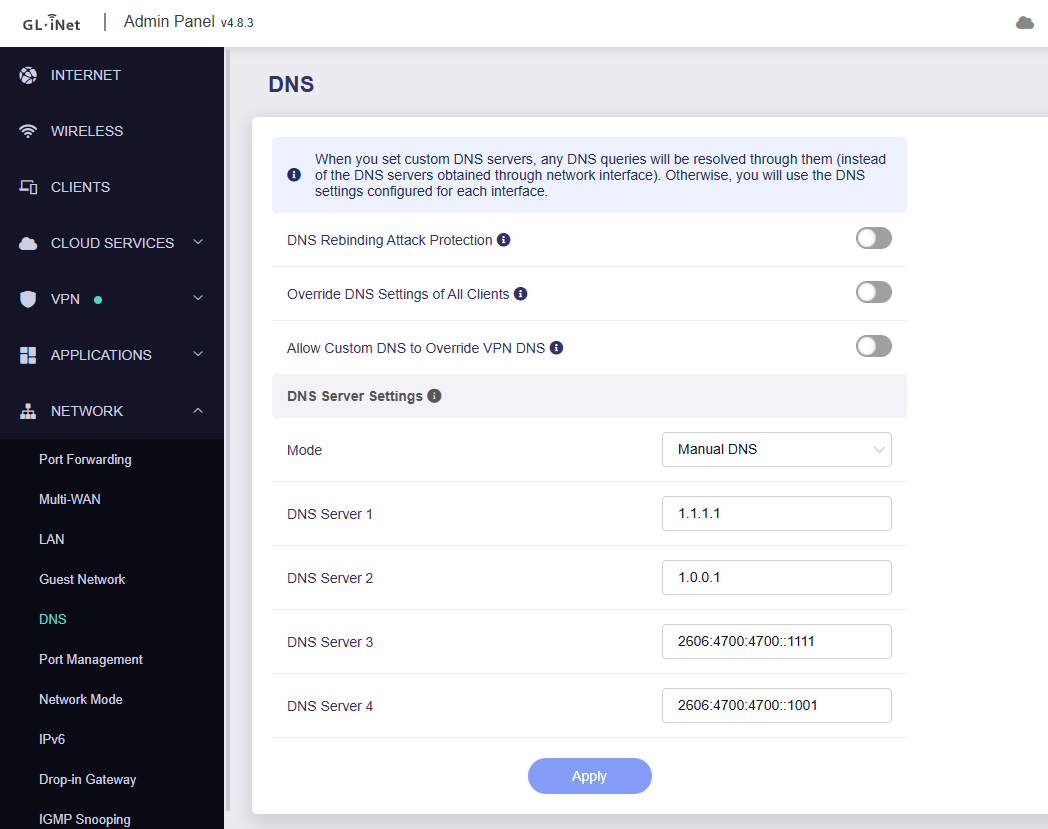
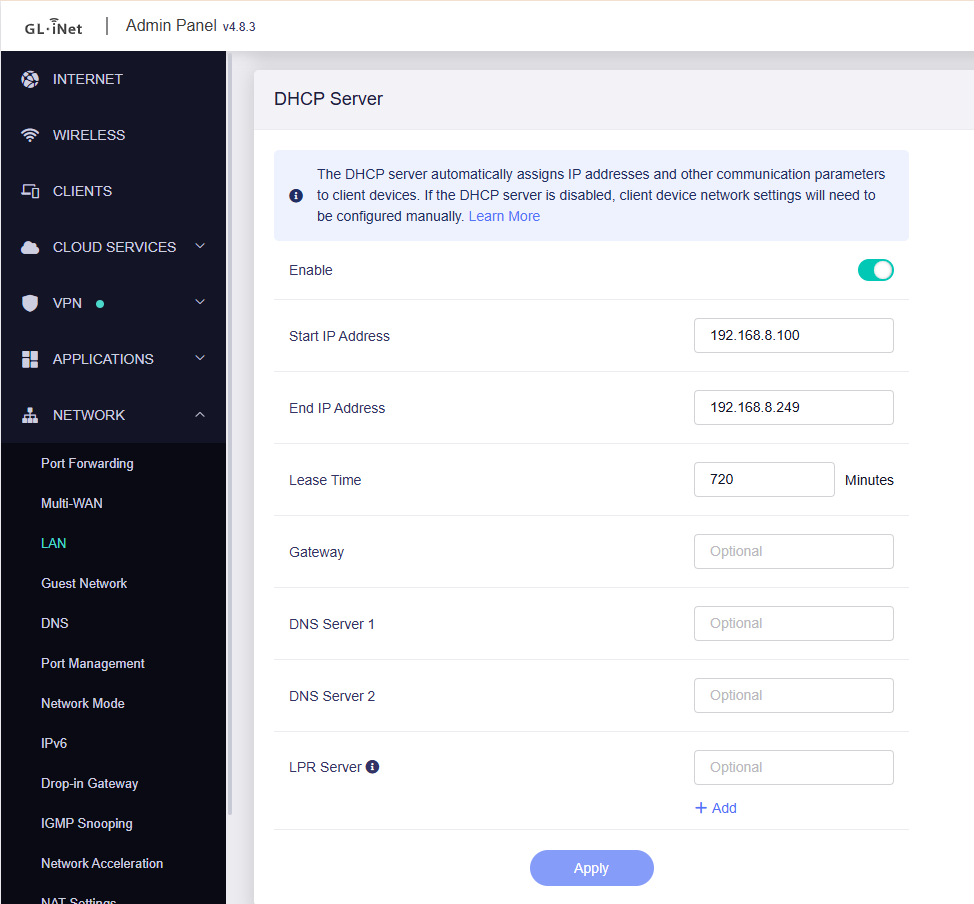
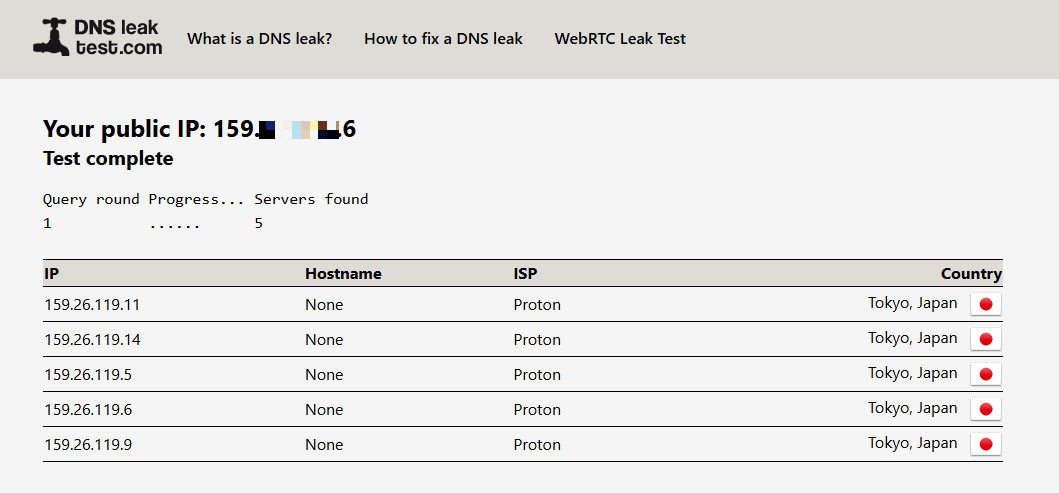
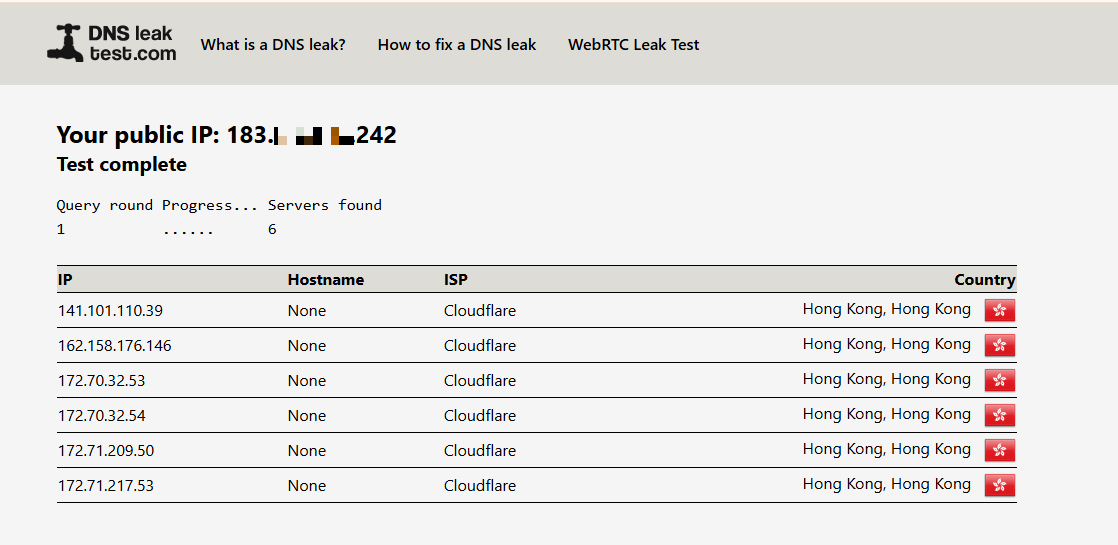
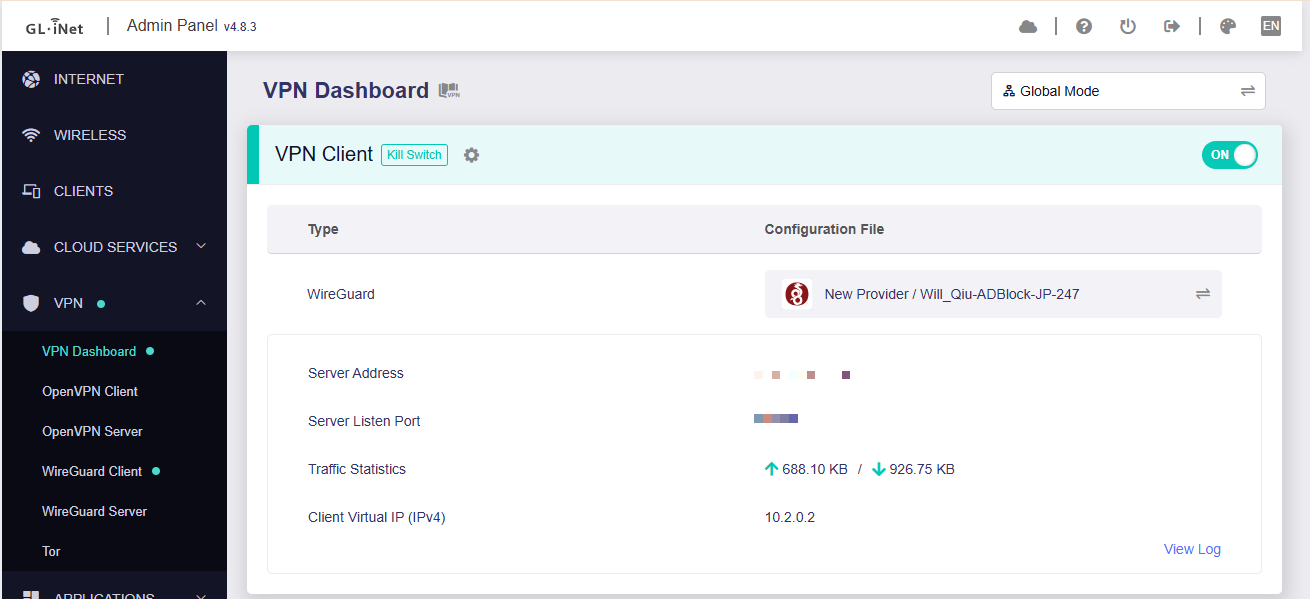
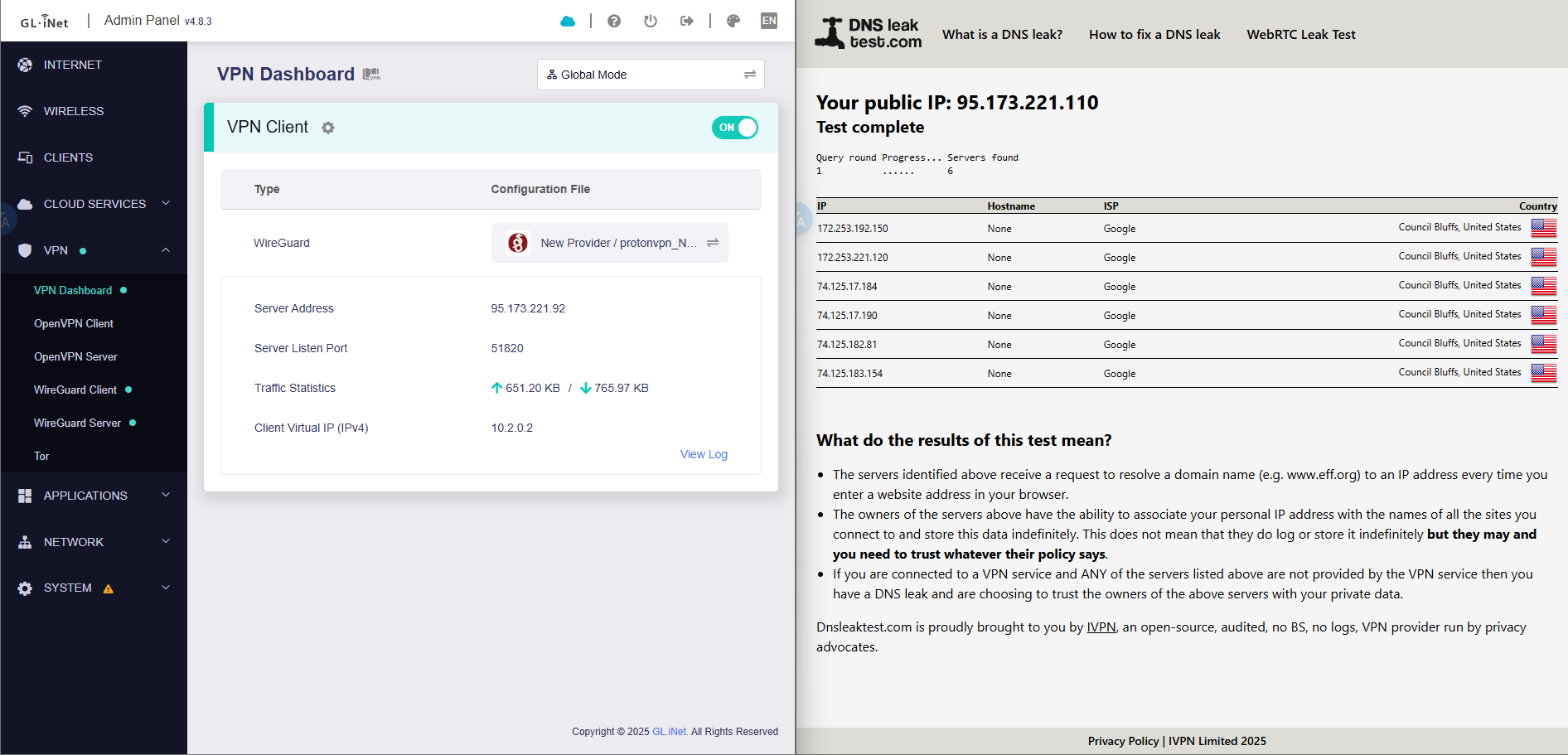
When connecting to Proton VPN with a device, the DNS stays as the Raspberry PI/AdGuard Home DNS Server, and does not change the the Proton VPN DNS Servers.
I need to be able to use Proton’s DNS Servers for streaming services to work correctly as it doesn’t like it when a custom DNS is used, rather than Proton’s own.
It appears the LAN DNS setting overrides all other DNS settings, including those used by VPN Clients.
Note this is only happening in Policy Mode when specifying individual clients- when set to Global Mode, all traffic (including DNS) is routed over the VPN as expected.
This is not ideal - is there a fix for this (i.e. is it a bug) or is this expected behavior?
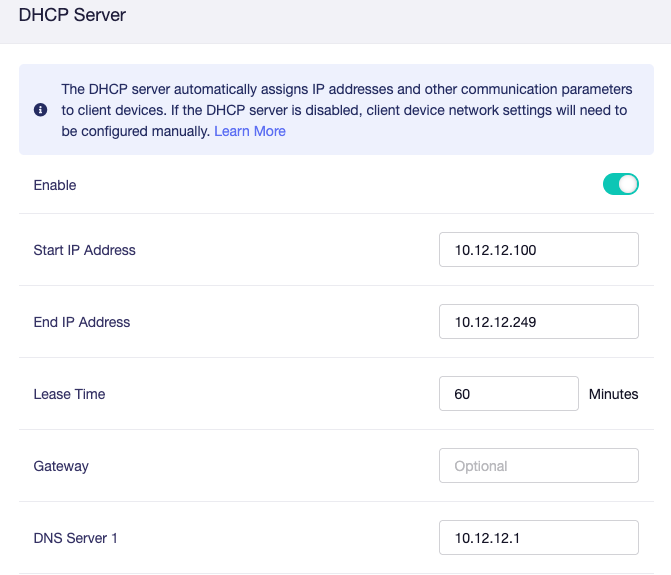
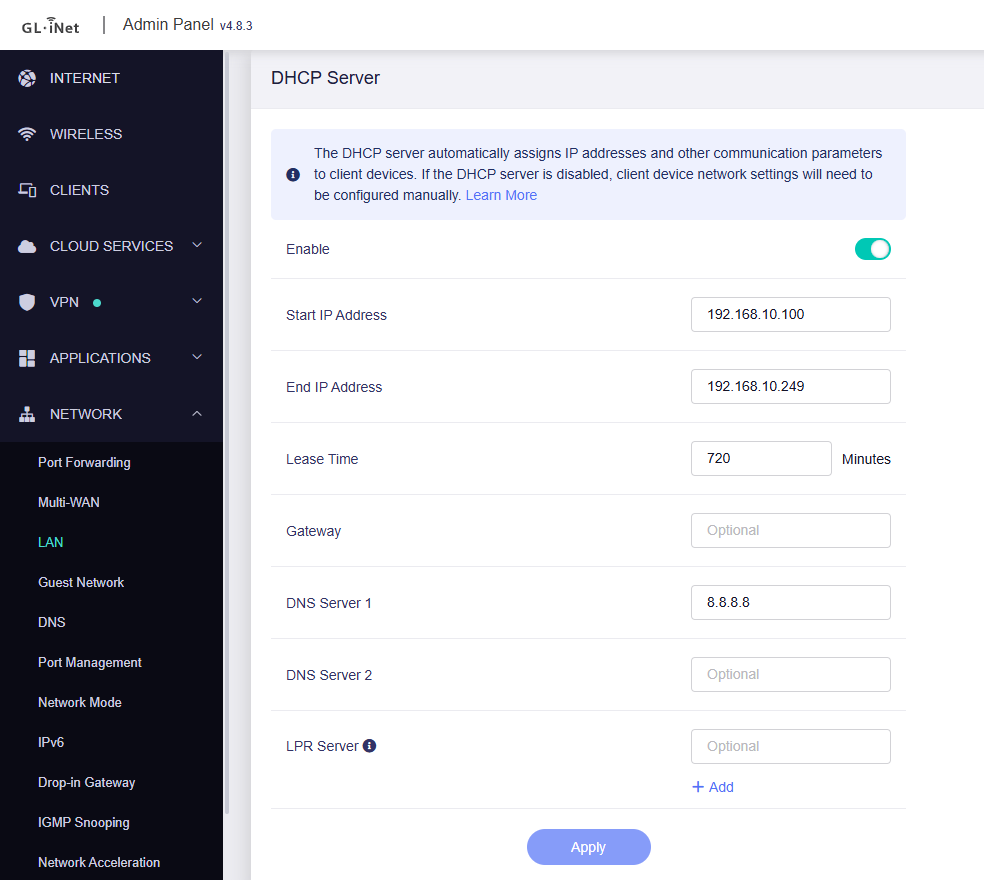
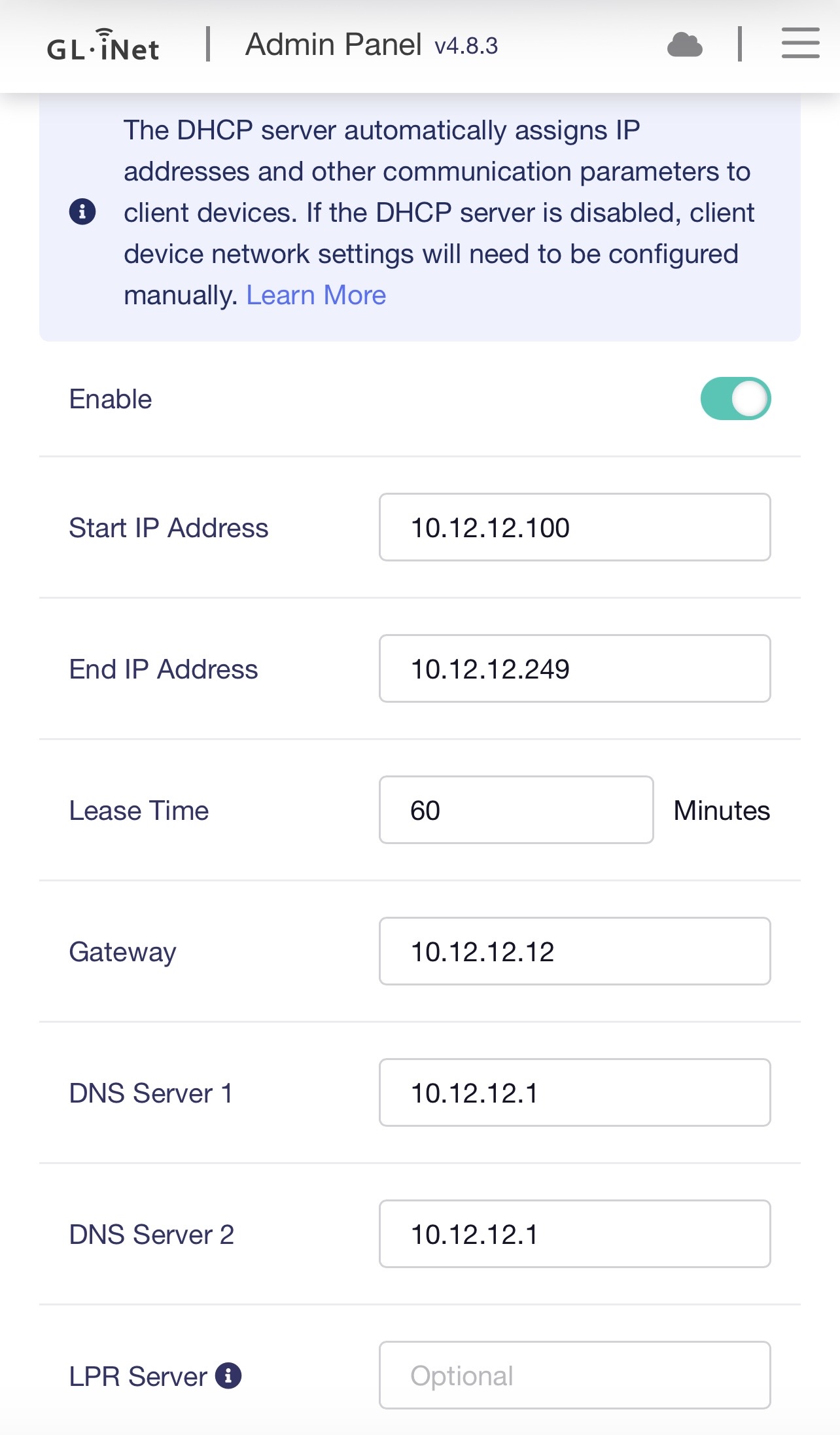
When DNS is distributed through DHCP, LAN devices send their DNS queries to the Raspberry Pi.
The Raspberry Pi then forwards those queries over the WAN interfaceto the configured DNS servers, since it is not included in the VPN policy.
If you want devices in the VPN policy list to use the VPN DNS while others use the Raspberry Pi’s DNS, please follow these steps:
Remove any DNS servers configured in DHCP so that all LAN devices use the Flint 2 LAN IP as their DNS resolver.
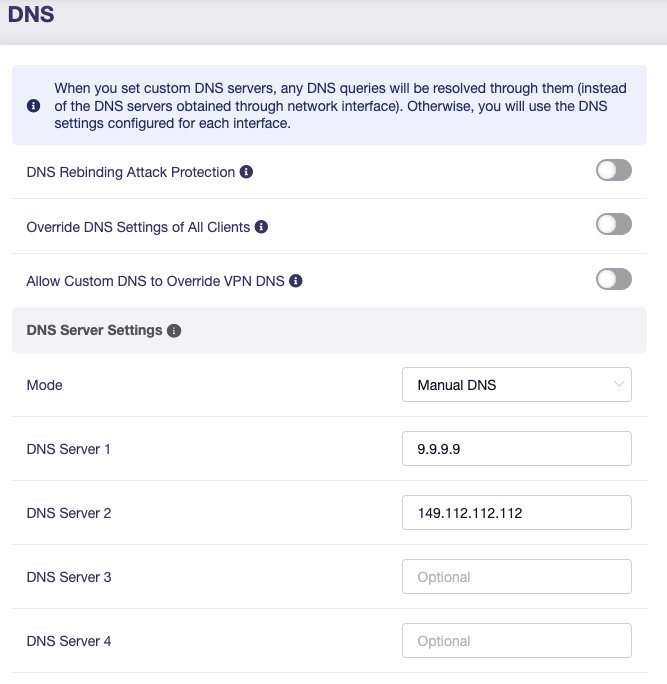
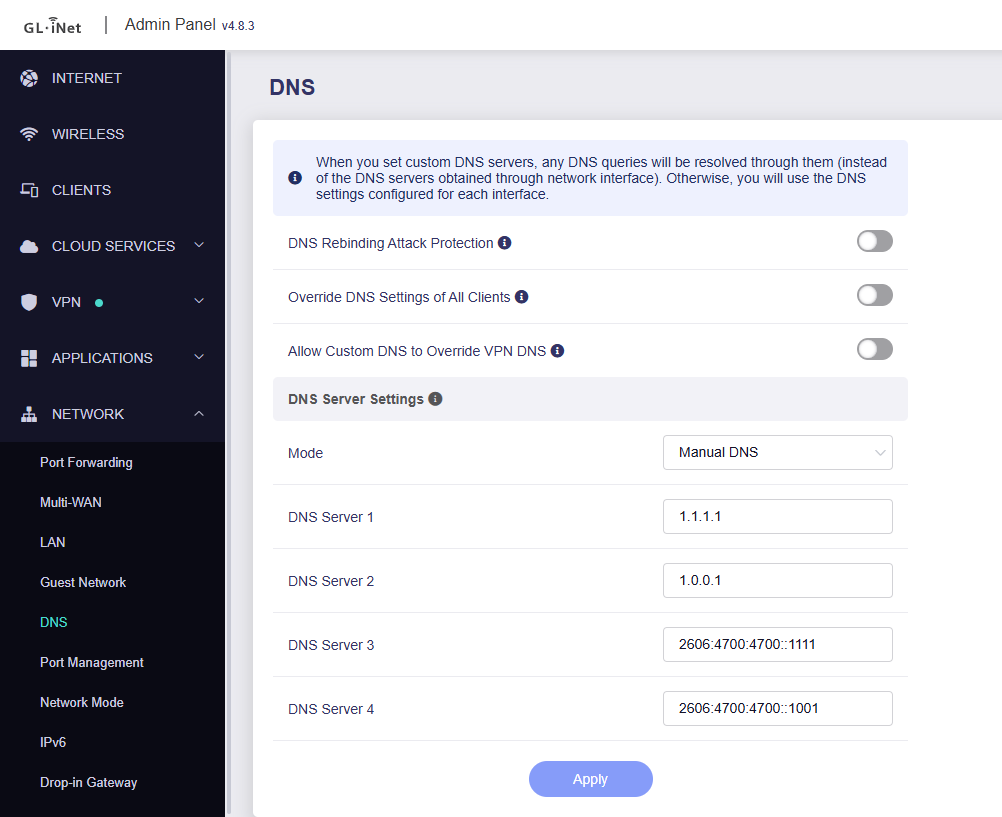
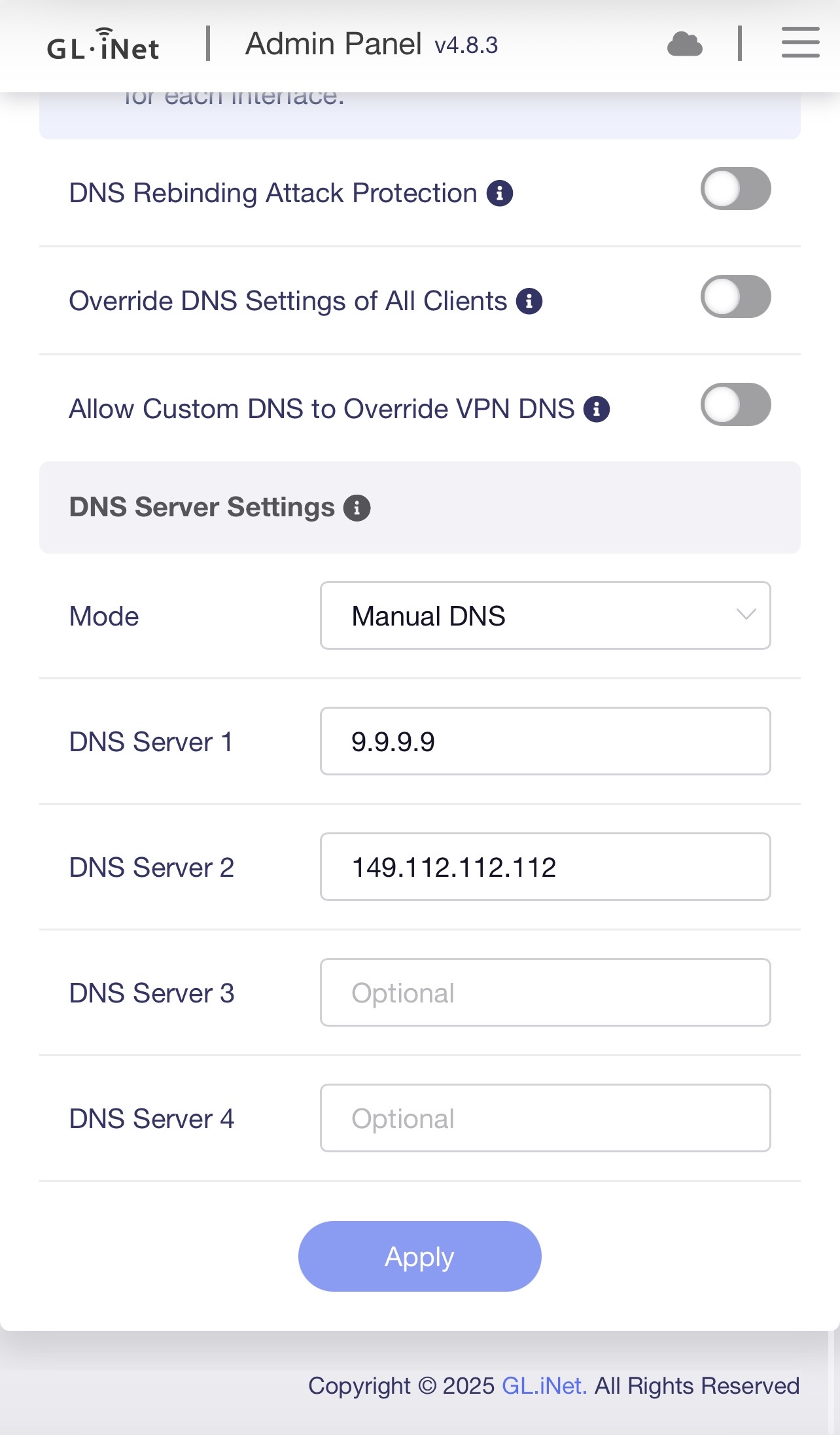
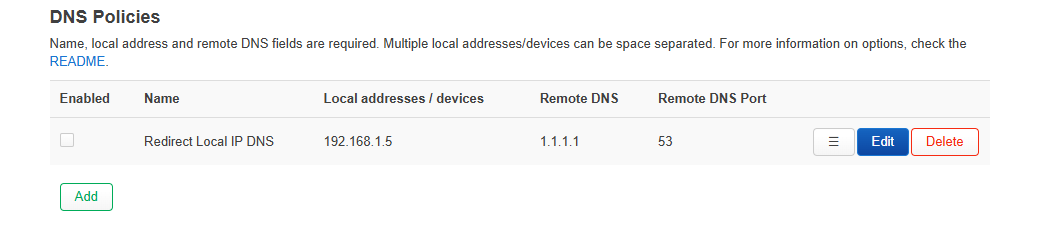
In Network → DNS, configure the Raspberry Pi’s LAN address as the manual DNS server (Cloudflare DNS is used here as an alternative).
This then "breaks" the DNS logging in AGH on my Raspberry Pi as the client making the DNS requests then becomes the router IP, rather than the individual device/clients IP's - this I why I need to set the DNS at the LAN/Client level so that they report into AGH correctly.
Also, this doesn't explain why the VPN DNS WORKS when using Global Mode, but does NOT work in Policy Mode when using LAN/Client DNS in both scenarios...
The VPN DNS would not work with your settings been shared as well.
This should only work if "Override DNS Settings of All Clients" is enabled or if your VPN provider intercepts and rewrites unencrypted DNS requests.
The VPN DNS would not work with your settings been shared as well.
This should only work if "Override DNS Settings of All Clients" is enabled or if your VPN provider intercepts and rewrites unencrypted DNS requests.
But it does work in Global Mode without that setting enabled - and this is what I can’t figure out why it’s not doing it in Policy Mode.
When I am home from work this evening I will test again and post screenshots with the results.
That's strange — we haven't been able to reproduce this issue on our side.
We replicated your setup as closely as possible, including the VPN server configuration, with the only difference being that our LAN DHCP assigns Google DNS.
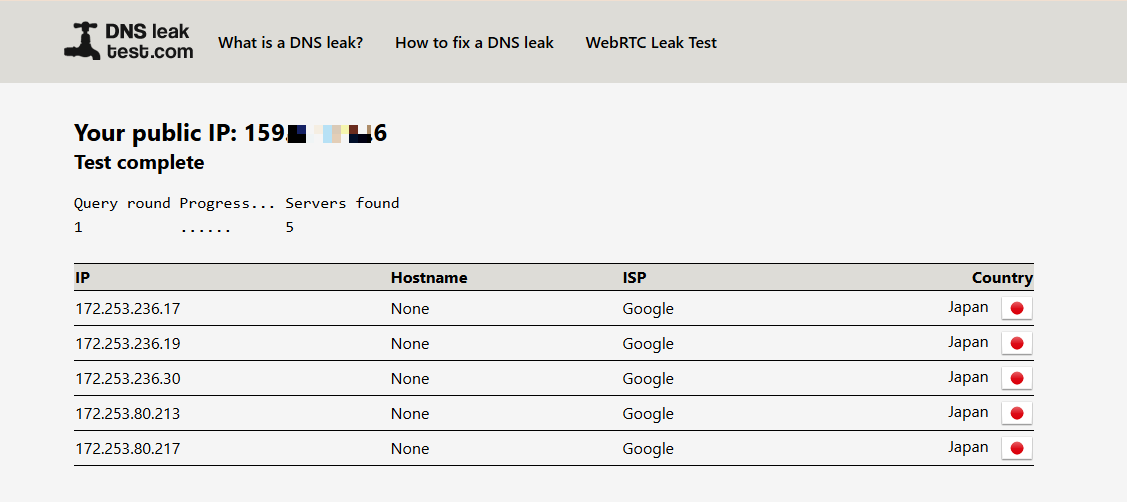
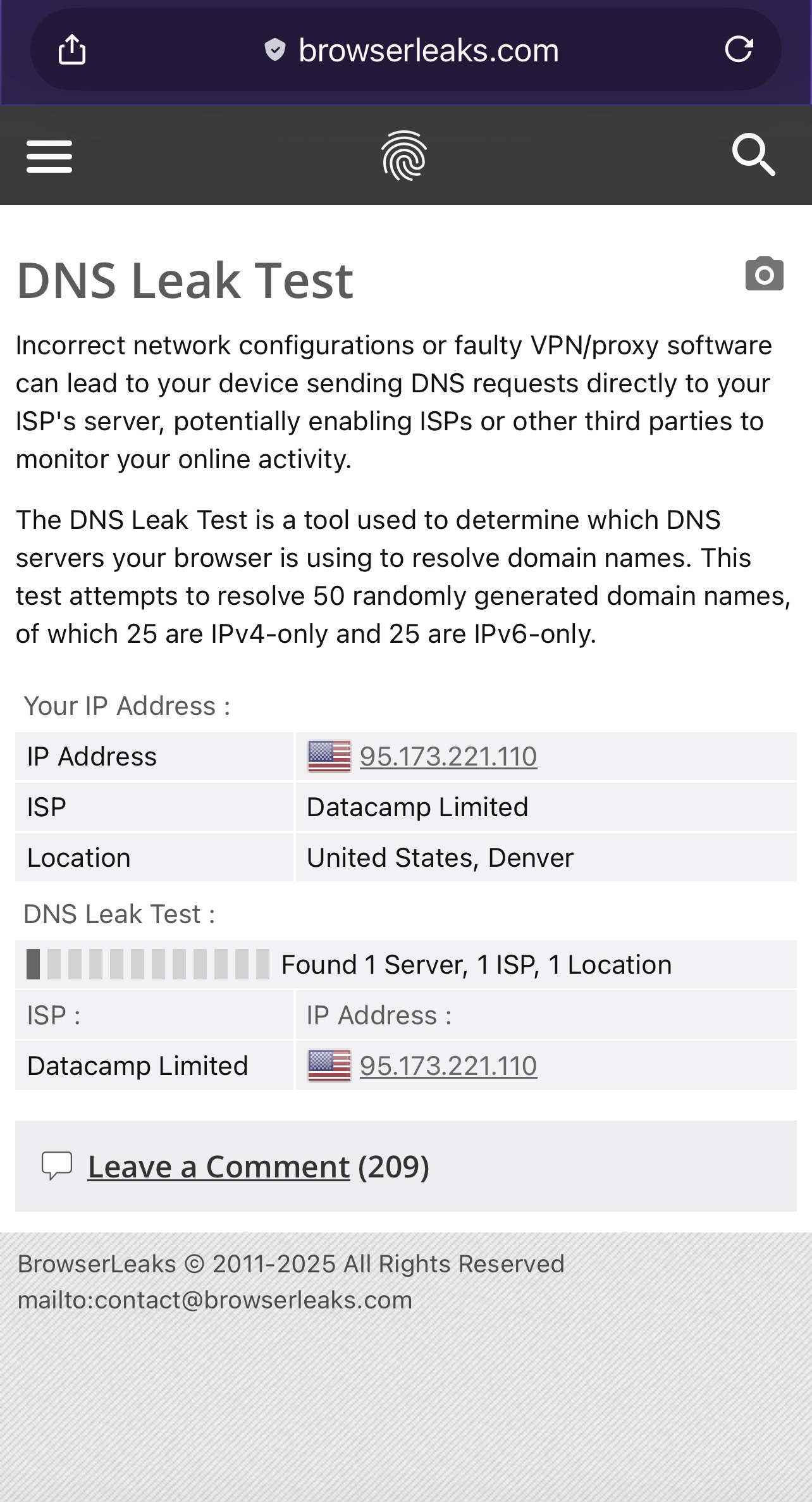
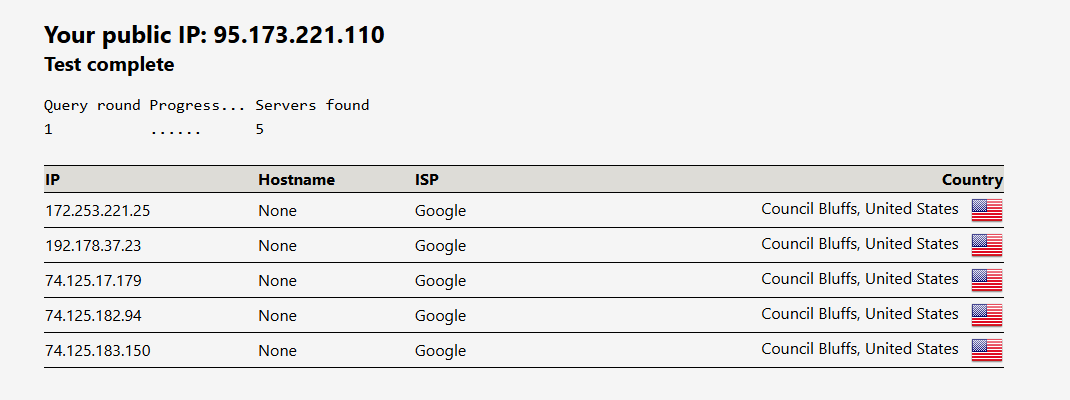
However, the DNS leak test still correctly reports the Google DNS provided by LAN DHCP.
There does not appear to be an AdGuard Home configuration file for the Raspberry Pi in PM.
Could you please send us your current configuration, such as the backup or export file?
We have exported your router configuration and imported it into our test device for a 1:1 comparison.
So far, we have been unable to reproduce the issue: in global mode, all clients' DNS requests follow the DNS settings provided via DHCP, regardless of whether they are connected via Ethernet or Wi-Fi.
Do you have any specific AdGuard Home settings in place, such as using the VPN DNS as the default with another DNS server as a fallback in case of failure?
This type of configuration might also apply to your scenario.
In global mode, the VPN DNS is still not being used.
It's just that your Unbound is using the VPN IP as the exit point to access the DNS leak test's authoritative DNS server for the address—so the DNS leak test shows the VPN IP address.
I can’t test this to confirm at the moment as I am travelling for work.
However, in that case, is there any way (either with a firewall rule/traffic route rule/etc. to redirect the LAN DNS to point to the VPN for DNS when using either Global or Policy Modes?
Or is this a setting GL-iNet can implement and provide to end-users as an option to override LAN DNS to the VPN?
I had this option on my Asus router and it worked with no issue so I don’t see why it can’t be implemented here.
This is a major downside for me that it doesn’t work this way but does on other routers from different brands.
This would make or break me keeping this router or having to go back to Asus again.
At present, you can force all LAN clients’ unencrypted DNS traffic to be redirected to the router by enabling Network > DNS > “Override DNS Settings of All Clients” option.
When “Allow Custom DNS to Override VPN DNS” is disabled and the VPN is enabled, the system will use the VPN’s DNS as intended.
When you enable or disable the VPN, would it be acceptable for you to manually toggle this option to redirect DNS?
At the moment, this process cannot be automated.
However, we will raise this requirement with our product team to evaluate whether it can be supported in a future release.
Also, if you can provide the corresponding ASUS configuration (particularly how it handles DNS routing logic when VPN state changes), it would assist us in evaluating feature parity and potential implementation options.
As a side-note this is how it implements DNS redirection in general - allowing for selective DNS redirection for clients (ie routing some clients to LAN, some to WAN, or some to a whole other specified DNS provider)
Oh, so this functionality is provided by Asuswrt-Merlin rather than the stock ASUSWRT firmware.
If you have experience with advanced third-party firmware, you may consider installing and configuring luci-app-pbr, which can offer part / similar policy-based DNS routing behavior. But please note that this falls outside our official support scope.