Huurst
November 3, 2025, 2:13pm
1
Hi everyone,
I am using a MT-3000 router with wireguard and Proton.
Everything worked fine but suddenly, none of the wireguard configurations are working anymore. OpenVPN with Proton still works
Error logs are:
Mon Nov  3 14:10:42 2025 daemon.info dnsmasq[3336]: read /tmp/hosts/dhcp.wgclient1 - 3 addresses
Mon Nov  3 14:10:42 2025 daemon.info dnsmasq[3336]: read /tmp/hosts/dhcp.ovpnclient1 - 3 addresses
Mon Nov  3 14:10:42 2025 daemon.info dnsmasq[3337]: reading /tmp/resolv.conf.d/resolv.conf.ovpnclient1
Mon Nov  3 14:10:42 2025 daemon.info dnsmasq[3337]: read /tmp/hosts/dhcp.wgclient1 - 3 addresses
Mon Nov  3 14:10:42 2025 daemon.info dnsmasq[3337]: read /tmp/hosts/dhcp.ovpnclient1 - 3 addresses
Mon Nov  3 14:10:42 2025 daemon.notice netifd: Interface 'wgclient1' is now down
Mon Nov  3 14:10:42 2025 user.notice firewall: Reloading firewall due to ifdown of wgclient1 ()
Mon Nov  3 14:10:49 2025 daemon.notice netifd: Interface 'wgclient1' is setting up now
Mon Nov  3 14:10:50 2025 daemon.info dnsmasq[5684]: reading /tmp/resolv.conf.d/resolv.conf.ovpnclient1
Mon Nov  3 14:10:50 2025 daemon.info dnsmasq[5684]: read /tmp/hosts/dhcp.ovpnclient1 - 3 addresses
Mon Nov  3 14:10:50 2025 daemon.info dnsmasq[5684]: read /tmp/hosts/dhcp.wgclient1 - 3 addresses
Mon Nov  3 14:10:50 2025 daemon.info dnsmasq[5683]: read /tmp/hosts/dhcp.ovpnclient1 - 3 addresses
Mon Nov  3 14:10:50 2025 daemon.info dnsmasq[5683]: read /tmp/hosts/dhcp.wgclient1 - 3 addresses
Mon Nov  3 14:10:50 2025 daemon.warn dnsmasq[5685]: no servers found in /tmp/resolv.conf.d/resolv.conf.wgclient1, will retry
Mon Nov  3 14:10:50 2025 daemon.info dnsmasq[5685]: read /tmp/hosts/dhcp.ovpnclient1 - 3 addresses
Mon Nov  3 14:10:50 2025 daemon.info dnsmasq[5685]: read /tmp/hosts/dhcp.wgclient1 - 3 addresses
I have already been deleting them, reuploading them, resetting the router everything.
Might look here, similar sorta
Hello everybody,
I just got my MT-3000 and face some problems with using it as WireGuard client. I get no internet when turning on the VPN.
The host is a Speedport Smart 4
I use DDNS and verified it is working correctly
MTU set to 1380
Interestingly, the VPN does also not work when initiated from my end device (Laptop). So when I setup the MT-3000 without VPN, the internet works. When I then turn on the WireGuard client on my Laptop while connected to the MT-3000, internet breaks again. ICMP…
gpu3
November 4, 2025, 1:39am
3
Same Issue here using:
Proton VPN With WireGuard Client
GL-MT6000
v4.8.3
Hi
We conducted local tests using MT3000 (v4.8.1) and MT6000 (v4.8.3) and were unable to reproduce the reported problem.
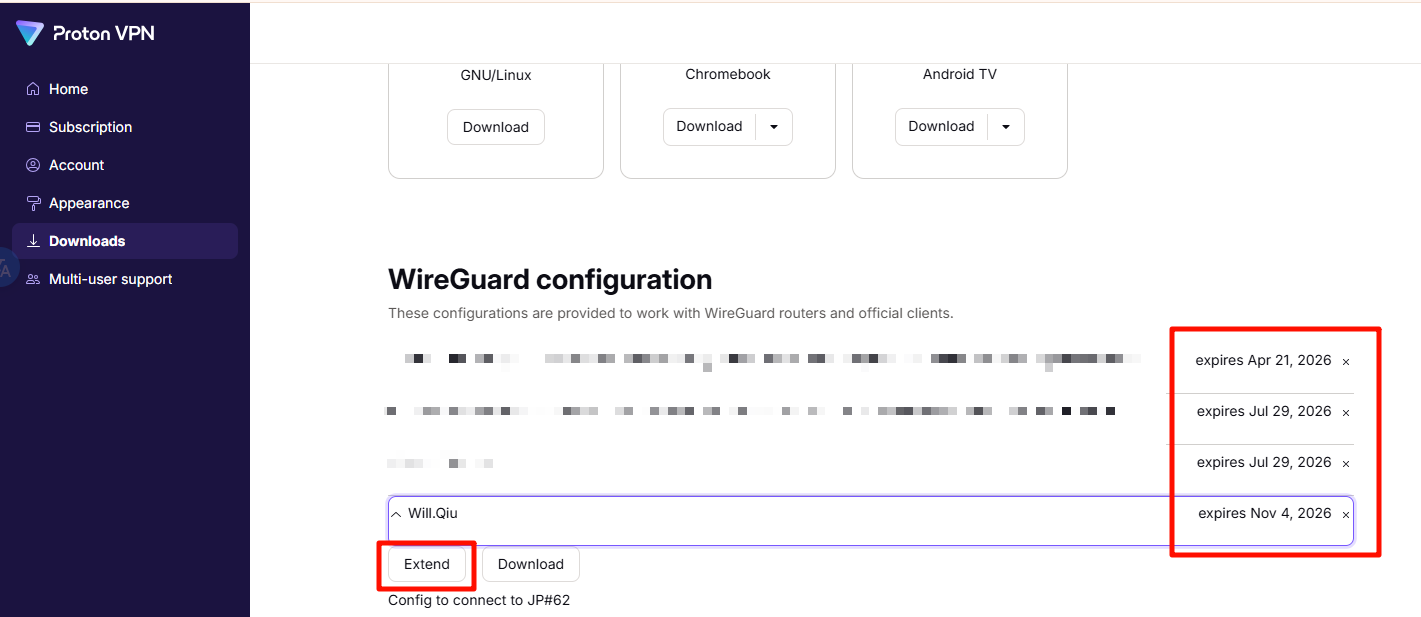
Please note that the certificates in Proton’s WireGuard configuration files have expiration dates.Proton official website
Huurst
November 4, 2025, 7:35am
6
Hi there,
No so this has nothing to do with experienced certificates - I recreated them freshly.
Also looks like someone else has the same problem, see above?
what else can I do? I already pretty much tried everything from resetting router, recreating certificates, installling uninstalling profiles on the router but nothing seems to work
Kindly share your router with us through GoodCloud according to this tutorial to allow remote inspection and troubleshooting.Technical Support via GoodCloud - GL.iNet Router Docs 4
Also, please confirm whether your region currently experiences internet filtering or access restrictions .
Huurst
November 4, 2025, 11:27am
8
Just shared it via PM. The region is a non-restricted region
Based on our inspection, it looks like your network is blocking the WireGuard protocol.
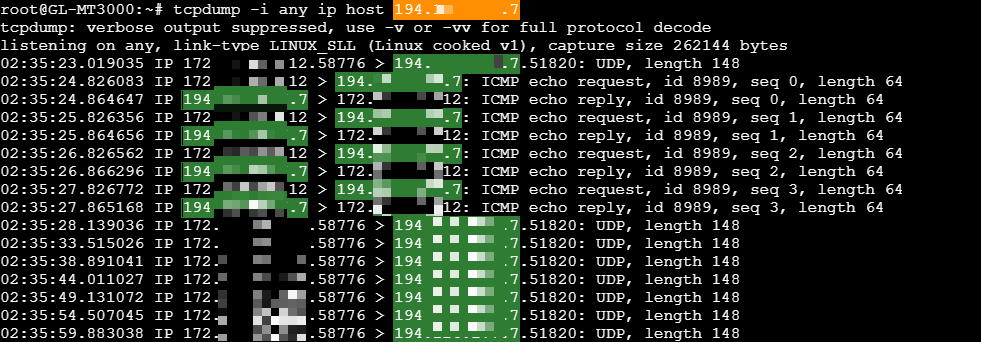
The packet capture shows UDP/WireGuard traffic is being dropped, while ICMP to the server still works.
The WireGuard log shows a REKEY-GIVEUP error, which indicates the tunnel failed to rekey because the peer never completed the handshake:
Wed Nov 5 01:44:12 2025 user.notice wireguard-debug: USER=root ifname=wgclient1 ACTION=REKEY-GIVEUP SHLVL=1 HOME=/ HOTPLUG_TYPE=wireguard LOGNAME=root DEVICENAME= TERM=linux SUBSYSTEM=wireguard PATH=/usr/sbin:/usr/bin:/sbin:/bin PWD=/
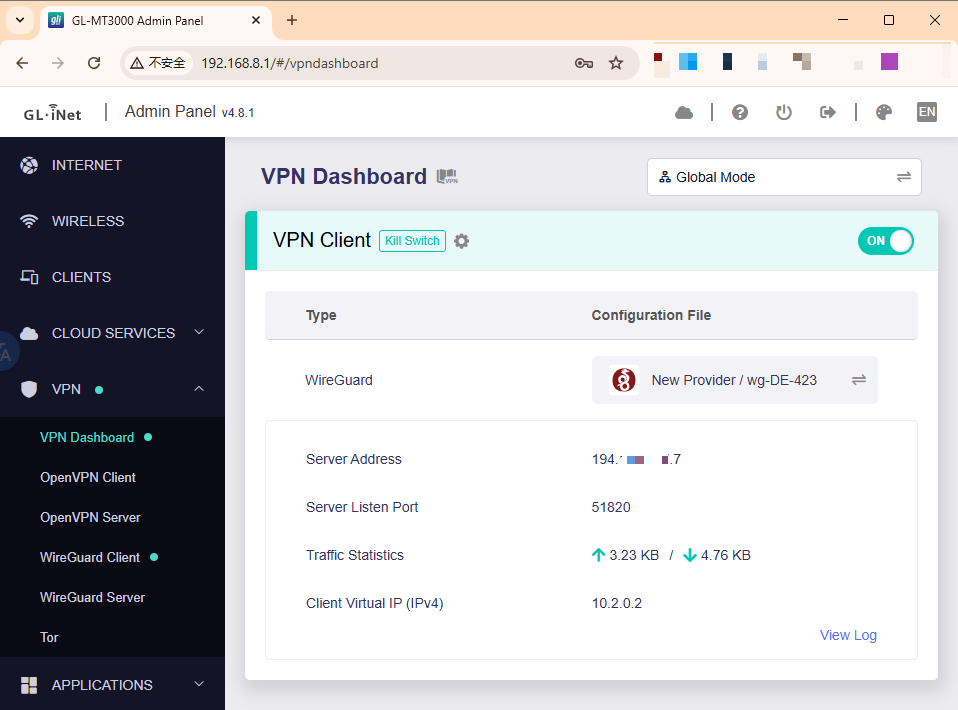
The same WireGuard config works locally on our MT3000 (v4.8.1), so the issue may be specific to the network.
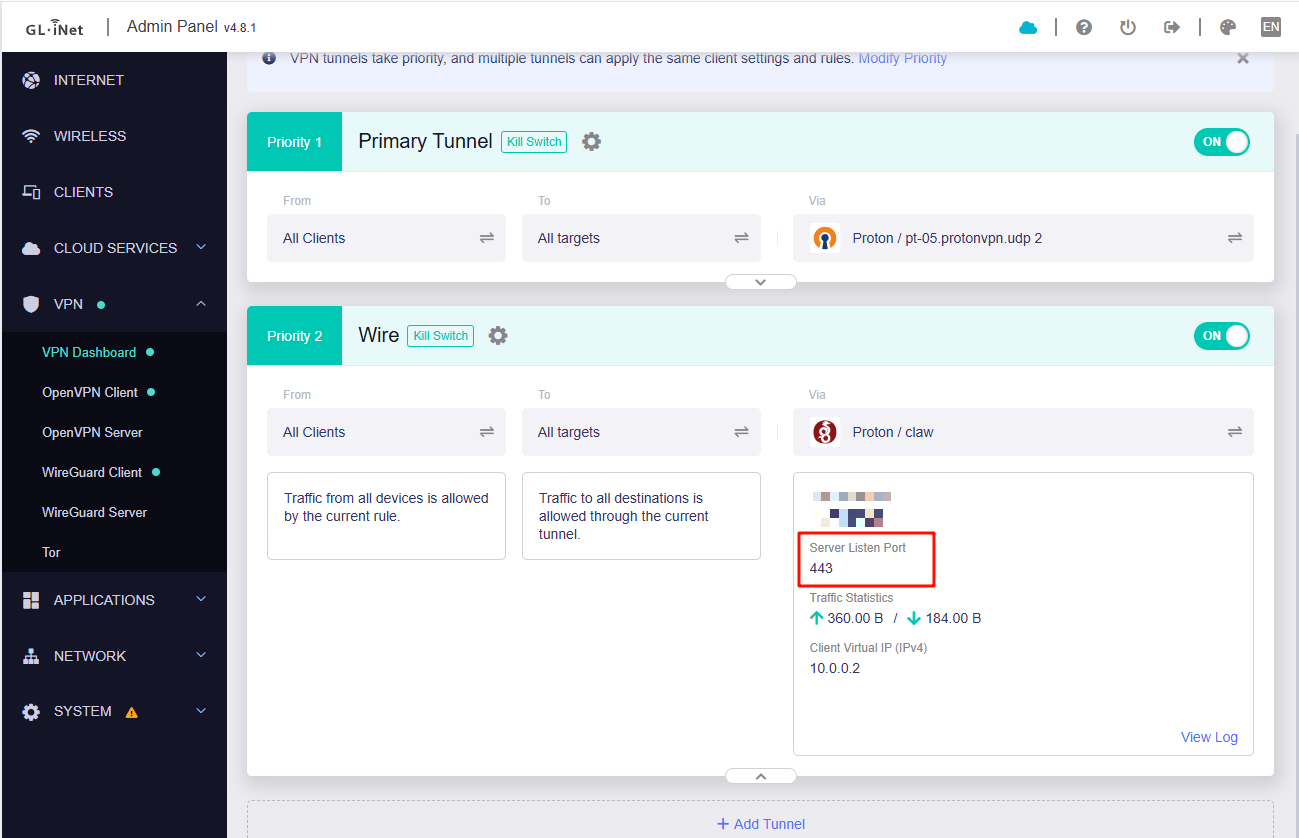
Meanwhile, another profile using port 443 is functioning properly on your router—meaning the firmware's WireGuard can operate normally.
We recommend further investigation:
Verify the config from another device on the same network (for example, a smartphone) to see if it can establish the tunnel.
Connect the MT3000 to a mobile hotspot (or another ISP) and test. If it connects there, the original ISP/network is blocking WireGuard UDP.
If censorship is confirmed, you may consider using AmneziaWG with obfuscated encryption.
To our GL.iNet supporters,
We’re excited to announce the beta release of our new firmware v4.8.2, which brings an important upgrade to the VPN function module. This version now adds support for WireGuard obfuscation, allowing both server and client to use the AmneziaWG obfuscation protocol to disguise VPN traffic for better privacy and connectivity.
Please note that firmware v4.8 will first be available on these GL.iNet models:
Beryl AX (GL-MT3000)
Go to the download page for the router mode…
Huurst
November 5, 2025, 5:50pm
11
Hi there,
I appreciate all the debugging!
Just tested this on a different network and it indeed now worked.
So looks like the network in itself blocked it somehow.
1 Like