Puli AX GL-XE3000 5G - Vodafone IT not connecting 5G

Hi,

I just bought a new Vodafone Italy Sim, and tried to use in my Puli AX but it connect only in 4G.

I’m sure about the card 5G capability, just used in my iPhone and it connect to 5G.

Can someone help me to troubleshoot this? is really important for me be in 5G.

Also, with a different providers, I use in 5G without issue, and also I know that that provider (HO) use the same network.

thanks

Hi

Please help check the following:

  1. Ensure all four cellular antennas are securely connected to the appropriate ports on the device.
    Install or change external antennas for Spitz AX or Puli AX - GL.iNet Router Docs 4

  2. Confirm with your carrier that your SIM card has an active 5G data plan.

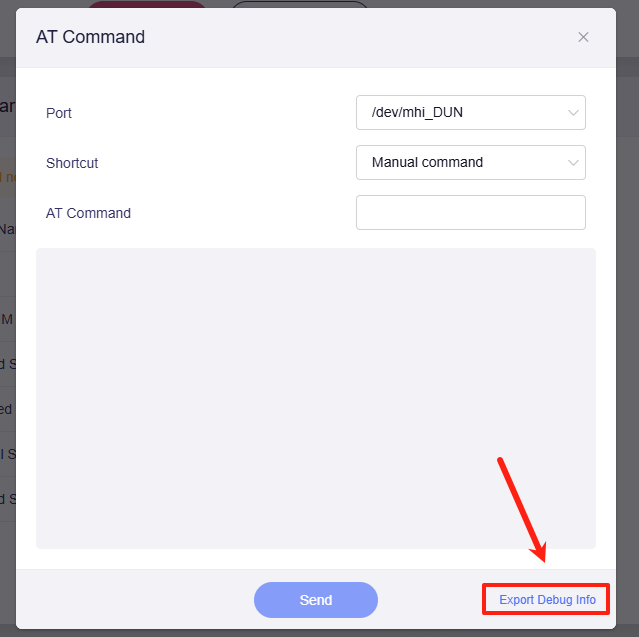
  3. If the hardware and plan are correct, please run the following AT commands in the Admin Panel (Internet > Cellular > three-dot menu on the right > Modem AT Command) and share the output with us:

    at+cops=?
    at+qscan=3,1
    

    (Note: These perform a network scan and may take up to 3 minutes to complete).

  4. Please export the cellular modem’s debug information and send it to us via private message.

  5. If you have another internet source (like a phone hotspot), please connect the XE3000 to it via Wi-Fi Repeater or wired connection. And share the device with us through GoodCloud according to this guide so that we can remotely check it.
    Technical Support via GoodCloud - GL.iNet Router Docs 4
    Please note to send the device's MAC address and WebUI login password via private message so we can access it.

Hi, thanks for you answer, so:

  1. Yes, everything is perfect (also I use with another Sim and work in 5G without issue)

  2. Yes, I used that sim in my iPhone 16 and it connect in 5G (I’ll have a call with the carrier today anyay)

  3. outuput of the first command:

at+cops=?

+COPS: (1,"vodafone IT","vodafone","22210",7),(1,"WINDTRE","WINDTRE","22288",12),(1,"222 38","222 38","22238",12),(1,"222 99","222 99","22299",7),(1,"I TIM","TIM","22201",7),(1,"WINDTRE","WINDTRE","22288",7),(1,"ILIAD","ILIAD","22250",2),(1,"222 08","222 08","22208",12),(1,"ILIAD","ILIAD","22250",7),(1,"222 99","222 99","22299",2),(1,"222 77","222 77","22277",12),(1,"WINDTRE","WINDTRE","22288",2),(1,"222 38","222 38","22238",7),,(0-4),(0-2)

OK

output of the second command at+qscan=3,1:

+QSCAN: "NR5G",222,88,516030,862,-98,-11,23,1,13ED970F3,7E10,51,38,2,2,-
+QSCAN: "NR5G",222,88,638016,358,-105,-11,16,1,13ED9712F,7E10,162,78,32,2,-
+QSCAN: "NR5G",222,38,638016,358,-105,-11,16,1,13ED9712F,7E10,162,78,32,2,-
+QSCAN: "NR5G",222,77,638016,358,-105,-11,16,1,13ED9712F,7E10,162,78,32,2,-
+QSCAN: "NR5G",222,08,638016,358,-105,-11,16,1,13ED9712F,7E10,162,78,32,2,-
+QSCAN: "NR5G",222,88,368890,142,-116,-20,4,0,13EED6000,7E10,106,3,12,2,-
+QSCAN: "LTE",222,10,525,358,-103,-7,25,120,E74B2A,80EF,75,1
+QSCAN: "LTE",222,10,1850,49,-99,-9,29,114,E74B20,80EF,100,3
+QSCAN: "LTE",222,01,275,270,-94,-7,34,121,494D322,FA2,75,1
+QSCAN: "LTE",222,38,42290,60,-127,-15,1,114,470040A,3E9,100,42
+QSCAN: "LTE",222,50,400,123,-115,-12,14,117,F72A515,E0C0,50,1
+QSCAN: "LTE",222,10,3025,447,-121,-11,3,118,E74633,80EF,75,7
+QSCAN: "LTE",222,01,1350,164,-95,-8,33,121,494D32C,FA2,100,3
+QSCAN: "LTE",222,10,9460,426,-95,-10,33,119,D9A13F,80EF,50,28
+QSCAN: "LTE",222,88,100,360,-111,-14,15,114,4AB8C12,7E10,100,1
+QSCAN: "LTE",222,50,100,360,-111,-14,15,114,4AB8C12,7E10,100,1
+QSCAN: "LTE",222,099,100,360,-111,-14,15,114,4AB8C12,7E10,100,1
+QSCAN: "LTE",222,50,2900,123,-116,-14,13,114,F72A53D,E0C0,50,7
+QSCAN: "LTE",222,01,6300,72,-93,-10,35,119,494D340,FA2,50,20
+QSCAN: "LTE",222,50,9260,399,-104,-9,25,119,F499547,E0C0,50,28
+QSCAN: "LTE",222,01,3175,373,-103,-7,25,121,494D318,FA2,75,7
+QSCAN: "LTE",222,50,1500,123,-110,-9,18,117,F72A551,E0C0,50,3
+QSCAN: "LTE",222,88,1650,360,-117,-16,9,112,AC60C00,7E10,100,3
+QSCAN: "LTE",222,099,1650,360,-117,-16,9,112,AC60C00,7E10,100,3
+QSCAN: "LTE",222,50,1650,360,-117,-16,9,112,AC60C00,7E10,100,3
+QSCAN: "LTE",222,88,3350,245,-115,-12,12,117,4AB570C,7E10,100,7
+QSCAN: "LTE",222,099,3350,245,-115,-12,12,117,4AB570C,7E10,100,7
+QSCAN: "LTE",222,50,3350,245,-115,-12,12,117,4AB570C,7E10,100,7
+QSCAN: "LTE",222,88,6200,35,-91,-11,35,117,4AB5709,7E10,50,20
+QSCAN: "LTE",222,099,6200,35,-91,-11,35,117,4AB5709,7E10,50,20
+QSCAN: "LTE",222,50,6200,35,-91,-11,35,117,4AB5709,7E10,50,20
+QSCAN: "LTE",222,10,6400,160,-91,-8,37,117,D9A10D,80EF,50,20

OK

  1. sent to you privately

  2. Done

let me know if you have other question or some answer.

thanks
Based on the results from network search, it appears there is no Vodafone 5G network coverage at your current location.

Could you please clarify further and try:

  1. Are you still in the exact same location as when testing the Vodafone SIM in your iPhone 16 and when you tested the HO Mobile SIM in the Puli AX?

  2. Please try inserting the Vodafone Italy SIM back into your iPhone 16 again to confirm if it can establish a 5G connection at your current location.

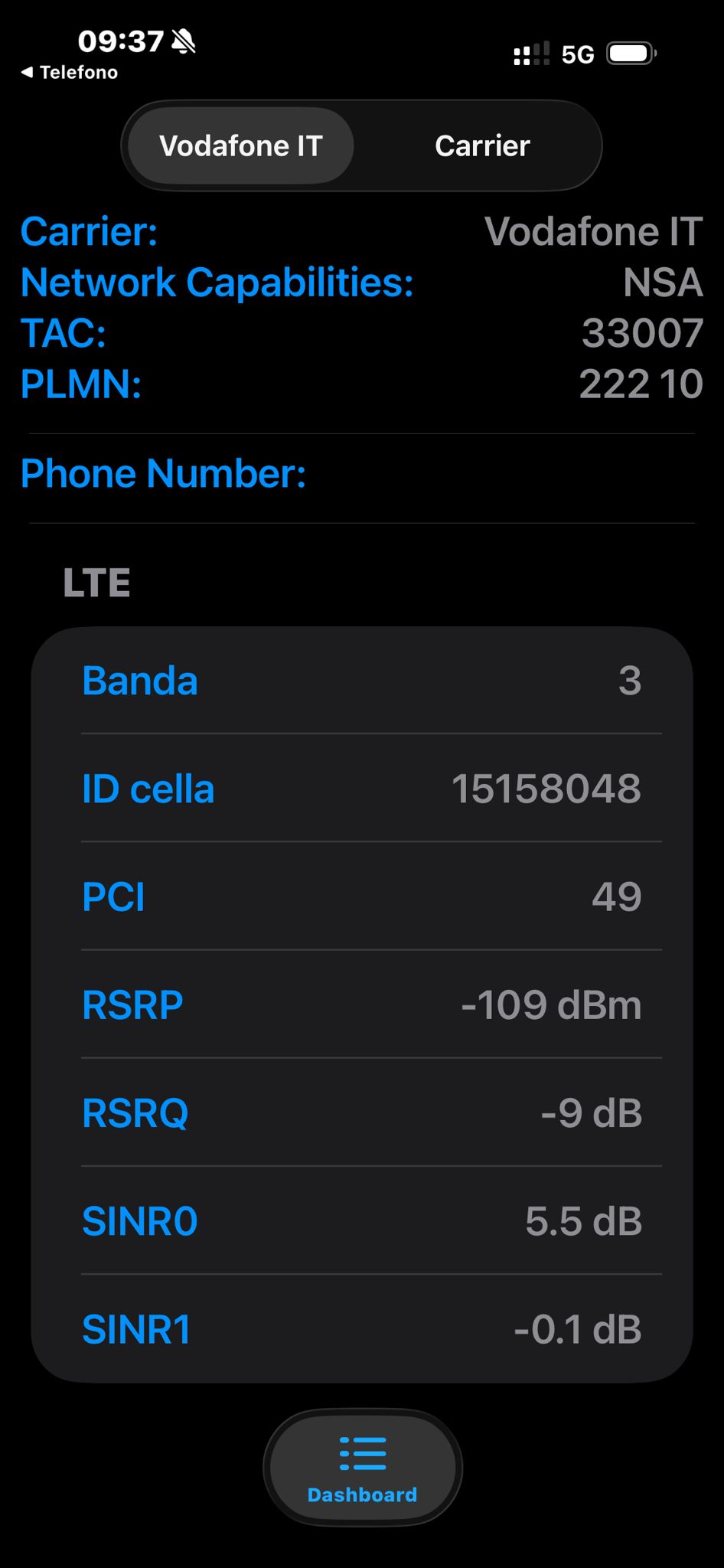
  3. If the iPhone is able to connect to 5G, please dial *3001#12345#* on your iPhone to enter Field Test Mode. Take a screenshot of the network diagnostic information and send it to us—be sure to select the appropriate SIM card if dual-SIM supported, and obscure personal information like phone numbers.

Hi, about your questions:

  1. yes, same location, and I used the HO Mobile Sim for the last 10 days, with 5G capability (and speed according) without issues.

  2. done and yes.

Please let me know if this clarify something for you.

thanks

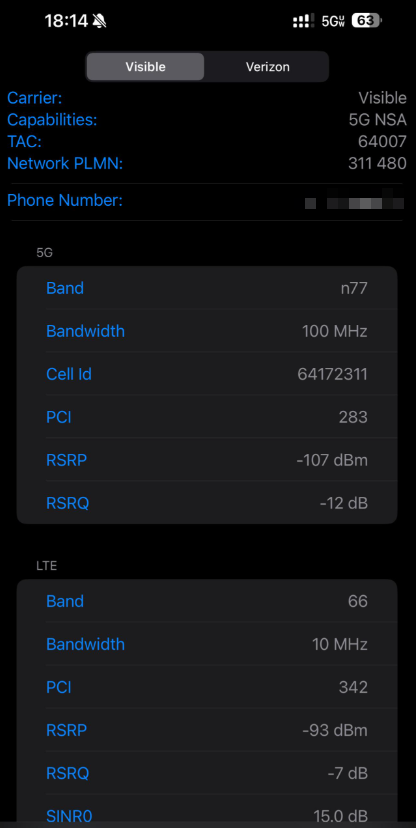
Does Field Test Mode display any 5G-related text like below? Or is there only an LTE ?

Please also test the speed to see if it can reach a 5G speeds.

Hi,

I have only LTE, anyway, at this point I think that there is some issue with the card/network.

Still can’t figure out why with the twin company, that use the same network I can have 5G connection (and speed).

I Opened a call with Vodafone and they don’t want to confirm, but they says that this is a contract for phones and it could be that I go only in 4G because the system understand that is not a phone…

thanks for your help, if I have other news I will update here or if you have other ideas, let me know.

thanks

At present, it appears that your carrier only provides 4G network coverage on your location, or that certain restrictions on the SIM card prevent it from detecting 5G networks.

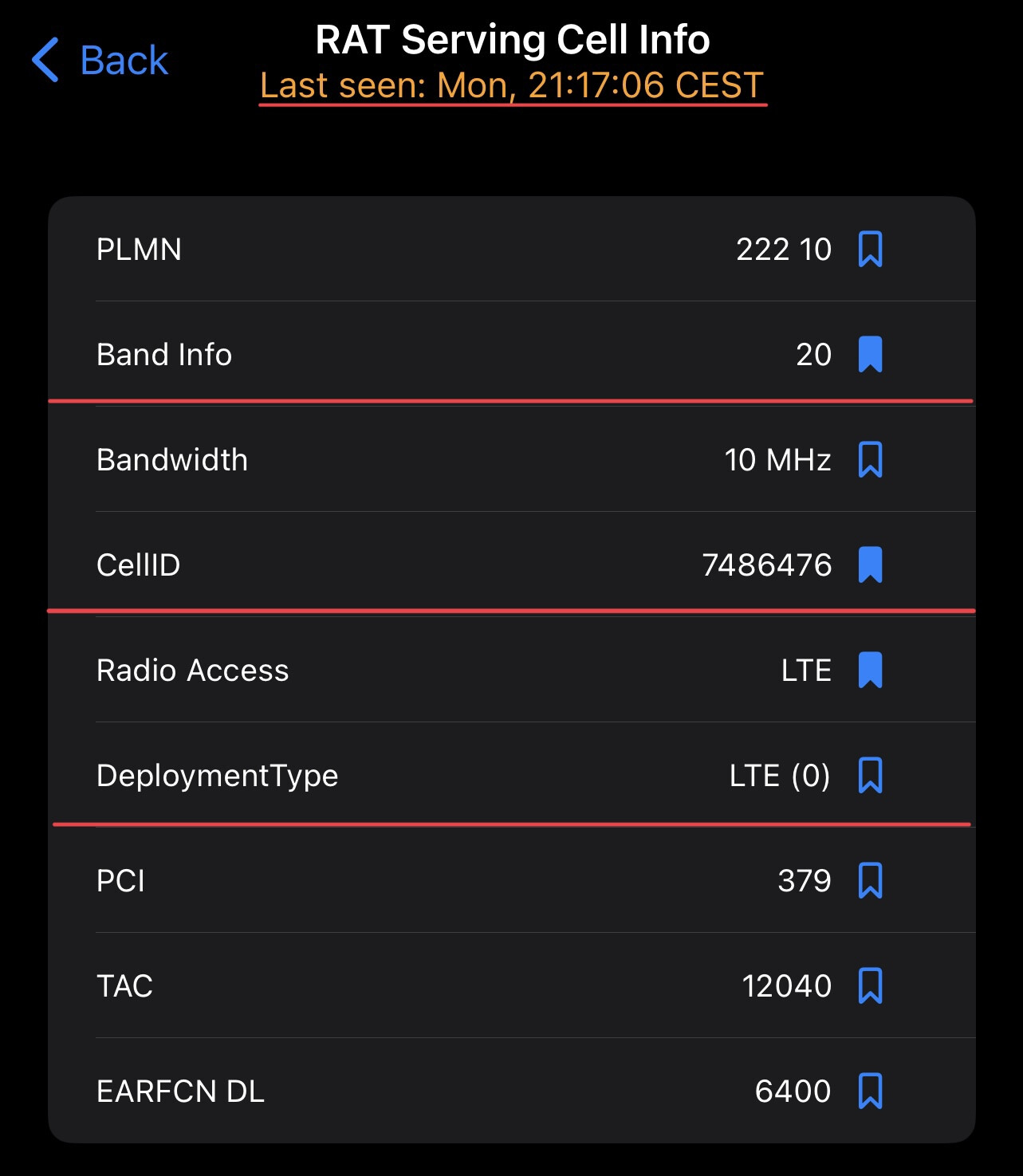
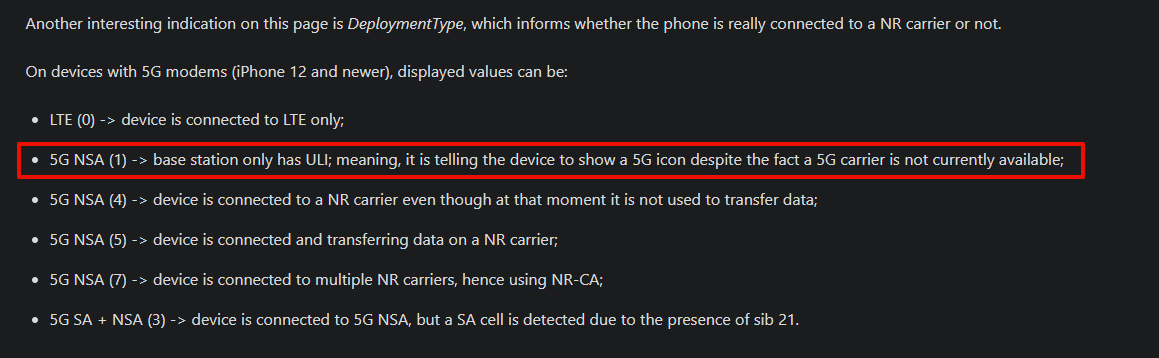
The iPhone's Field Test Mode also shows similar results: although the network capabilities displays 5G NSA mode, it is not actually connected to a 5G network but only to LTE.

Field Test Mode in older iOS versions could indicate this more clearly, but this functionality has been removed in newer versions.

Perhaps you could provide the Field Test Mode and speed test result from iPhone to further discuss with Vodafone.

Hi,

about the Field Test Mode, I have only an iPhone 16 so I can’t provide older version.

About the speed test, honestly is poor, no more than 20/30 Mbs at second, when with other card, with Really 5G connection, with the phone or with the Puli AX I arrive easily to 150 but also 350.

once I put money on the HO card I can also do more test ( in this moment I use 100% of the GB).

but this will be in the summer, I’ll be here only until tomorrow.

thanks

regards

1 Like