Hi
Please help check the following:
-
Ensure all four cellular antennas are securely connected to the appropriate ports on the device.
Install or change external antennas for Spitz AX or Puli AX - GL.iNet Router Docs 4 -
Confirm with your carrier that your SIM card has an active 5G data plan.
-
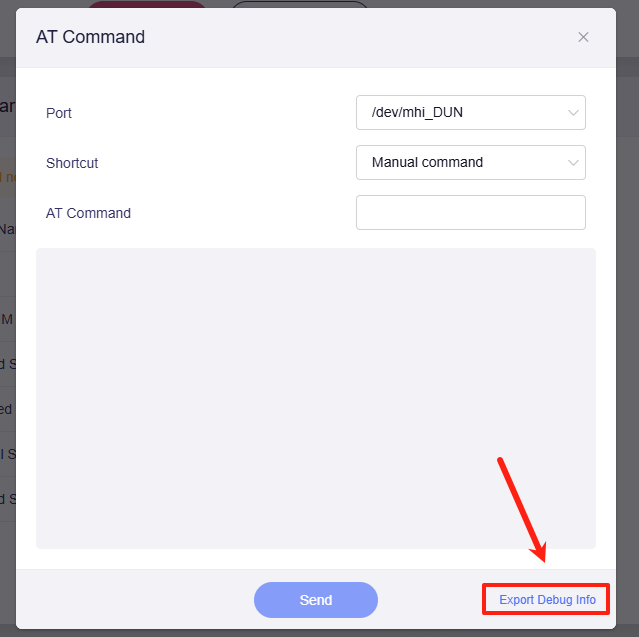
If the hardware and plan are correct, please run the following AT commands in the Admin Panel (Internet > Cellular > three-dot menu on the right > Modem AT Command) and share the output with us:
at+cops=?
at+qscan=3,1
(Note: These perform a network scan and may take up to 3 minutes to complete).
-
Please export the cellular modem’s debug information and send it to us via private message.
-
If you have another internet source (like a phone hotspot), please connect the XE3000 to it via Wi-Fi Repeater or wired connection. And share the device with us through GoodCloud according to this guide so that we can remotely check it.
Technical Support via GoodCloud - GL.iNet Router Docs 4
Please note to send the device's MAC address and WebUI login password via private message so we can access it.