Question about Spitz or Puli

Current I have a Verizon Orbic hotspot, T-Mobile MiFi hotspot and a GL-MT3000 (Beryl AX) - I love my Beryl.

The hotspots suck, battery life is terrible, they can't stay plugged in, etc. Maybe I can consolidate it all?

Products I'm considering...
Spitz AX (GL-X3000) Wi-Fi 6 AX3000
Puli AX (GL-XE3000) - looks like it has all the same features as Spitz, but with battery? does it come with the 5G NR module? I assume it does.

Will it work with Verizon? If so will it support UW 5G? I can't tell exactly.

Will it support T-Mobile's fastest UW 5G?

Will it work on US Mobile (I assume it would, at least AT&T and T-Mobile since it's certified for both...)

Will it be obvious in the dashboard which cell connection would work better, in the case of dual cellular WAN?

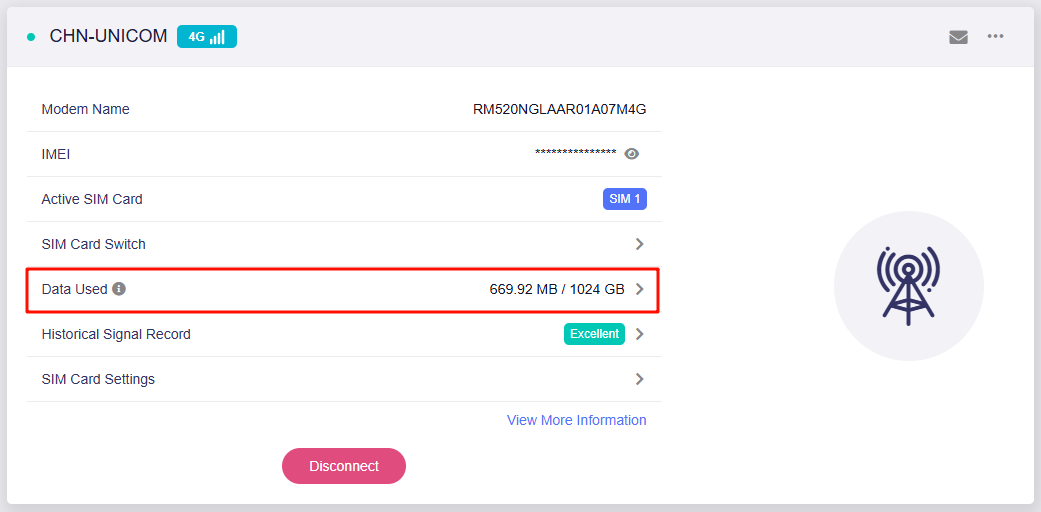
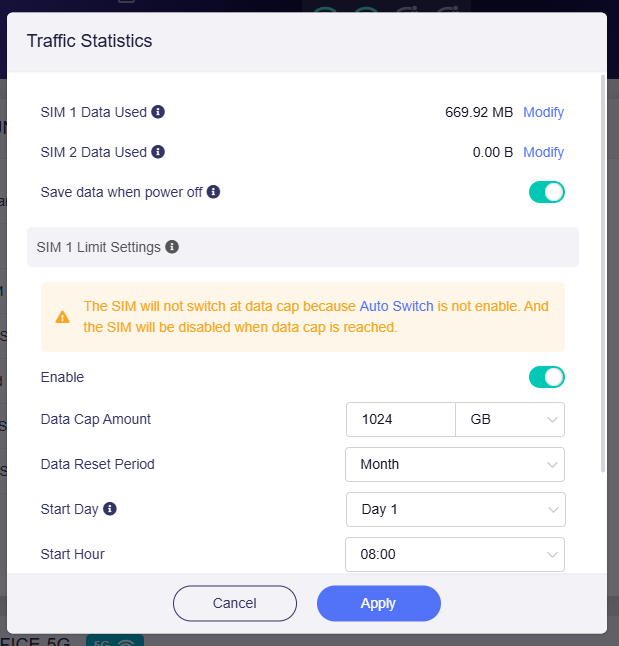
Can it track data usage per SIM, even if its manual counter reset or something?

When trying to compare frequency/band support... I'm just braindumping here because people smarter than myself could maybe pick out something that doesn't match up or would be a concern...

My Orbic Speed 5G UW lists its network support:
Technology 5G LTE UMTS
Band Designation CAT 20 LTE
5G UW: N257/260/261
5G: N2/5/25/41/48/66/71/77
4G LTE: B2/4/5/7/12/13/14/25/26/29/30/41/66/71 (also mentions 48)
3G:B2/4/5/8

My T-Mobile hotspot is an Inseego 5G MiFi M2000 lists this:
5G Sub6/mmWave or Sub6 Only
4G LTE CAT 22
4x4 MIMO Sub6, 2x2 MIMO mmW
256 QAM Sub6, 64 QAM mmW
HSPA+/UMTS

The Orbic Speed X 5G (I'm considering for Verizon... it has better power support at least, if I can't just consolidate)
5G Nationwide and 5G Ultra Wideband
4G Cat 20
3G HSPA+/UMTS
2x2 MIMO 5G Ultra Wideband
4x4 MIMO 5G Nationwide
4x4 MIMO LTE
Bands supported
5G Nationwide: n2, n5, n66
5G Ultra Wideband: n77, n260, n261
4G: B2, B4, B5, B12, B13, B48, B66
Global & roaming network:
LTE: B3, B7, B20, B28
UMTS: B1, B2, B5, B8
Sort of answering (part of) my own question, looking at the graphic here: https://store-us.gl-inet.com/cdn/shop/files/7-shopify_xe3000_module_1000x1000.jpg

it looks like it supports just about everything... except N257, 260, 261 which are key for UW it looks like.

is that something that software updates can wind up supporting later, or is that a hardware limitation? I don't have a way to test my current hotspot speed if I "disabled" those handful to see what the speed is like, a solid 5G without the "UW" is still great usually.

other than those few bands (using my amateur-ish sleuthing) it seems like I could drop in the SIMs from my t-mobile and my verizon hotspots, be able to use a single device to connect to any/all the networks, repeat wifi like any of the other routers... right?

Yes, right. Puli AX has all the same features as Spitz AX, but with battery.
Both model come with the 5G module - Quectel RM520N-GL.

They do not support 5G mmWave, so Verizon or T-Mobile UW 5G is not available.

Yes, right.

Although it supports dual SIM, there is only a single cellular module, which means that only one cellular WAN connection can be established at the same time.
Therefore, the status of dual SIM cannot be displayed.

Yes, it can track the data usage of each SIM card and automatically resets it based on the configured period, etc.


This is a limitation at the hardware level, so it cannot be supported by software updates.

Yes, right.

1 Like

Thanks, so yes it will support Verizon, just not UW for either of the providers?

It is a little misleading on the marketing about “choose whichever connection is better” that kinda sounds like it’s able to tell which one is better at any given time, vs a try and see situation :slight_smile:

Either way, that’s understandable if it has one radio. Glad I clarified how that works.

Yee, it will support the Verizon.

Let me try to make things clearer.
The main thing we need to focus on is the compatibility between the 5G NR bands that Puli AX and Spitz AX support, and the band that your mobile carrier provide.
The Puli AX and Spitz AX's band support is concentrated in the sub6 range, so they cannot connect to Verizon or T-Mobile's mmWave bands.
However, Puli AX and Spitz AX can still works on these carriers(Verizon or T-Mobile) because these carriers also offer sub6 bands, which the Puli AX and Spitz AX support.

1 Like

excellent. are there plans for a similar device with those bands in the works?

I'd like to offer some clarification on UW.

Let's start with Verizon. Verizon classifies both n77 and mmWave bands n260 and n261 as UW. The Spitz is not capable of n260 and n261 but IS capable of n77. n77 combined with other non-mmWave bands can supports speeds in excess of 1000 Mbps. So, you will see plenty fast speeds on Verizon when n77 is present (which is becoming more and more common).

Now T-Mobile. T-Mobile also uses mmWave but I've never encountered it. That said, the majority of the T-Mobile towers I've encountered have n41 (often called mid-band). As with Verizon's n77, T-Mobile's n41 can exceed 1000 Mbps as well so you will see plenty of speed.

In summary, both Verizon's n77 and T-Mobile's n41 will provide very good speeds with the X3000 Spitz or Puli.

Edit: Forgot to add that US-Mobile does work as I'm currently using a US Mobile sim in my X3000 on their Lightspeed (T-Mobile) network. I have never used a Verizon sim but have used a Visible (Verizon 'MVNO') in the past.

2 Likes

Absolutely the kind of info I was hoping for!

I actually decided to order it before your post, figuring it’ll probably be solidly fast enough, but this gives me hope it’ll be as fast as I normally get anyway, without the shortcomings of each hotspot.

By the way people, don’t buy the hotspots. Just get a SIM card and buy one of the gl.inet devices. It’s a few bucks more but you won’t pay $249-349 for the “top of the line” vendor option which has crap battery life, poor limited software, slow startup times… I’ve invested probably $600+ in hotspots between the providers and can replace it with just the single GL device, and get a lot of other benefits.

I collected some additional data last weekend while camping. The campground was about a half mile from the Verizon tower. Testing directly on my Pixel 9 Pro XL I achieved download speeds in excess of 1000 Mbps and upload speeds just under 100 Mbps indicating that the tower had n77. When testing through the X3000 using my Pixel as the client over wifi (unfortunately didn't have hardware on hand to test over ethernet) I got download speeds around 250 Mbps and uploads around 90 Mbps. The link speed between the phone and router was ~750 Mbps.

1 Like

I got mine, put in the sims from both my hotspots. Verizon worked basically without any tweaks. T-Mobile could never connect. Tried some other suggestions, but I think I may need to contact them and possibly have them unlink the sim from the hotspot or something. I tried what looked like a suggestion to "clone" the IMEI using AT commands, and now Verizon won't even connect. :slight_smile: I did get an email from Verizon before that saying "did you switch devices?" and a link to confirm on my account, however the link doesn't seem to work, and says I need to contact them.

When it was working, I was impressed. I didn't think I could get the speed I did, I'm in a bit of a grey zone for reception here, and I only put on two of the four antennae... I got 240mbit down, 7-8mbit up - which is tolerable and I'm sure if I tried harder to position it and mounted all antennae maybe I'd get better... I just need to contact customer support at both companies now I think to ensure official changeover. I'm going to try to "reset" the IMEI back to the original value too, just to see if it works with VZW again. Maybe it only let me "switch" once before it stops automatically working, or my account is flagged or something.

It's my understanding that running a wifi capable router without the antennas attached can cause damage to the wifi radios. More information can be found with a quick google search.

interesting! it seems like gl.inet themselves don't have a super strong opinion on the thread i found, and i find some "maybe" and "no" in the wild in general.

question - can i get some very very short "stubs" (sort of like the HDMI plugs) to do the necessary resistance/presence, but not add much to the overall shape? just in case.

my intention is to keep this in a case and use it various places on the move, and while the case should have space for them to be detached, screwing on 6 antennae every time i need to pop online can get a little crazy. i'd love to have there be "spacers" on there or something, and decide to put on the different antennae as the need arises (low signals or want to boost)

is this a silly idea? common desire?

something like this? MTC DX-2 Antenna Stubby Antenna Male SMA Kenwood Icom Alinco Yaesu - Main Trading Company

well, quite a disappointing day of store visits... I have a Puli AX (GL-XE3000NR)

Verizon tells me that they don't support the device (based on the factory IMEI) - however I had changed it to try to match my t-mobile hotspot (based on someone else's tips) because it looked like VZW was working out of the box, but TM wasn't...

AT+EGMR=1,7,"my-tmobile-hotspot-IMEI"
AT+QPRTPARA=1

Well, that changed the IMEI for the modem...

I can't seem to get a stable Verizon connection - I tried to spoof my verizon IMEI as well, but no matter what I do, once in a blue moon it pops on to VZW and some data happens, then it stops working.

TM has never worked once.

If anyone has specific settings worth trying, I'm all ears.

I've tried using the "Auto Setup" as well as Manual. I've seen VZW function for short periods of time using different APNs - "internet" "VZWADMIN" "VZWINTERNET" all have worked various times, but doesn't stay working.

I've tried to use the original Verizon hotspot's IMEI, I've shifted it by one number, it seemed like shifting it one number worked okay, but then after trying to get TM working, it seems like the SIM switch winds up losing the "working" connection.

I've tried using different TTLs with TM. They say that there is no reason this device won't work. The factory IMEI, the spoofed IMEIs, they all say "good" with the TM checker. They gave me a fresh SIM card to try, didn't make any difference.

The GL website itself says this product is certified for TM. Their site even has a PDF about the device: https://www.t-mobile.com/content/dam/tfb/us/en/pdf/tfb-iot/xe3000_datasheet_20230515.pdf

They say "SIM card not registered" usually. TM just gave me a fresh one. Right now, the device shows that it's got a signal but it still says SIM not registered, it doesn't have internet connectivity.

It ships with a Verizon profile, too... but same deal. I can't figure out any way to get a stable connection.

May we know when you test your new TM SIM card, do you connect all 4 cellular antenna?
If not, please try connecting all and test again.

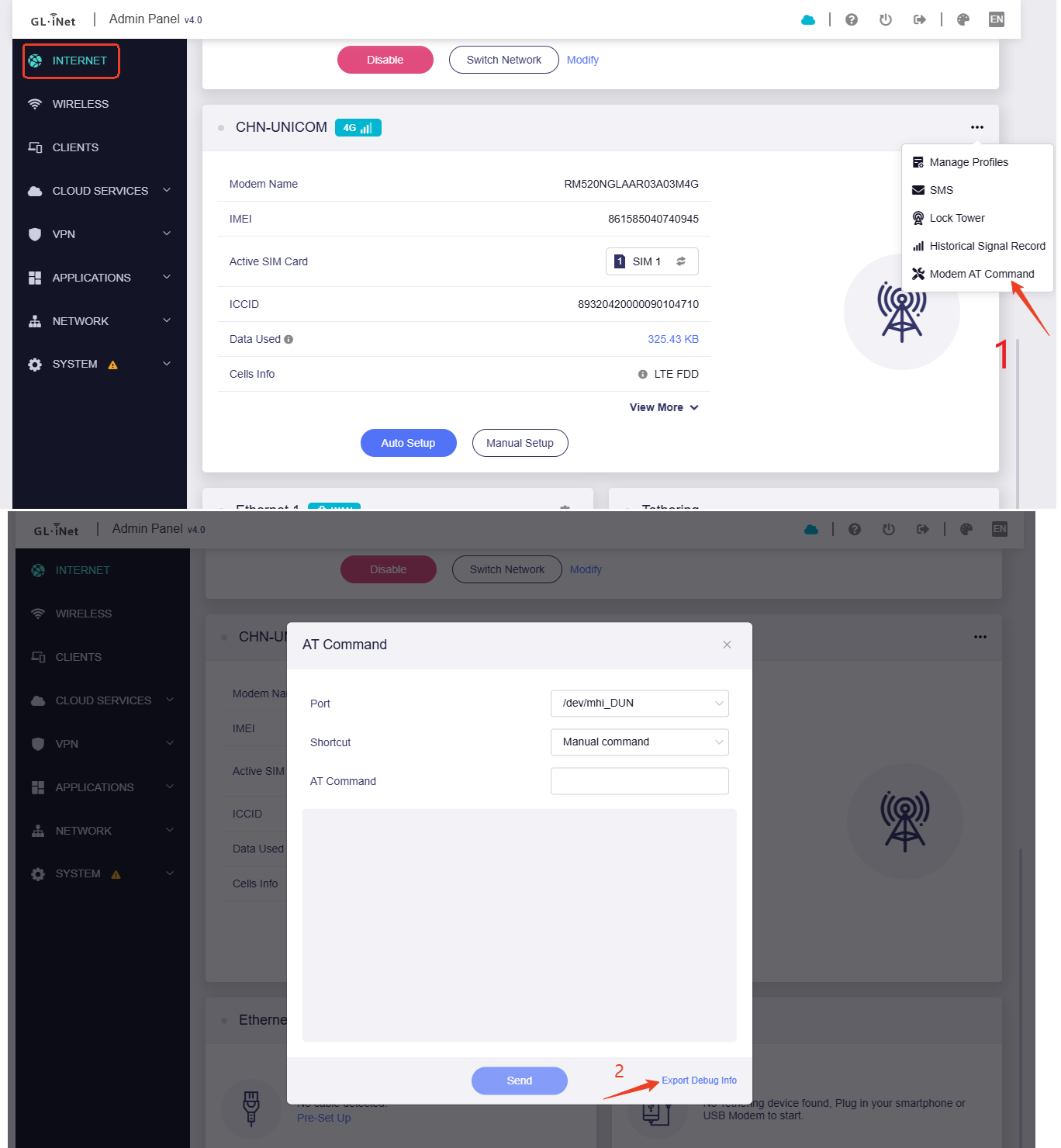
If this still doesn't help, please check the modem status and SIM status using following AT commands in Admin Panel > Internet > Modem > ··· > Modem AT command:

AT+CFUN? 
AT+CSQ
AT+COPS?

And export the modem log and system log.


Please share these results with us via PM.

so after doing a factory reset, it came back and verizon once again seemed to work out of the box. using APN "internet" it looks like, it figured that out through auto setup it seems.

and now, tmobile is working - using a data plan only SIM that i had. the people at the store told me there were no limitations and there wasn't anything special about the SIM, and gave me a fresh one - but still tied to that same line. i think that may be the issue, i need them to give me a data only one. i have one that i use for home backup cellular connection that i forgot i could try.

i've switched now back and forth between SIM1 and SIM2 a couple times and it appears to work.

it would appear the fix for TM for me is simply getting a data only SIM, and not one that is tied to the hotspot line at all.

for VZW, it seems to just work now. i have no idea why. i believe it has the same IMEI before i did the factory reset (it still seems to have the spoofed IMEI, even after holding down 8 seconds and going through the whole thing) - it works with APN "internet" and "VZWINTERNET" and probably others. it seems to survive/persist properly after forced rebooting, too.

i am a little concerned because the IMEI i used is a clone of my hotspot BUT i incremented it by one digit, because i was hoping it would show up on their account side, whenever they used the actual IMEI it kept showing the hotspot itself even when it wasn't in use.

I skimmed through the thread and didn't see any mention of what modem firmware you are using. Have you updated the modem firmware to the latest version? And are you using the latest stable router firmware?

For the Verizon APN I've found VZWINTERNET to work for me.

Firmware
Version 4.0
Firmware Type 0704release5

Module
Version RM520NGLAAR03A03M4G

currently i have tmobile running, APN is "fast.t-mobile.com" (it's worked on TMUS if i recall earlier or last night, it seems like), no TTL tweaks or anything...

NR5G-SA TDD
Band 41
dl_bandwidth 90M
RSRP -96 Excellent
RSRQ -11 Excellent
SINR 5 Fair

which is about what i would expect from my home office, in not the best saturated area.

and when I switch to VZW, it initially pops on as 4G
APN is VZWINTERNET

LTE FDD
Band 2
ul_bandwidth 10M
dl_bandwidth 10M
RSRP -97 Excellent
RSSI -61 Excellent
RSRQ -17 Poor
SINR 13 Excellent

then after a little bit it figures out the better signal

NR5G-NSA
Band 77
dl_bandwidth 60M
RSRP -99 Excellent
RSRQ -10 Excellent
SINR 16 Excellent

for both, speed is decent, i don't expect crazy speeds where i'm at. the very first night (without all 4 antennae!) VZW had a 240mbit down, 7-8mbit up speedtest.

now it seems to be pretty consistent, and i have all 4 cell antennae currently in now.


         ISP: T-Mobile USA
Idle Latency:    20.79 ms   (jitter: 3.30ms, low: 19.30ms, high: 30.65ms)
    Download:    67.45 Mbps (data used: 103.4 MB)
                552.62 ms   (jitter: 86.03ms, low: 26.73ms, high: 1173.69ms)
      Upload:    12.70 Mbps (data used: 21.6 MB)
                302.96 ms   (jitter: 72.22ms, low: 39.37ms, high: 1413.17ms)

         ISP: Verizon Wireless
Idle Latency:    37.28 ms   (jitter: 12.96ms, low: 24.22ms, high: 45.00ms)
    Download:    77.31 Mbps (data used: 79.5 MB)
                285.84 ms   (jitter: 74.15ms, low: 45.06ms, high: 965.27ms)
      Upload:    19.62 Mbps (data used: 31.8 MB)
                507.60 ms   (jitter: 83.38ms, low: 73.53ms, high: 882.95ms)

i do have some issue and a tmobile tech rep couldn't figure it out. i have 2 SIMs for 2 different lines. one was for my tmobile hotspot, one was for a "data only" home connection (i can't get tmobile home internet officially, for whatever silly reason, but i can get a signal just fine. so they said we'll sell you a SIM for a data plan and just use that) - the tech today told me that there is absolutely no difference now in the plan between either and the SIM setup/whatever is exactly the same... except the SIM from my original hotspot won't work (just stays at "SIM not registered" forever) but that "data only" one i had for cellular backup works just fine. the rep had no explanation and said to just swap them and see what happens. haven't tested if that SIM works in the other device now, i hope it does.

I’m back with one more data point. Currently using my US Mobile Lightspeed (T-Mobile) sim I’m getting download speeds just over 500 Mbps on a tower that has n41.

i upgraded my firmware to beta last night, the UI is a bit nicer for having multiple SIMs and just in general… i think it’s functional once again. i got both SIMs working last week, then a couple days later, neither cell service worked, then yesterday i confirmed both were functioning again.

i would like to ask again would something like this be a good way to “stub” the antenna ports if i don’t have the antenna hooked up while the unit is on? i understand reception will not be the best, but i don’t want to damage the unit if i don’t plug in all 6 antennae every single time i take it out of the case (i’m carrying this around for mobile usage, and i found a case but it won’t support having all the antennae connected)