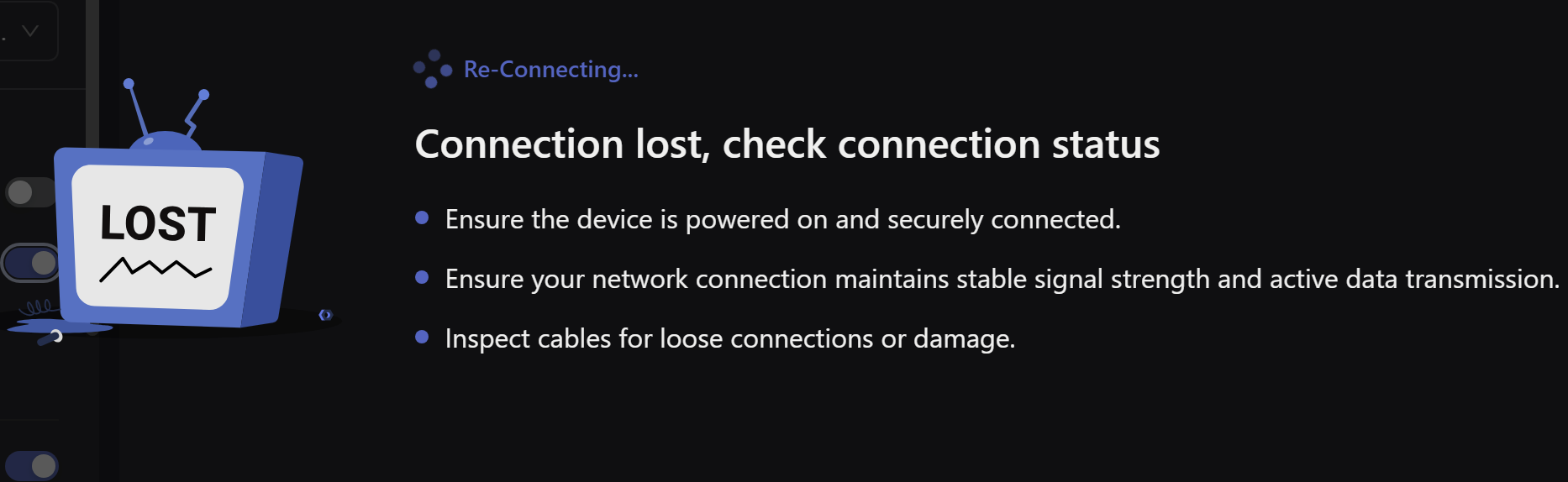
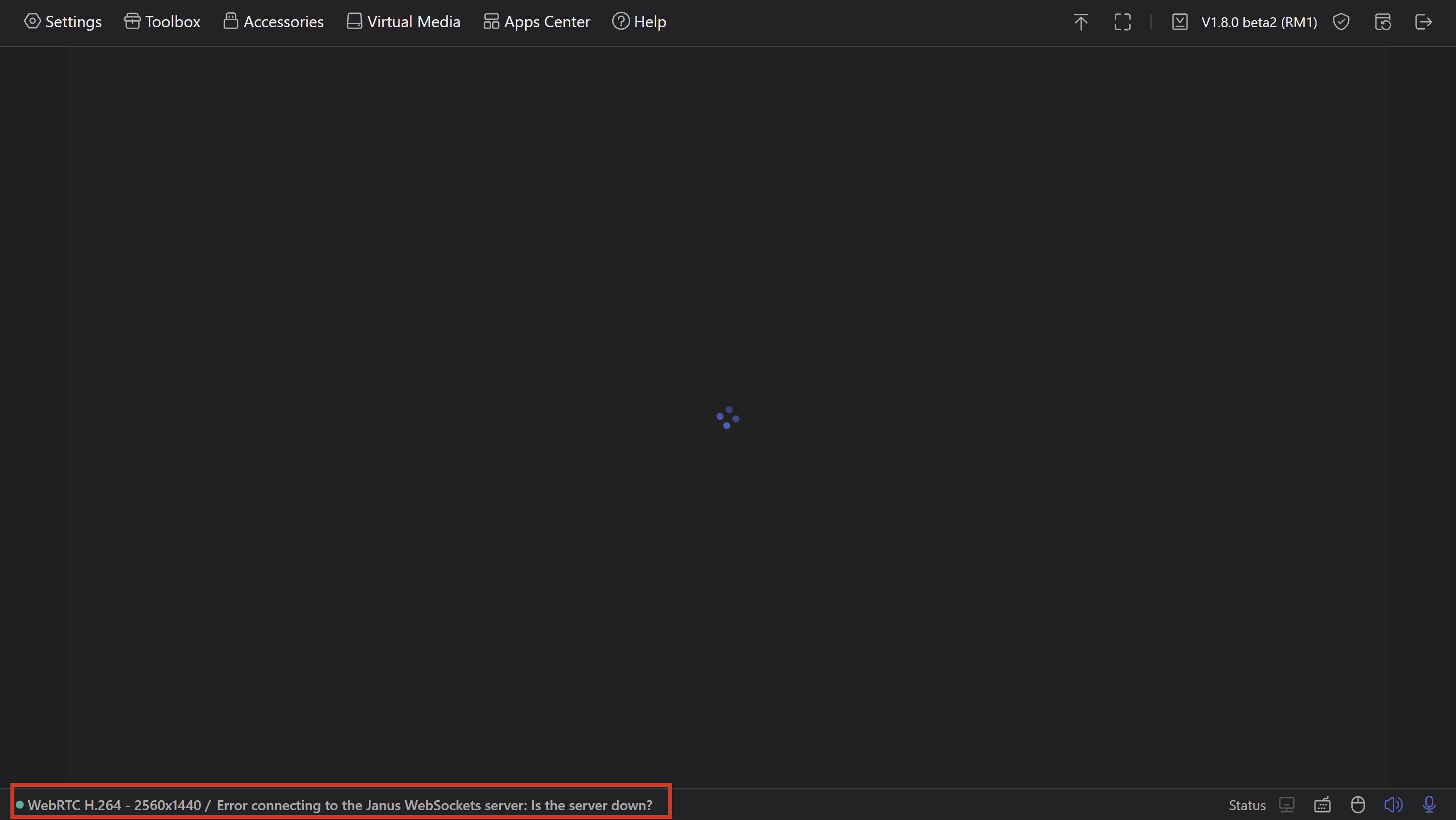
The application experiences significantly long reconnection times in two scenarios, making it faster to manually close and restart the connection.
Scenario 1: Manual Microphone Toggle
Trigger: Turning the microphone off during an active session
Expected Behavior: Quick reconnection to resume the session
Actual Behavior: The active session initiates reconnection, which takes a long time
Workaround: Closing the window and manually reconnecting is faster
Scenario 2: Connection Interruption
Trigger: Connection interrupted due to network lag or other connectivity issues
Expected Behavior: Automatic reconnection within a reasonable timeframe
Actual Behavior: The app gets stuck on "reconnecting" status
Duration: Exceeds 10 minutes of waiting time
Workaround: Forced to close the window and manually reconnect
Scenario 3: Opening GLKVM app on iOS which was running in background for some time
Trigger: Connection interrupted due to network lag or other connectivity issues
Expected Behavior: Automatic reconnection within a reasonable timeframe
Actual Behavior: The app gets stuck on "reconnecting" status
Duration: Exceeds 10 minutes of waiting time
Workaround: Forced to close the app and connect manually
Impact:
Poor user experience due to lengthy wait time
Disrupts workflow as manual intervention is consistently require
The workaround (closing and reopening) is consistently faster than waiting for automatic reconnection
Suggested Fix:
Implement a timeout mechanism for reconnection attempts (e.g., 30-60 seconds) with an automatic fallback to close the connection and prompt the user to reconnect manually.
Thanks for the detailed report! I've tested the reconnection scenarios and my logs show normal behavior (30 seconds or less).
How Reconnection Works:
Reconnection is initiated by the browser/client side, not the KVM device
The KVM runs a Janus WebRTC server that passively accepts connections
The KVM does not initiate any reconnection attempts
Key Observation: Since you're experiencing slow reconnection on both browser AND mobile app, this indicates the issue is likely with KVM firmware or network environment, not the clients.
Recommended Troubleshooting (Priority Order):
Test Network Quality
ping your ip address -n 20
Update KVM Firmware
Upgrade Firmware → Check version
→ Update to latest
→ Reboot and retest
about your suggestion that prompt the user to reconnect manually., I would delivery it to our R&D team.
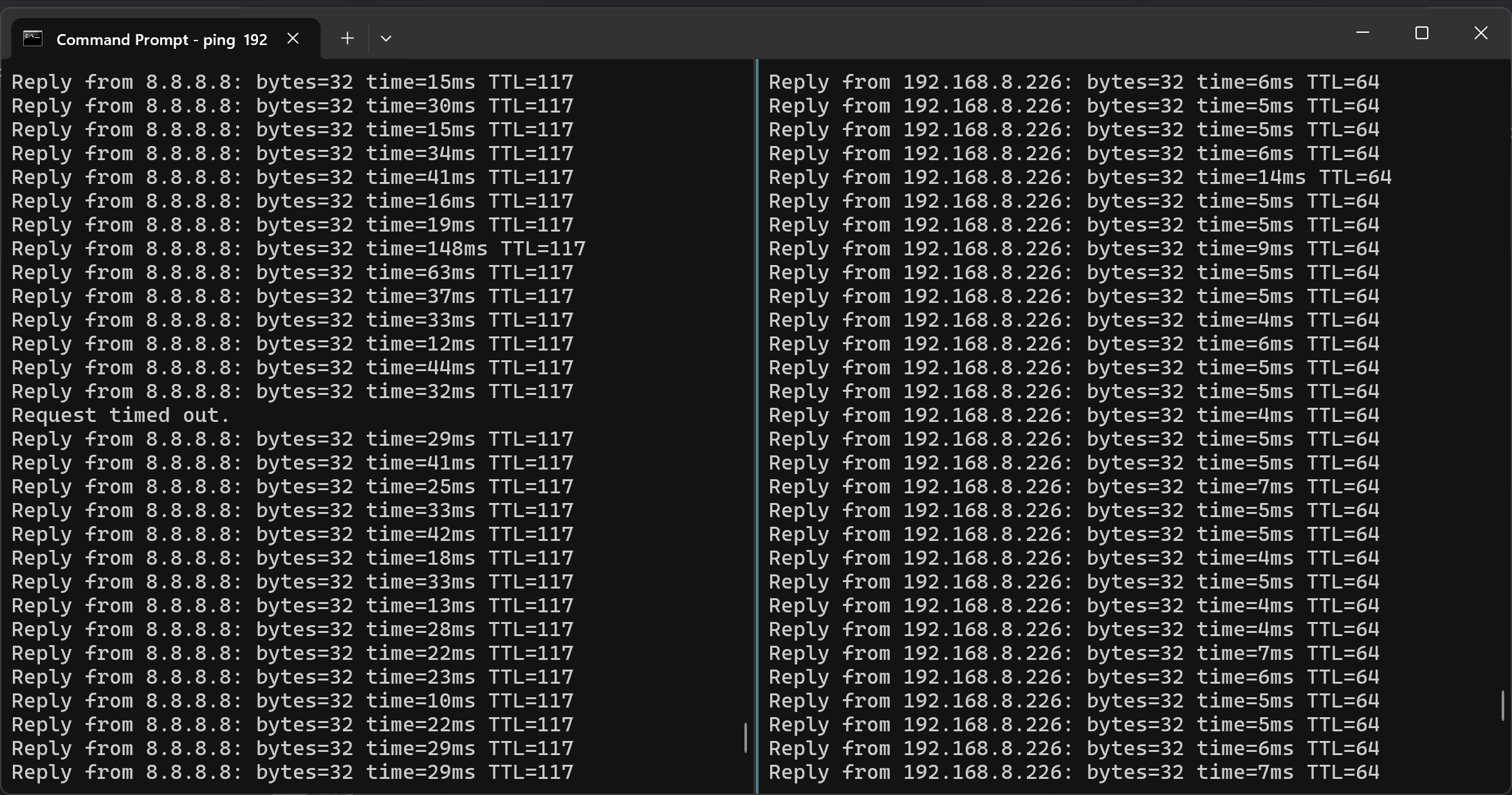
I am doing test at home ping is no more than 6ms. Firmware up to date.
Could you please also test the case when keep stream going on, force your client laptop/phone to sleep, and wake the client up after 20min? It cannot reconnect by itself and I always need to restart connection in that scenario.
I've tested it repeatedly, and my KVM works great; the reconnection speed is faster than I expected. I even analyzed the logs: when computer B's screen goes out, data collection completely stops within 2 seconds, and the connection fully resumes in less than 1 second after the mouse wakes up. If possible, you can send me the logs so I can analyze them for you. My computer B System is Ubuntu 22.04LTS.
My network seems to be good. Occasionally I get some request timeout while pinging google IP, but it’s not affecting the stream as i have noticed. When pinging local network i don’t get request timeouts.
I put my logs into Claude and its what it returned:
Unstable VPN connection (mptun0) caused by MQTT/rtty timeouts → interface restart → WebRTC session destruction → client stuck in "reconnecting" because it's unaware of session destruction → streamer shuts down due to lack of clients. Probable solution: Increase heartbeat timeouts in rtty and gl-cloud configuration from ~60s to 180-300s.
If you are using a local area network, it is recommended to access it directly using the LAN IP address.
The reason why VPN technologies like Tailscale don't have issues is that the VPN layer automatically handles problems like disconnection and reconnection. To put it simply, the core issue lies in the behavior of your 5G network operator, which actively interrupts TCP connections.
I confirm that frequent disconnects while using a 5G mobile network are due to aggressive CGNAT policies and short NAT timeouts (often 30–60 minutes) from my carrier.
I found that enabling Tailscale alone wasn't enough. To achieve a stable connection, I had to manually adjust the following settings on my router Spitz AX (GL-X3000):
Lower the MTU: Change the MTU (Maximum Transmission Unit) from 1500 to 1350.
Force IPv4: Switch the Protocol Mode from "Dual Stack (IPv4/IPv6)" to IPv4 Only.
Persistent Keep-Alive: Set the "Ping Host" (Keep-Alive) function to a custom interval of 10s.
Suggestion for developers
While Comet 5GGL-RM10RC is coming, many it’s users will encounter these carrier-specific CGNAT issues. It would be a great quality-of-life improvement if the GL Cloud could automatically detect or handle these short NAT timeouts to avoid the need for manual router adjustments.