I connected a Beryl AX to my home router via a LAN connection and set up a VPN tunnel for a device within my local network which connects to Beryl via Wi-Fi. Due to the distance, I had to extend the Wi-Fi signal, so I set up my old Slate Plus as a repeater. It looks like this:
Before:
Home router (DHCP)⟶ Beryl AX (DHCP)⟶ Device
After:
Home router (DHCP)⟶ Beryl AX (DHCP)⟶ Slate Plus (DHCP) ⟶ Device
The VPN connection between the device and the Beryl AX works perfectly (see Before). Now I want to use the Slate Plus as a signal extender for the device (see After).
The following problem has arisen:
When I set up the Slate as a repeater, I had to change the router's IP address because there was a conflict with the Beryl IP-Adress. Both cannot have the same IP (192.168.8.1). To do this, I assigned the IP address 172.16.1.1 to the Slate. The device that is supposed to go through Beryl's VPN tunnel has now been assigned a new IP address 172.16.1.xxx by the Slate.
How do I set up the Slate as a signal extender for Beryl so that the VPN-Configuration stays untuched and the end device goes through Beryl's VPN settings?
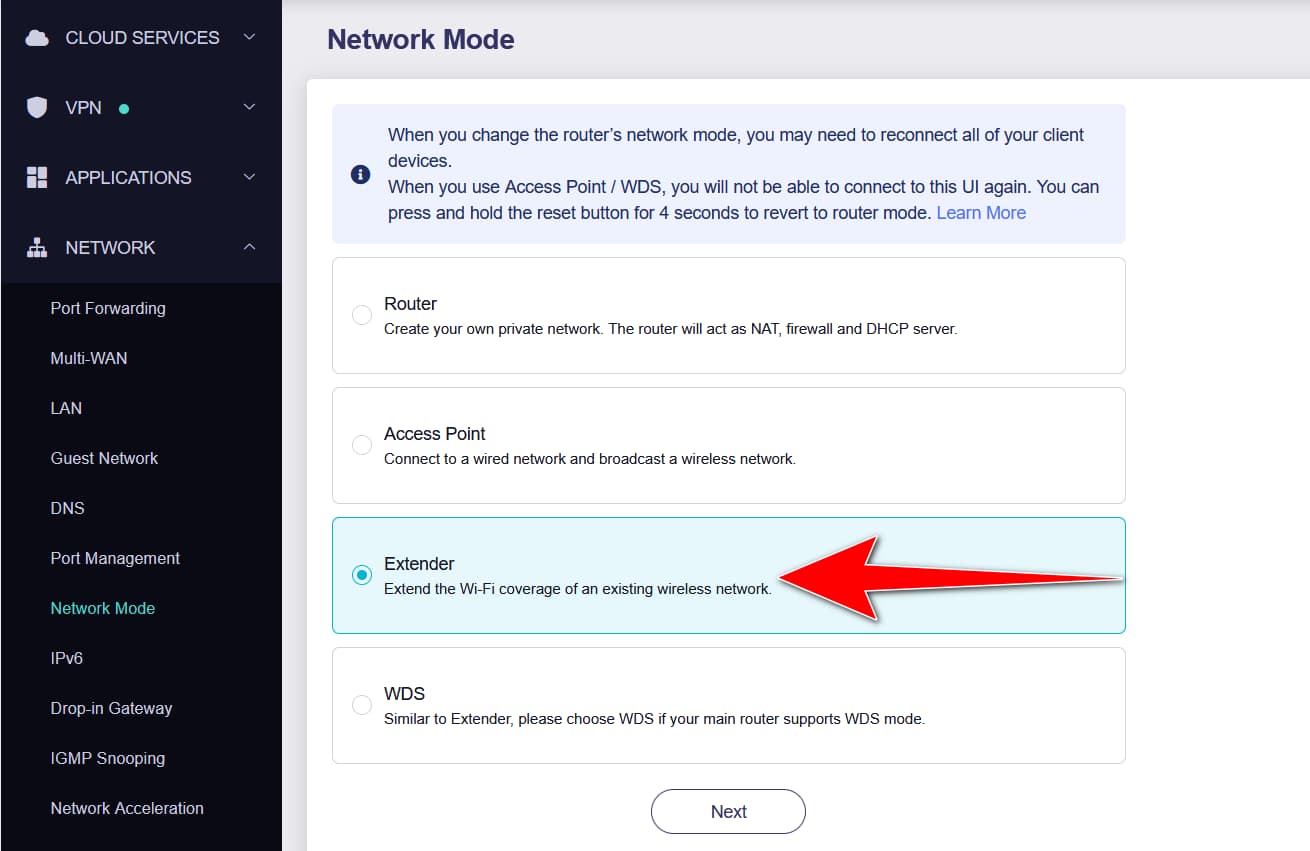
I can't change the Networkmode after I connected to Beryl as repeater. I somehow managed to change the VPN Settings and pointed out Slate to go through the tunnel. But now every device which connect to the SSID of Slate is beeing passed through VPN tunnel.
However, I am not sure if I configured the WiFi properly. As I want to extend the Barel WiFi does all devices need to connect to the Barel WiFi or Slate WiFi after Slate has been configured as repeater?
I'd like to connect to the Beryl and Slate Admin Panel through my PC which is connected via LAN to my main router. At this moment I can only do it either if I connect directly throug LAN or the Baryls/Slates provided WLAN. There must be a more confortable way.
Thats weird, I can't change the mode, but on the main screen "Internet" the Slate is enable as Repeater. Now for using the extantion the devices should connect to the Slates or Beryls WLAN?
After playing around with the settings, I figured out something that seemed to be one step further, but I still did not reach the goal. Here is what I can and cannot do:
Main Router PC-LAN (192.168.10.XXX) → Beryl (192.168.8.x) → Slate (192.168.4.x) with VPN → Device X (192.168.8.x).
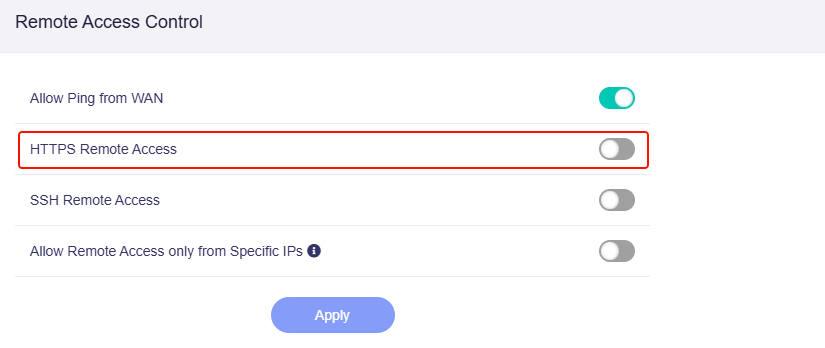
On the main router, I enabled a static route for Beryl through the gateway (PC: 192.168.10.xxx). On Beryl, I have HTTPS Remote enabled. I now have access to the Beryl GUI.
However, I have no access to the Slate or the Device X GUI.
I can access Beryl's and Slate's WiFi on Beryl and Slate. On the Slate, I have HTTPS Remote enabled.
I have no access to the Slate GUI.
I need to manually change my PC's IP address to 192.168.4.XXX to access the Slate's GUI. This is very inconvenient.
The Slate runs in Extender Mode. However, I had to enable the Slate's own Wi-Fi and connect the device X to it. This device X is assigned to the WireGuard VPN tunnel.
Beryl passes through everything from the Slate. I cannot select specific devices connected to the Slate. In the VPN policies, I only see Slate and not the devices X connected to it.
My goal is to access the GUI of Beryl, Slate, and the device X from my PC, which is on the router-level IP range, 192.168.10.xxx. Do you think some changes to the forwarding settings on both Beryl and Slate are necessary? Do you have any ideas on how to do this?
Since your PC is in the subnet of the main route, then I imagined this topology according to your description, accessing Slate will be a very big challenge, it requires adding static routes.
After adding static routes, the PC should access the GL GUI via Slate's IP 192.168.8.x (assigned by Beryl AX).
First, to ensure that the static route you configured on the main route is accurate, the PC can access the Beryl AX subnet 192.168.8.0/24.
In a VPN policy, you can control Slate, i.e. the client device X that controls it.