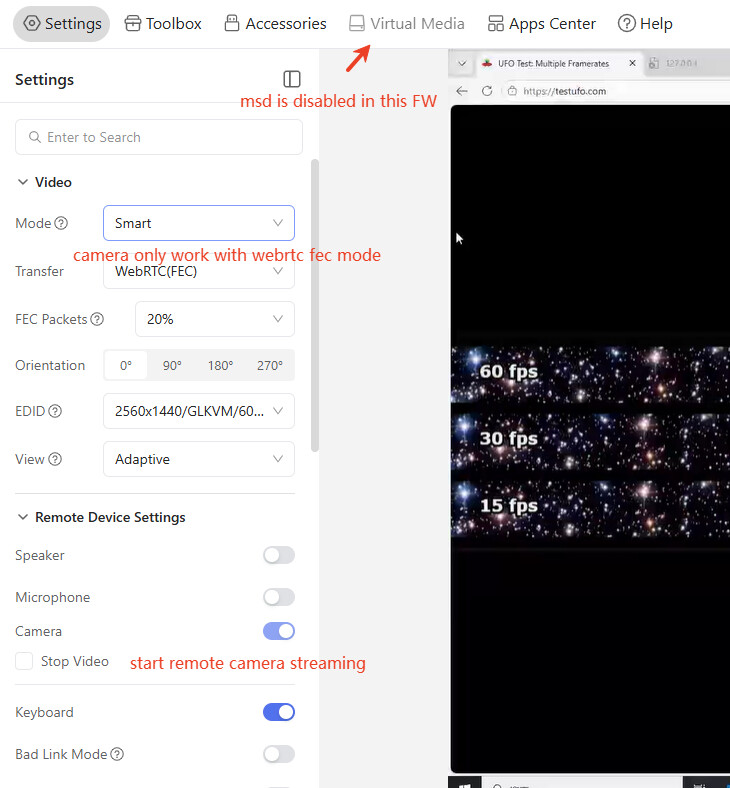
The camera shows up as ‘UVC Camera’ but it just gives a completely black feed. Tested on brand new RM10, through the browser (both tailnet and local) and through the app (Mac). Accessing through a 2019 MacBook Pro running MacOS 12.7.6, where the plugged-in computer is Windows 11. All other features work fine.
Update: I was using Safari. Accessing with Chrome works. Thank you for working on this feature! Excited for it to mature.
As far as I can tell the RM10 requests a 640x480 video feed from the webcam. Is that correct? Do you plan to make the configurable? I would like it to use a wider aspect ratio, and preferably better quality.
That's not the case. In reality, cameras of any resolution can be used. Moreover, since the host side operates through a browser, browser behavior cannot be standardized. In practice, the browser initially transmits a low-resolution signal, such as 480P. Then it gradually increases the signal quality, upgrading to 720P, then 1080P, or even higher. However, on the KVM side, we crop and compress the received data, downscaling it back to 480P.
We are currently testing a 16:9 aspect ratio, which is 576P, but achieving better image quality should not be possible. The core issue is that USB 2.0 cannot support such a high amount of data.
Ok, thank you for your response. So to understand you correctly, the KVM currently crops to 4:3 and downscales to 480P? But you are testing it to alternatively crop to a 16:9 aspect ratio?
I currently have an issue where the camera works for transmitting to another physical device attached to the Comet. However, the camera is not passed through to Citrix.
A camera attached to the device works without issue.
Citrix is software to connect to VDIs and control them remotely from your desktop.
A VDI is a virtual work computer that lives in a data center or cloud instead of under your desk
It lets you use your work computer and applications from anywhere, even if they're actually running on a computer in your company's office or data center.