RM1PE Dropping Connection with Firmware ≥ 1.7.1

Ever since I upgraded my RM1PE to firmware version 1.8.0, the device loses network connection roughly every 5 to 8 hours. I have it connected to an H3C 24-port switch, and the RM10 on the same switch works perfectly with no such issues.

I've tried replacing the Ethernet cable and the power adapter (the setup is backed by an online UPS), but none of these troubleshooting steps fixed the problem. When I rolled back the firmware to version 1.7.1 during testing, the device operated stably with zero disconnections.

I later heard that this issue was resolved in firmware version 1.8.2, so I upgraded to that release. Unfortunately, I'm still plagued by the exact same disconnection problem.

Could you let us know the exact model of the H3C 24-port switch?

Also, when the device is working normally, please export the logs and send them our way.

Quick update: My switch is an H3C S5130S-28S. I had ACL access restrictions set up on the router before, but they've been completely removed now. Also, the device works perfectly fine with no drops on firmware 1.7.2.

rm1pe_system_logs_20260327_121622.zip (42.1 KB)

快速更新:我的交换机是H3C S5130S-28S。我之前在路由器上设置了ACL访问限制,但现在这些限制已被完全移除。此外,该设备在固件1.7.1版本上运行正常,没有任何掉线情况。

rm1pe_system_logs_20260327_121622.zip (42.1 KB)

Could you try setting a static IP for the Ethernet connection and see if that helps?

I followed your tutorial to set it up, and the machine has been working fine for 4 days. By the way, I found the same problem on RM1 - 1.8.0 and RM10 - 1.8.2, and the same fix worked for both.
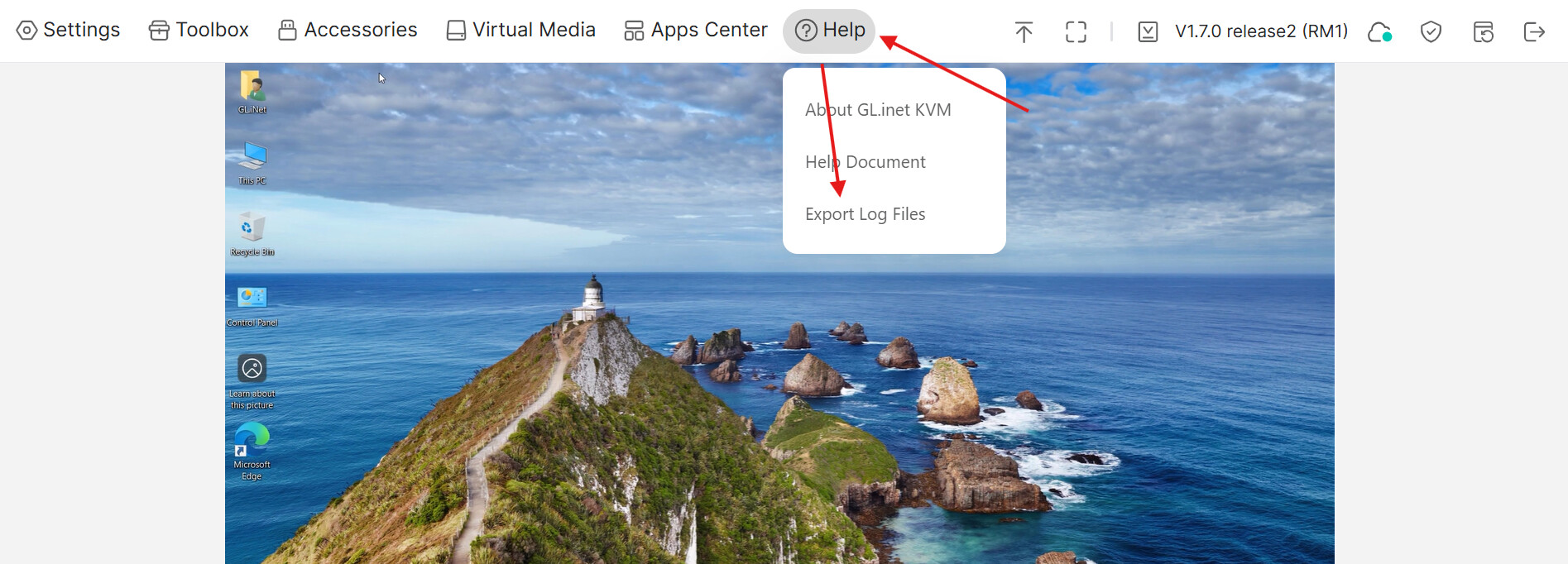
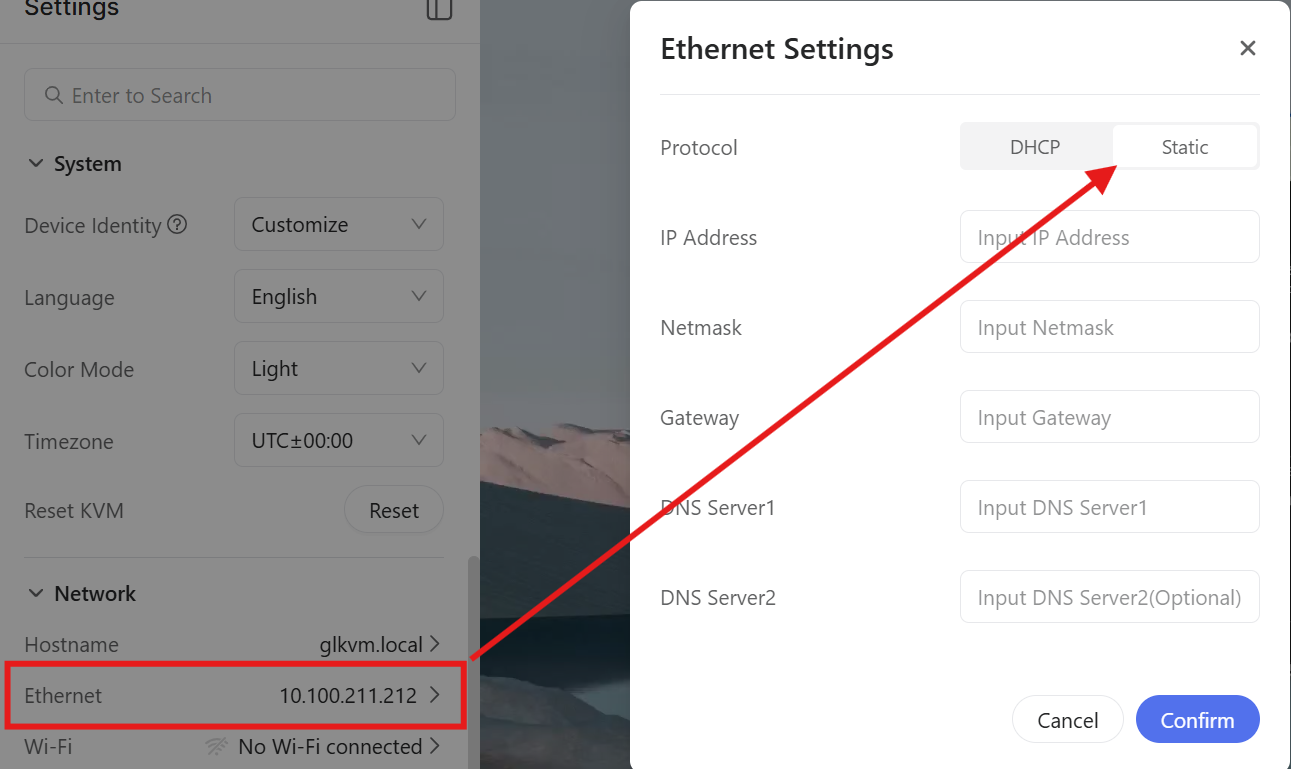
can you share the DHCP setting of you router?

I'm using an iKuai router. Here are my exact DHCP server settings:

Basic DHCP Configuration (LAN1 interface):

  • Service Interface: LAN1
  • Client IP Range: 192.168.200.100 - 192.168.200.200
  • Excluded IP Addresses: None
  • Subnet Mask: 255.255.255.0
  • Gateway: 192.168.200.1
  • Primary DNS: 202.97.224.68
  • Secondary DNS: 114.114.114.114
  • Lease Time: 120 minutes
  • Expired Address Retention Time: 0 hours (reclaims immediately upon lease expiration)
  • Interface IP Validity Check: Enabled

All other DHCP settings are at their default values.

Is there any other information you need from me?

I will have a try