So here's the situation. I have a main router which is a TP-Link ER605 (192.168.0.1), a DecoX75 connected to it as a AP and a TP-Link Switch to the router. Other clients are connected from the AP through WiFi or to the switch on cables. I have a Brume 2 GL-Inet (192.168.0.8 is ethernet ip address and router IP is 192.168.8.1) connected to the TP-Link switch with VPN client on. I have a FireStick (192.168.0.4) which is connected on WiFi and I want all it's traffic being route to the Brume 2 VPN Client. How can I do that?
I tried the Static Routing and/or Policy Routing from the ER605 to route the traffic of destination 192.168.0.4 to next hop 192.168.0.8 but it didn't work.
Maybe I'm missing some configs or something? Need some help here on how to do it properly.
Is it possible for 192.168.0.4 to still speak with other clients on LAN while still having it's traffic routed to Brume2 VPN?
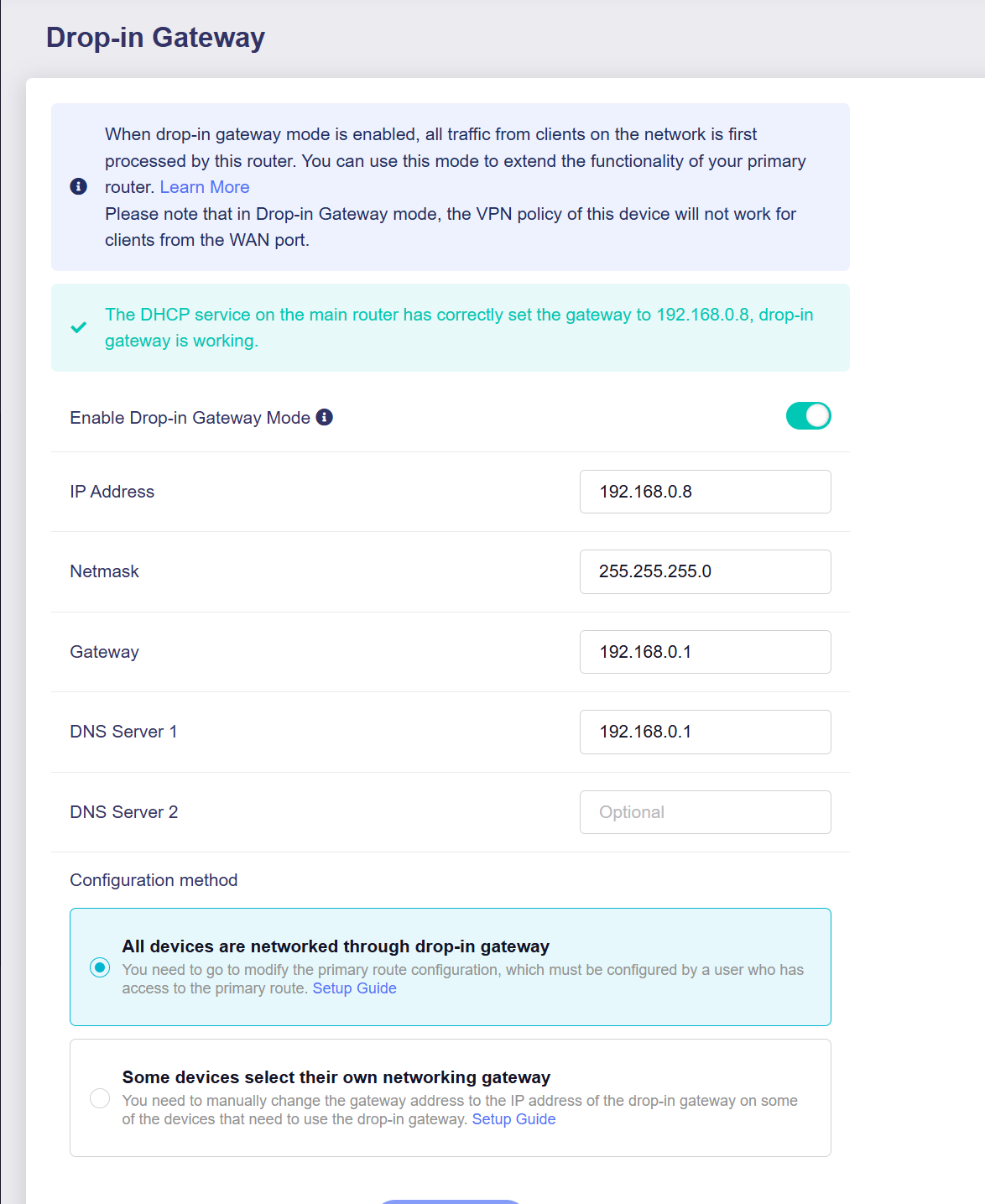
Then on my main router I put the DHCP gateway to 192.168.0.8 (Brume2)
I did a Static Route from 192.168.0.4 (FireStick) to 192.168.0.8 (Brume2)
Check other reply post
But looks like all my traffic going to the Brume 2 on VPN. I just want the Firestick to route towards Brume2.
Does that mean I can only do it by choosing the “Some devices select their own networking gateway” on my Brume2 and then reconnect the Firestick with the gateway pointing to 192.168.0.8 ?
Theoretically, this is achievable given your current topology. To identify the issue, probably performing packet captures on the devices to confirm traffic flow and reachability.
Suggest maintaining your existing topology and primary router configuration (disable the static route), enabling 'Drop-in Gateway' on the Brume 2.
By manually setting the FireStick's gateway to the Brume 2, you can achieve your goal without altering your current network structure, while ensuring accessible to other devices on the LAN.