Hi, the set up is slightly convoluted. The Deco unit's are in AP mode and all ports are in Standard Mode. When they all work as expected, they are all connected to the (main) Zyxel switch, 2 directly (office (main) and living room) and 1 via another Zyxel switch (bedroom), which is connected directly to the main Zyxel switch. The main Zyxel switch is what's connected to port 2 of the Flint 4 (the switch uplink). The Flint 4 has WiFi disabled.
I'll have a playaround when I get a chance. Ideally I need 4 2.5Gb/s ports for all the Deco APs but, 1 currently only has a 1Gb/s port so I can use 3 for the 2.5Gb/s enabled APs for now.
Hi,
Thank you—that clarifies the topology. Since the Deco units are in AP Mode, connecting them through the same upstream LAN should be a valid setup.
Could you also confirm that Flint 4 ports 2 and 4 both show Main Network as their Access Network? When convenient, please compare:
-
Keep all Deco cabling unchanged and move only the main Zyxel switch uplink from port 2 to port 4.
-
If that works, move the switch back to port 2 and connect only the main Deco to port 4.
During the test, if possible, access the Flint 4 Admin Panel from a wired device connected directly to another Flint LAN port rather than through Deco Wi-Fi. This will show whether the Flint 4 itself becomes unreachable or only the Deco backhaul is interrupted.
If the second setup fails again, please note the time, check whether that wired device can still reach the Flint 4 LAN IP, and export the System Log. Please also let us know the complete firmware build currently installed.
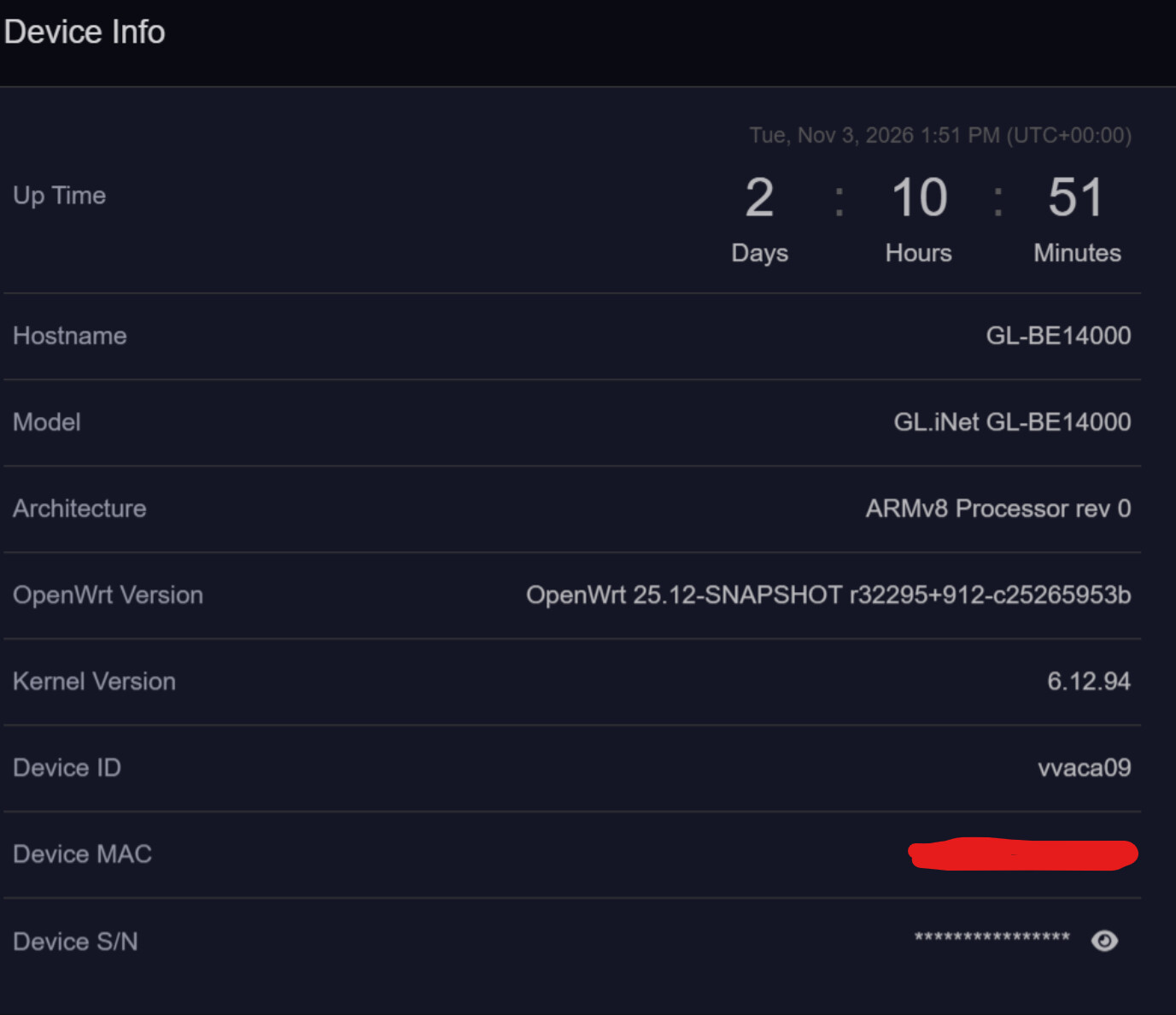
Conformation of router build (Beta 3):
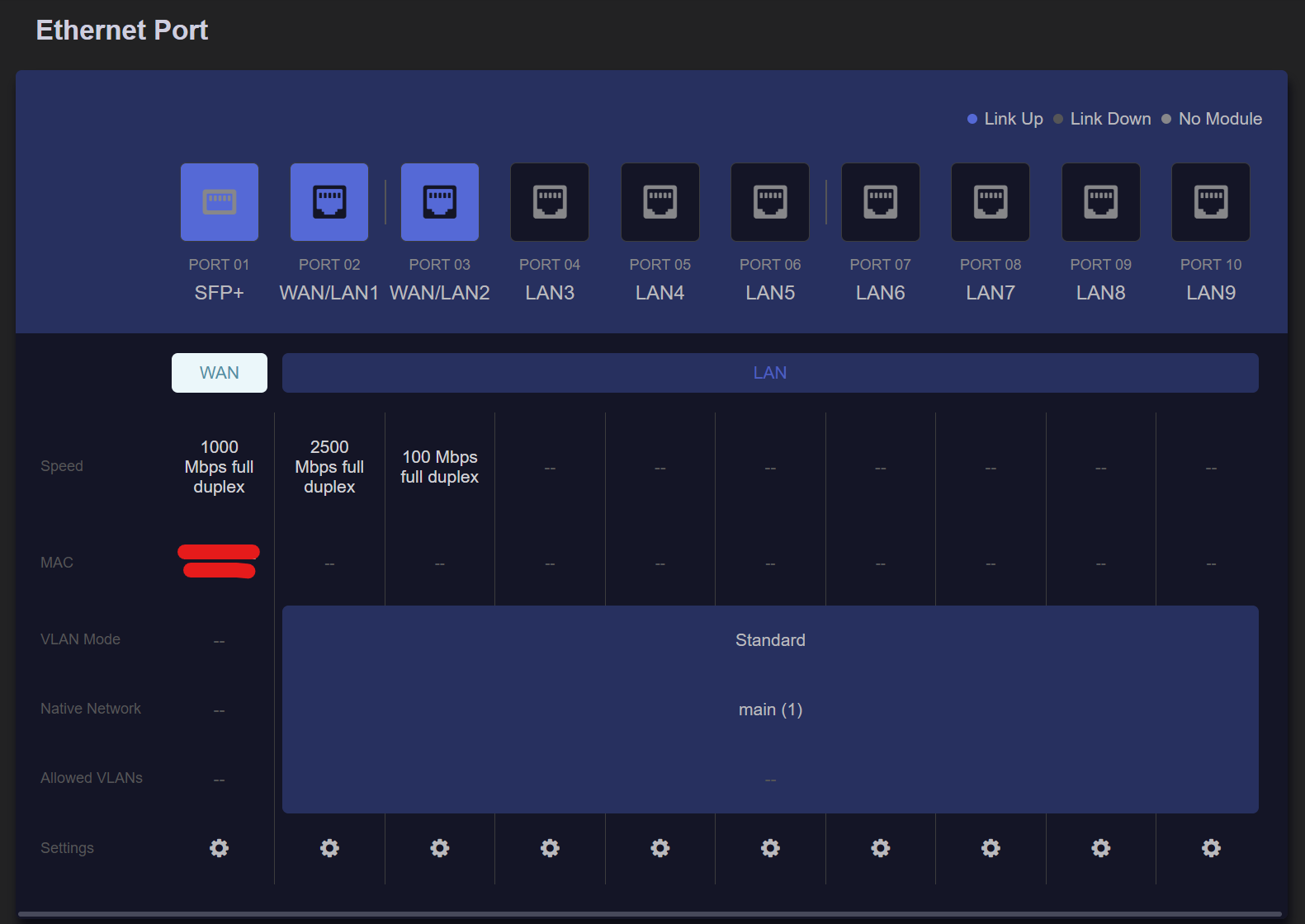
And confirmation of the access network:
I'll run the tests you suggested ASAP and report back.
Thank you.
New 4.11 version was released today for the GL-X3000 owners to test out.
4.11 beta3 released today for the GL-X3000 owners to test out. (just a security update)