Hi,
Thanks for the clarification.
In this case, you may need to create a separate VPN tunnel for the remote WireGuard clients.
Then create an "empty" VPN tunnel, and then use the WireGuard peer's virtual IP address to route its traffic into that tunnel.
-
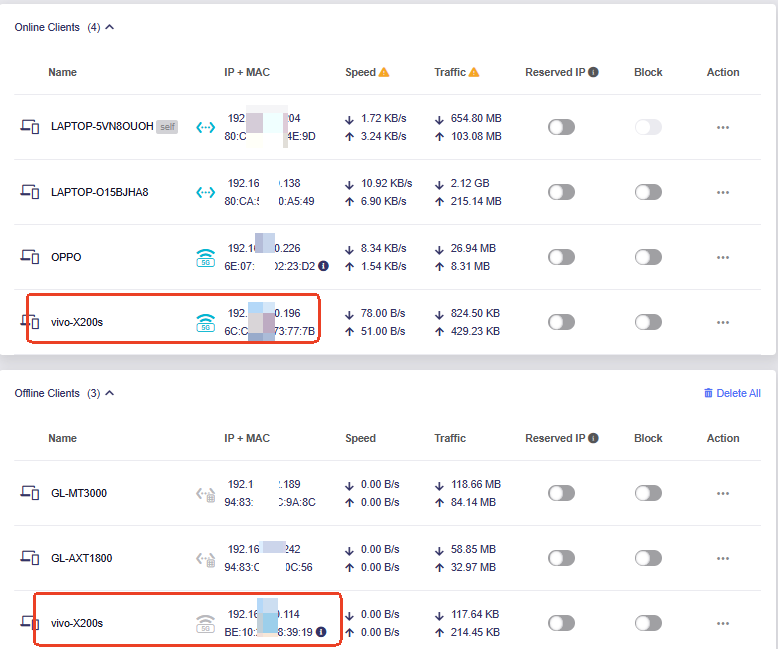
You can use a phone or another device that supports a private/randomized MAC address. Connect it to the router once so that it appears in the client list, then change its randomized MAC address and reconnect it.
-
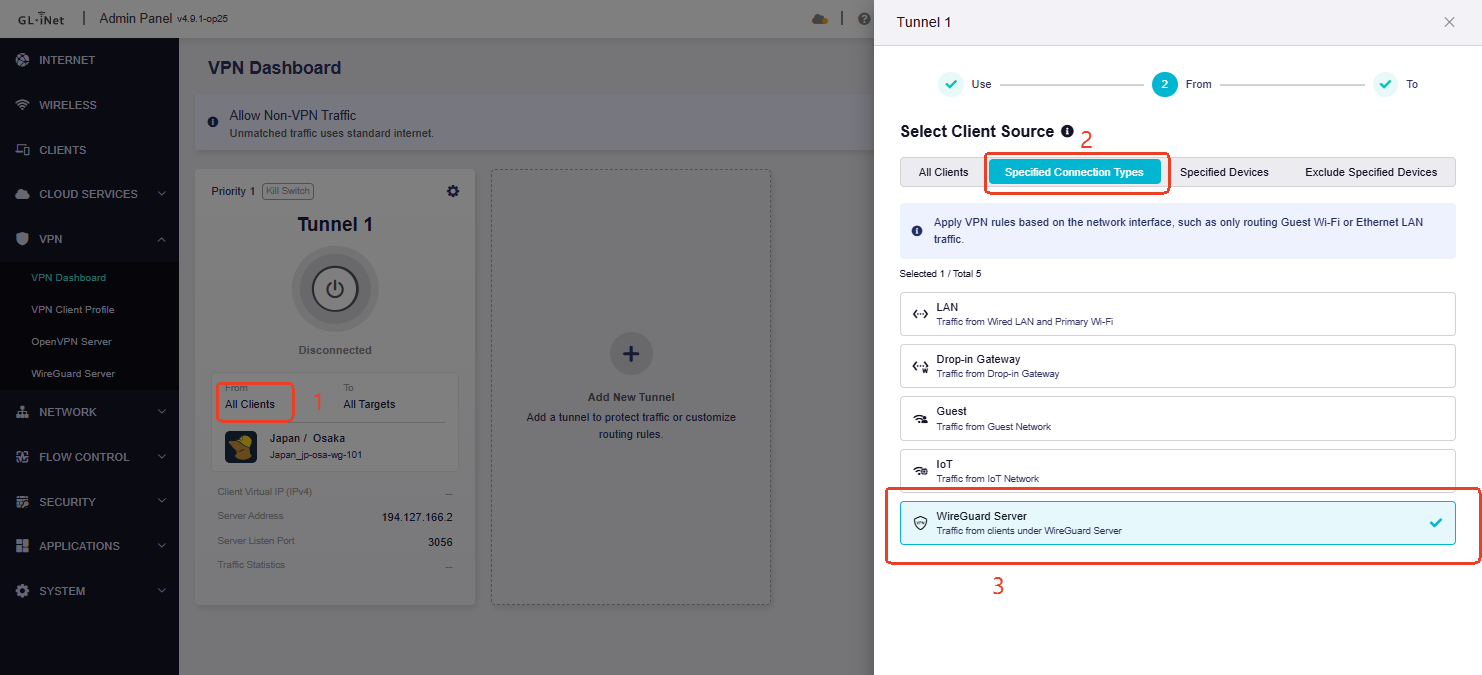
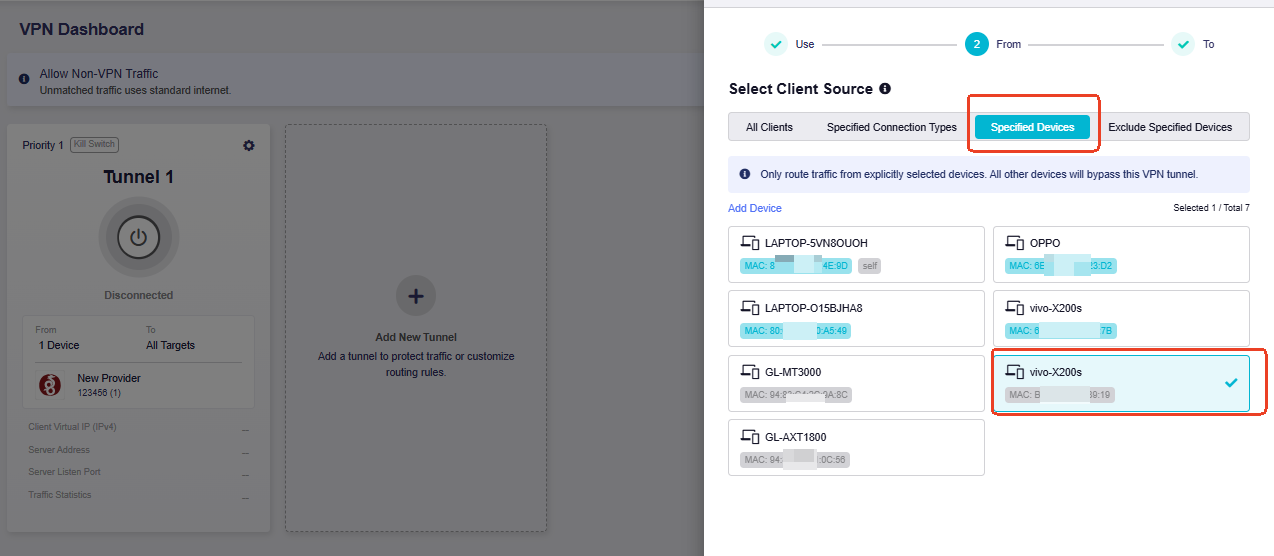
Please change From from Specified Connection Types → WireGuard Server to Specified Devices, and select a spare/test device as a placeholder.
-
Check the peer IP and VPN mark.
After the External VPN Tunnel is connected, check the WireGuard peer IP and routing policy through SSH:
wg show
ip -4 rule show | grep fwmark
ip -4 route show table all | grep -E '^default|wgclient|ovpn|tun'
For example, the output may show:
WireGuard peer IP: 10.0.0.2/32
fwmark 0x1000/0xf000 lookup 1001
default dev wgclient1 table 1001
In this example, 0x1000/0xf000 is the mark for the External VPN Tunnel. If your router shows a different peer IP, mark, or table, use the values from its actual output.
- Add the rule.
Back up the current policy script:
cp -p /etc/firewall.vpn_server_policy.sh \
      /etc/firewall.vpn_server_policy.sh.bak
Run the following command once to add the persistent rule:
cat >> /etc/firewall.vpn_server_policy.sh <<'EOF'

# Route WireGuard Server peer 10.0.0.2 through the External VPN tunnel
iptables -w -t mangle -D PREROUTING \
    -i wgserver \
    -s 10.0.0.2/32 \
    -m comment --comment WG_PEER_TO_EXTERNAL_VPN \
    -j MARK --set-xmark 0x1000/0xf000 2>/dev/null

iptables -w -t mangle -A PREROUTING \
    -i wgserver \
    -s 10.0.0.2/32 \
    -m comment --comment WG_PEER_TO_EXTERNAL_VPN \
    -j MARK --set-xmark 0x1000/0xf000

EOF

chmod +x /etc/firewall.vpn_server_policy.sh
Replace 10.0.0.2/32 and 0x1000/0xf000 if your actual peer IP or External VPN mark is different.
Apply the configuration with:
/etc/init.d/firewall restart
- Check the result
Confirm that the rule has been loaded:
iptables-save -c -t mangle | grep WG_PEER_TO_EXTERNAL_VPN
Traffic from 10.0.0.2 should now use the External VPN Tunnel automatically whenever the peer connects to the WireGuard Server. Other WireGuard peers without this rule will continue to use the normal WAN.
To route another peer through the same External VPN Tunnel, add another pair of -D and -A rules using that peer’s fixed WireGuard IP address.
6. Restore the original configuration
If you need to remove this customization, restore the backup and restart the firewall:
cp -p /etc/firewall.vpn_server_policy.sh.bak \
      /etc/firewall.vpn_server_policy.sh

/etc/init.d/firewall restart