Screenwrapping/shifting on 4k

I have the comet set to the ootb 4k resolution and with a windows 11 host i see some odd screen wrapping where the top bit of the screen shows up on the bottom briefly, shifts everything up, then back down. this is on 1.8.2. I updated to 1.9.2 and that was throwing some errors when i tried to change resolution settings so i downgraded.

i’m viewing this on a 4k monitor. i’ve tried the various ‘view’ settings and it’s all the same.

Maybe you can share your log

If you are using the WebRTC FEC mode, this is a known issue on version 1.8.

system_logs_20260612_104100.zip (84.9 KB)

I’m using WebRTC, but not FEC.

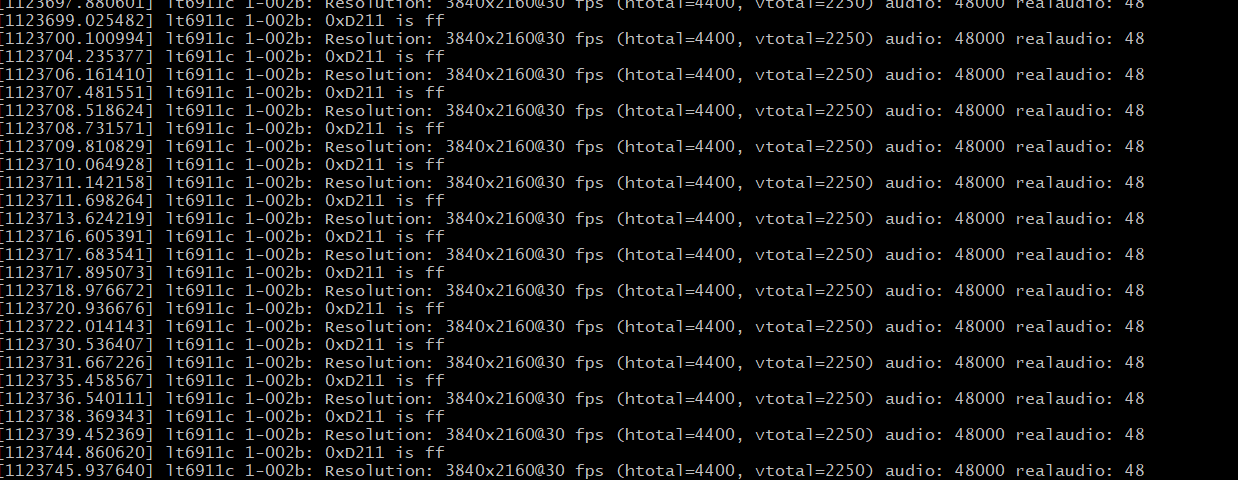
Based on your logs, the HDMI signal has been repeatedly appearing and disappearing rapidly for some time. I recommend checking the connection status of your HDMI cable or ensuring its port is clean.

[857440.516232] lt6911c 1-002b: Resolution: 3840x2160@30 fps (htotal=4400, vtotal=2250) audio: 48000 realaudio: 48
[857443.567747] lt6911c 1-002b: 0xD211 is 0
[857446.554216] lt6911c 1-002b: Resolution: 3840x2160@30 fps (htotal=4400, vtotal=2250) audio: 0 realaudio: 0
[857446.847314] lt6911c 1-002b: 0xD211 is ff
[857447.927807] lt6911c 1-002b: Resolution: 3840x2160@30 fps (htotal=4400, vtotal=2250) audio: 48000 realaudio: 48
[857449.248260] lt6911c 1-002b: 0xD211 is ff
[857450.329408] lt6911c 1-002b: Resolution: 3840x2160@30 fps (htotal=4400, vtotal=2250) audio: 48000 realaudio: 48
[857451.050911] lt6911c 1-002b: 0xD211 is ff
[857452.136298] lt6911c 1-002b: Resolution: 3840x2160@30 fps (htotal=4400, vtotal=2250) audio: 48000 realaudio: 48
[857453.621309] lt6911c 1-002b: 0xD211 is ff
[857454.748920] lt6911c 1-002b: Resolution: 3840x2160@30 fps (htotal=4400, vtotal=2250) audio: 48000 realaudio: 48
[857455.427452] lt6911c 1-002b: 0xD211 is ff
[857457.349883] lt6911c 1-002b: Resolution: 3840x2160@30 fps (htotal=4400, vtotal=2250) audio: 48000 realaudio: 48
[857458.329203] lt6911c 1-002b: 0xD211 is ff
[857460.253887] lt6911c 1-002b: Resolution: 3840x2160@30 fps (htotal=4400, vtotal=2250) audio: 48000 realaudio: 48
[857460.465793] lt6911c 1-002b: 0xD211 is ff
[857461.595484] lt6911c 1-002b: Resolution: 3840x2160@30 fps (htotal=4400, vtotal=2250) audio: 48000 realaudio: 48
[857462.537245] lt6911c 1-002b: 0xD211 is ff
[857463.610821] lt6911c 1-002b: Resolution: 3840x2160@30 fps (htotal=4400, vtotal=2250) audio: 48000 realaudio: 48
[857464.466057] lt6911c 1-002b: 0xD211 is ff
[857466.348801] lt6911c 1-002b: Resolution: 3840x2160@30 fps (htotal=4400, vtotal=2250) audio: 48000 realaudio: 48
[857467.920924] lt6911c 1-002b: 0xD211 is ff
[857469.847314] lt6911c 1-002b: Resolution: 3840x2160@30 fps (htotal=4400, vtotal=2250) audio: 48000 realaudio: 48
[857471.720866] lt6911c 1-002b: 0xD211 is ff
[857472.804409] lt6911c 1-002b: Resolution: 3840x2160@30 fps (htotal=4400, vtotal=2250) audio: 48000 realaudio: 48
[857473.224727] lt6911c 1-002b: 0xD211 is ff
[857474.312788] lt6911c 1-002b: Resolution: 3840x2160@30 fps (htotal=4400, vtotal=2250) audio: 48000 realaudio: 48
[857476.137766] lt6911c 1-002b: 0xD211 is ff
[857477.214737] lt6911c 1-002b: Resolution: 3840x2160@30 fps (htotal=4400, vtotal=2250) audio: 48000 realaudio: 48
[857477.854338] lt6911c 1-002b: 0xD211 is ff
[857478.932442] lt6911c 1-002b: Resolution: 3840x2160@30 fps (htotal=4400, vtotal=2250) audio: 48000 realaudio: 48
[857481.277786] lt6911c 1-002b: 0xD211 is ff
[857482.357980] lt6911c 1-002b: Resolution: 3840x2160@30 fps (htotal=4400, vtotal=2250) audio: 48000 realaudio: 48
[857482.611497] lt6911c 1-002b: 0xD211 is ff
[857483.689155] lt6911c 1-002b: Resolution: 3840x2160@30 fps (htotal=4400, vtotal=2250) audio: 48000 realaudio: 48
[857484.159770] lt6911c 1-002b: 0xD211 is ff

`0xD211 is ff` Indicates that the HDMI cable has been unplugged or the HDMI signal has disappeared.

try this one - last 10 min of the logs i switched to 4k and changed to ‘original pixel’, and went full screen (on a 4k monitor)

i think the hdmi disconnects are due to the power settings on the pc turning off the monitor after some time. i would normally have to flip the resolution to ‘wake things up’ - would that cause a disconnect ?

system_logs_20260615_123838.zip (93.9 KB)


Still the same

It seems there is an issue with your device, causing the controlled computer's screen to only last for two seconds each time before disconnecting, and then the process repeats.

I suggest you try switching to a different device to see if the issue persists. If it still happens, I recommend you RMA.

I have another device and I plugged that computer into this one and 4k worked fine from the other computer.

difference there is the working one is hdmi on the pc side, where as w/ the problem pc, it’s displayport out. could that matter ?

i need to do a couple more swaps to see, the other pc has a dp out so i’ll try that.

In general, it's unlikely to be a problem. However, it could be that your DP to HDMI adapter is faulty.