Hi there 
We often see questions in the forum like "Why isn't my WireGuard server working?", "I can't access my AdGuard Home from outside!" or "Is my port forwarding set up correctly?".
Often, the culprit is CGNAT (Carrier-Grade NAT) or a simple firewall misconfiguration. Testing this from inside your own network is notoriously tricky because NAT loopback often gives false positives.
To help with this, I built a new tool specifically for our community:
Can I host stuff on my router? 
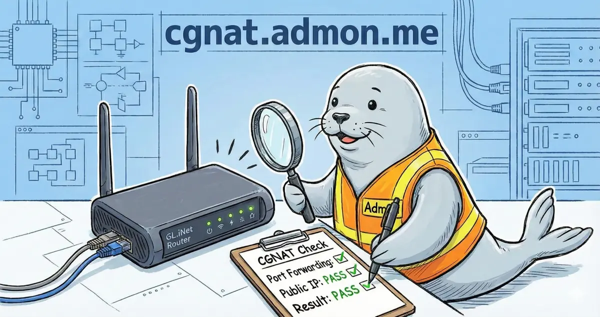
It's a modern service that checks connectivity from the outside world back to your device, designed to be easier and more informative than old-school port checkers.
 What does it do?
-
 Reachability Check: Tries to connect to your IP on specific ports to confirm they are actually open. Default ports: 80 (HTTP), 443 (HTTPS).
 -
 Dual-Stack Support: Works with both IPv4 and IPv6 simultaneously. This is crucial for detecting DS-Lite issues (where you might be reachable via IPv6 but not IPv4).
 -
 TLS Analysis: If you check port 443, it inspects your SSL certificate and warns you about expiration, self-signed certs, or weak configurations.
 -
 SSH Analysis: If port 22 is open, it reads the SSH banner and shows protocol version, software, and host key algorithm.
 -
 LOLCat: The 00s called and want their memes back!
  Use https://cgnat.admon.me/?lolcat for retro fun.
 How to use it?
Option 1: The Web Interface (with Wizard  )
)
Just visit cgnat.admon.me from the network you want to test.
-
One-Click Check: It automatically detects your public IPs and tests standard ports.
-
Step-by-Step Wizard: Not sure where to start? Click on "Step-by-Step Test". The interactive assistant guides you through the process, helping you distinguish between connection issues, firewall blocks, and ISP restrictions.
Option 2: Directly on your GL.iNet Router (The "Pro" Way)
For the most accurate results, you can run the test directly on your router via SSH.
Why is this better?
-
It works even if you are connected via VPN (which normally changes your detected IP).
-
It automatically opens the firewall for the test and closes it immediately after. No need to mess with
ucior LuCI just to test a connection! -
It gives you a clear YES/NO result right in your terminal.
Run this single command:
curl -sSL https://cgnat.admon.me/test.sh | sh -s -- --auto-test
Want to test specific ports? Use the --ports flag:
curl -sSL https://cgnat.admon.me/test.sh | sh -s -- --ports 22,443,8443 --auto-test
Supported ports / rate limiting
Only a limited set of ports are supported to prevent abuse:
-
22 (SSH)
-
80 (HTTP)
-
443 (HTTPS)
-
8080 (HTTP-alt)
-
8443 (HTTPS-alt)
To ensure fair usage, each IP is limited to a few tests per hour. Keep that in mind when running multiple checks.
 Privacy
Your privacy matters. IP addresses are only stored temporarily in logs and are anonymized (last octet removed for IPv4, last 80 bits zeroed for IPv6). No tracking, no cookies, no data selling.
Please let me know if this helps you diagnose your connection issues!
Feedback, bug reports, and suggestions are always welcome.
Made with  by @Admon
