That what the AI said. Don't do it like this.
Novice here, is it possible to update the flint 2 with this beta version by using the script as at the minute it doesn’t list the release v1.0beta ?
Thank you
No read the above posts - do not update to the AdGUard beta!
I know we can’t update to this but I’m wondering if GL-iNet will update this for all current routers?
Regarding the Version 1.0 beta, I am 100% reckless enough to give it a go - wish me luck!
If I don’t brick my router in the process; would you be a happy for me to propose and open a PR to your repo @admon?
PS: thanks for the upgrade script which worked a treat on my Flint 4 with the stock 4.9.1 and as of today, 4.9.2 firmware  sf
sf
Feel free to do so, yep! 
Judging by the fact his post was 3 hours ago, the router is bricked and he is offline for the foreseeable 
Well, I’m pleased (and somewhat surprised) to report that my Flint 4 is NOT an expensive brick and is now running AdGuard Home v1.0.0 beta!
I have updated the install script to allow others to live on the bleeding edge, if they so choose.
- Flint 4 only, sorry. I don’t have other models to test on, and I don’t want to be responsible for breaking someone else’s kit!
- Backs up before it starts and has rollback capability; but of course use at your own risk
I have submitted a pull request to @admon in case they wish to merge my changes back into the original script.
In the meantime if you are impatient and like the possibility of breaking expensive networking gear, you too can be as reckless as I was, and install it for yourself.
SSH into your router, and then run:
wget -q https://raw.githubusercontent.com/simonsolts/glinet-adguard-updater/feat/adguard-home-beta-support/update-adguardhome.sh -O /root/update-adguardhome-beta.sh && sh /root/update-adguardhome-beta.sh --beta
It won’t do anything without asking, and won’t run if it finds an unsupported version.
Your config stays.
No adverse effects so far and seems just as performant as the stable version.
Hope you find this useful!
Was willing to give a go on my Flint2 to tested even you mentioned just for the Flint4  but it's "locked" to the 4
If you "unlocked it" I sent me a private message with the script I'm willing to tested 
It's now merged inside my script. Just run my script with --testing
Cool
Let's live on the edge!!!!
update: everything functional as before the update, you the man admon
Thanks to @simonsolts for adding this feature
FYI: it's working flawless in a Flint2
Well done!
So do I just put --testing on the end of this:-
wget -q https://get.admon.me/adguard -O update-adguardhome.sh && sh update-adguardhome.sh --testing
I guess I can try it and find out.  I guess it will also work fine on the 4.11.0 Firmware beta3 (FLINT 4)?
Indeed - wish me luck. 
Thanks Admon and to simomsolts for being so brave to take the risk in the first place… lol….
Update:-
Upgraded to the AdGUard Home OK and system still works…..
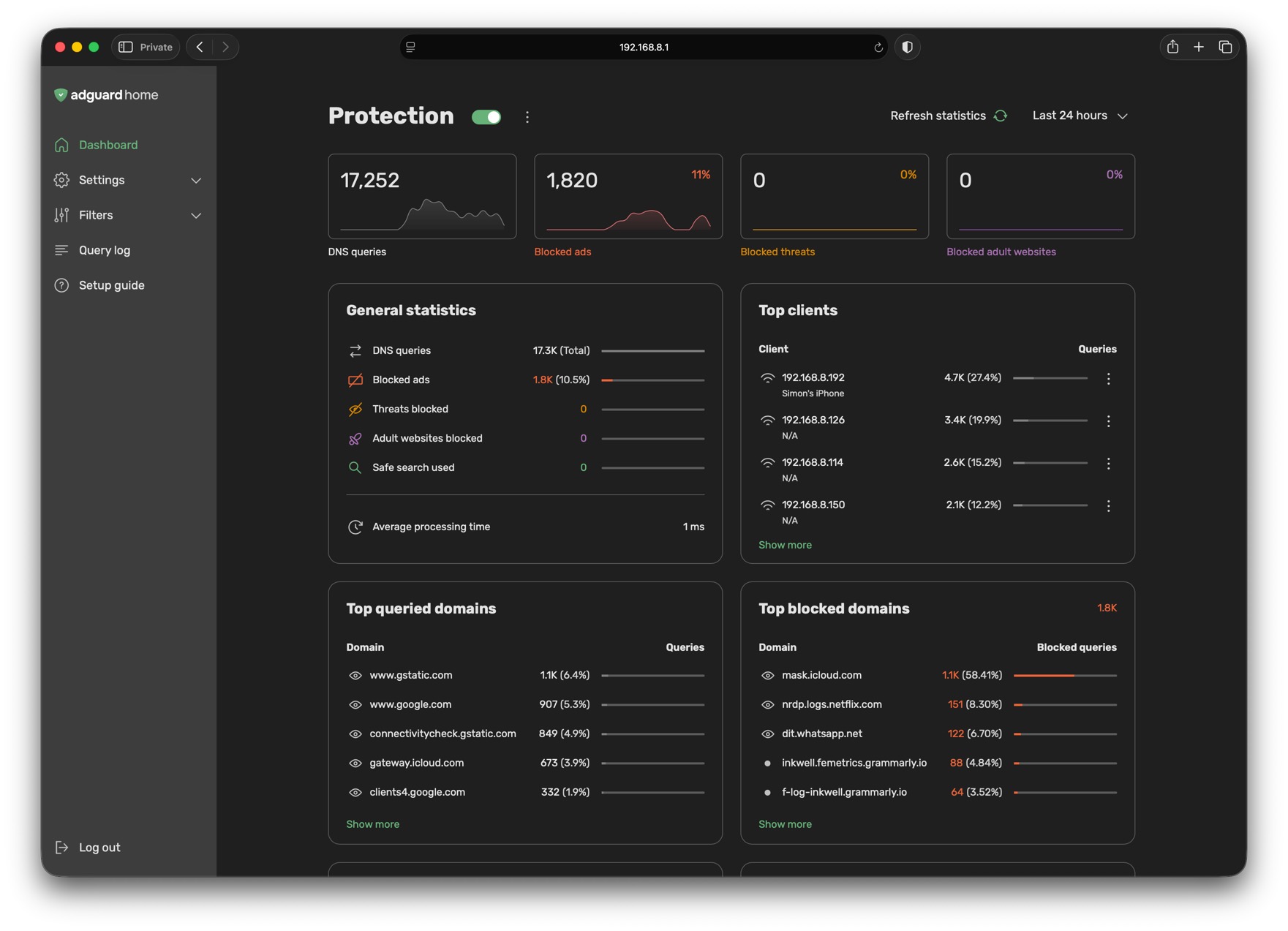
First impression - Hmmm I am not so sure about the layout - it will take a bit of time to get used to it….
It's me or the router it's using more memory?
My AdGuard Home beta (+ Unbound) install seems unable to resolve DNS for some reason…… (As everybody with problems says, “it was working yesterday”  ).
).
I will try a reload.
Update Using Version 4.11.0 Firmware beta3**:-**
I reloaded the ADGH Beta - still no change.
I tried to uninstall Unbound through Applications / Plugins - Unbound goes through the steps but does not uninstall.
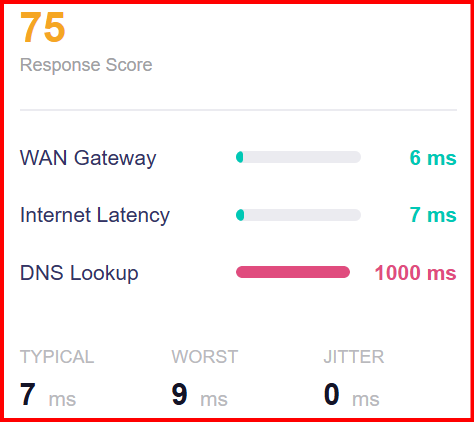
As best I can determine, it does appear to be ADGH. When disabled I am able to resolve DNS.
THe image below is from Flow Control / Network Quality.
I will try reverting to the latest stable ADGH (at a later time though - I need to move on to other things).