Is it make sense to choose tiny version on Flint 2, it has kind of huge memory so maybe full version will works well ?
I would say „Yes“, because the build pipeline for the tiny version is more controlled. I only use the tiny one - no matter on which device.
I was able to run the script without any arguments and it completed normally.
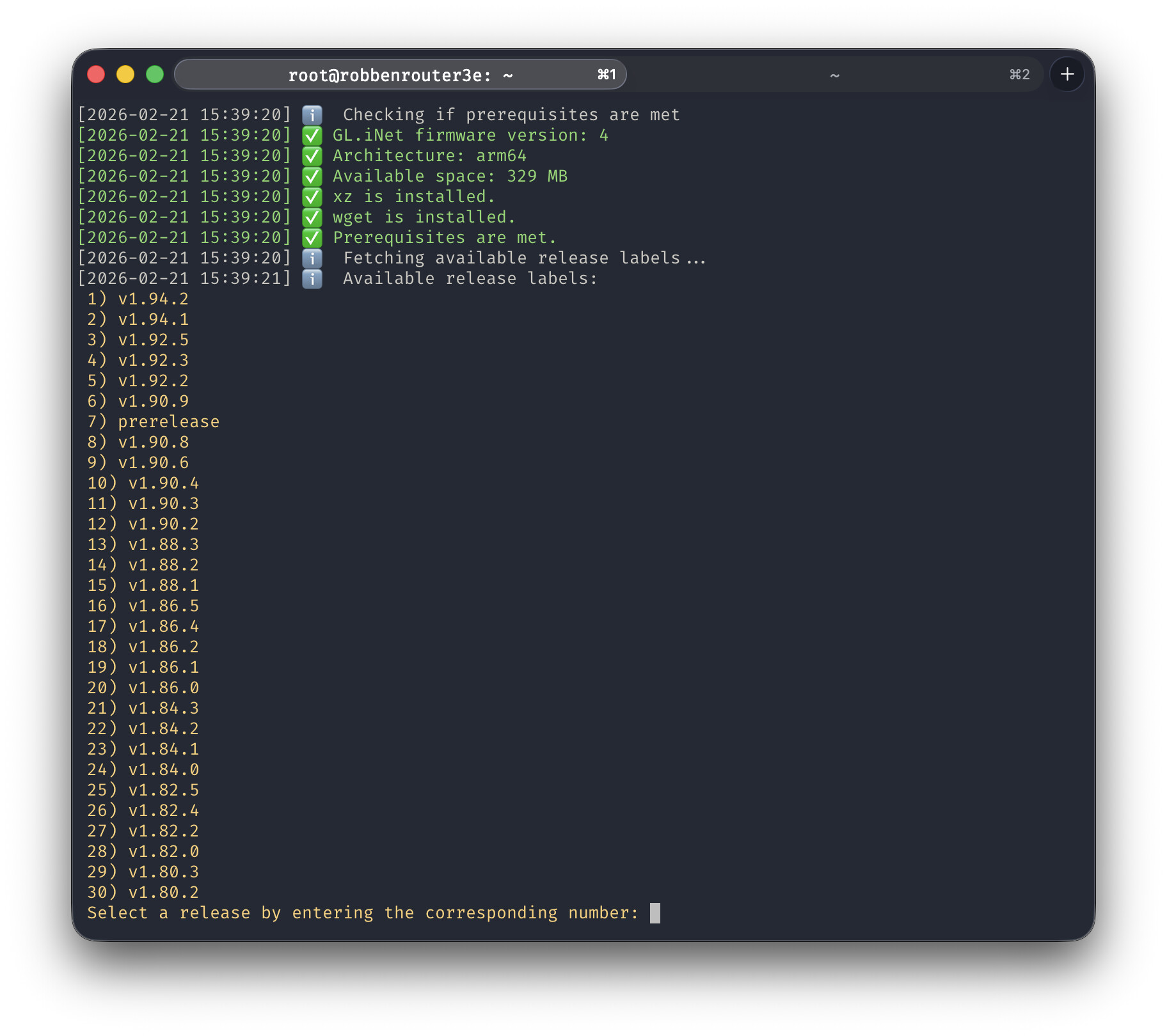
But exploring the script output with the “–select-release” argument seems to format the output as one huge blob without showing the CRLF formatting (versus comparing to another machine, raspberry-pi in this case, that I use for my pihole).
So, in summary, I am now running with the latest tiny version. It still would be nice to leverage the various arguments for future use, especially the one for selecting releases. Somehow, it doesn’t work as expected for me with Flint 2 on v4.8.3.
-Jonathan
I was able to run the script on my GL-X2000 Spitz Plus (4.8.2 beta)
However it was not able to link the device to my tailnet via the GLinet UI. It kept failing.
I was able to make the link in SSH by typing:
tailscale status
It then provided me with an url to make the link
After this I typed:
tailscale down
tailscale up --ssh --accept-dns=false --accept-routes
I am now all setup for connecting to my router from the Tailscale Admin panel anywhere via ssh.
Thanks for the script. Awesome!
Thx for explanation, tiny it is then 
After testing for a few hours, tailscale seem to work fine.
But the GLinet UI struggles. It keeps turning Tailscale orange and then back to green. Looks like it does use some memory doing this.
Will continue testing.
Can you have a look inside the logs? My Tailscale build process got a bigger upgrade, so maybe something is broken - even if it might work fine on my system.
I am using PuTTY for both the successful tiny version install and for the script issue when invoking the “–select-release” argument.
Thank you,
-Jonathan
I tried to run the script again, but then it came with a storage low issue. I then tried to restore, and even more storage was lost. In fact I went all the way to 0.00% xD
Perhaps this GL-X2000 just does not have enough storage for these updates. A factory reset took me back to 25Mb. I was at 20Mb when I first ran the script.
I feel there was no space for any logs either.
That's weird because the binary should be only ~ 6 MB.
It would be great to post the script output.
I fixed my update-tailscale.sh script (pertinent to Flint 2 / v4.8.3) by replacing wget with curl. Now the releases are properly parsed.
Line 699:
available_labels=$(curl "https://api.github.com/repos/admonstrator/glinet-tailscale-updater/releases" | grep '"tag_name"' | sed 's/.": "([^"])".*/\1/')
In case someone else has Flint 2 (v4.8.3) and wanted an option to select and install a specific release, this may work for you.
Found a better way 
Thanks @admon !
Still line 699:
available_labels=$(wget -qO- "https://api.github.com/repos/admonstrator/glinet-tailscale-updater/releases" | grep -o '"tag_name":"[^"]*"' | sed 's/"tag_name":"//;s/"//' | grep -v '^prerelease$')
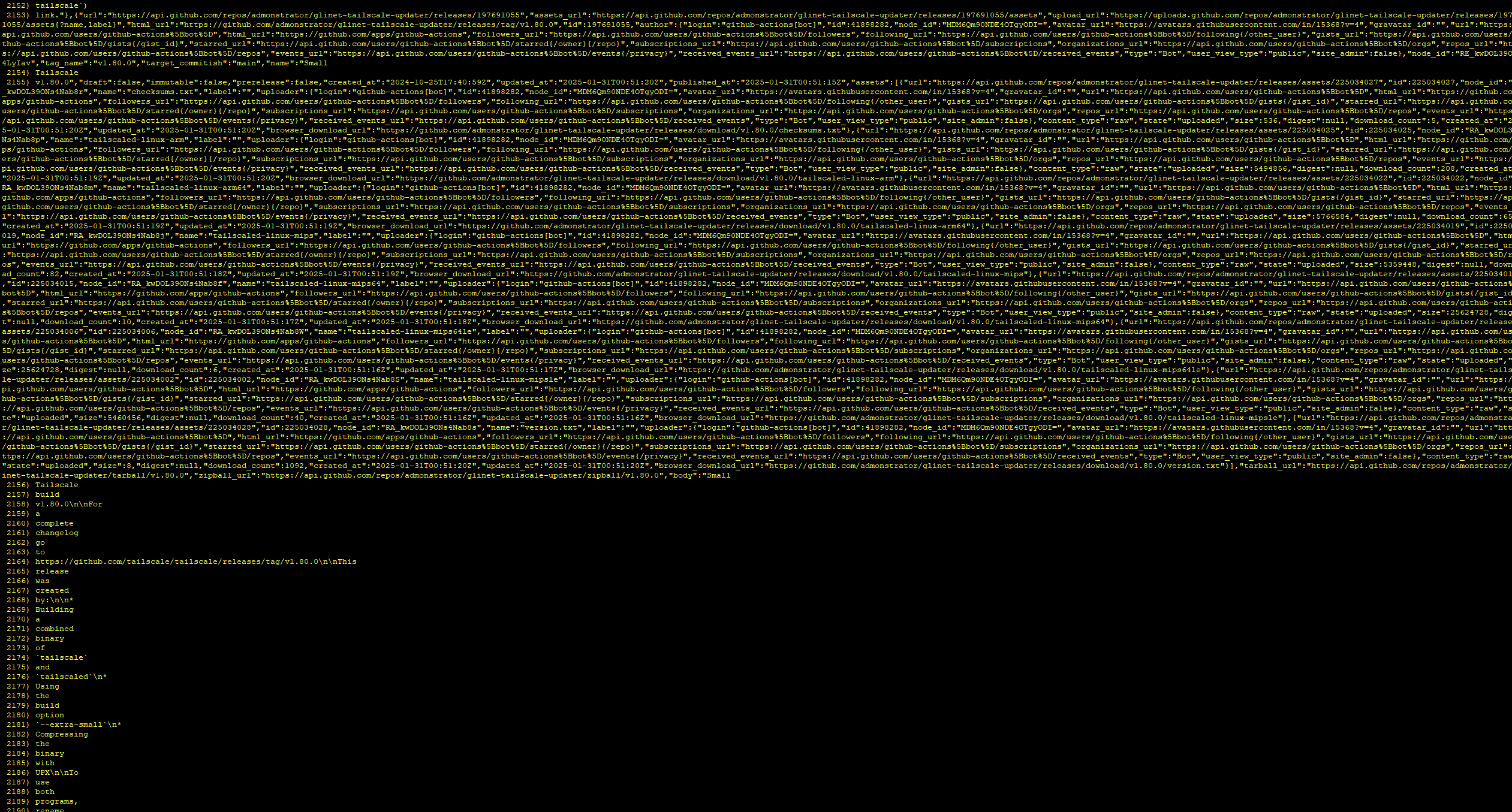
Original with no edit:
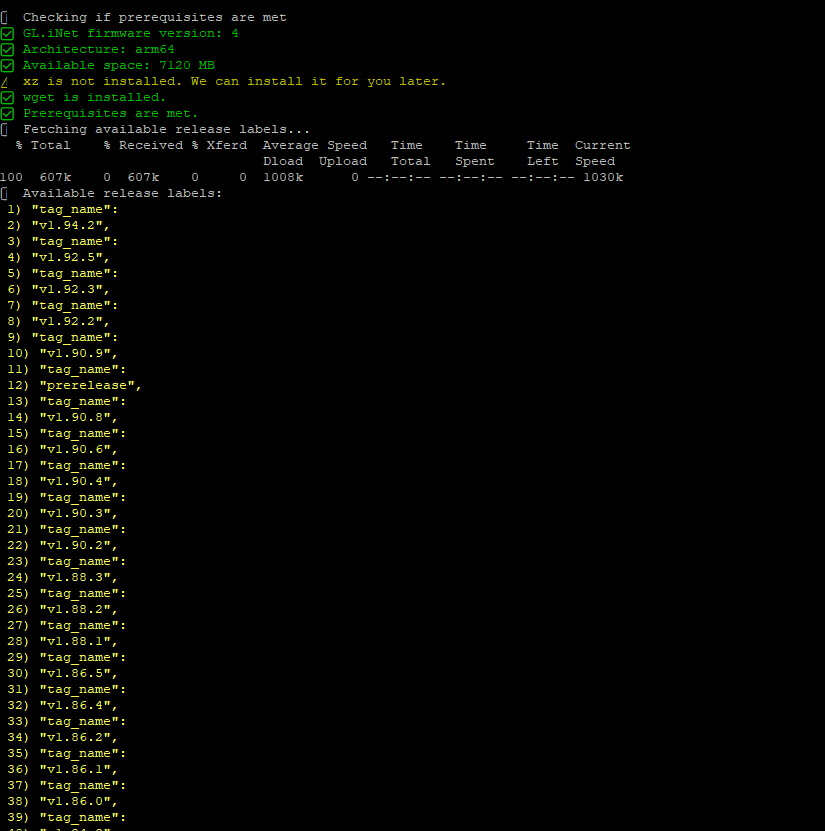
Your edit:
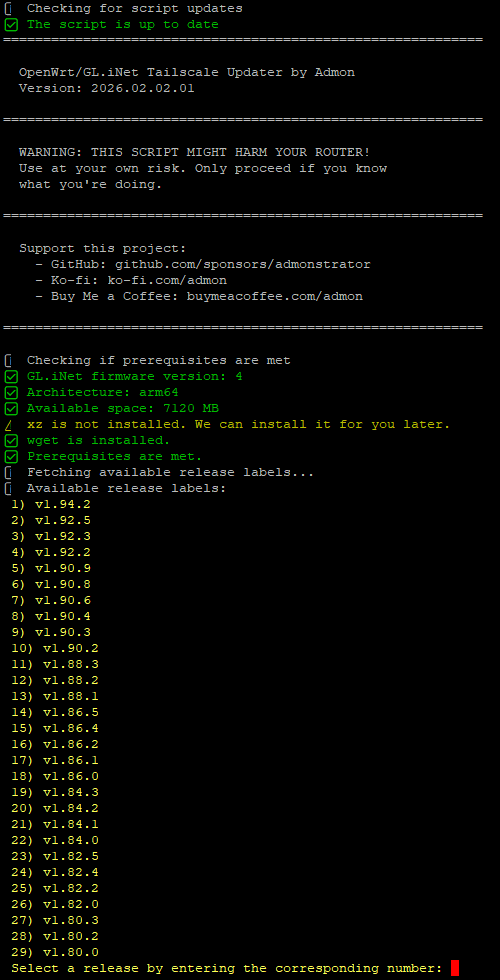
Proposed:
That's so weird. It would mean that curl & wget work differently in different firmware versions... Which is highly confusing o_o
1 Like
Not sure why
For context,
PuTTY Release 0.83
Flint 2 on 4.8.3-op24
Ahhh, could you do me a favour and run
whereis wget
wget --version
I assume that on op24 it's not busybox but real GNU wget instead.
root@Void:~# whereis wget
-ash: whereis: not foundroot@Void:~# which wget
/usr/bin/wget
root@Void:~#
root@Void:~# wget --version
wget: unrecognized option: version
Usage: wget [options]
Options:
-4 Use IPv4 only
-6 Use IPv6 only
-O Redirect output to file (use "-" for stdout)
-P Set directory for output files
--quiet | -q Turn off status messages
--continue | -c Continue a partially-downloaded file
--header='Header: value' Add HTTP header. Multiple allowed
--user= HTTP authentication username
--password= HTTP authentication password
--user-agent | -U Set HTTP user agent
--post-data=STRING use the POST method; send STRING as the data
--post-file=FILE use the POST method; send FILE as the data
--spider | -s Spider mode - only check file existence
--timeout=N | -T N Set connect/request timeout to N seconds
--proxy=on | -Y on Enable interpretation of proxy env vars (default)
--proxy=off | -Y off |
--no-proxy Disable interpretation of proxy env varsHTTPS options:
--ca-certificate= Load CA certificates from file
--no-check-certificate don't validate the server's certificate
--ciphers= Set the cipher list stringroot@Void:~#
root@Void:~# ls -l $(which wget)
lrwxrwxrwx 1 root root 18 Oct 19 17:37 /usr/bin/wget -> /bin/uclient-fetch
root@Void:~#
Is there a way to modify the script to automatically set --advertise-exit-node? Maybe as a choice during the initial tailscale setup?
I’ve added ( sleep 60; tailscale set --advertise-exit-node ) & in the local startup script, but occasionally the machine just stops advertising itself as an exit node and I have to run this manually.
Anyone elses routing broken on the tailscale 1.96.3 latest update?
Can use this and it will persist:
1 Like