Ok I don’t have Opal but in my AR750S i did this to solve this problem .
I uninstalled via Applications>Plugins all related to samba/samba36.
Of course that will be unavailable in GL.inet Admin Panel but available in Luci for config.
Make Update in Plugins
Samba 4 is SMB2 compatible
Install luci-app-samba4/samba4-admin/samba4-libs/samba4-server. Some are yet installed when you install luci-app-samba4.
Then go to luci > (http://192.168.8.1/cgi-bin/luci/) > Services > Network Shares and configure your USB Disk.
My config as example
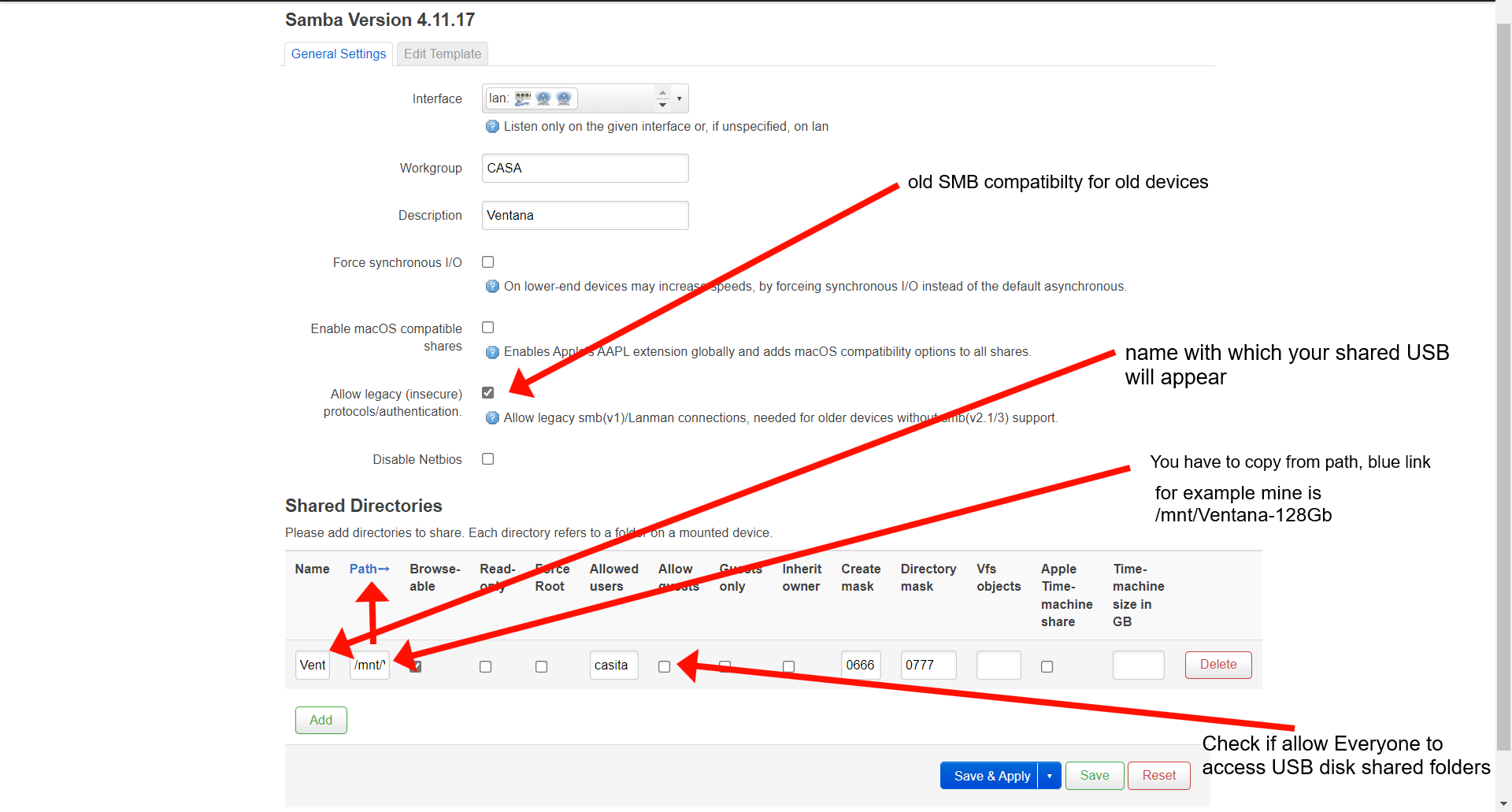
I forgot to delete “casita” from allowed users… don’t put anything there if all users have permission to access shared files and check Allow Guests