That guide applies to devices running v4.7 firmware.
In v4.8, the configuration is different.
The configuration is as follows:
- On the WireGuard server side:
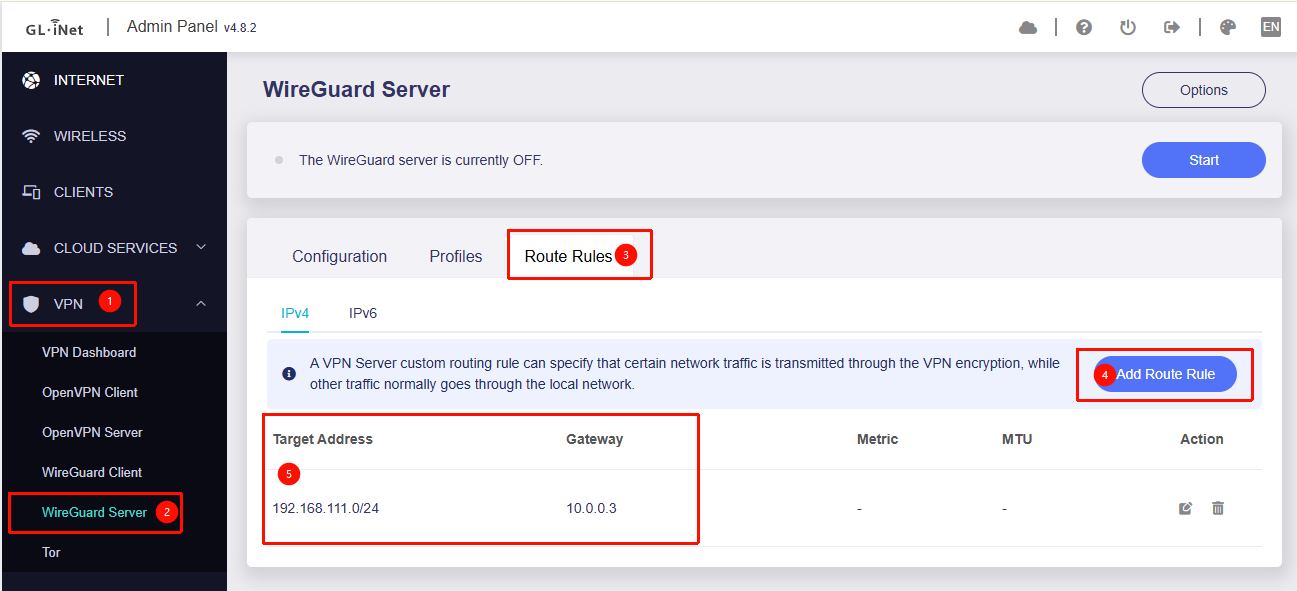
- Go to Admin Panel → VPN → WireGuard Server, and configure routing to the WireGuard client’s subnet.
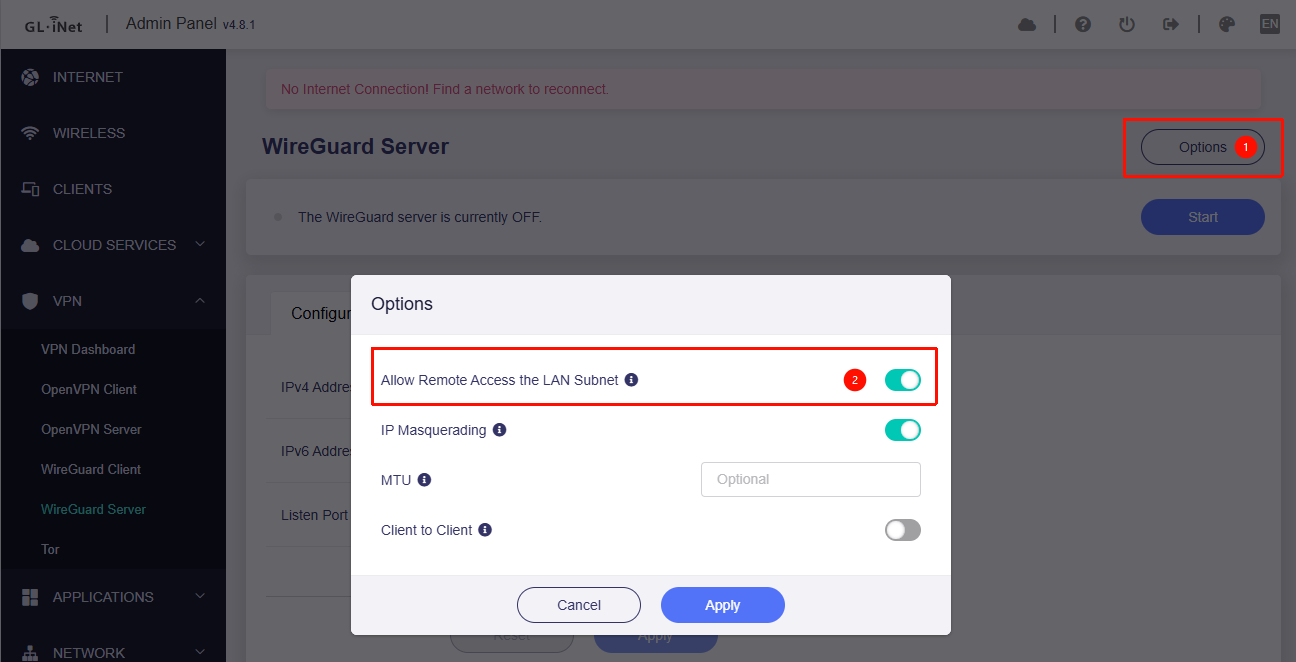
- Enable the "Allow Remote Access to the LAN Subnet" so the LAN devices from WireGuard Client side could access the LAN devices on WireGuard Server side.
- On the WireGuard client side:
-
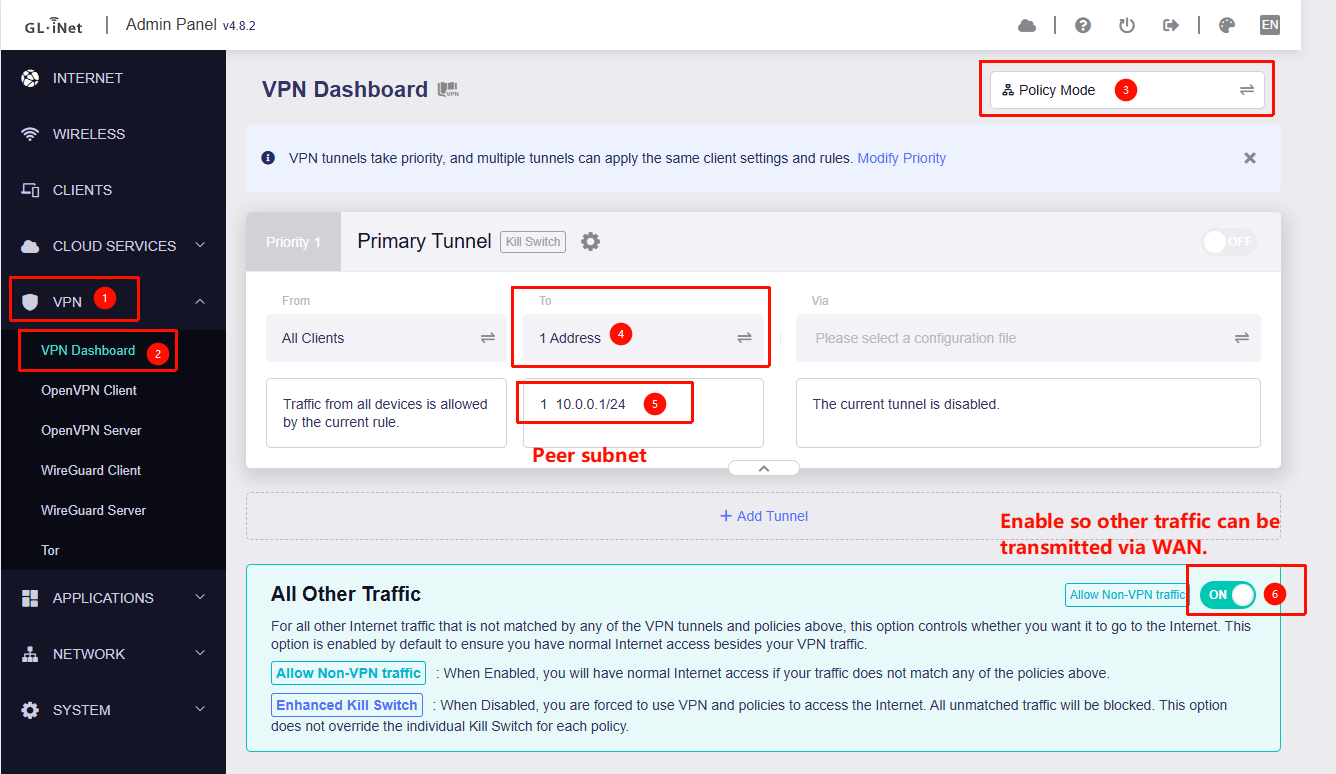
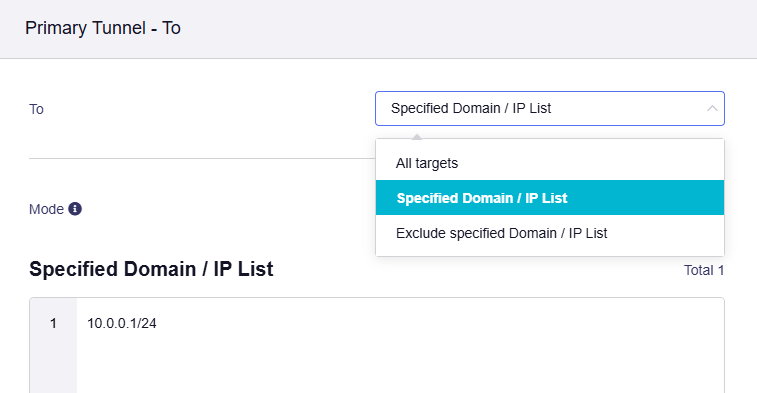
Go to Admin Panel → VPN → VPN Dashboard, switch to Policy Mode, and configure it so that only traffic destined for the remote subnet goes through the VPN.
-
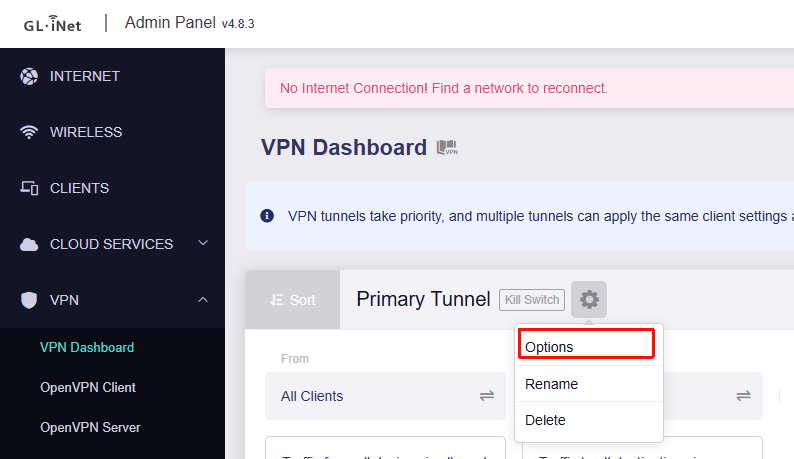
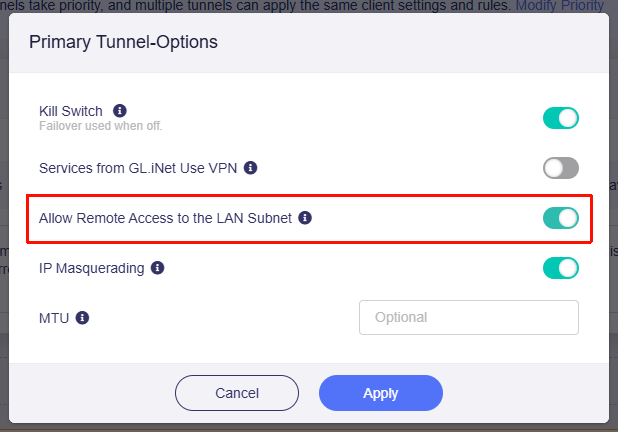
Enable the "Allow Remote Access to the LAN Subnet" so the LAN devices from WireGuard Server side could access the LAN devices on WireGuard Client side.