Could you please clarify or provide the following:
A simple topology with IP addresses/subnets labeled, so we can better understand your site-to-site (S2S) setup
The firmware versions of the AX1800 and AXT1800 (you can find them in Admin Panel → System → Upgrade)
Your current WireGuard server and client configurations (with public/private keys and public IPs masked), so we can review them
If you'd like, you can also follow this guide to share both devices with us via GoodCloud. Once you provide the S2S setup information, we can remotely access it and help check or configure it for you.
Please also send us the device’s MAC address and the admin panel password via private message so we can access it.
The only problem is that on the gl ax1800 I need to set proxy mode auto detect according to the gl-inet manual, but then the internet in this network does not work any more. If I switch to manual it works again without adding any route. The internet is provided by a G4 router in ip passthrough.
Is it possible tot make the site to site work by adding a manual route so internet keeps working?
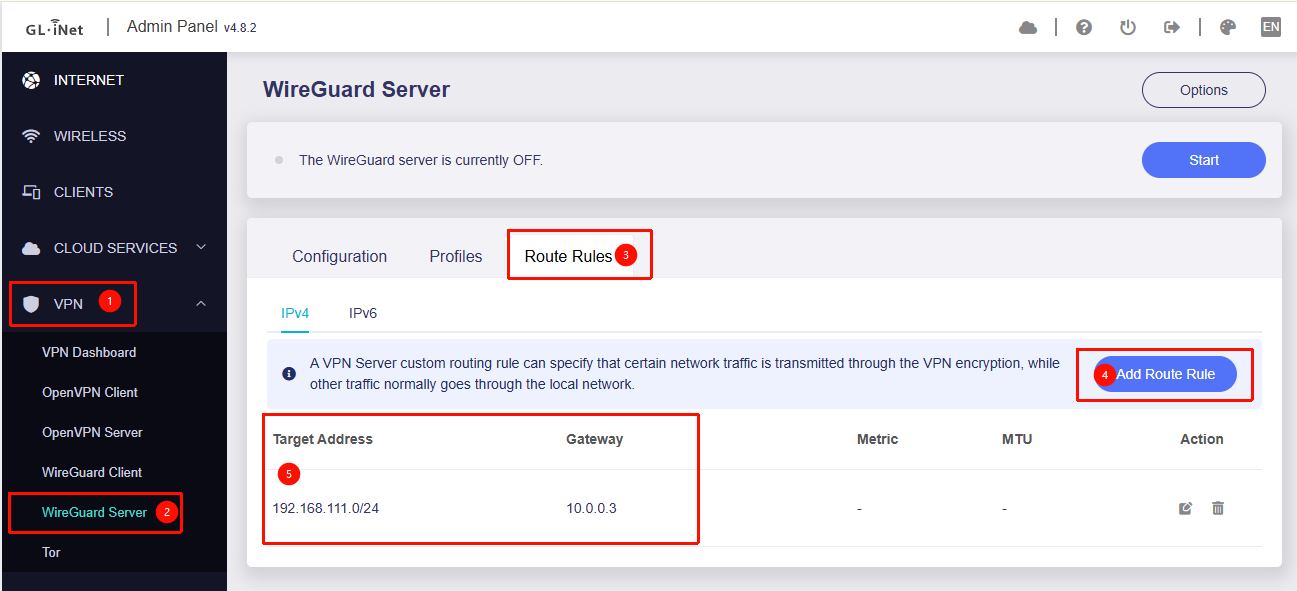
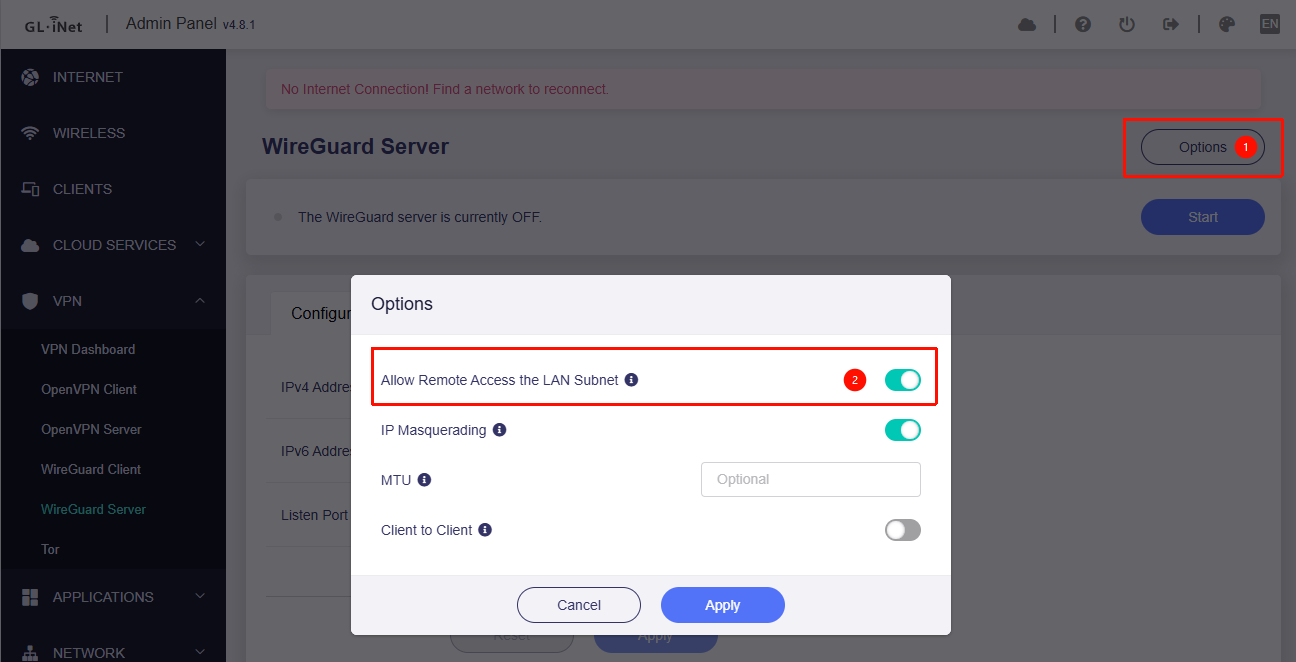
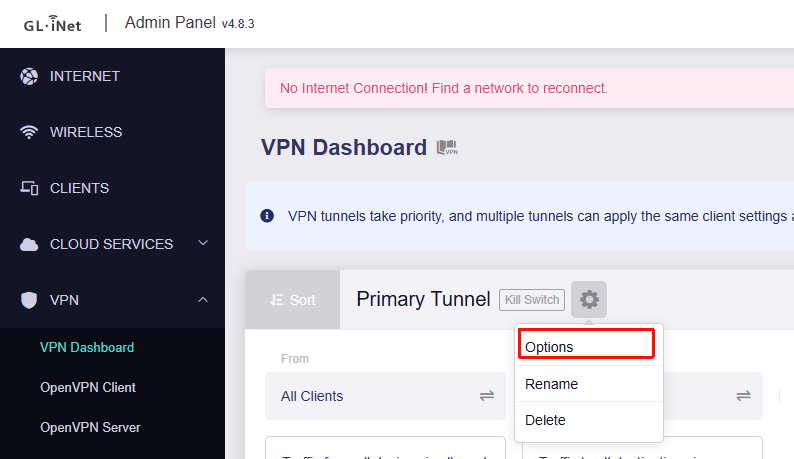
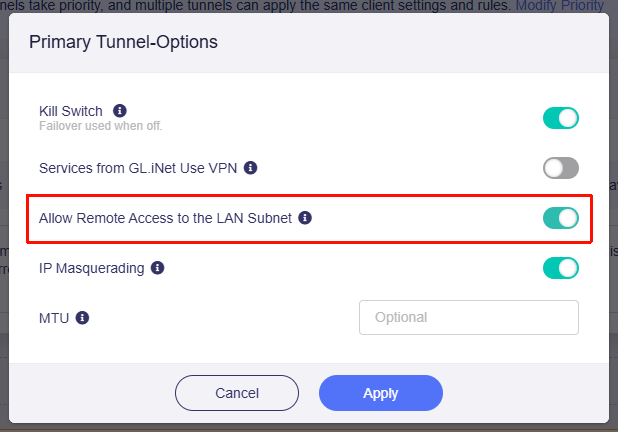
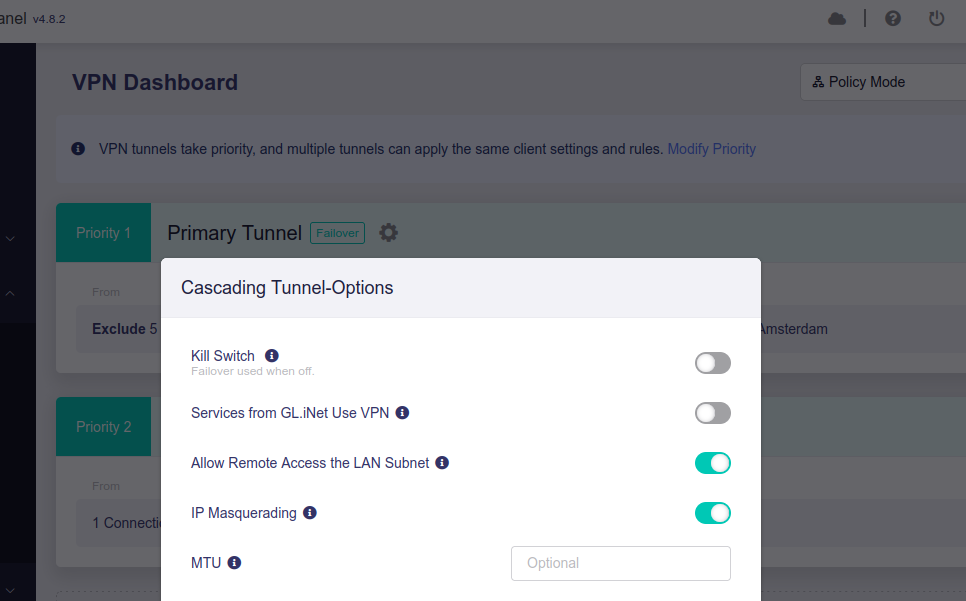
Enable the "Allow Remote Access to the LAN Subnet" so the LAN devices from WireGuard Client side could access the LAN devices on WireGuard Server side.
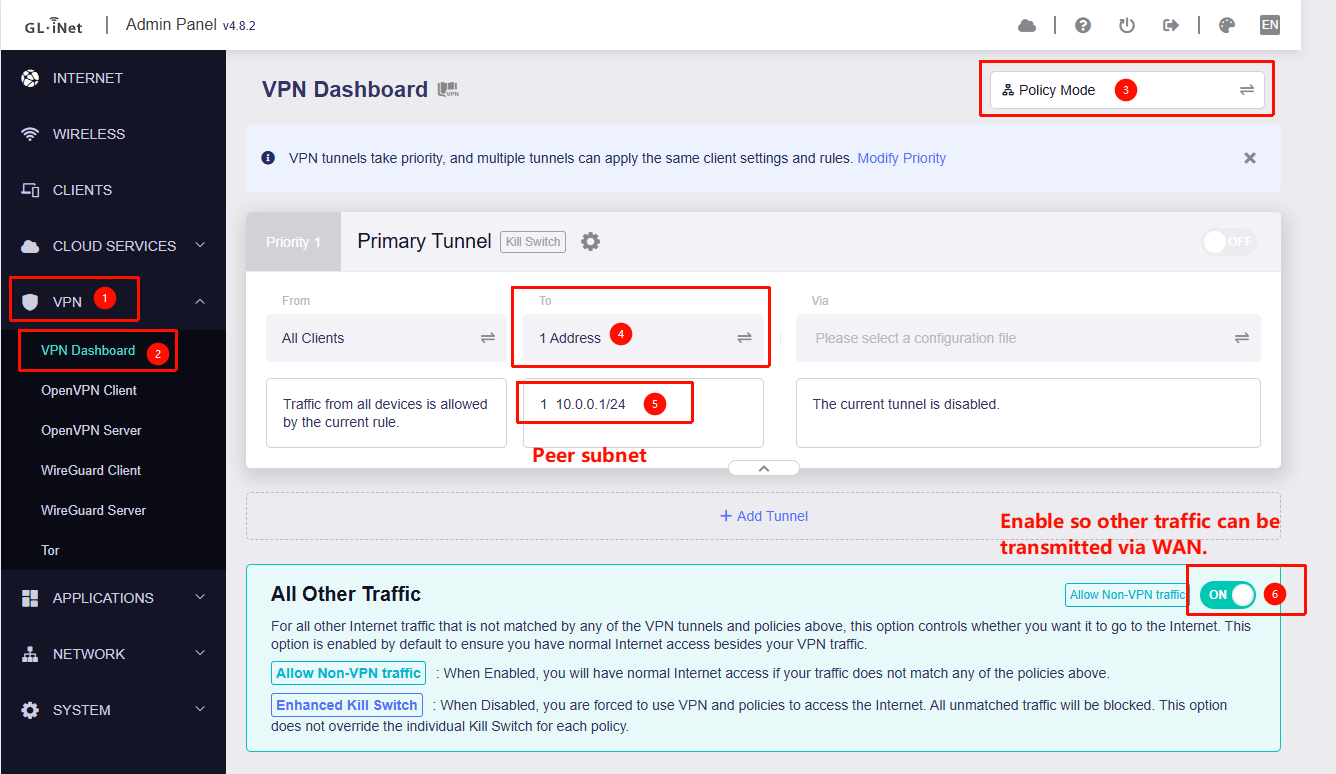
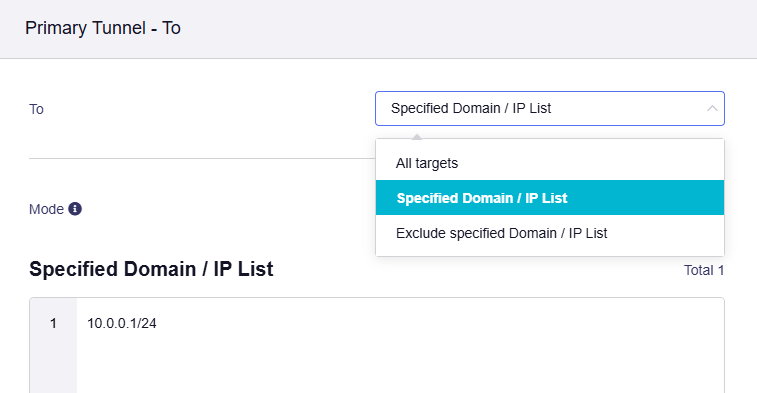
Go to Admin Panel → VPN → VPN Dashboard, switch to Policy Mode, and configure it so that only traffic destined for the remote subnet goes through the VPN.
Enable the "Allow Remote Access to the LAN Subnet" so the LAN devices from WireGuard Server side could access the LAN devices on WireGuard Client side.
Great. I made the setup. Just running into an issue because the wg server side is also using policy mode to exclude some devices. It might be I set that up wrong because I cannot connect to wg client lan network.
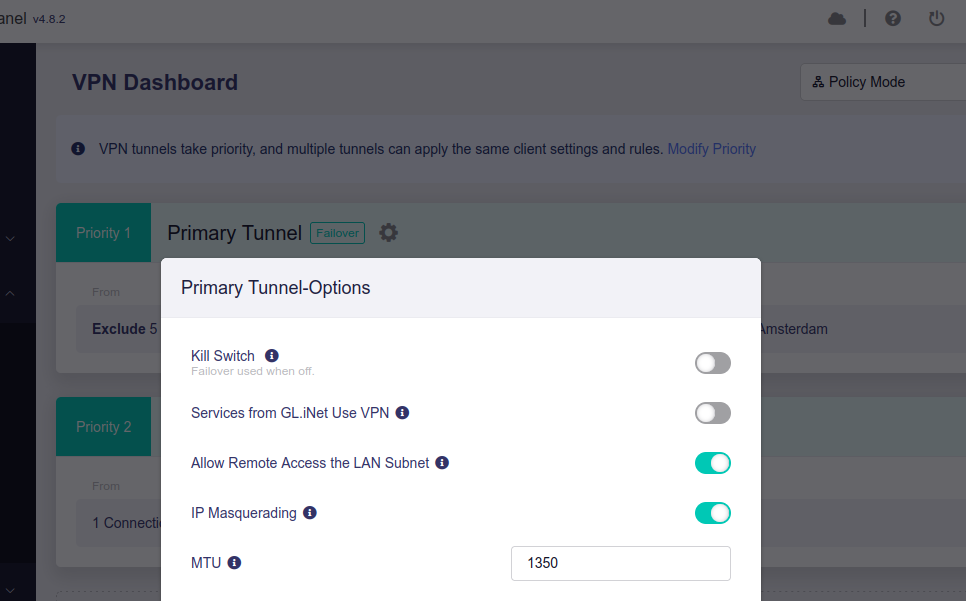
The settings in the screenshots you provided don’t appear to affect the S2S scenario.
Have you tried or checked the configuration based on the steps we previously shared?
If you’re not familiar with it or are still experiencing issues, you may consider sharing the device via GoodCloud so we can help review and configure it for you.
But isn't the screenshot supposed to show the WireGuard server side?
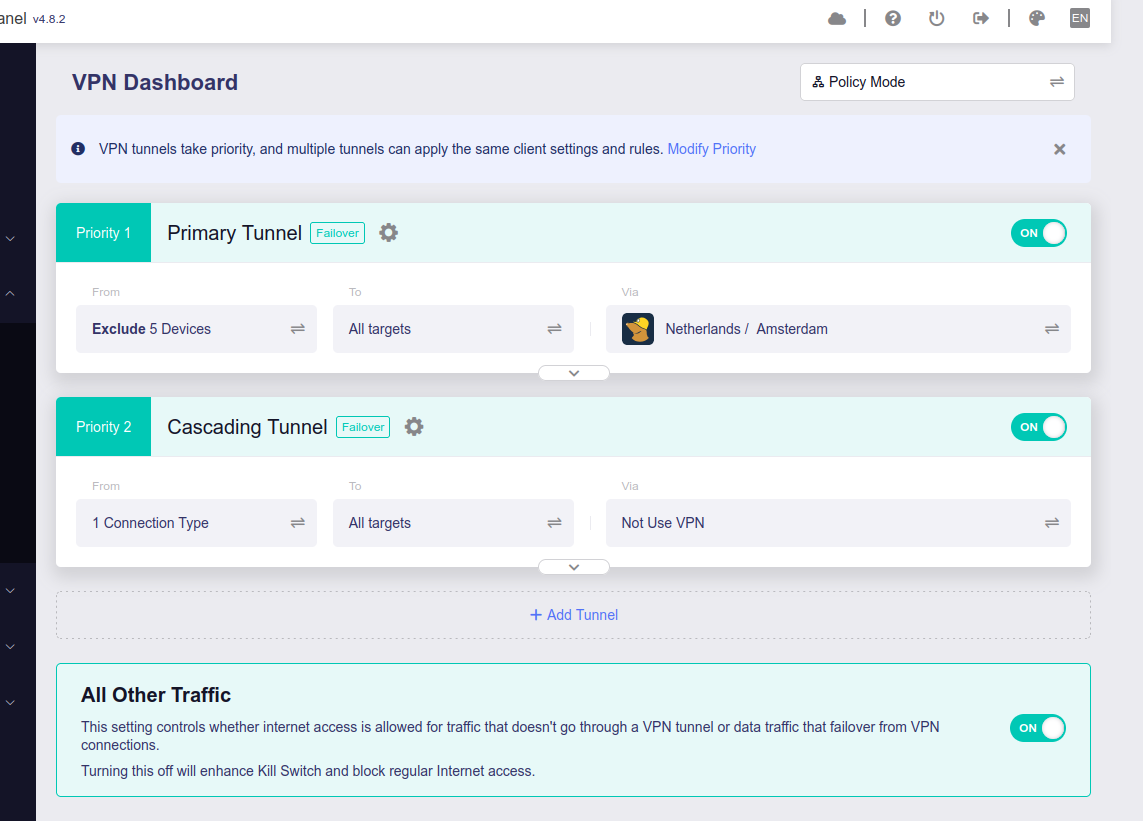
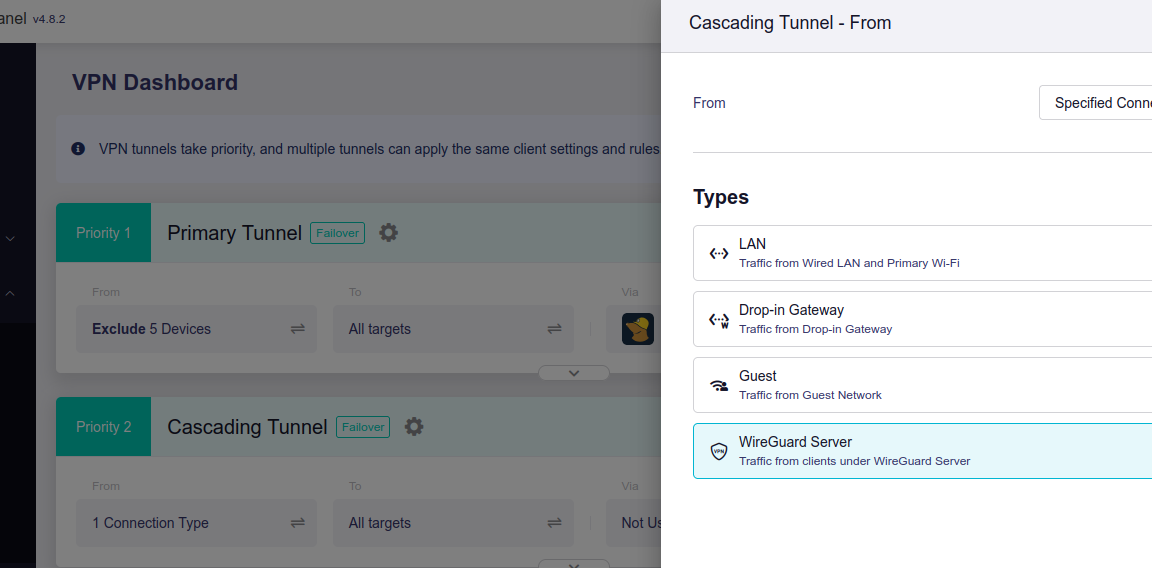
We can see that it is running a commercial VPN tunnel, and that traffic designated to come from the WireGuard server is not being transmitted via the VPN.
Perhaps we’ve misunderstood your setup.
Could you please clarify further?
On the wg server the option allow LAN subnet is set to ON.
The primary tunnel sends or excludes traffic for some LAN clients.
The cascading tunnel excludes WG server clients from using the VPN.
So that should work right?
Looks like the ip address 192.168.111.1 (wg client LAN) does not get resolved when I do a ping from a wg server side client. Could be a dns thing?
We think that the issue you’re currently facing is that LAN devices on the WireGuard Server side are unable to access LAN devices on the WireGuard Client side. Is our understanding correct?
If so, you’ll need to check the configuration on the router acting as the WireGuard Client (AX1800). In its Admin Panel → VPN → VPN Dashboard, enable “Allow Remote Access to the LAN Subnet.” This will allow LAN devices on the WireGuard Server side to access those on the WireGuard Client side.
Regarding the DNS issue, have you tried accessing the device directly via its IP address? If not, please try using the IP address directly then we can rule out DNS issues for now.
That’s a bit unusual, as it’s working normally in our local tests.
Would you be able to share the devices with us via GoodCloud, as mentioned earlier?
This way, we can help check and configure all the necessary settings and test them directly in your environment to confirm they work.
Hi, The problem is I don’t have physical access to the wg client side anymore. The router is at a remote location. I can get you access to the router, wg server side, but i don;t know if that will help as earlier from client side I could also not reach lan on the server side.
If the WireGuard client router is not accessible, there may be no way to continue troubleshooting at this point.
We may need to wait until you have another opportunity to access the WireGuard client router and set up GoodCloud remote access, then revisit this issue.