I need some help. Existings treads and the available tutorial unfortunately did not lead to a solution.
I am aware of this guide: Access WireGuard Client LAN from Server - GL.iNet Router Docs 4
Setup:
Site A -
Router - Flint3 GL-BE9300, Kernel Version 5.4.213, running WireGuard Server, The Flint3 is creating a LAN A and is DHCP Server and DNS Server
Connected to Internet via a FritzBox and different LAN. The FritzBox has port-forwarding for UDP for the WireGuard port enabled for the Flint3
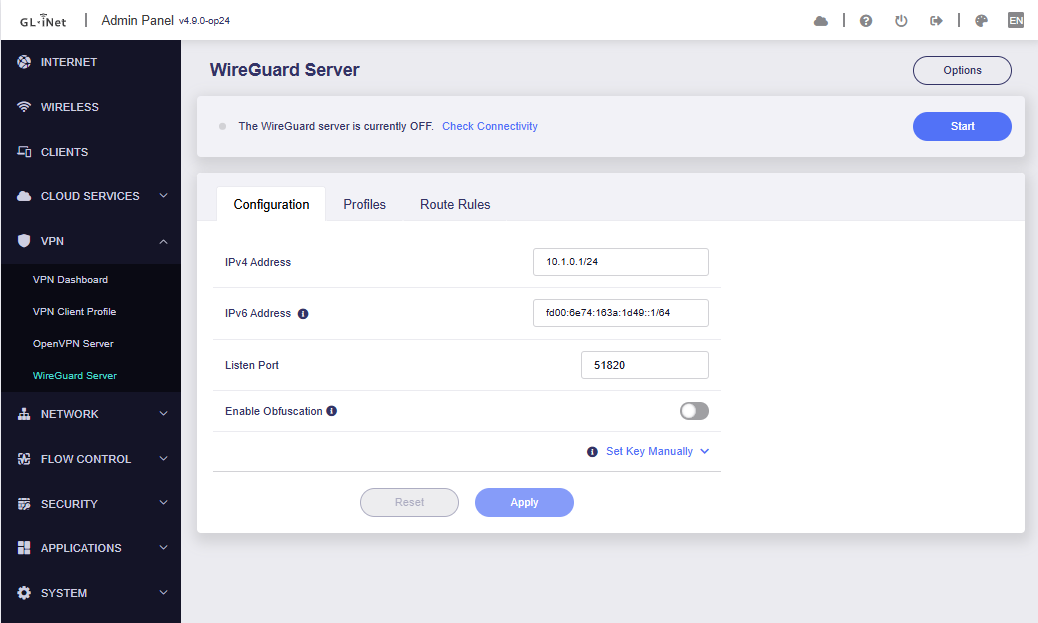
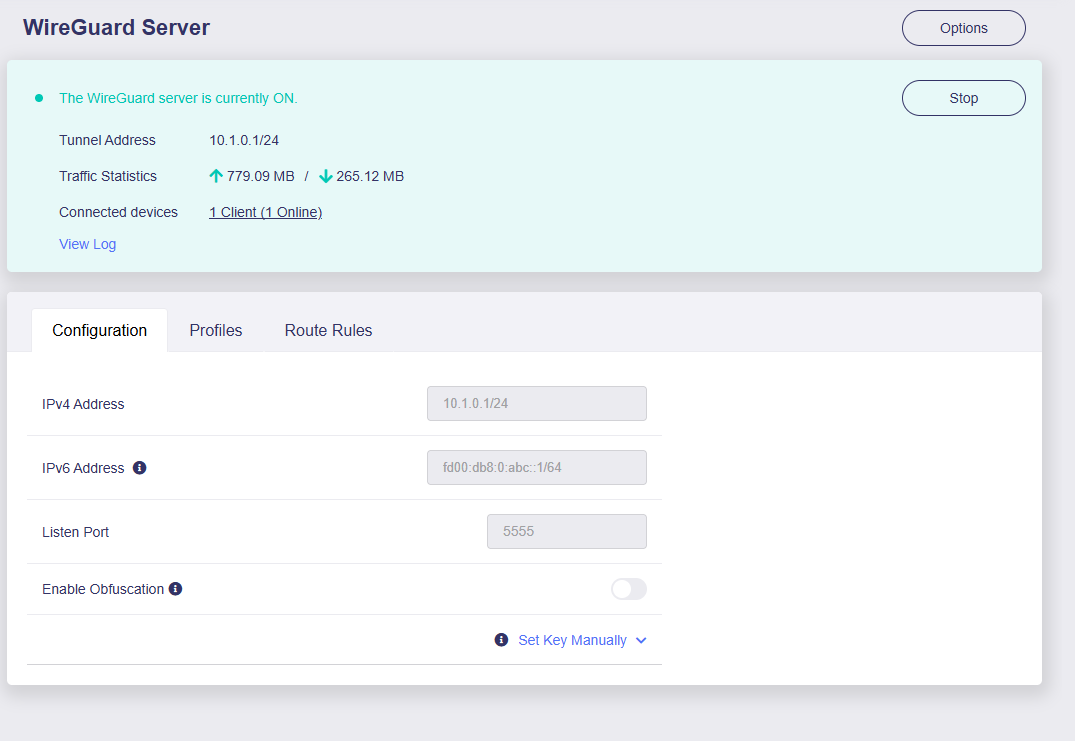
VPN Tunnel IP net is 10.1.0.0/24, Server IP is 10.1.0.1
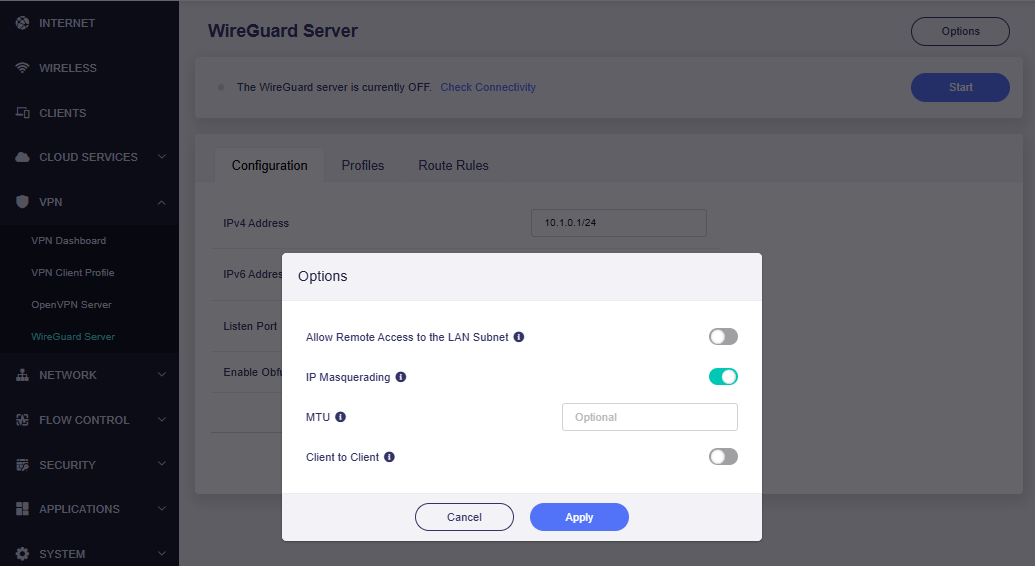
In the WireGuard Server Settings I added a routing roule with LAN B as the Target Net and 10.1.0.2 as the Gateway.
Site B - Spitz AX GL-X3000, Kernel Version 5.4.211, running WireGuard Client. The Spitz created LAN B and is DHCP and DNS Server.
Connected to Internet via celluar connention
VPN Client IP is 10.1.0.2
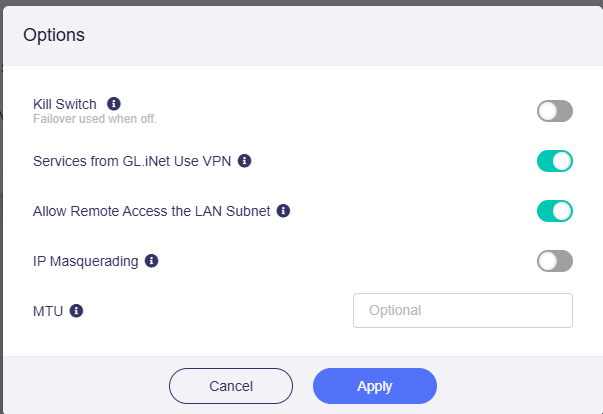
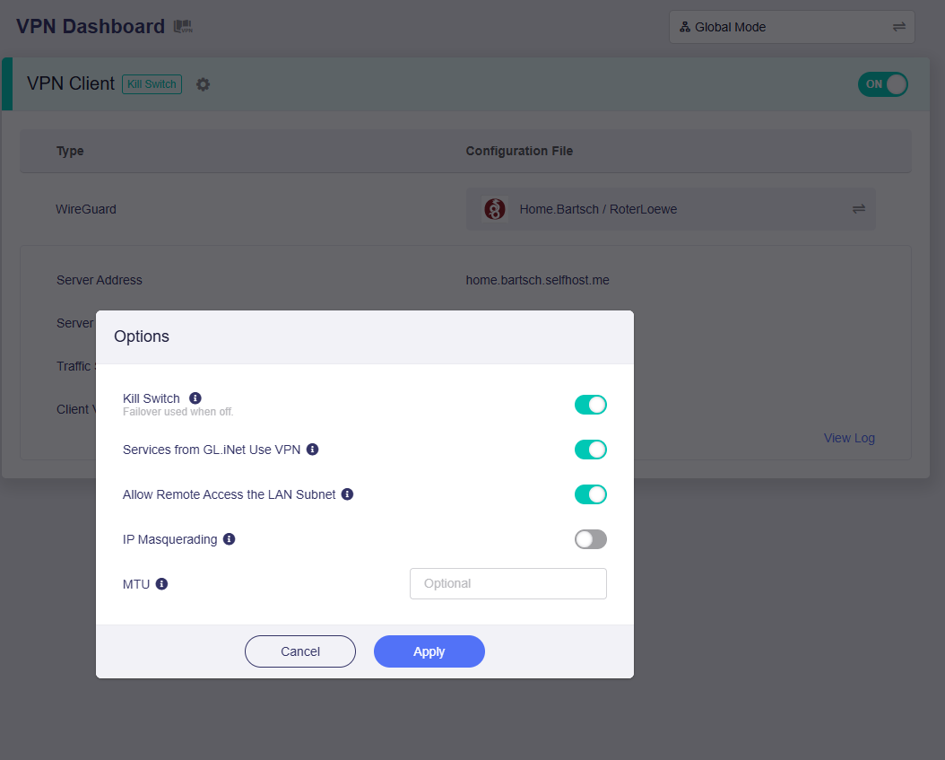
On the VPN Dashboard I set the VPN Client Options:
- Kill Switch: OFF
- Services from GL.iNet Use VPN: ON
- Allow Remote Access the LAN Subnet: ON
- IP Masquerading: OFF
Current state:
The Client connects to the Server. From the Client network LAN B I can access all devices in LAN A on the Server Site.
From the Server Site I can connect to Spitz on it’s VPN tunnel address 10.1.0.2
I cannot ping or trace-route the LAN B IP of the Spitz nor any other device in LAN B from LAN A. Ping within LAN B is working fine
The trace route from LAN A to 10.1.0.2 is showing the LAN A IP Address of the Flint as first hop and the Device as second hub
The trace-route from LAN A to any IP in LAN B is showing the LAN A IP Address of the Flint as first hop and then only timeouts
Something is blocking the inbound to LAN B or the return packets are wrongly routed.
Any support is welcome.
Hi,
To better understand the full picture of your current configuration and help troubleshoot the issue more effectively, could you please provide the following screenshots?
-
Server side: Flint3
VPN > WireGuard Server main page
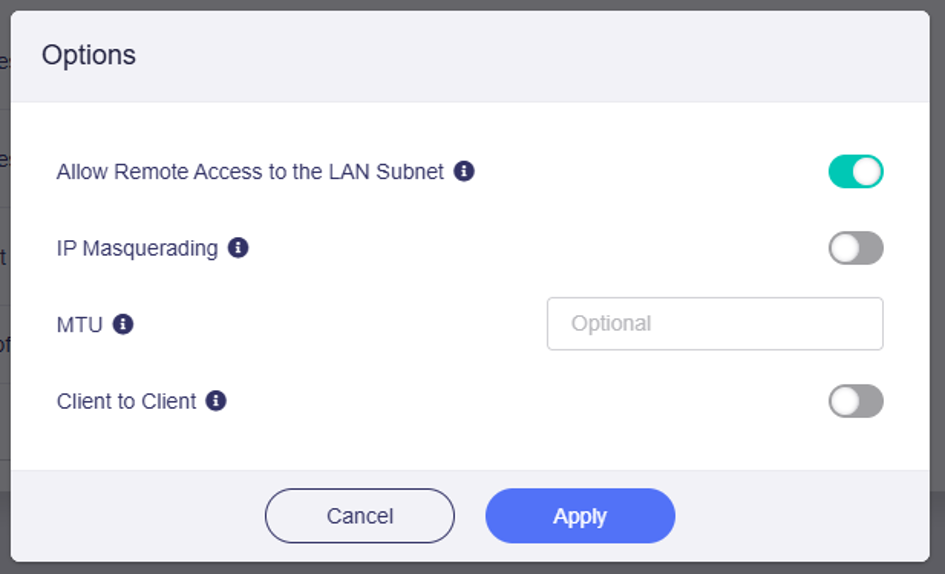
VPN > WireGuard Server > Options
-
Client side: Spitz AX
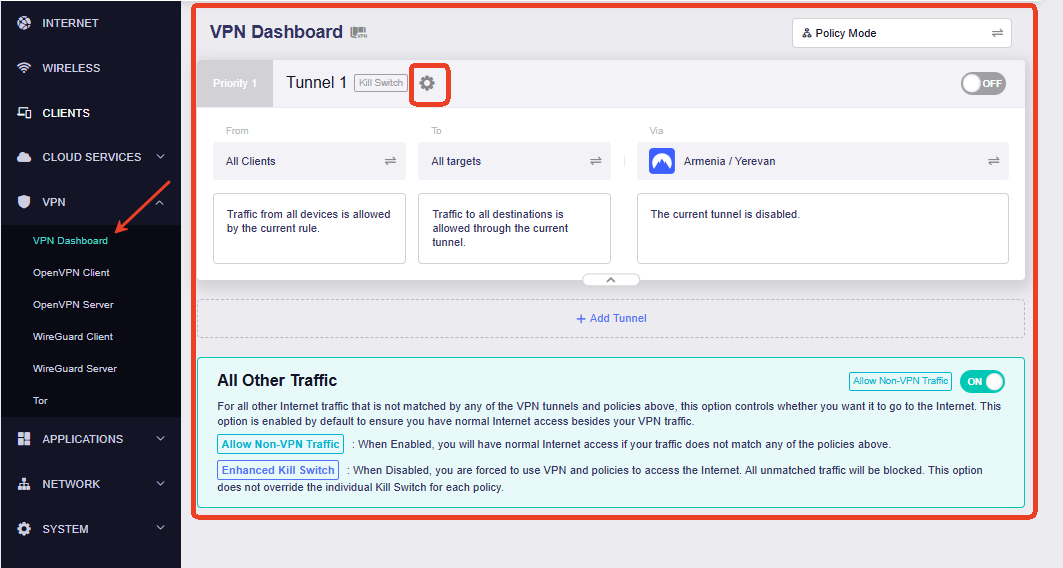
VPN Dashboard and current WireGuard client Options.
and finally, trace route from a host in the server net to a host in the client net.
This looks good as well. ICMP is working. Though, connecting the host 192.168.120.3 by the browser on same host fails when connected to the Server site with ERR_CONNECTION_RESET
Connecting the same host on the Client site works just fine.
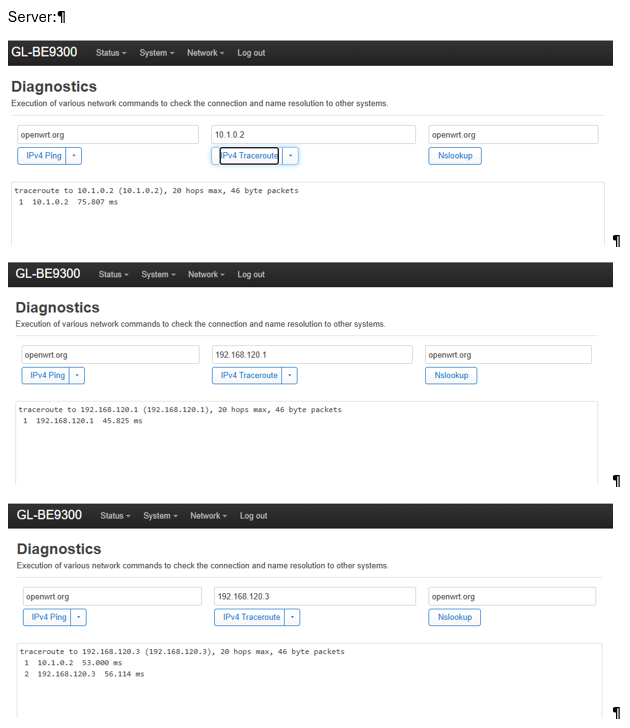
Here are the additional trace-routes from Server side
Hi Charles, thanks for comming back. Sorry for the delay.
Unfortunately, as a “new” user I can only attache one media on a post…
Please find requested Screenschots here.
Server:
( I’ll add other screeshots as I can…)
Additional, there are some trace-routes - From Luci Diagnostics trace route to VPN address of client, to LAN address of client and even to a host in Client LAN works fine - so ICMP works.
→ This actually looks good!!!
Though, connecting the host 192.168.120.3 by the browser fails when connected to the Server site with ERR_CONNECTION_RESET
So TCP is somwhow not correctly routed …
Hi Charles,
The issue only exist when connected via modem.
When I use a repeater connection to the Server WLAN everything is fine.
When I use another modem (same SIM card) and connect via ethernet to WAN port everything is fine as well.
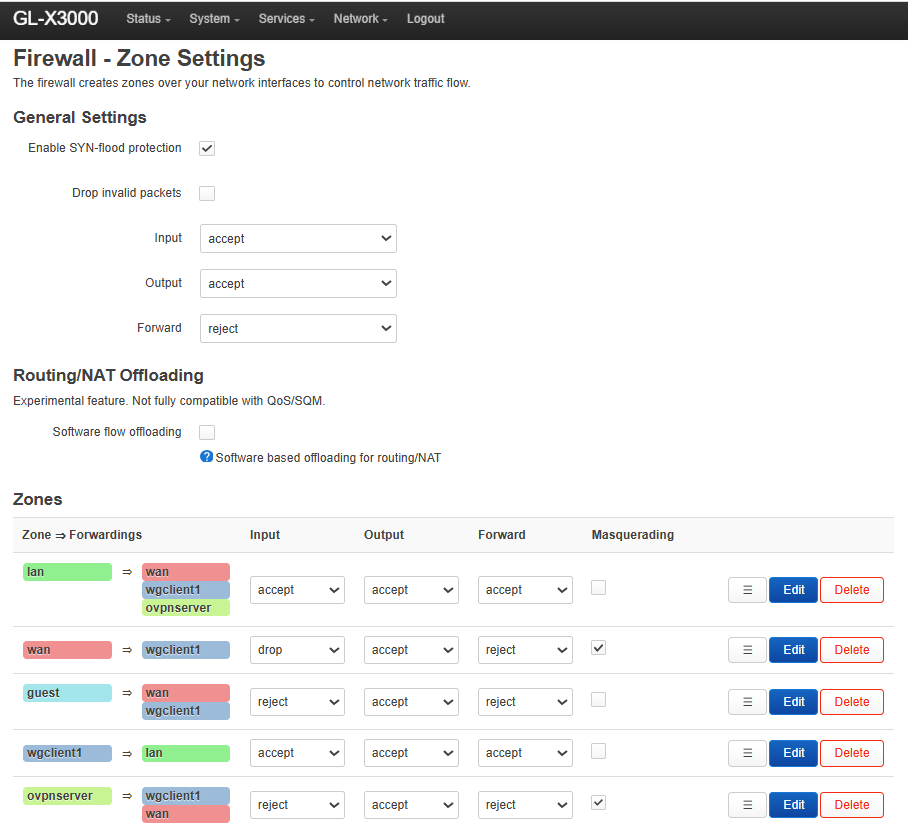
Firewall Zones look good to me though:
Hi, sorry for the late reply.
Thank you for the update and for performing these comparison tests.
Since the routing and ICMP connectivity are working, and the issue only occurs when the Spitz AX uses its internal cellular modem, we would like to test the tunnel MTU.
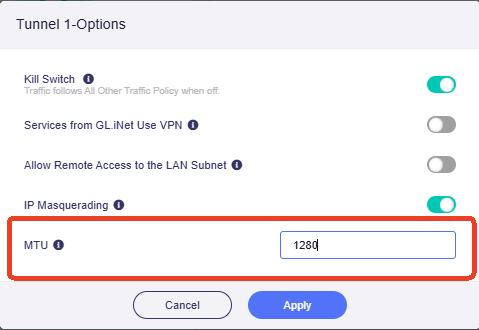
On the Spitz AX, go to `VPN Dashboard → WireGuard Client → Options, set the MTU value to 1280, click Apply, and reconnect the WireGuard tunnel.
After reconnecting, please test access to 192.168.120.3 again from the Server-side LAN.
If the connection works with MTU 1280, you can gradually increase the value and keep the highest setting that remains stable, such as 1320, 1360, or 1380.
If the issue still occurs with MTU 1280, could you please share both the Flint 3 and the Spitz AX with us through GoodCloud so that we can perform further remote troubleshooting.
Please follow the official guide below for the GoodCloud sharing steps:
Technical Support via GoodCloud
After sharing the devices, please send the MAC address and Web Admin password to us via a private forum message.