Hi team. I hope you are keeping well.
Apologies if this is a series of dumb questions. I've been battling my Slate 7 for a while now and I'm missing something simple I think, and I need your help please.
I have my Slate 7 wired into my 10.1.1.0/24 network and it picks up a reserved IP of 10.1.1.124.
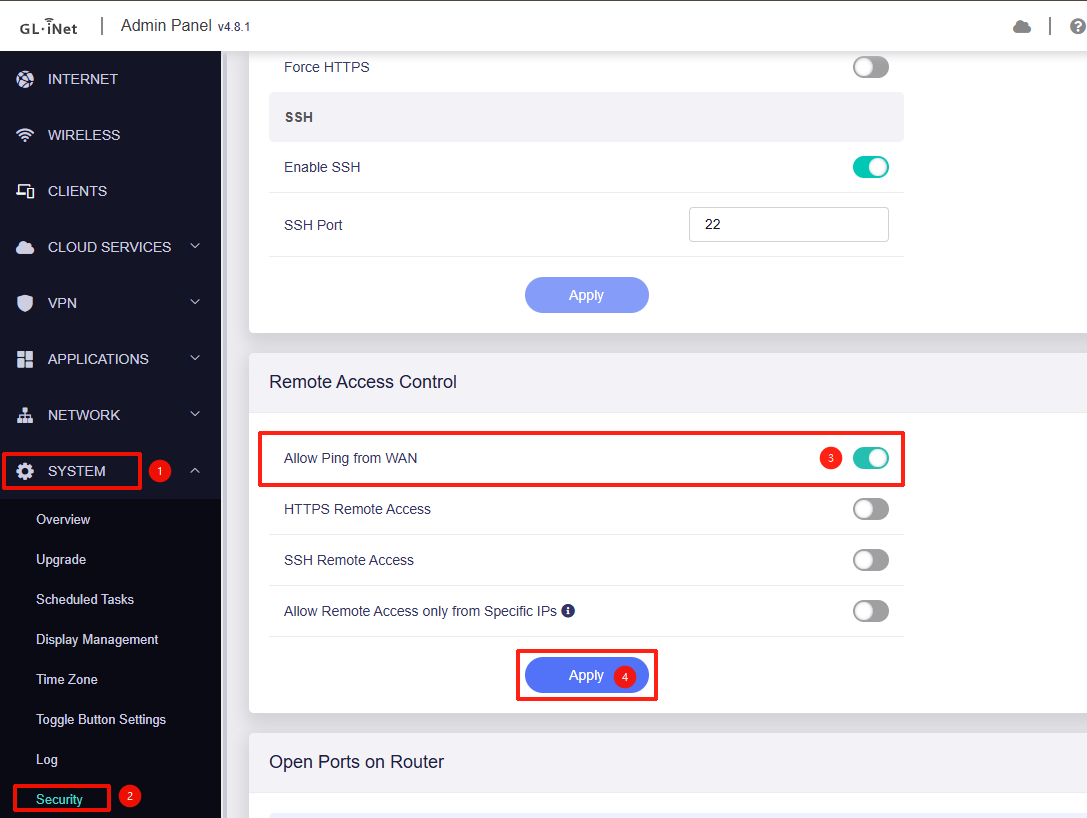
(Q1) My first question. I've factory reset the Slate. By default should I expect to be able to ping it on its IP of 10.1.1.124? It has that IP and after a reset I can't ping it by default. Slate can ping LAN resources, but those resources cannot ping Slate.
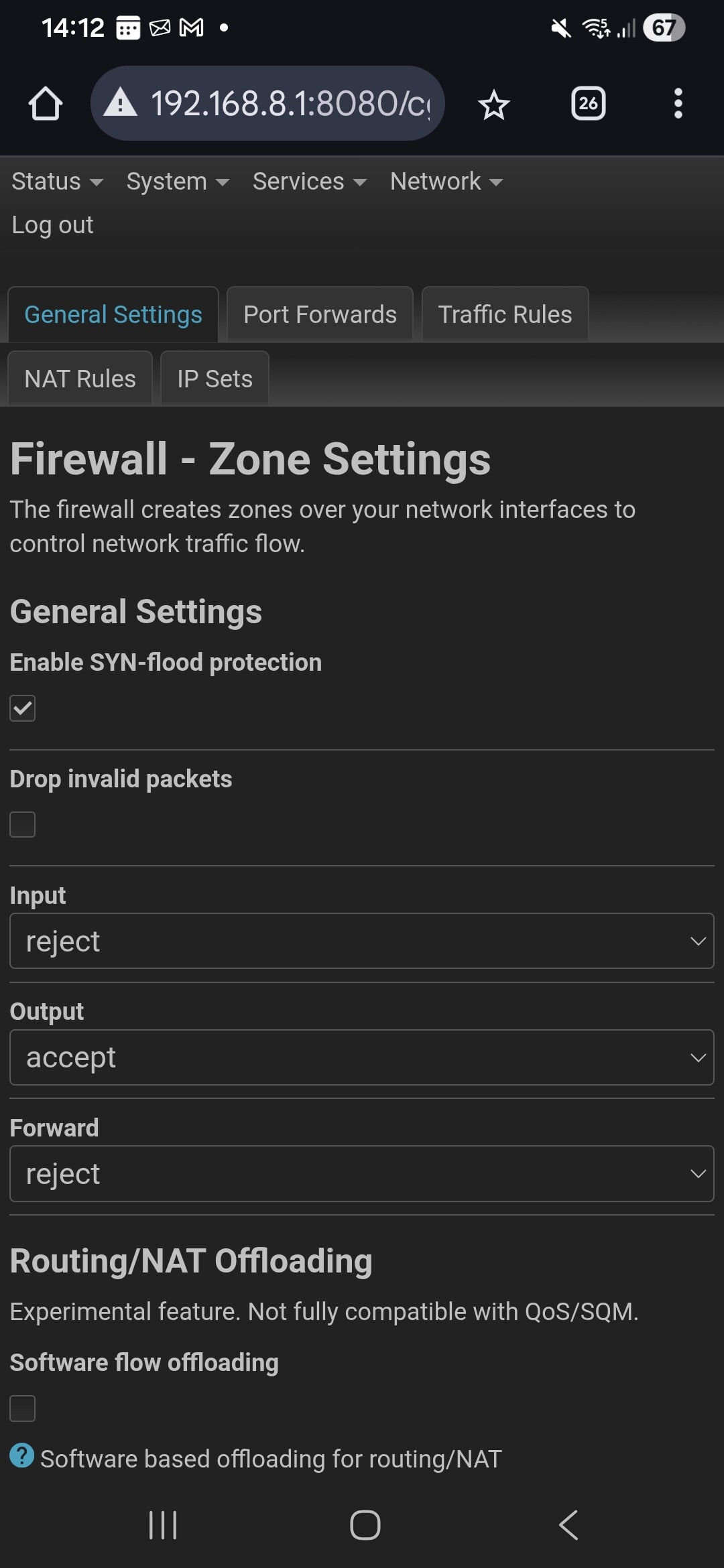
(Q2) I've reset the Slate, created the admin password and I've connected to the Slate WiFi. I'm accessing the admin portal via 192.168.8.1. In order to SSH or ping the slate I have to go into Luci > Network > Firewall and under General Settings, by default, I have input set to reject, output set to accept, forward set to reject. If I change Input to accept I can ping/ssh and connect to the Slate via its lan ip 10.1.1.124. Is this normal for a freshly reset Slate?
I've attached a screenshot of the default settings after a reset.
(Q3) I've been trying to get Tailscale split tunnelling set up, and it was working great until a reboot removed some of the settings. I reset the Slate to start from scratch and it's almost like some orphaned firewall rules or routes or settings have carried over. I've upgraded and downgraded firmware, I've reset the unit. Is there a higher level of factory reset? Something which resets absolutely everything.
Thanks for your time everyone and I appreciate any comments or assistance.