After switching Slate 7 to the same SSID as Slate, the device was able to connect to the WireGuard server successfully.
It seems that the previous SSID (ATT 2.4G) was preventing the connection from working properly.
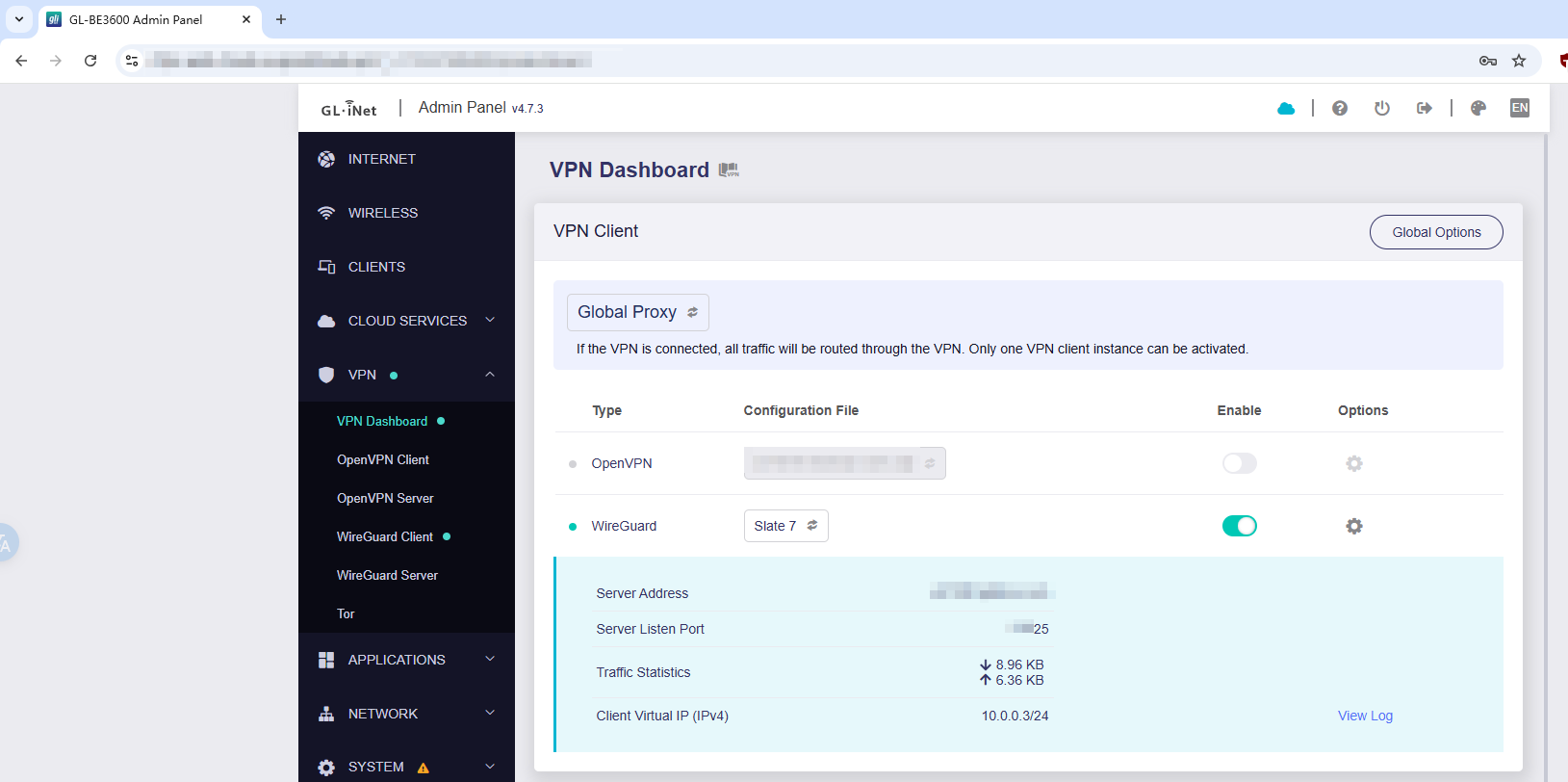
Yeah, I notice it's working now, but in the slate 7 it's connected to WG now, but saying no Internet . Strange
So why am I getting no Internet connection on the slate 7 now, but it's connected to WG now
?
We tested by pinging Google on the Slate 7, and everything appeared to be working normally.
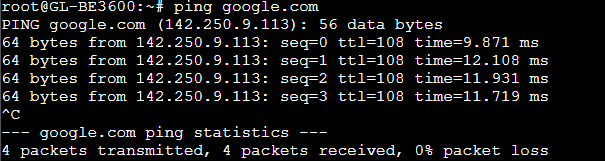
Could you let us know which devices said, "No Internet", is your phone/pad/laptop?
And can its browser access to website normally?
Please also try to reconnect your devices to Slate 7, since we just changed the Wi-Fi repeater setting of it, maybe there's some affect.
Will, so the slate 7 is connected to WG, but it doesn't have internet access on any of my devices with WG connected. When I turn WG off it connects to the internet fine. What could that be?
I will leave it on so when you're back online you can check that when you have time. I appreciate all your assistance also. Just wanted to let you know
Just found the "IP Masquerading" not enabled, causing your LAN device would be not able to connect to Internet.
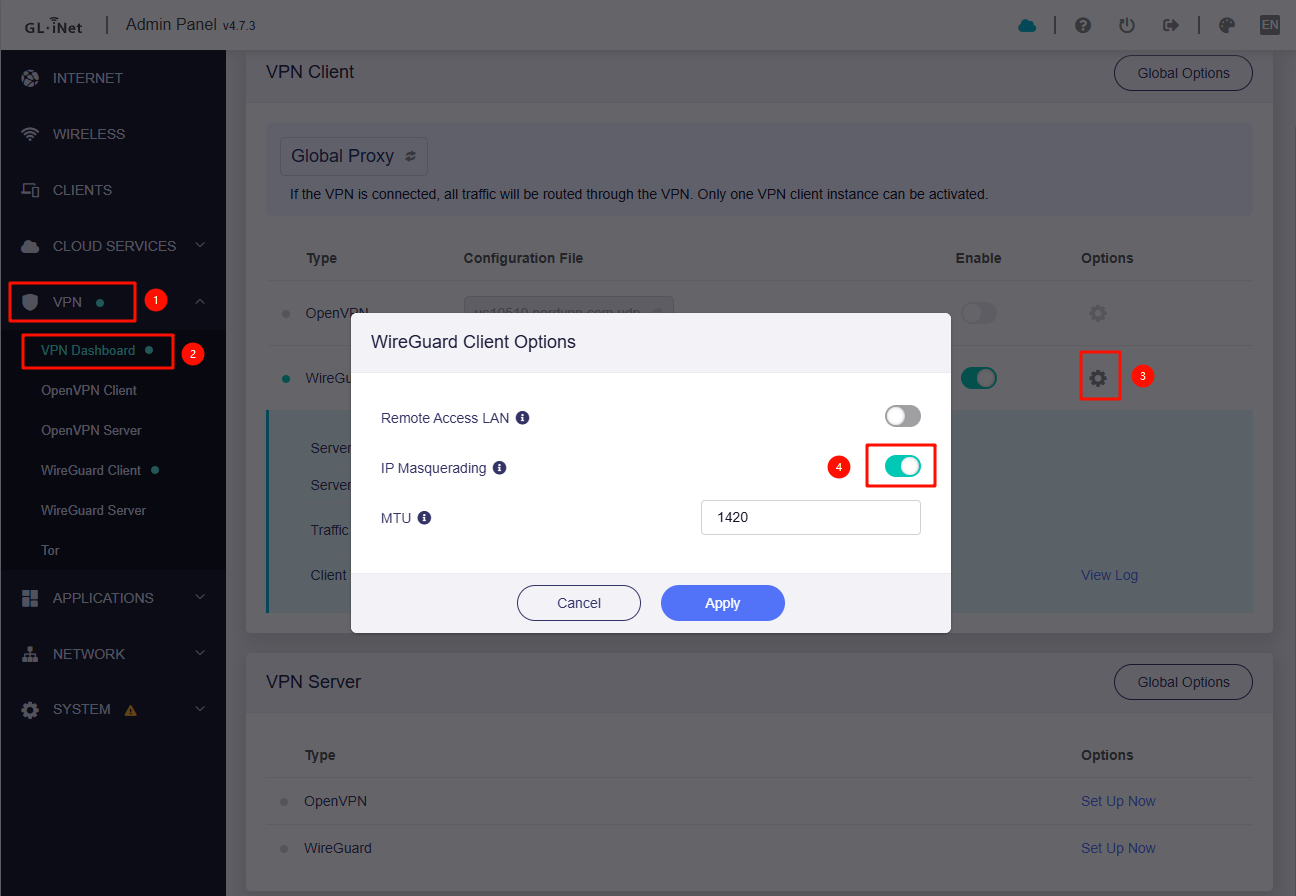
We have enabled it, please double check whether it works or not.
I just have to laugh. I don't even bother those settings. So I'm not even sure how that could have been turned on. Its working now. One last question because I feel like I'm taken up too much of your time. My ip forwarding on my ATT Router, the ports were set to 51820 and I see you changed them on the the GLinet routers to 51825 for the listening ports. How is port forwarding working with my router still being set to 51820 listening port? I don't want to bother it since the slates are working now. Whats your suggestion?
We saw your public IP address on the AX1800.
So we guess that your ATT router is running in a mode similar to IP Passthrough - passing the public address to the downstream router (AX1800).
Yes, since it works fine, we don't need to change anything.
Yeah, because I set up ip passthrough on my ISP to point to my AX1800. I also spoke to my ISP provider ATT and they said they weren't blocking the port 51820 as you had mentioned. So I'm suspicion on why the handshake wasn't working on that listening port.