Hi, I just purchased a new Slate 7 router and was trying to connect it via Wireguard to my Gli.net AX1800 at home to run my traffic through it when I'm out the country which is often. I have a slate the previous model and that works fine, but I'm not sure why this one keeps failing to connect to the wireguard server.
Copy of the log and I double checked everything. I use AT&T as a home isp and I have port forwarding set up as I mentioned my old slate works fine.
Another thing I noticed is that there is a pre installed public key that is grayed out and you can't change is added when you try to copy the client file from the server.
The errors from the log are..
Firewall reloading due to ifdown of wgclient
Hello,
If your old Slate connects fine but the new Slate 7 fails, it’s likely a firmware or config mismatch. Double-check that the WireGuard client config on the Slate 7 matches the server exactly, especially the endpoint IP/DDNS and port. Also, ensure the LAN IP of the new Slate doesn’t conflict with the server’s subnet (e.g., avoid 10.0.0.1 if AT&T uses that). The grayed-out public key is normal—it’s the server’s key. If the log shows Firewall reloading due to ifdown of wgclient, it may indicate the client is failing to establish a handshake. Try changing the WireGuard port (e.g., to 51821), verify AT&T port forwarding is set under Applications, Pinholes & DMZ, not Firewall Rules, and confirm the server has a public IP or DDNS properly resolving. Bible Chat
The Wireguard client config file on the Slate 7 is correct from the server
The Lan ip of the Slate 7 is using an ip range of 192.168 range
I do agree that the client is failing to establish a hanshake with the Wireguard server, but its weird because I looked at the old slate and the new one and nothing is different so it confusing why.
Port forwarding on he AT&T router is good
The router has a public ip beginning with a 107.128 ip address
I do see that I'm getting a DDNA Test error. Thats confusing because I know port forwarding on the router is set and the ip address in the screen shot is the public ip address.
Any additional help you can provide would be appreciated. I've tried every solution and I just can't understand why I'm having the issue when I double checked everything. I bet its something really small I'm missing.
The DDNA Test comes back with a message...the ip address from DDNS domain resolution is not the same as the WAN ip of the device. You need and internet public ip address to use DDNS. But it seems the public. I'm using a 107.128 public address from ATT and when I do a whatsmyip thats what comes up so again I'm confused. Also, when I do a nslookup on my host file from the server that comes up with fine with the same ip address
From your description, your network topology seems like to
ISP router (Which has public IP address and port forwarding to AX1800) <--> AX1800 (Wireguard server and DDNS enabled)
Do we understand it right?
If we understand correctly, we would like to check the following with you:
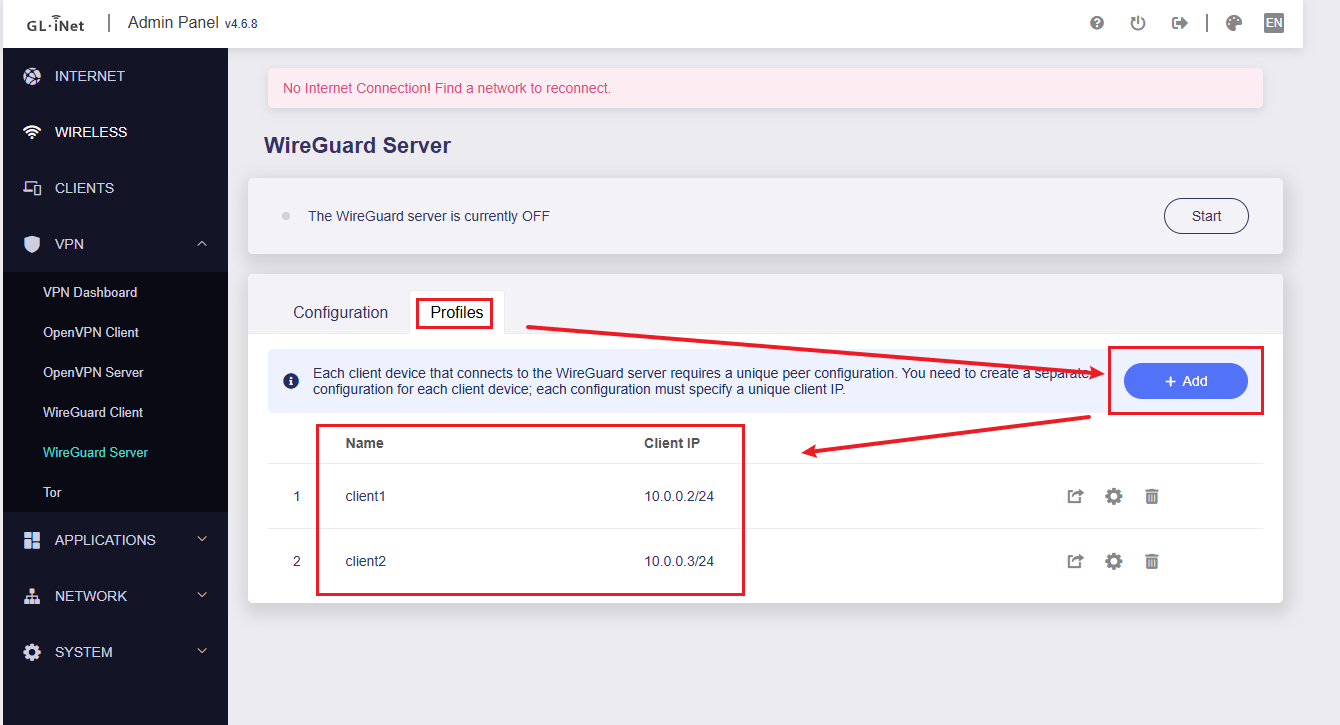
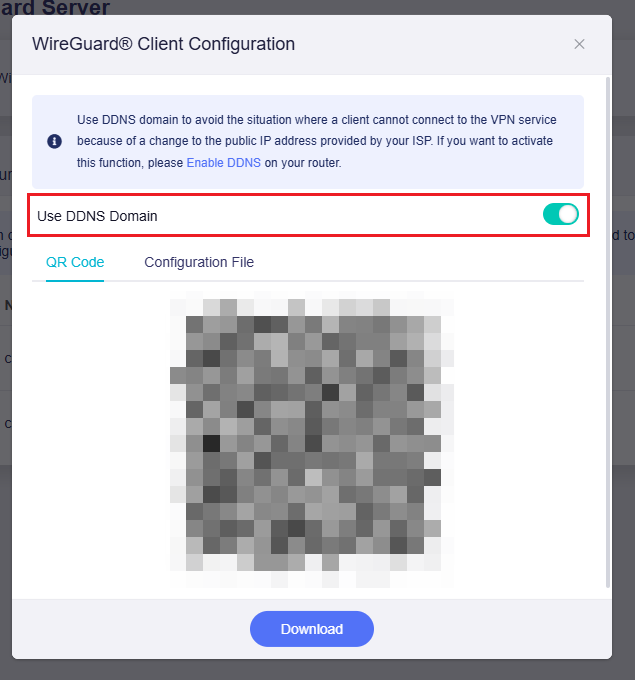
Did you create separate profiles for the old Slate and the Slate 7, and enable 'Use DDNS Domain' when downloading the configuration files?
If these don't help, please export the log after Slate 7 tried to connect to the server but failed. Please PM it to me by clicking on my avatar and the Message button.
We will further check.
Fri Aug 8 08:12:55 2025 user.notice wireguard-debug: USER=root ifname=wgclient ACTION=REKEY-GIVEUP SHLVL=1 HOME=/ HOTPLUG_TYPE=wireguard LOGNAME=root DEVICENAME= TERM=linux SUBSYSTEM=wireguard PATH=/usr/sbin:/usr/bin:/sbin:/bin PWD=/
Fri Aug 8 08:12:55 2025 daemon.notice netifd: Interface 'wgclient' is now down
Fri Aug 8 08:12:55 2025 daemon.notice netifd: Interface 'wgclient' is setting up now
Fri Aug 8 08:12:55 2025 user.notice firewall: Reloading firewall due to ifdown of wgclient ()
Fri Aug 8 08:14:47 2025 user.notice wireguard-debug: USER=root ifname=wgclient ACTION=REKEY-GIVEUP SHLVL=1 HOME=/ HOTPLUG_TYPE=wireguard LOGNAME=root DEVICENAME= TERM=linux SUBSYSTEM=wireguard PATH=/usr/sbin:/usr/bin:/sbin:/bin PWD=/
Fri Aug 8 08:14:48 2025 daemon.notice netifd: Interface 'wgclient' is now down
Fri Aug 8 08:14:48 2025 daemon.notice netifd: Interface 'wgclient' is setting up now
Fri Aug 8 08:14:48 2025 user.notice firewall: Reloading firewall due to ifdown of wgclient ()
Fri Aug 8 08:16:42 2025 user.notice wireguard-debug: USER=root ifname=wgclient ACTION=REKEY-GIVEUP SHLVL=1 HOME=/ HOTPLUG_TYPE=wireguard LOGNAME=root DEVICENAME= TERM=linux SUBSYSTEM=wireguard PATH=/usr/sbin:/usr/bin:/sbin:/bin PWD=/
Fri Aug 8 08:16:42 2025 daemon.notice netifd: Interface 'wgclient' is now down
Fri Aug 8 08:16:42 2025 daemon.notice netifd: Interface 'wgclient' is setting up now
Fri Aug 8 08:16:43 2025 user.notice firewall: Reloading firewall due to ifdown of wgclient ()
Fri Aug 8 08:18:33 2025 user.notice wireguard-debug: USER=root ifname=wgclient ACTION=REKEY-GIVEUP SHLVL=1 HOME=/ HOTPLUG_TYPE=wireguard LOGNAME=root DEVICENAME= TERM=linux SUBSYSTEM=wireguard PATH=/usr/sbin:/usr/bin:/sbin:/bin PWD=/
Fri Aug 8 08:18:33 2025 daemon.notice netifd: Interface 'wgclient' is now down
Fri Aug 8 08:18:33 2025 daemon.notice netifd: Interface 'wgclient' is setting up now
Fri Aug 8 08:18:33 2025 user.notice firewall: Reloading firewall due to ifdown of wgclient ()
Fri Aug 8 08:20:25 2025 user.notice wireguard-debug: USER=root ifname=wgclient ACTION=REKEY-GIVEUP SHLVL=1 HOME=/ HOTPLUG_TYPE=wireguard LOGNAME=root DEVICENAME= TERM=linux SUBSYSTEM=wireguard PATH=/usr/sbin:/usr/bin:/sbin:/bin PWD=/
Fri Aug 8 08:20:25 2025 daemon.notice netifd: Interface 'wgclient' is now down
Fri Aug 8 08:20:25 2025 daemon.notice netifd: Interface 'wgclient' is setting up now
Fri Aug 8 08:20:25 2025 user.notice firewall: Reloading firewall due to ifdown of wgclient ()
As a side note on the WG client I'm getting a DDNS message when I do the test that saids the ip address from the DDNS domain resoluton is not the same as the Wan ip of the device. I have port forwarding working as it works on the old slate 1800. My Wan ip is a 192.168 number and my form my DDNS public ip address is a 107.128 ip. I mean these aren't manually ip's these are what I'm given.
DDNS displays this information, which is normal on the WG server when your public IP is not on the AX1800's WAN interface, but on the ISP modem/main router and uses port forwarding.
Considering that you mentioned that the old Slate had no connection problems before, your configuration on the WG server side may be correct.
However, the Slate 7 log seems to show that the server is not responding.
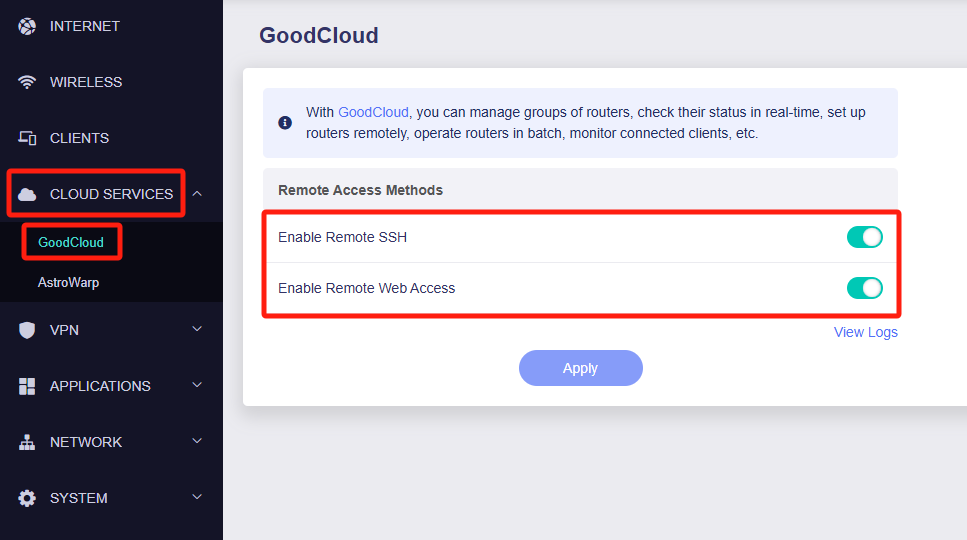
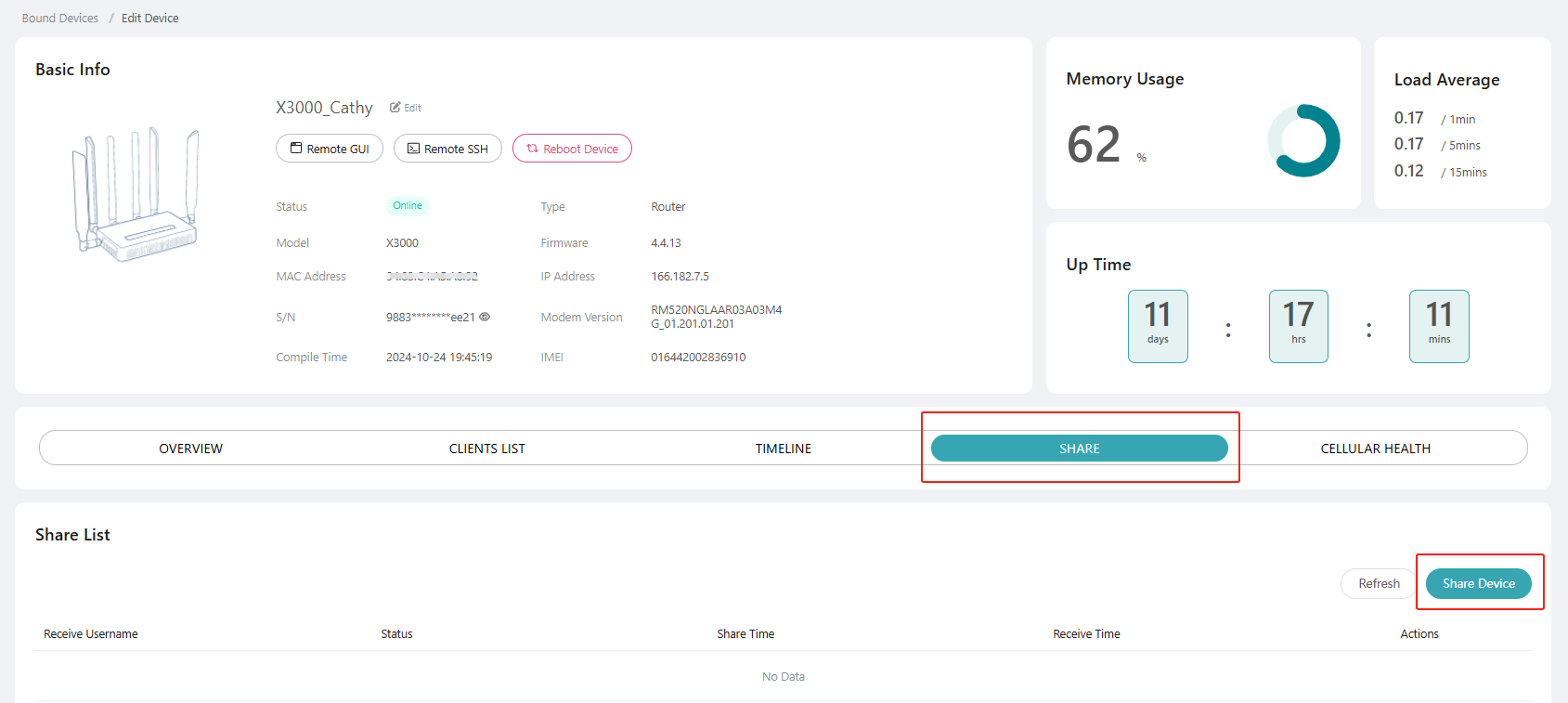
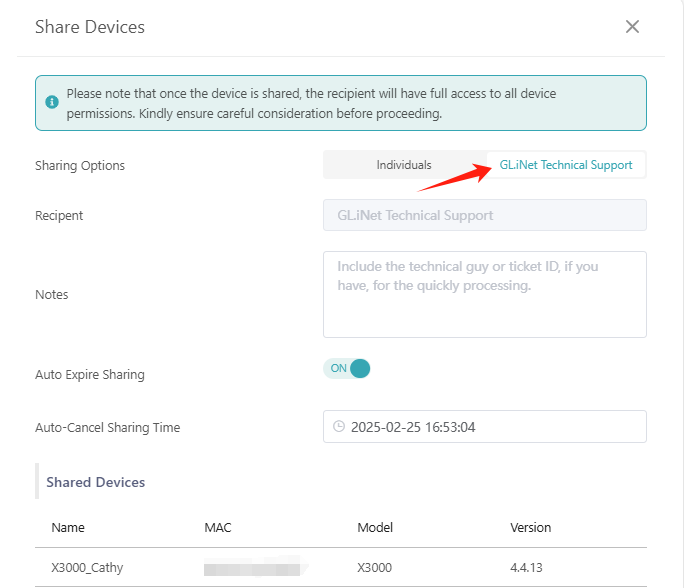
Could you please connect the AX1800(Wg server) and the Slate 7(wg client) to the GoodCloud, share them with us and PM us their MAC address & login password so that we can further check?
Question, sorry I was out of country. Just got back in town. When you say pm you, is there a separate way to send this good cloud info, as I don't want to put it in this message chat.
We can see these two devices but look like these options were disable and that we cannot check them remotely.
Could you please help to enable them on both devices?
GM Will, those two options are now turned on. I turned them on, but both the Slate, Slate 7 and the WG server also just in case.
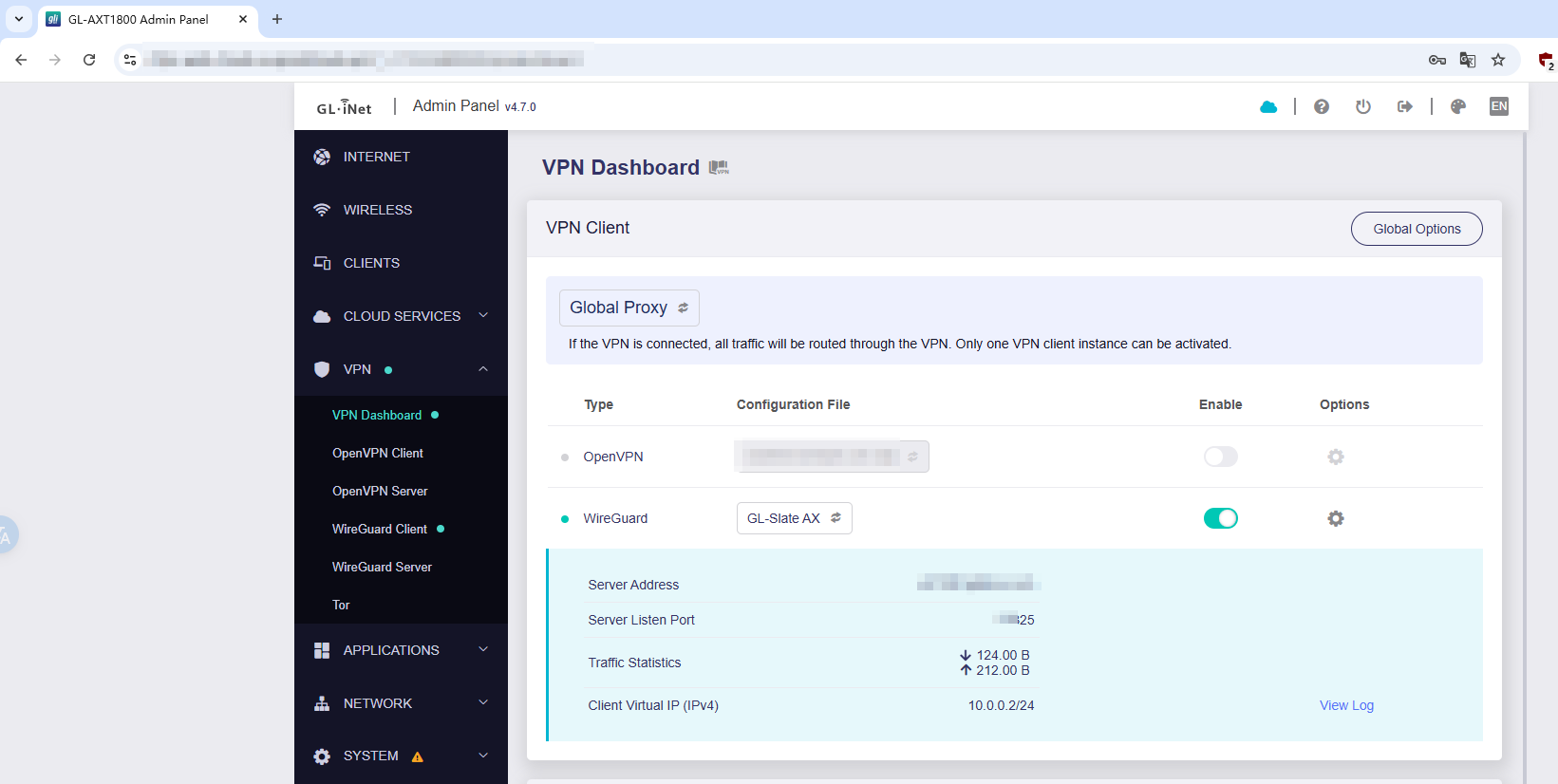
Update...I see the WG CLient is active on the Slate now, but it has no internet connection. The slate 7 has internet, but the WG client won't initiate.
We performed some remote checks on your device and found that your ISP has blocked inbound connections on the port previously used by the WireGuard server.
After modifying the server’s listening port(xxx20 -> xxx25), Slate can now connect normally.
We were unable to locate Slate 7 in the shared device list. However, you should now be able to create a new profile directly from the AX1800 and download it to Slate 7 for a successful connection.
If you still experience any issues, please connect Slate 7 to GoodCloud and share it with us. We’ll be happy to perform another inspection for you.
Yes, I shared it yesterday and just reshared it again. Let me know if you can see it. I created a new profile on the WS and copied it to the slate7, but its not connecting.
It looks like the Slate 7 and AX1800 are currently connected to the same network (likely the AT&T router), which is causing the routing to fail.
Could you please connect the Slate 7 to the same network that the Slate is connected to, or
Use your phone’s hotspot to provide internet access for the Slate 7?
The Router ip for the Slate and the Slate 7 are both 192.168.10.1 and The Ax1800 is 192.168.8.1, so its looks like the Slate and Slate 7 are both on the same network. So what am I missing?
Also, I don't usually have them both online at the same time because I use the same IP range. I just turned the slate on to verify that yes it's on the same network as the slate 7