Hi,
I just got Slate AX.
My ISP is 1gbps. My main wifi router is next to the Slate AX.
When I use Slate AX as repeater or wan, the download speed I got was only 300mbps, no VPN turned on.
It’s running on firmware 4.8.3 and 4.6.11 now. Both had the same issue.
Could anyone help me?
Hi,
Thank you for the information.
To help us further identify where the speed may be limited, could you please check the following items?
-
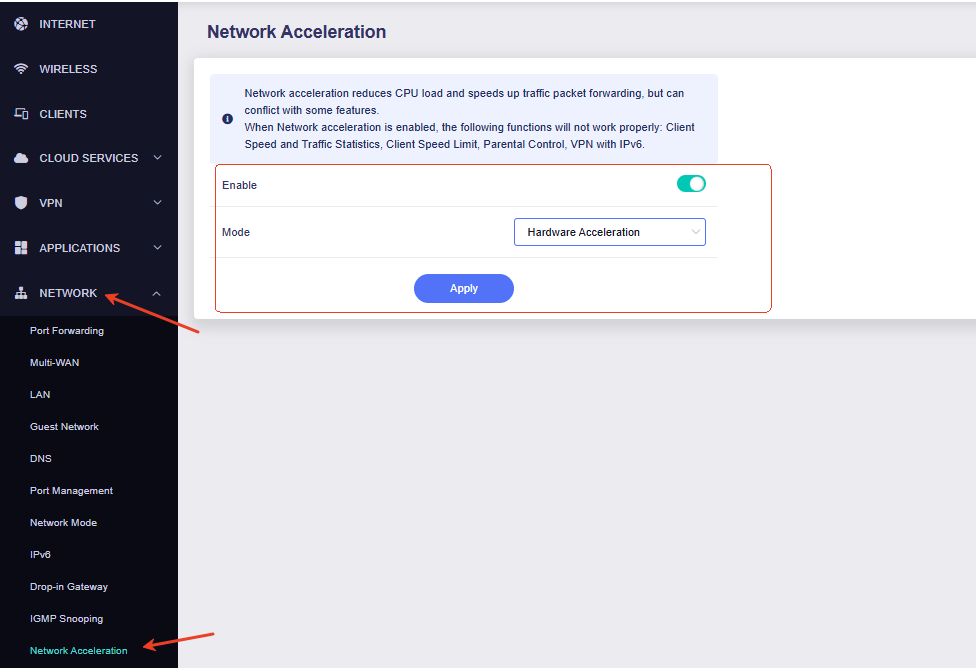
Please go to Network → Network Acceleration and confirm whether hardware acceleration is enabled. If it is currently disabled, please enable it and test the speed again.
-
Please connect the same computer directly to a LAN port of the upstream router using an Ethernet cable and let us know the speed you can obtain.
-
When you previously obtained approximately 300 Mbps in Repeater and WAN modes, was the computer connected to the Slate AX via Ethernet or Wi-Fi?
Thank you for your cooperation and support.
Just made the test again. This time, my computer connects to Slate AX thru LAN:
-
WAN mode: around 940 Mbps
-
Repeater mode: around 780 Mbps
Hi,
Thank you for providing the detailed test results.
Based on your test results, the Slate AX can reach approximately 940 Mbps with a wired client in WAN mode and approximately 780 Mbps with a wired client in Repeater mode. These results indicate that the Ethernet ports, routing performance, and wireless backhaul are working normally.
When the Slate AX connects to the upstream router wirelessly and the client also connects to the Slate AX through Wi-Fi, the same wireless radio may need to receive and retransmit data alternately. This shares the available wireless airtime and can significantly reduce the actual throughput.
If higher and more stable throughput is required, we recommend connecting the computer to the Slate AX via Ethernet, which can retain more of the available bandwidth.
Thank you for your understanding.