Hi all,
I saw other people were having problems with USB modems, so I wanted to share my experience in case it helps others with the same combo.
Setup: ZTE MF79N + Slate AX (AXT1800), firmware 4.8.3
Problem: USB tethering connected fine initially, then dropped after a short while — device disappeared from the router entirely, had to unplug/replug to get it back. Modem itself was fine (tested directly on a laptop, stable, no issues).
Tried:
- Switching USB port mode from USB 3.0 → USB 2.0 (per the GL.iNet FAQ on 2.4GHz interference) — no change, still dropped.
What actually fixed it:
Gave up on USB with Slate AX entirely (sadly so). Instead:
-
Powered the MF79N from a separate USB wall charger (not the router)
-
Enabled its built-in Wi-Fi hotspot
-
Connected the Slate AX to it via repeater mode instead of USB tethering
Rock solid since. Only downside is the MF79N's hotspot is 2.4GHz only, so it caps max throughput — not an issue for our use case (browsing/streaming for a few devices).
Posting in case it saves someone else the troubleshooting time — seems like the USB tethering driver path has some know issues with this modem on this firmware, which is quite sad, seems like a recurrent issue here, would be great if GL.iNet could fix it.
Hi,
Thank you for the detailed test results.
The USB 3.0 port on the Slate AX (GL-AXT1800) supports a maximum output of 1.5A.
To help us further identify whether the issue is related to USB power stability, could you please help us perform the following tests:
- Could you please confirm whether you are using the original 5V/4A power adapter that came with the Slate AX for testing?
- If available, please connect the MF79N through a powered USB hub (USB hub with its own external power supply) and keep USB tethering enabled to check whether the disconnection issue still occurs.
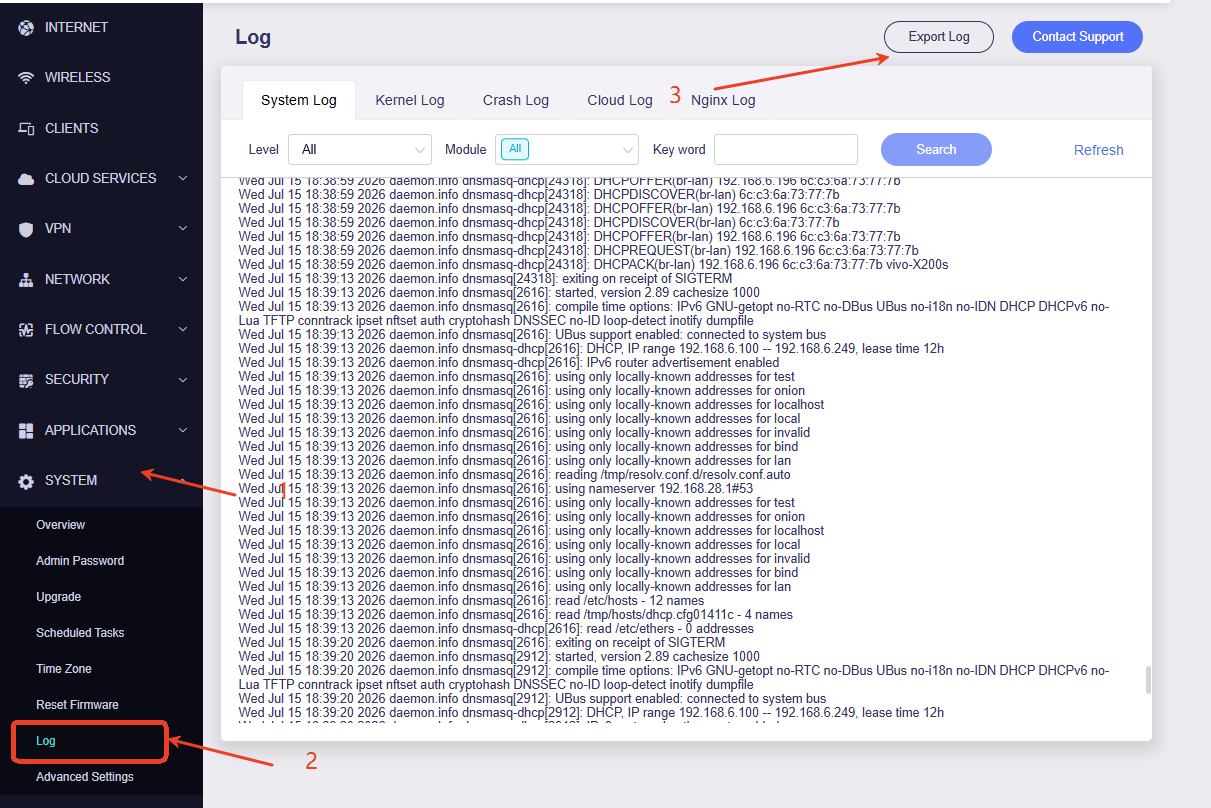
If the issue happens again, could you please export the system log and send it to us via private message for further analysis?
Thank you for your cooperation and support.
Hi,
Thanks for looking into this.
To answer your questions:
-
Power adapter — original 5V/4A Slate AX adapter
-
Powered USB hub test — haven’t tested this, but I kept looking at the indicator LEDs of the modem and there seemed to have been absolutely no visible disruption before/after Slate disconnected it (might not mean anything I know).
For reference, the MF79N's datasheet lists max power consumption at 3.25W (~0.65A @ 5V) — well under the Slate AX USB 3.0 port's 1.5A capacity. So power delivery seems like an unlikely root cause on paper, though I understand that's not conclusive without the hub test.
I'll send the exported logs over via private message shortly.
Thanks again for the support.
BTW one small side issue → when I’m using the MF79N as a tethering device, for some reason Slate always uses MF79N’s DNS server even though elsewhere in the Slate config I have explicitly defined DNS server to be used.
If I use the MF79N in repeater mode, Slate DNS works as intended (using my DNS server).
Thanks
Hi,
The logs show that the MF79N is initially recognized correctly, but the USB device is subsequently reset repeatedly, causing the CDC Ethernet interface to be removed and recreated.
However, the exported logs do not show which component is triggering these USB resets, so further inspection of the device’s live status is required.
We have noted your additional feedback regarding the DNS behavior and will check it at the same time.
Could you please share your Slate AX with GL.iNet Technical Support via GoodCloud by following this guide?
Technical Support via GoodCloud
Before sharing, please configure a stable Ethernet or Repeater connection as a backup so that the router remains accessible if USB tethering disconnects.
After sharing the device, please send us the router’s MAC address and a temporary admin password via private message.
Thank you for your cooperation.