Just wanna +1 for this. Seems to only occur on wireless (wired seems unaffected). Oddly intermittent and variable in what gets impacted. Page load times and file downloads can go from fine one moment, to grinding to a halt (down to the Kb/s range) the next. Certain types of traffic unaffected - for example joining a Discord call with streaming is fine.
As others have noted, disabling Network Acceleration seems to be a workaround. Hopefully this will get updated in the next release.
I too would suggest the update be pulled for now - unless a person checks these forums, they would have no way of knowing that there’s now what is clearly a significant known-issue'.
Since this issue is somewhat sporadic, we are unable to reproduce it locally, while other users some who said works fine, but some who feedback this issue, whether using the v4.8.3 beta2 (the latest test firmware in the post) or v4.8.3 r1 (the previous one test firmware in the post).
Because of its uncertainty, we need to evaluate whether to withdraw from multiple parties, if withdrawal a version, I think the issue is a very serious and large-scale, such as kernel crash, abnormal leakage, etc.
At present, this issue can be resolved by disabling network acceleration or switching to software acceleration. It is a workaround and continue to work fine. Same time, we are also actively looking for the root cause of the issue.
Share your router backup. Please export it in GL GUI > System > Advanced Setting > (Install Luci > ) Go to Luci > System > Backup / Flash firmware > Generate archive.
For users who have the ability to capture packets, after issue occurs, with WireShark in PC to capture packets and save it.
It should not be the same problem as the OP.
You can create a new thread (topic) and describe your issue and how to reproduce it.
You can also contact our technical support team by email at support@gl-inet.com.
@bruce then at the very least, I think you need to release 4.8.2.1 with Network Acceleration set to Software - if this fixes the issue. If you won’t pull the update completely
… as I said, I wasted hours on this. As a new customer, I’m still debating whether or not to return it.
I appreciate some customers buy these routers to fiddle, I just want mine to work. Consistently. If the UI prompts me to install an update (not a manual beta) I expect that to be the case.
@Franz - I fear you are missing my point and that your opinion is in the minority. But perhaps I’m wrong on the last point.
New customers, get prompted to upgrade the firmware the moment they login to their new device. I’d be willing to bet, most apply the update - as is generally recommended.
This thread is now a month old - the Beta has been floating around for 2 weeks, with mixed results.
Every Flint 2 customer, in the last month, has likely upgraded. A decent amount, probably faced random issues. Those that are not especially technical, probably returned the device.
Now, the key point:
I’d be willing to bet that a significant majority of new customers impacted by this, are a little peeved as/when they finally start trawling a support forum and find out it’s been a Known Issue for a month - I was, it has significantly dented by opinion of GL.iNet.
I fully agree with you, I got your point and for sure GL.Inet should release asap an updated firmware to avoid any new customer to be impacted, but starting from 4.8.3 beta2.
I’ m also a new customer, owning the device for about three week. I decided to keep it because the support has already provided a viable solution and actively working for a final fix.
I am so pissed that I had to create an account to post on here, but I’m having the same problem, it’s a real problem and I spent so much time trying to fix it on my own only to find out that this has been a known problem by GL Inet for a month! I’m here to complain about it because it ate up a lot of my time and this could’ve been avoided! There’s no notification to people about why they’re having this problem, I thought it was so many different things before finding this thread!
We're very sorry that we didn't take some withdrew actions in a timely manner, it is also because it's difficult to reproduce, or say the issue reproduced conditions are quite niche, maybe this is the reason we've been waiting, and working hard to find the reason.
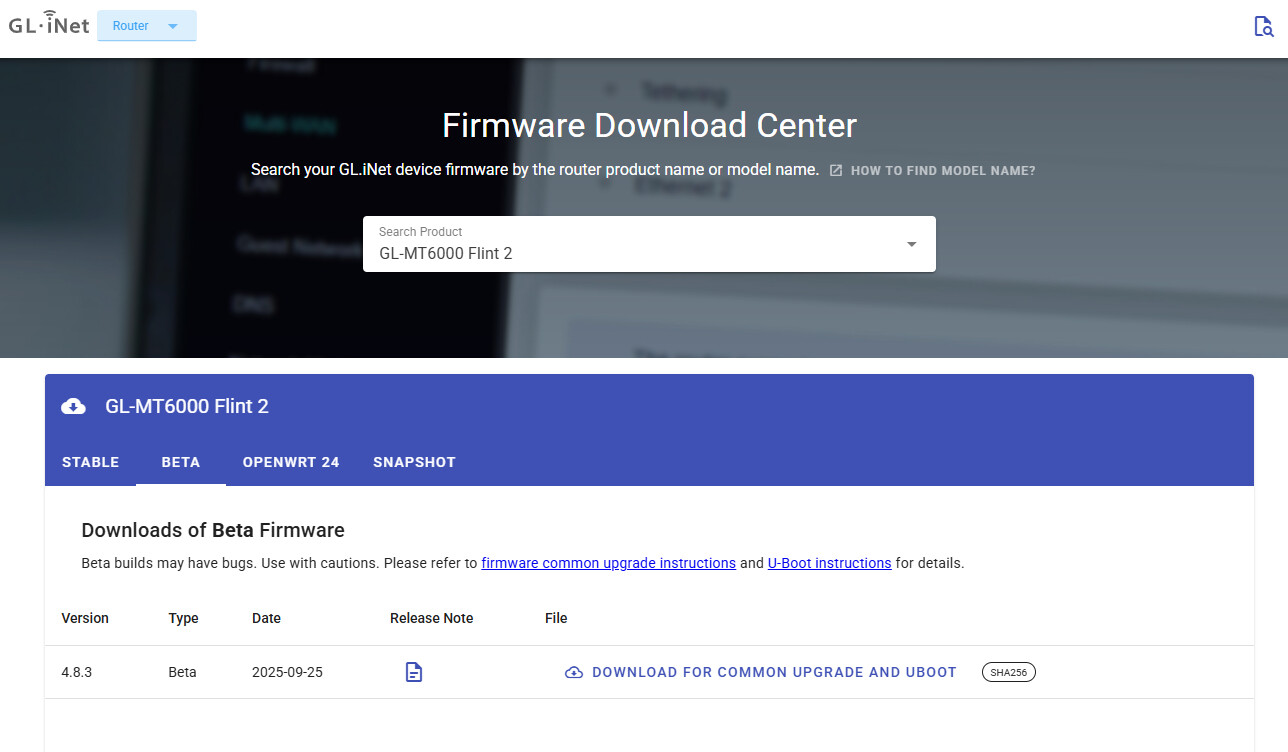
Currently, the firmware download center released the v4.8.3 (beta2) for MT6000.
May I know could you please share the router with us via GoodCloud, we would like to check what the root cause of issue is with router firmware v4.8.2 (stable).
There appears to be something else that this new driver and the requirement for hardware acceleration to be enabled is causing. I have a streaming device that I connected directly to the Flint 2 LAN1 Ethernet port which was working fine streaming from its internet sources before the firmware update with hardware acceleration enabled, but now with hardware acceleration disabled, it hangs and stops when trying to stream over the internet. I also tried the Flint 2‘s LAN3 Ethernet port as well and it still was hanging and stopping.
However, when I connect this streaming device’s Ethernet to my mini-switch Ethernet port that is connected to the Flint 2 LAN3 port with hardware acceleration disabled, the streaming device streams fine. And, the streaming device also works fine when connected to the Flint 2’s wireless network. So, it seems I’ll have to keep hardware acceleration enabled no matter what so I’m now set to software acceleration which allows the streaming device to be connected to the Flint 2 and still stream fine from the internet.
The switch built into the Flint 2 sure seems to have some strange issues with whatever driver this is and the hardware acceleration setting.
BTW, most mini-switches advertise their backplane/fabric memory, but I can’t seem to find any specification for the Flint 2’s built-in switch. Does anyone know?
Well, I'd like to know how to downgrade to version 4.7.7 without losing my configuration? I do have a LUCI backup of version 4.7.7, but will it restore all my settings without exception if I downgrade and then restore the LUCI backup? (I looked in the archive and I have the impression that it's not complete). How do I proceed? Thank you.
PS: I'm currently on version 4.8.3 beta 2, but with software acceleration enabled, because I've still noticed some slowdowns with hardware acceleration on certain devices after a few days.
I had to go back to 4.7.7 with Luci 4.7.7 Backup - it worked for me! All my settings were there. DNS over TLS (dot) has now dramatically slowed my download speed on 4.77 . I changed to DOH and everything is working normally again..