Using info on here and AI made a simple how to for beginners.
5 Likes
Why would one need a speedtest every 6 hours?
Gotta say this: Absolutely love the design and UI of that page !!! Congrats on that.
As for the script utility, I can think of some scenarios, maybe not every 6h has @PoweredByVeg mentioned, but since that is absolutely up to you to configure, a daily test would give us a pretty solid monthly overview graph.
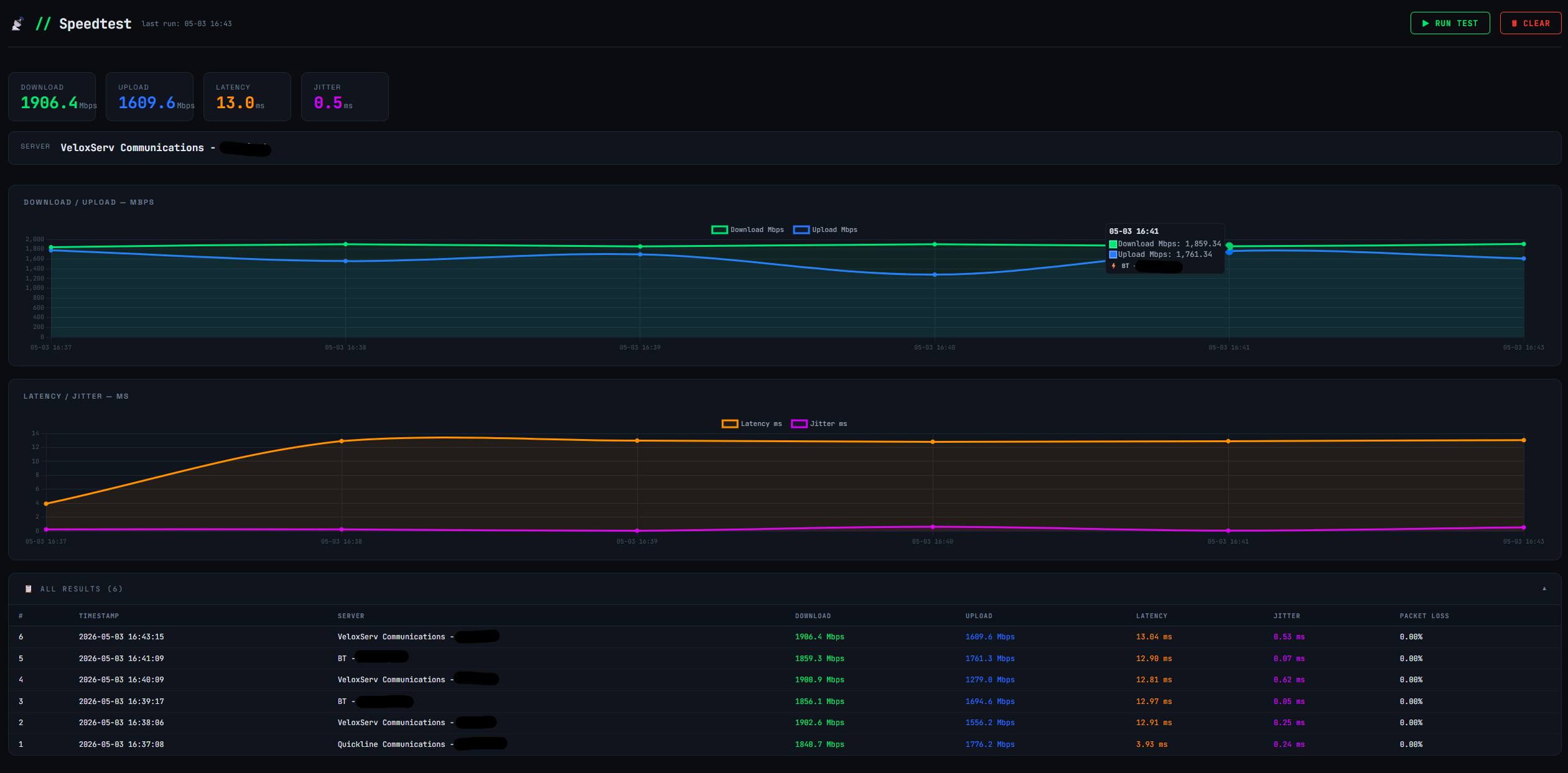

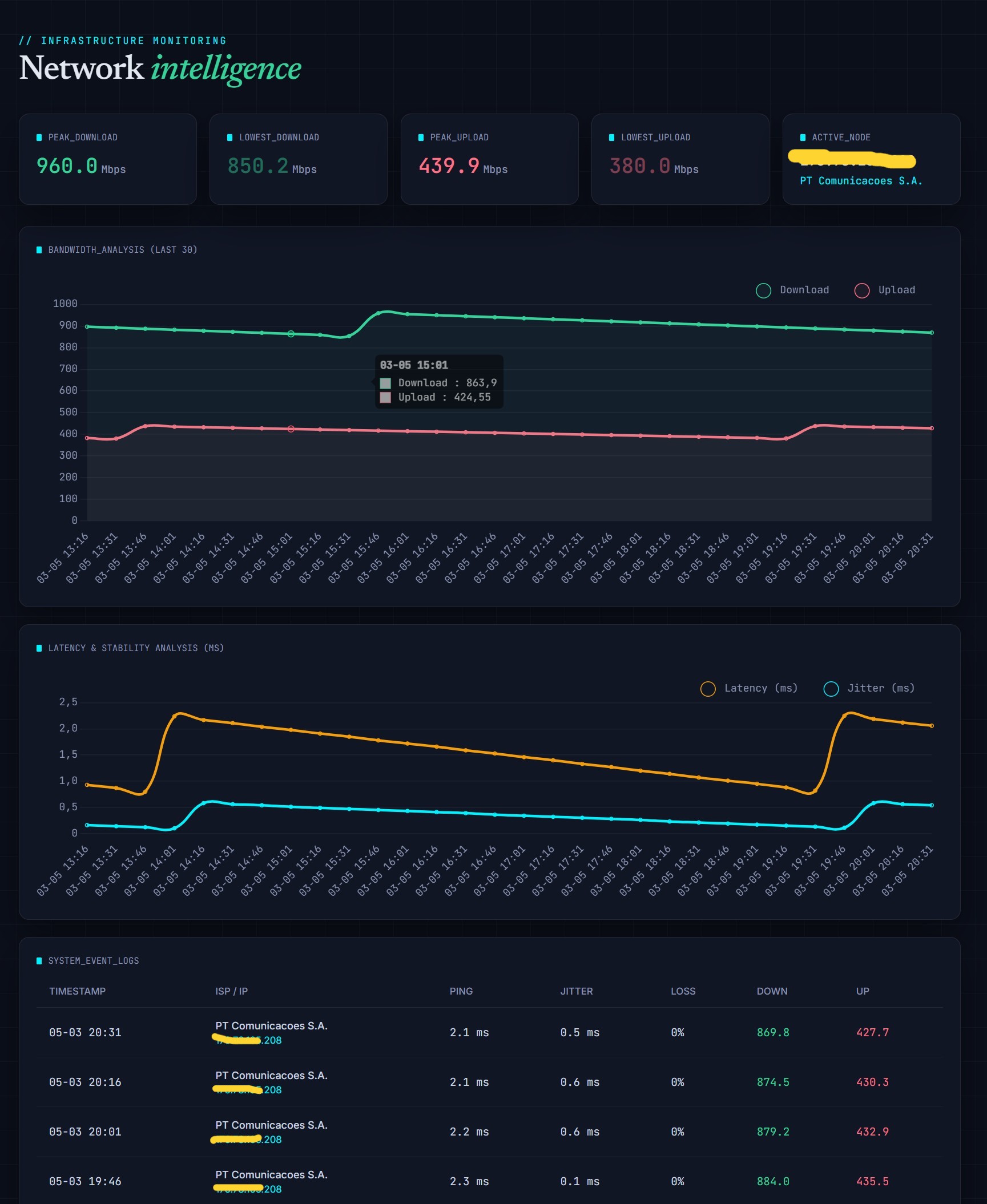
@Void nice one … funny as I was playing with this also … made a dashboard similar in UI as the build guide.
2 Likes
Its to check I am getting what I pay my ISP for - will keep it running a week or so 

1 Like
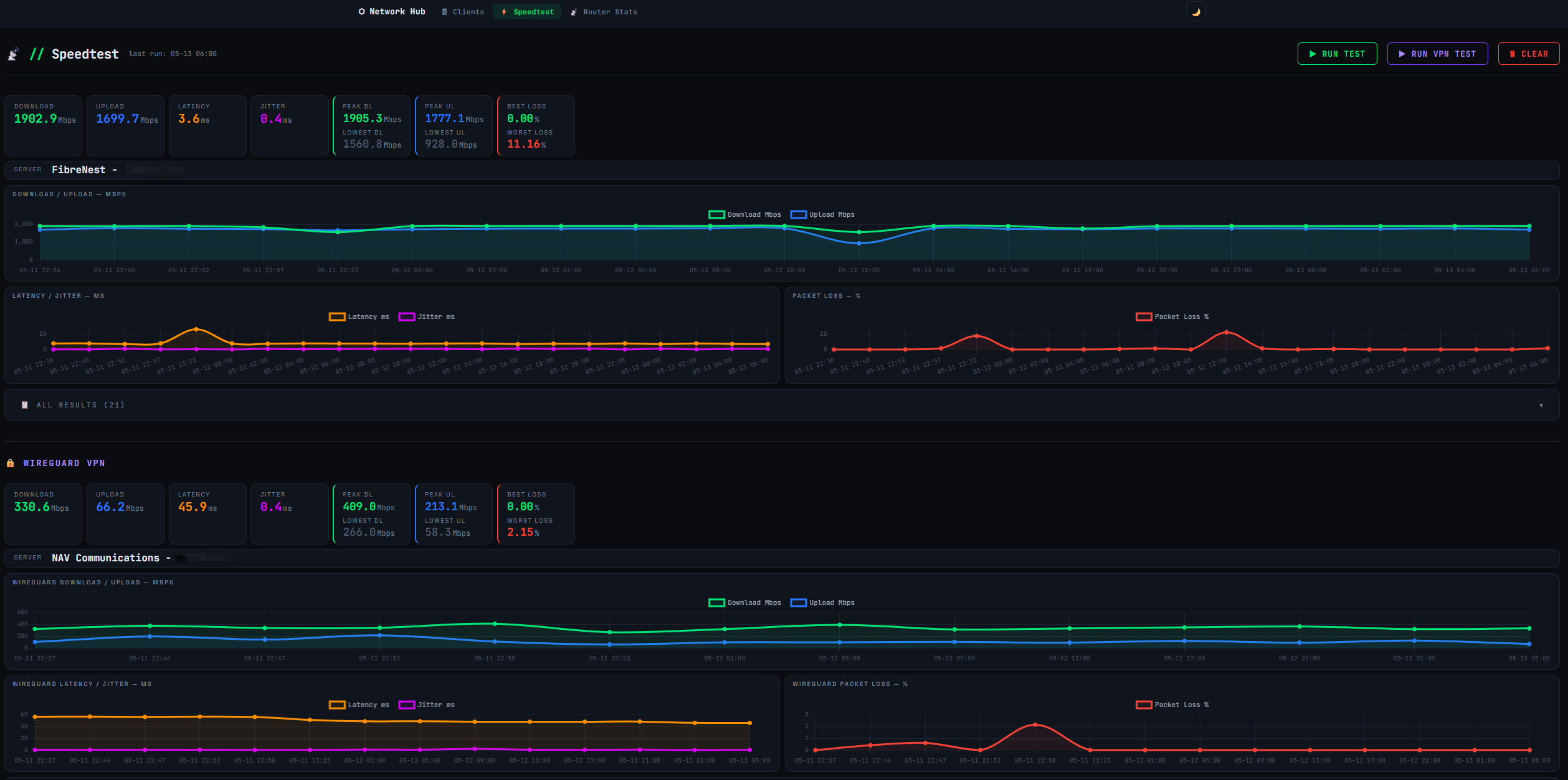
Very nice indeed … and now it’s from you I get an idea … nice touch that Wireguard stats panel and overall dashboard, I will integrate my tailscale into it… Just for fun 
1 Like
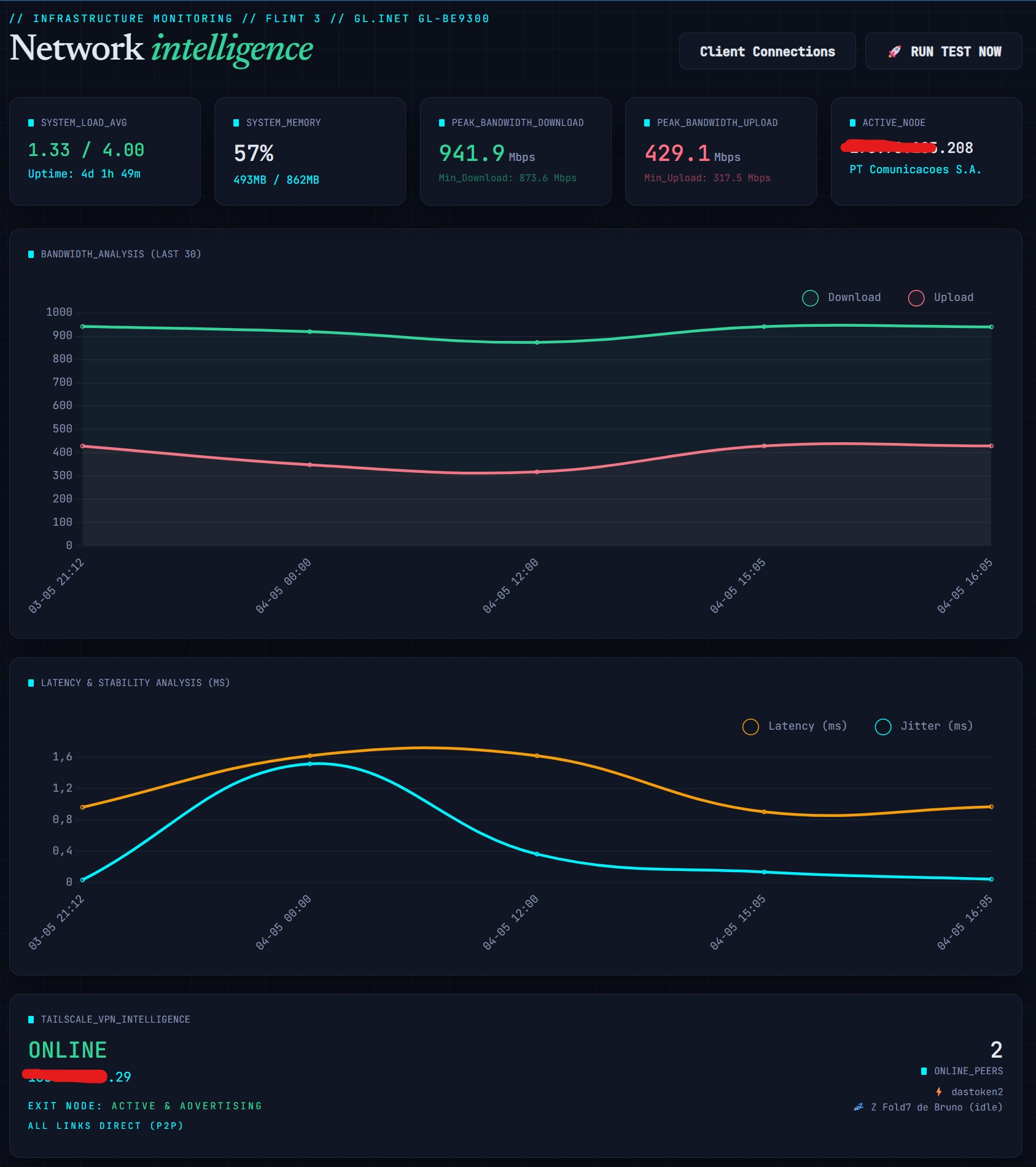
I decided not to mimic the speedtest with the tailscale network, instead I added a card with some info about the tailnet. I also added some CPU & RAM stats to the page.
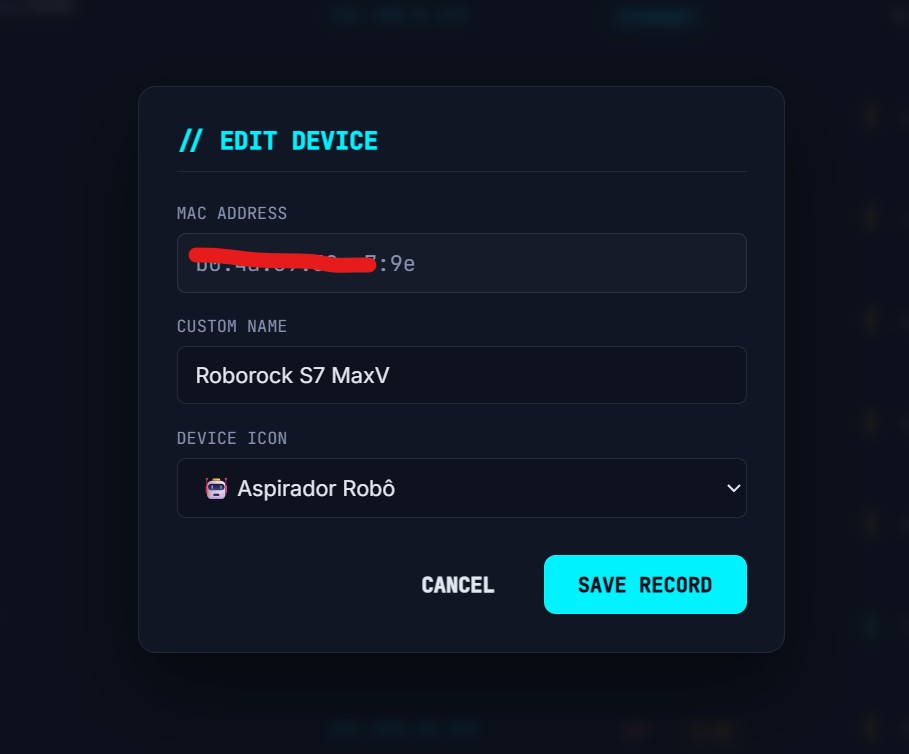
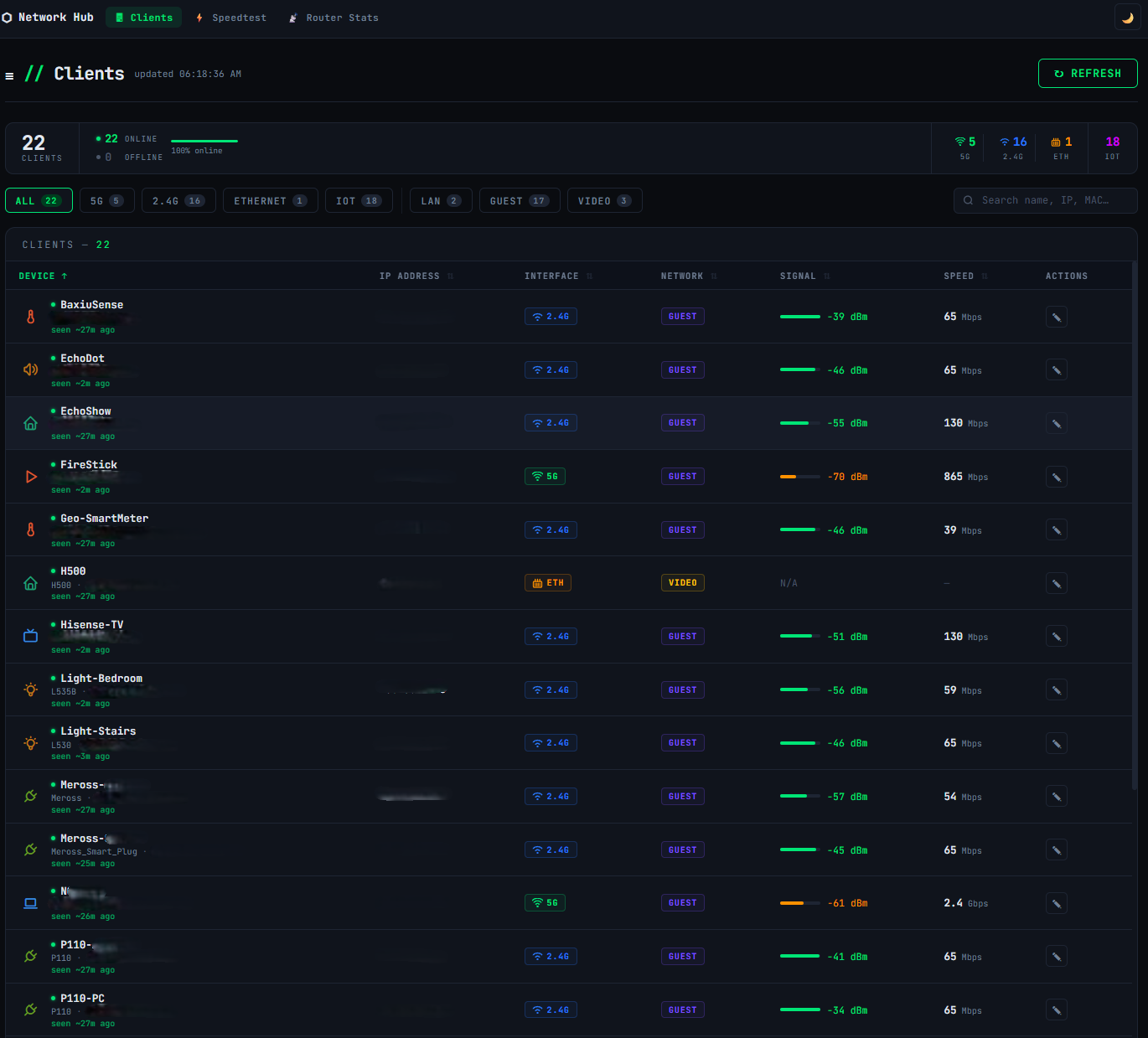
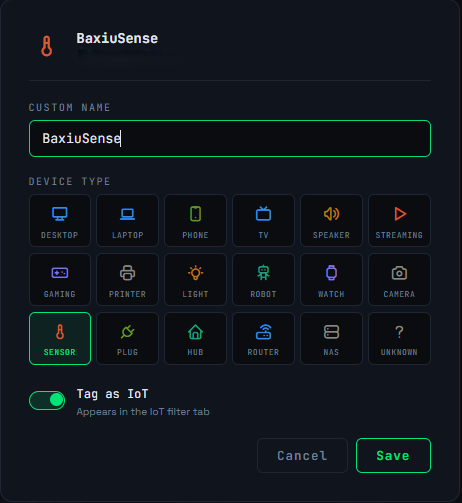
Well and since I find the official clients list lacking some more flexibility… a decided to create a complete new clients list page with customization (name and icon… more icons) and a mini database to save it all … oh boy.. that was challenging.
New clients page:
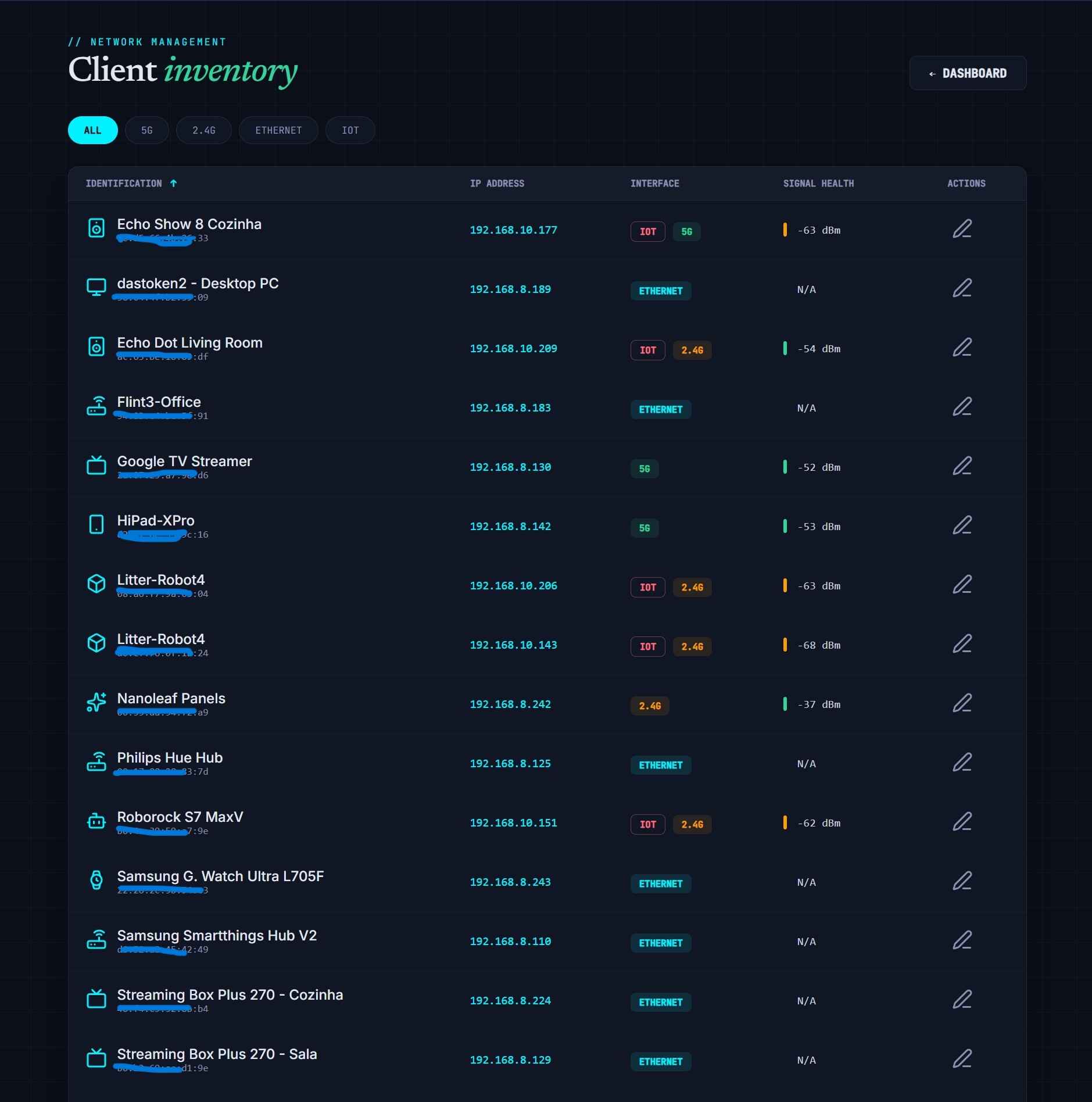
Edit: Don’t find strange to see a G. Watch with ethernet connection, this happens because it’s connected to a second Flint3 in AP mode that is connected to the Main Flint3 by ethernet, so the connection type stays Eth.
Edit window:
Hope you guys like it and find the inspiration for your own interfaces.
2 Likes
Can this be done on Flint 3?
Yes, the speedtest CLI binaries are the same, for the Flint 2 and Flint 3 use the aarch64 version.
Hi
Thanks for building and sharing!
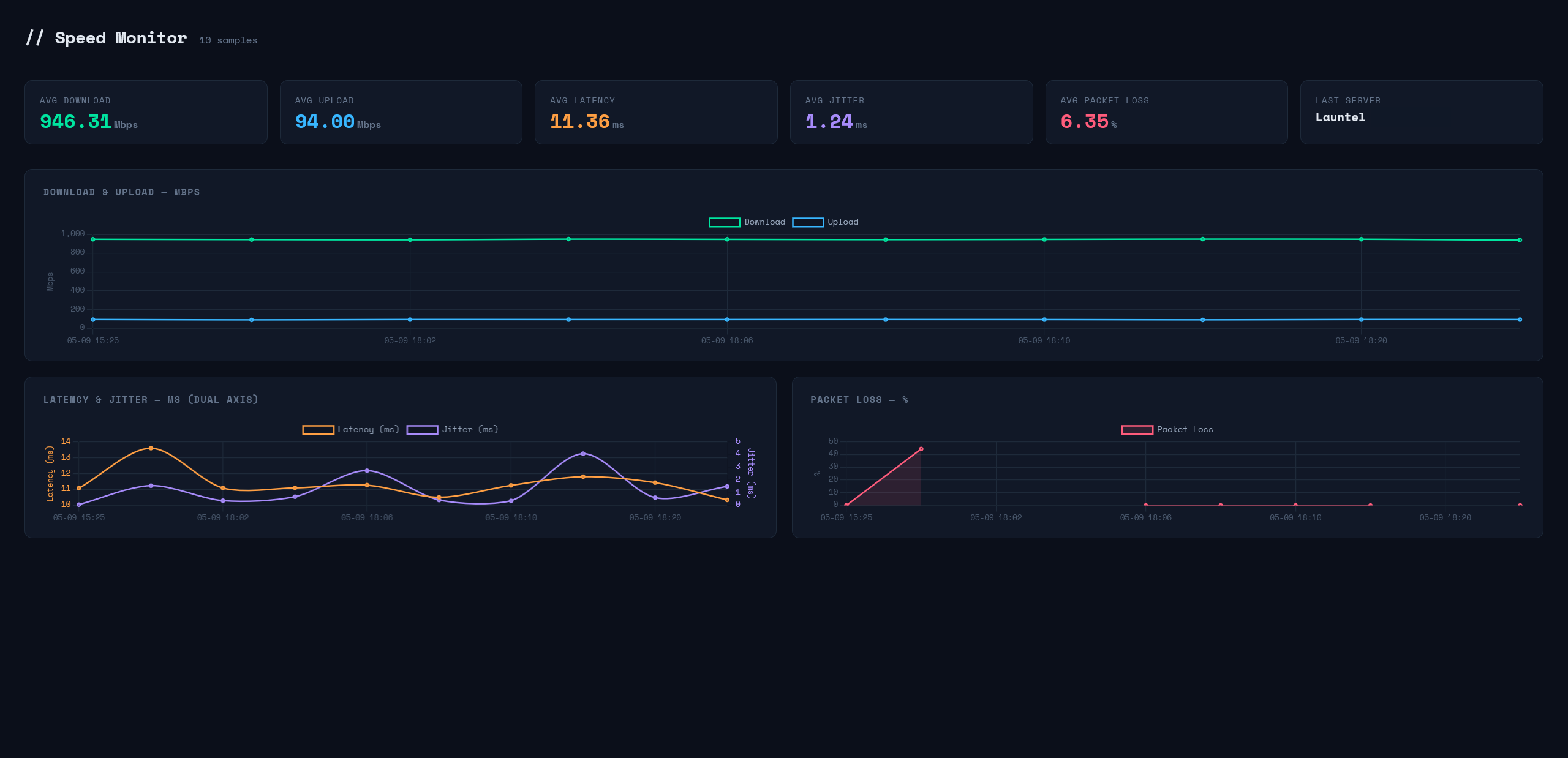
Thank you and to the OP thank you aswell. I had to modify the HTML code as it wasn’t working on Flint 3
1 Like
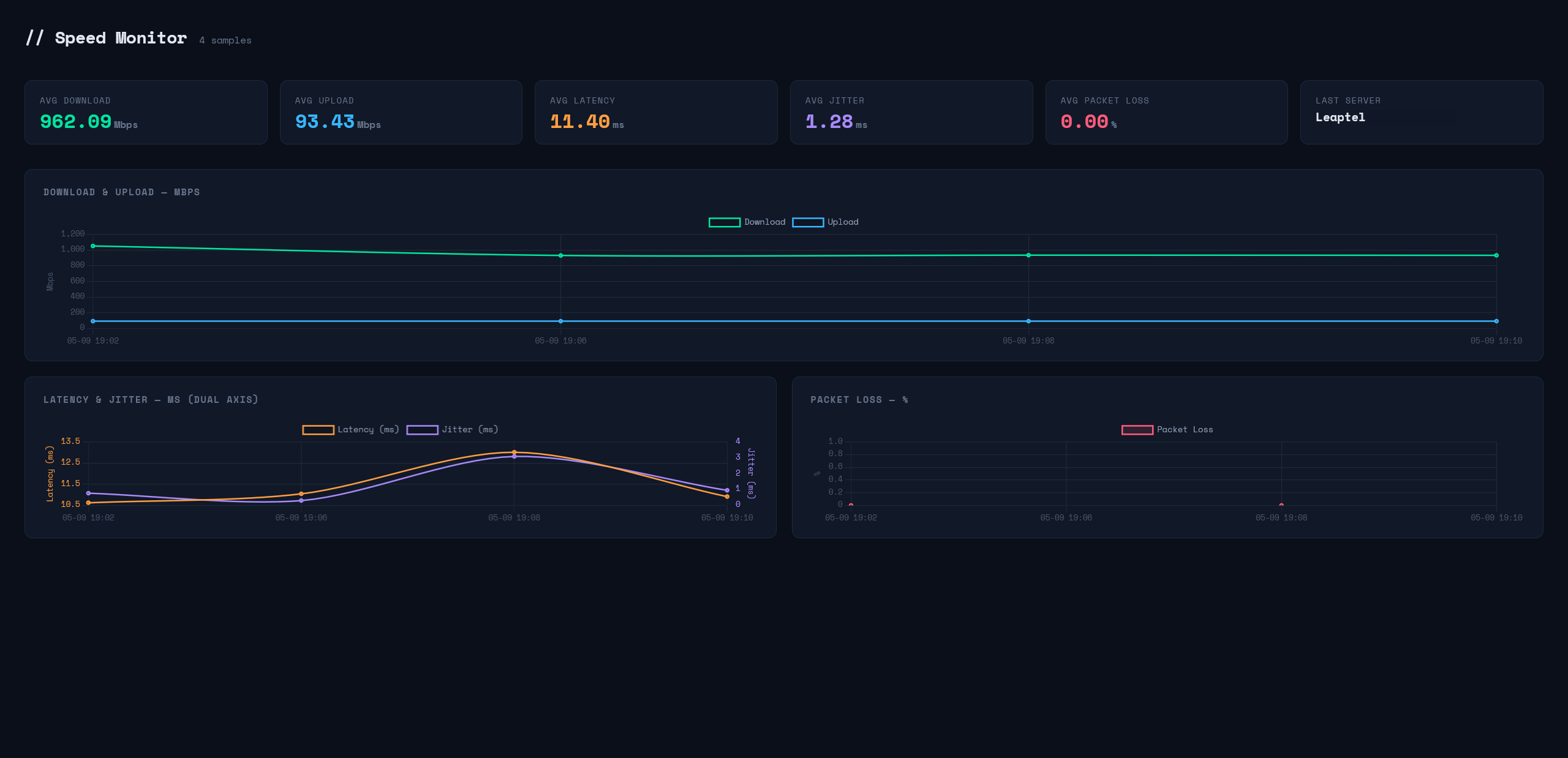
hmm just realised I get packet loss on Flint 3. I use it as an AP. But on my X86 Openwrt router no packet loss. hmmm. Going to need to do some investigation on it
1 Like
Nice to see people diving in and make some great custom pages.
Regarding the initial tutorial from @eightace yes, for the Flint3 ( the one I have ) I used it as an initial draft for the idea, than I started to add several other stuff to bump up functionalities, the html was 100% changed since the original was too basic.
Just a tip regarding the speedtest CLI execution, the script will try and guess what’s the best server to connect, but you can select your favorite one, if you ssh into the flint and use this command:
/root/speedtest -L
You will get the 10 closest servers for your location, then use the provided ID for the one you want to force the script to use like this:
RAW=$(/root/speedtest -s 1234 --format=csv --accept-license --accept-gdpr --progress=no 2>/dev/null)
Where the -s xxxx specifies the server ID you choose.
This is important, for ex in my case I was getting better results running the speedtest in my desktop PC by choosing my closest server compared to what the CLI version was getting, after changing this parameter the CLI from Flint started to give me the same best results.
1 Like
Nice! thank you so much for sharing.
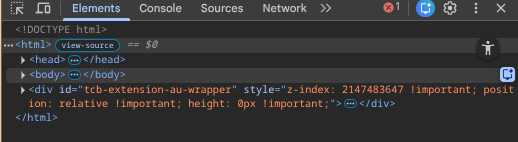
Hokay , not big on html. At 192.168.8.1\speedtest.html (used nano to copy and paste), I get a blank white screen. On inspect I get this error. Solutions?
@gimbleguy would you be willing to share the html code for your setup? That looks like would suit me perfectly
Sure. Here you go: Speedtest Monitor - Pastebin.com
1 Like
I noticed my Firefox sometimes doesn’t refresh. I have to press Ctrl Shift R, to refresh. Using Microsoft Edge Browser is no issue