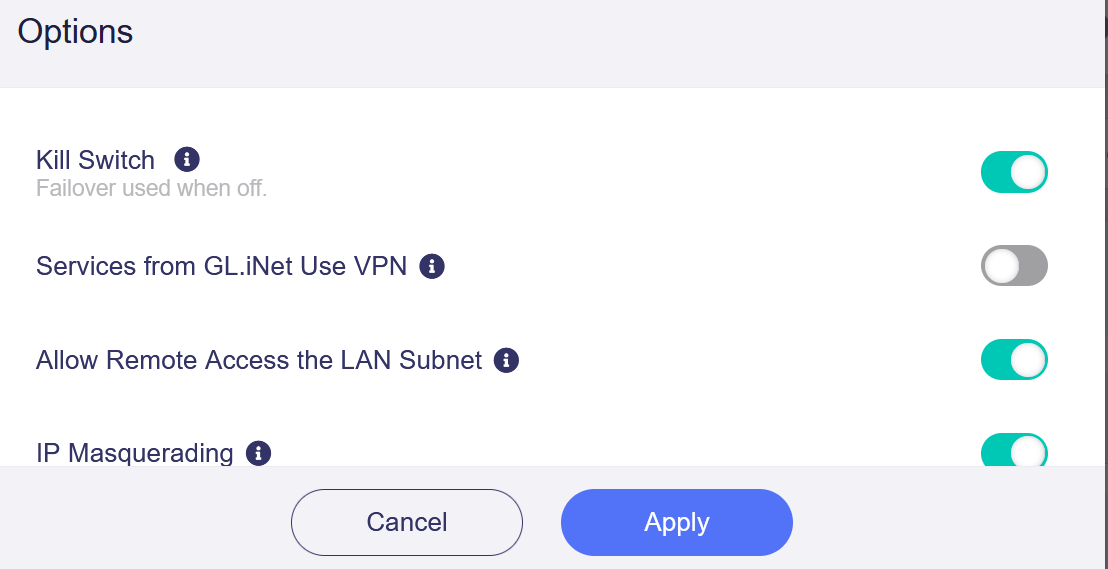
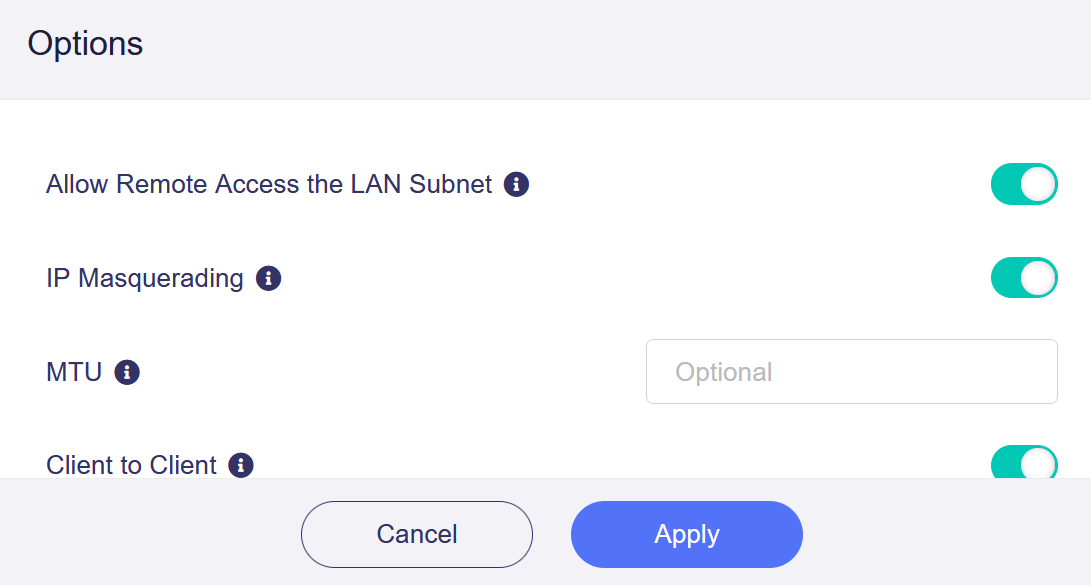
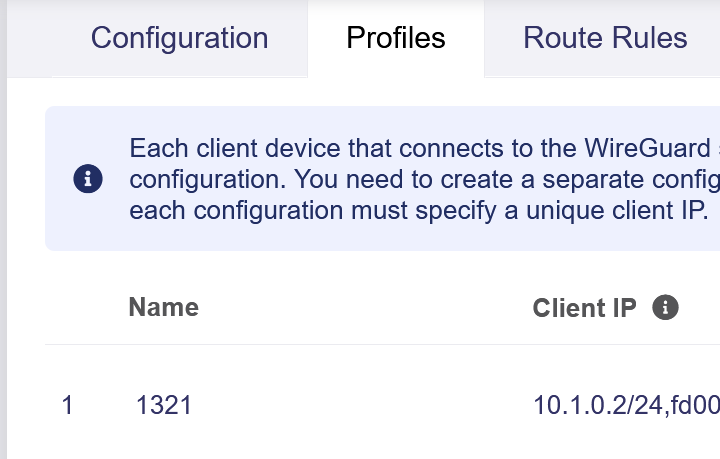
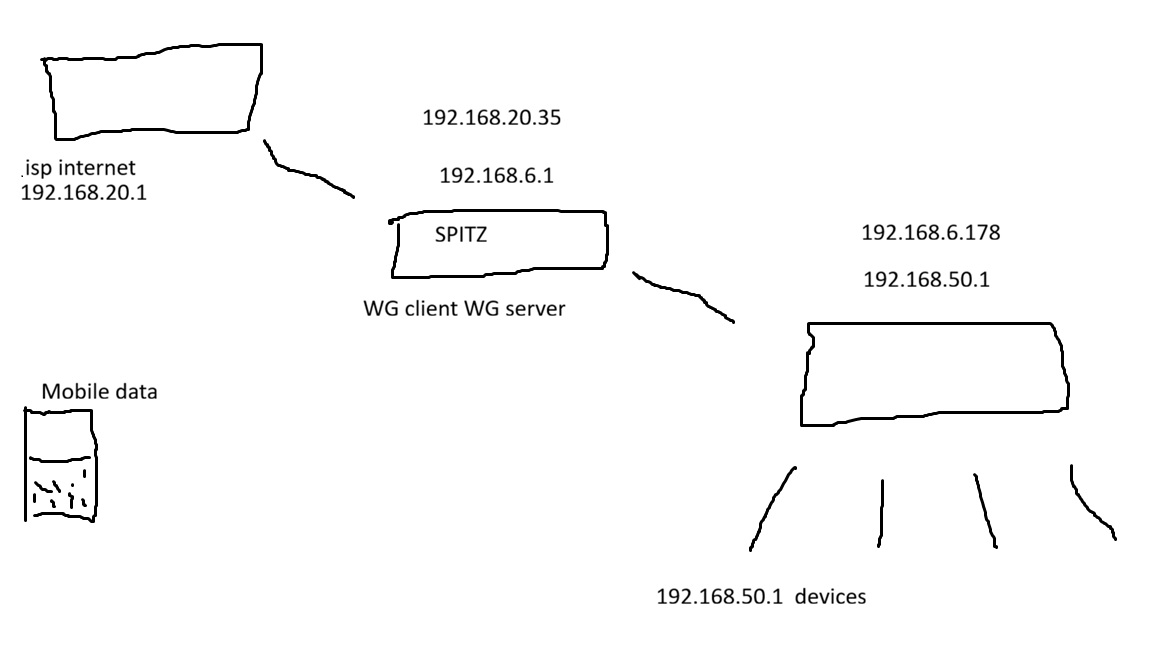
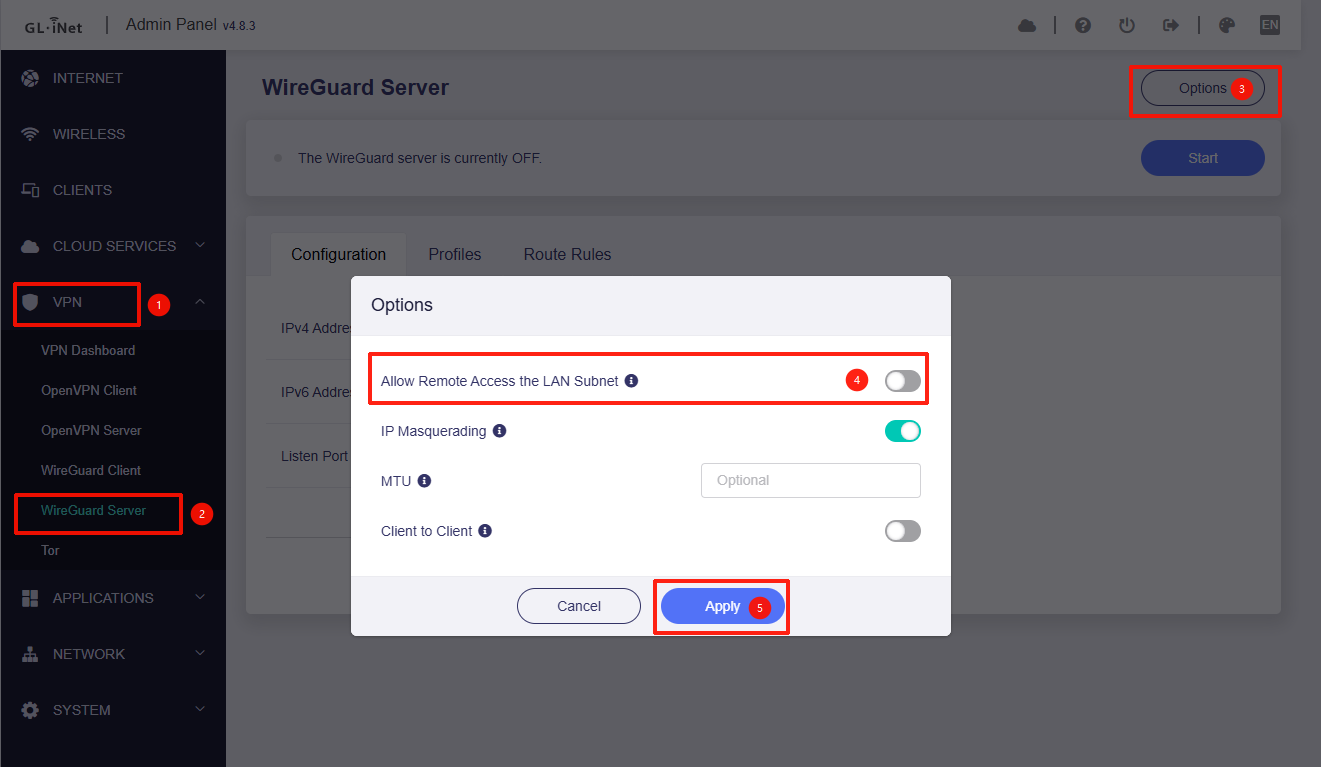
I can access the Spitz admin panel (192.168.6.1) from mobile data on WG server, and I have WG client internet, but I cant access downstream router on 192.168.50.1 or it’s devices.
Spitz can ping downstream router and vice versa.
PING 192.168.50.1 (192.168.50.1): 56 data bytes
64 bytes from 192.168.50.1: seq=0 ttl=64 time=345.853 ms
64 bytes from 192.168.50.1: seq=1 ttl=64 time=40.885 ms
64 bytes from 192.168.50.1: seq=2 ttl=64 time=47.373 ms
64 bytes from 192.168.50.1: seq=3 ttl=64 time=42.657 ms
64 bytes from 192.168.50.1: seq=4 ttl=64 time=54.107 ms

--- 192.168.50.1 ping statistics ---
5 packets transmitted, 5 packets received, 0% packet loss
round-trip min/avg/max = 40.885/106.175/345.853 ms
Yes, the 192.168.50.1 router is connected via Ethernet cable to the Spitz, it gets its internet WAN from the Spitz.
And yes, from mobile id like to access 192.168.50.1 and all of its devices….
At the moment using the WG server of the Spitz, I can only access the Spitz from my mobile. I cant access the downstream router or its devices on my home network.
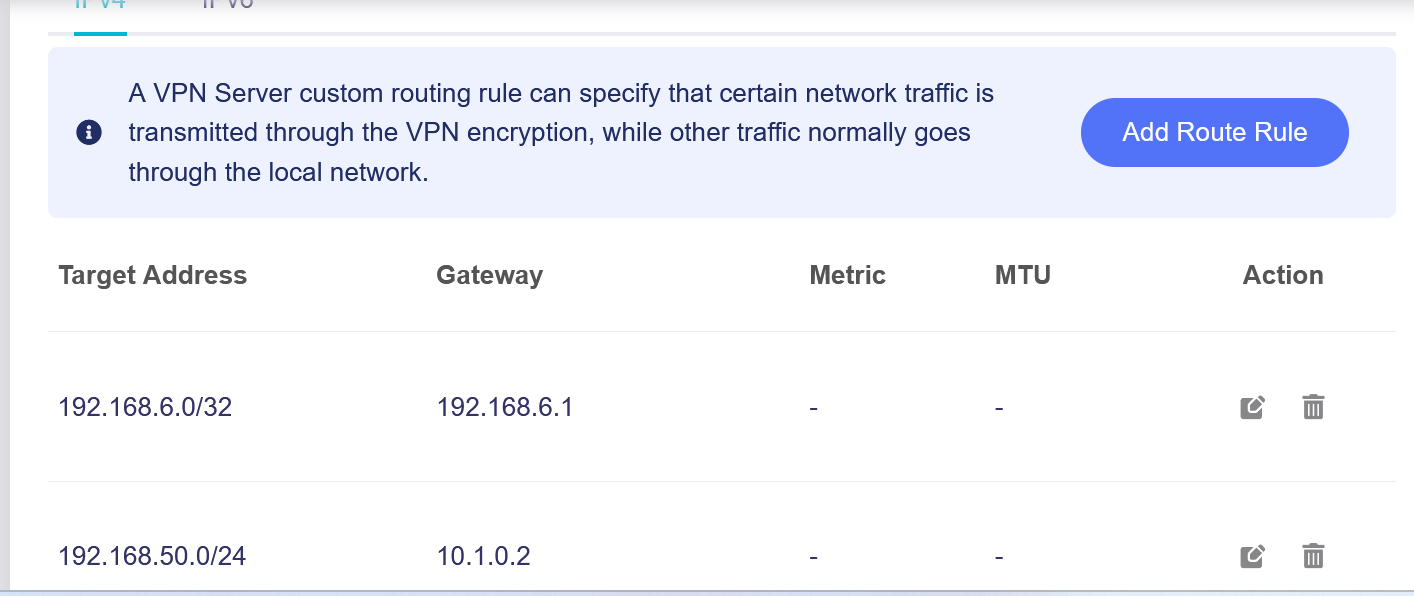
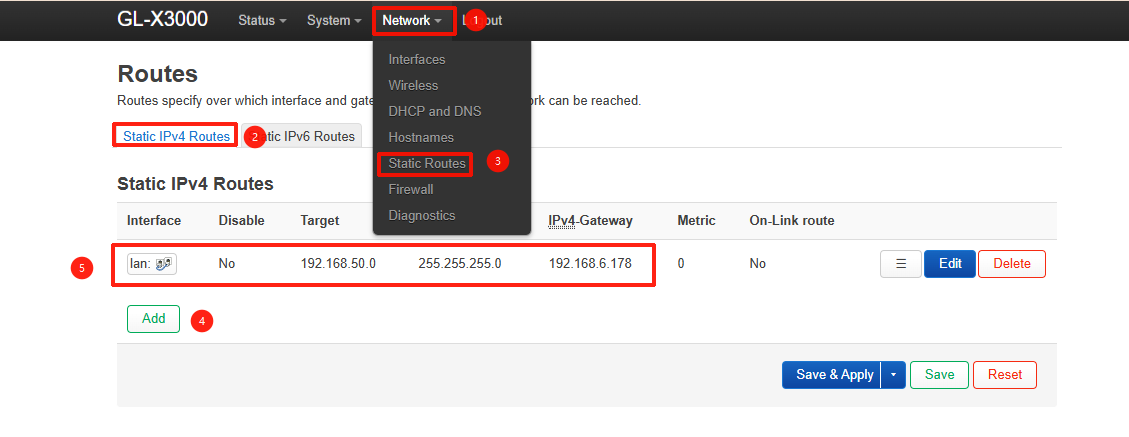
Add a Static Route: To tell the Spitz AX how to find the 192.168.50.x network, navigate to LuCI > Network > Routing > Static IPv4 Routes and add a new route:
Interface:lan
Target:192.168.50.0/24
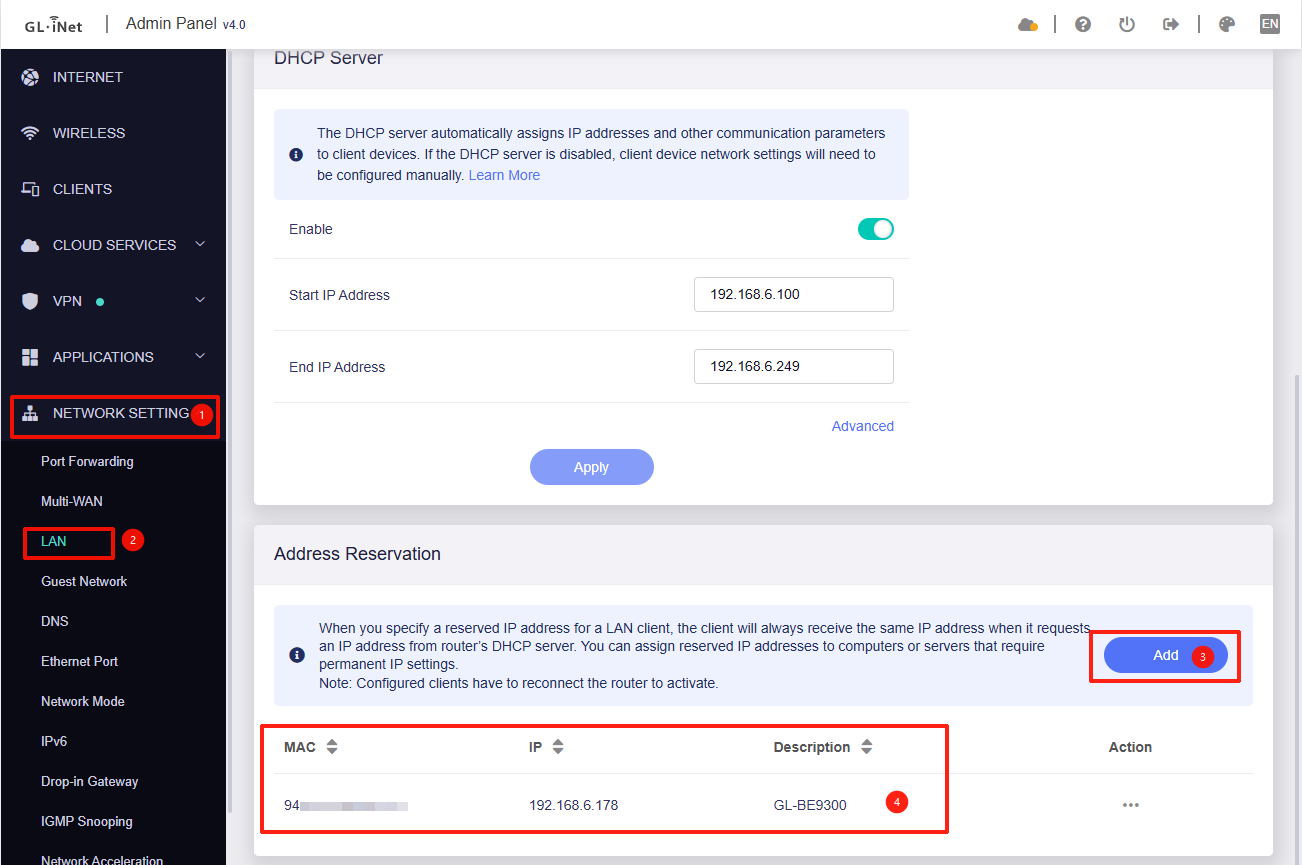
Gateway: [Enter the IP address that the Spitz AX has assigned to the downstream router].
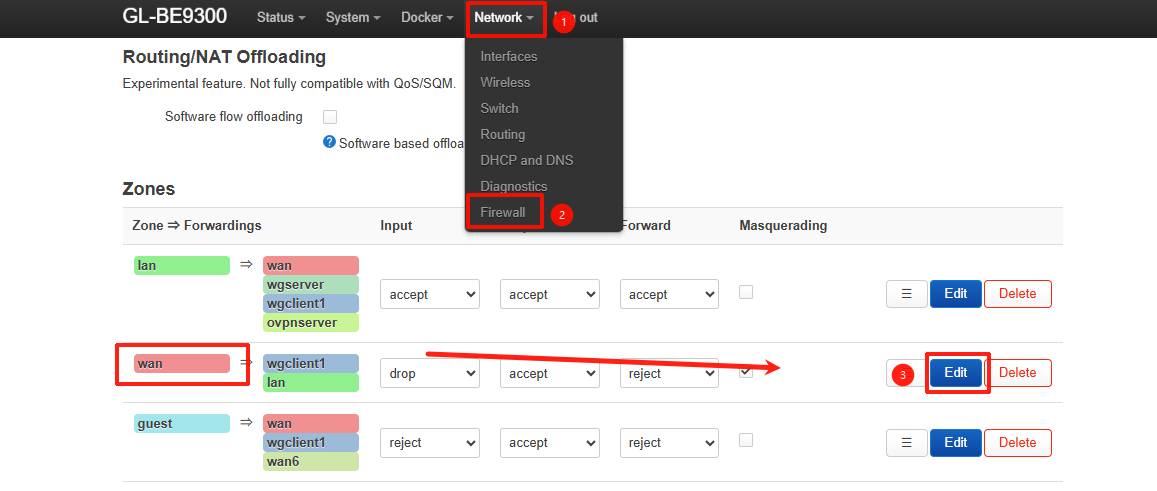
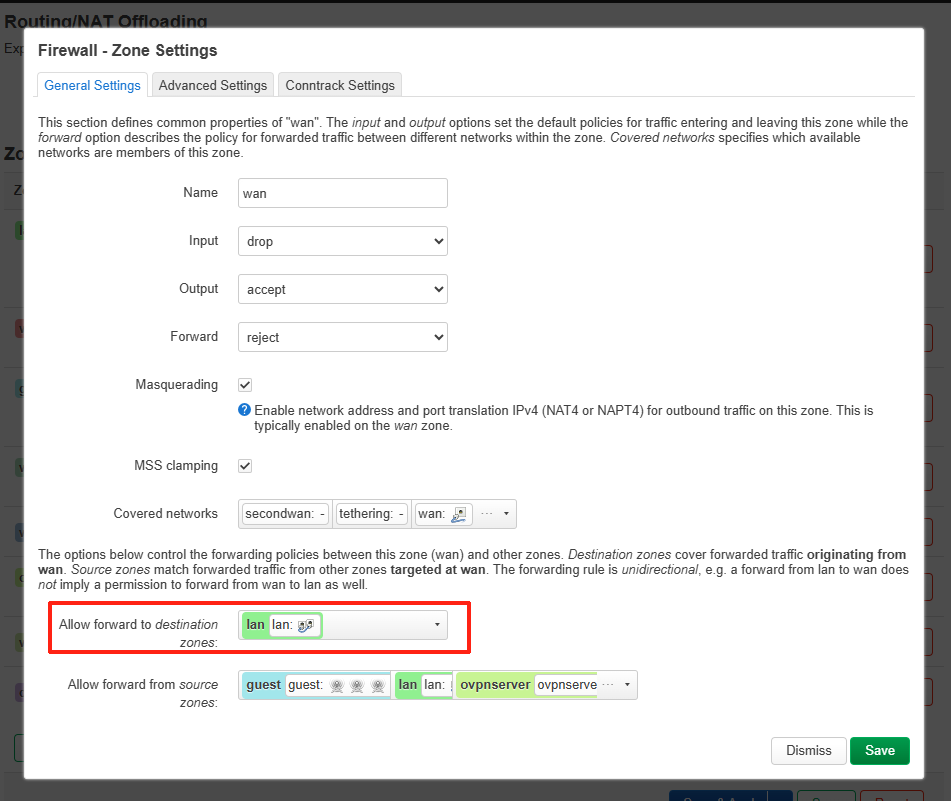
Firewall Adjustment: By default, routers block incoming traffic on the WAN port. To allow the WireGuard remote traffic through, go to LuCI > Network > Firewall and modify the WAN zone to allow Forwarding to the LAN zone.
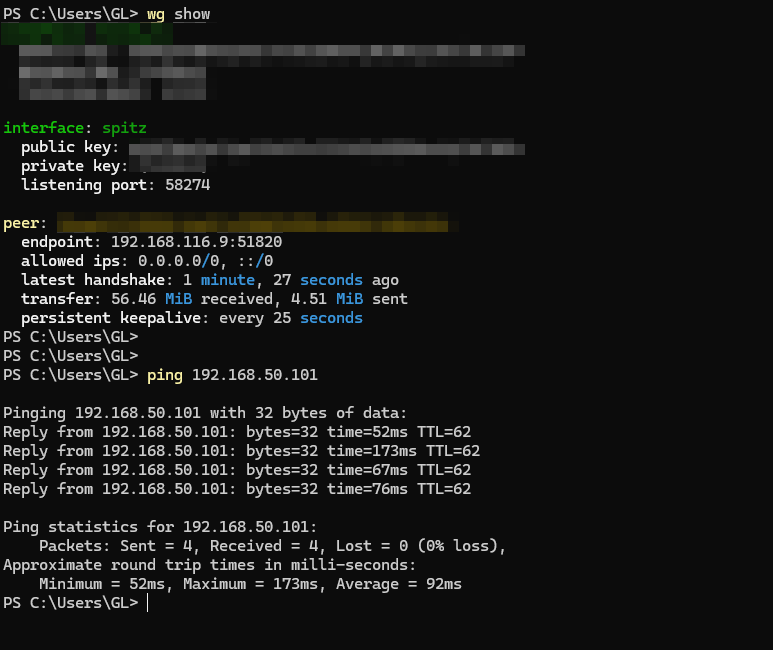
Verification: Once these steps are complete, your mobile WireGuard clients will be able to reach the downstream router and its connected devices directly.