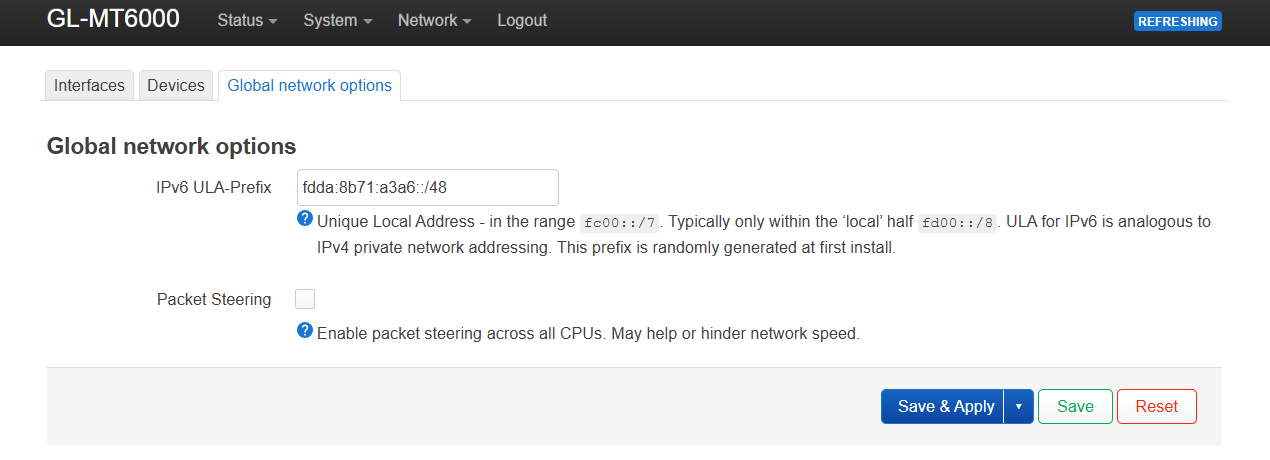
My internet is around 1000 download 100 up speed but I sometimes get lag when playing online (I have 4 xbox's shared with my brother). All 4 xbox's have a static ip address assigned to them (infinite lease time). 2 are wired and 2 are on wifi but I rarely play all 4 at the same time anyway and usually use the 2 wired devices only.
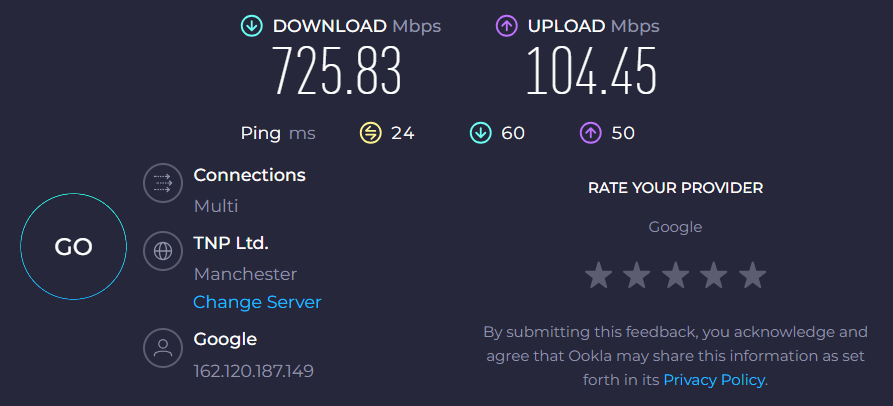
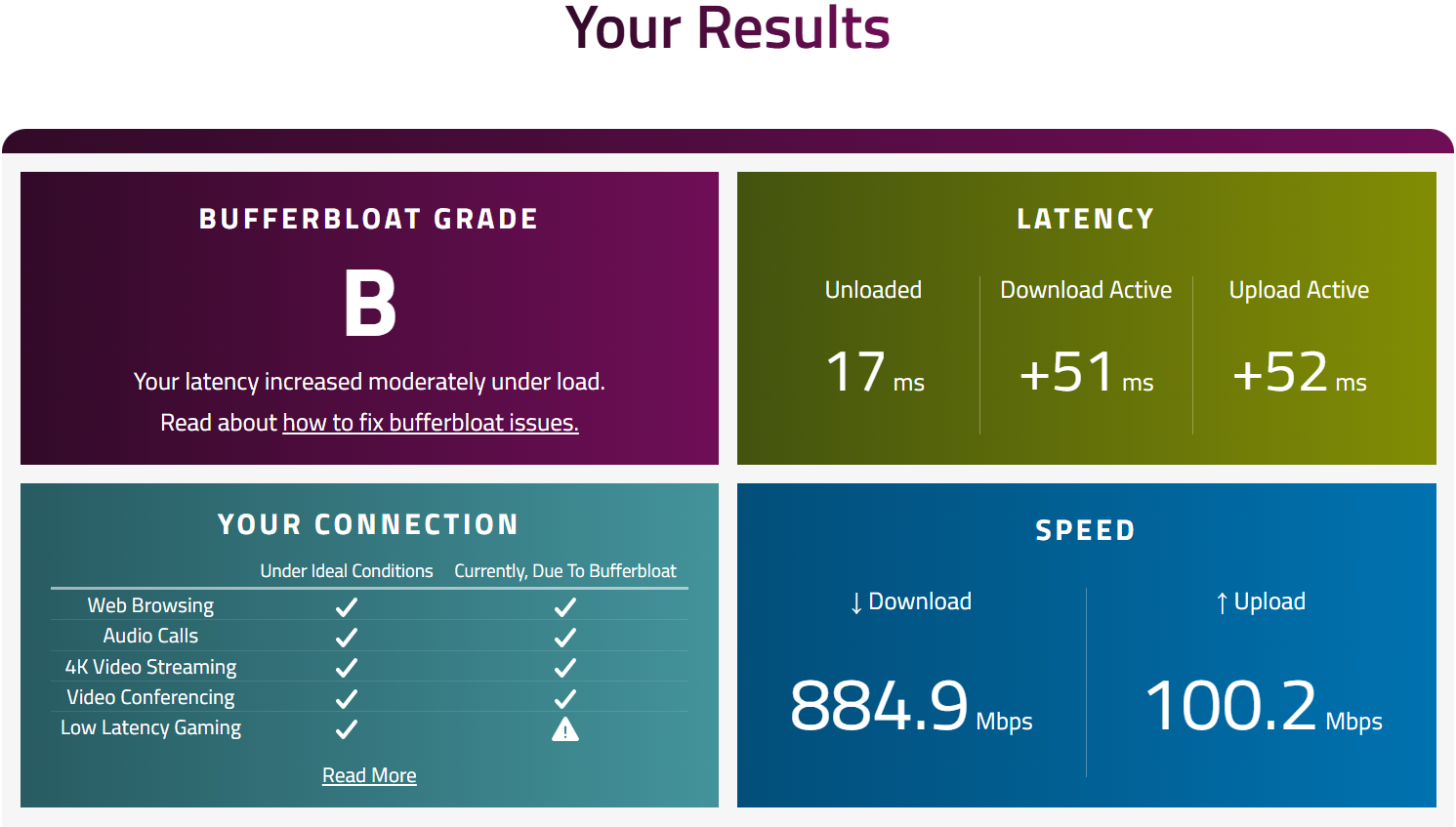
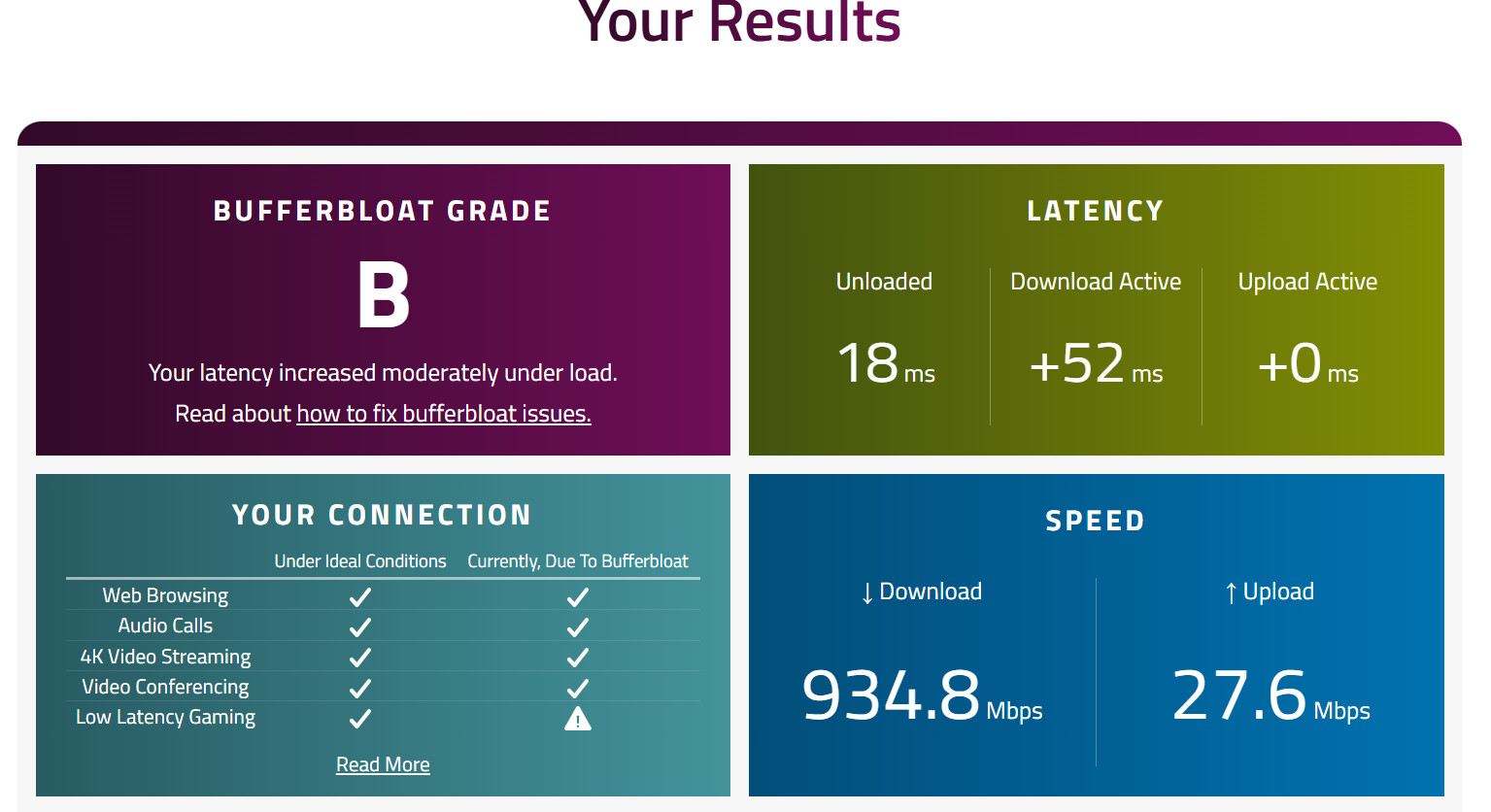
This is a speed test with no sqm changes made (so default everything - network acceleration is turned on - hardware acceleration in the admin panel settings):
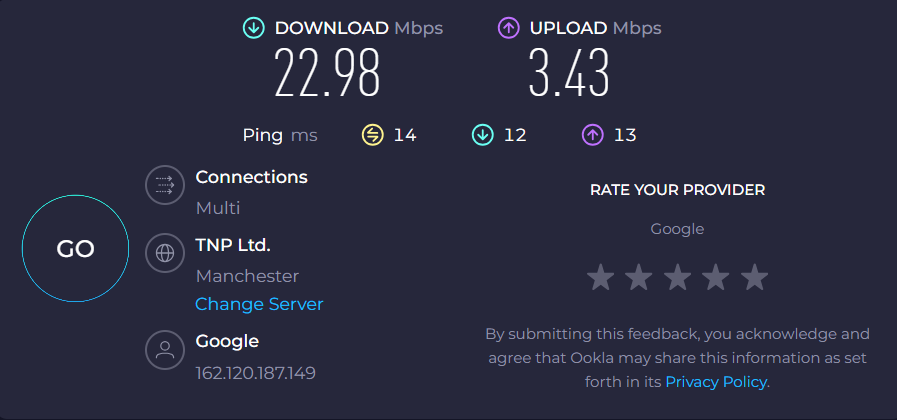
I messed about with the SQM settings and found that in order to get an A+ bufferbloat grade and actually experience no lag when playing Xbox, I have to cap my upload and download speeds significantly as you can see below:
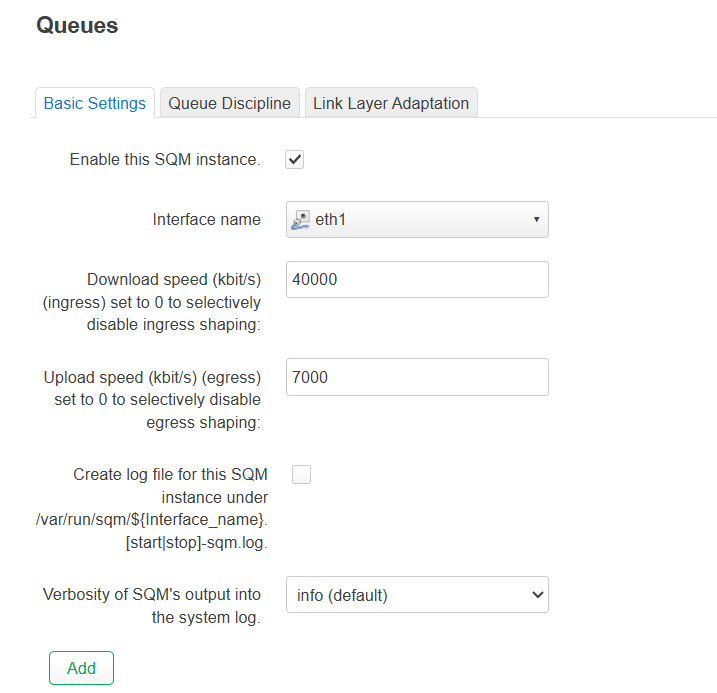
Capped to 40mb down and 7 mb up. Anything more than this does not show an A+ grade and I do get the occasional unstable connection message when playing games like fc26.
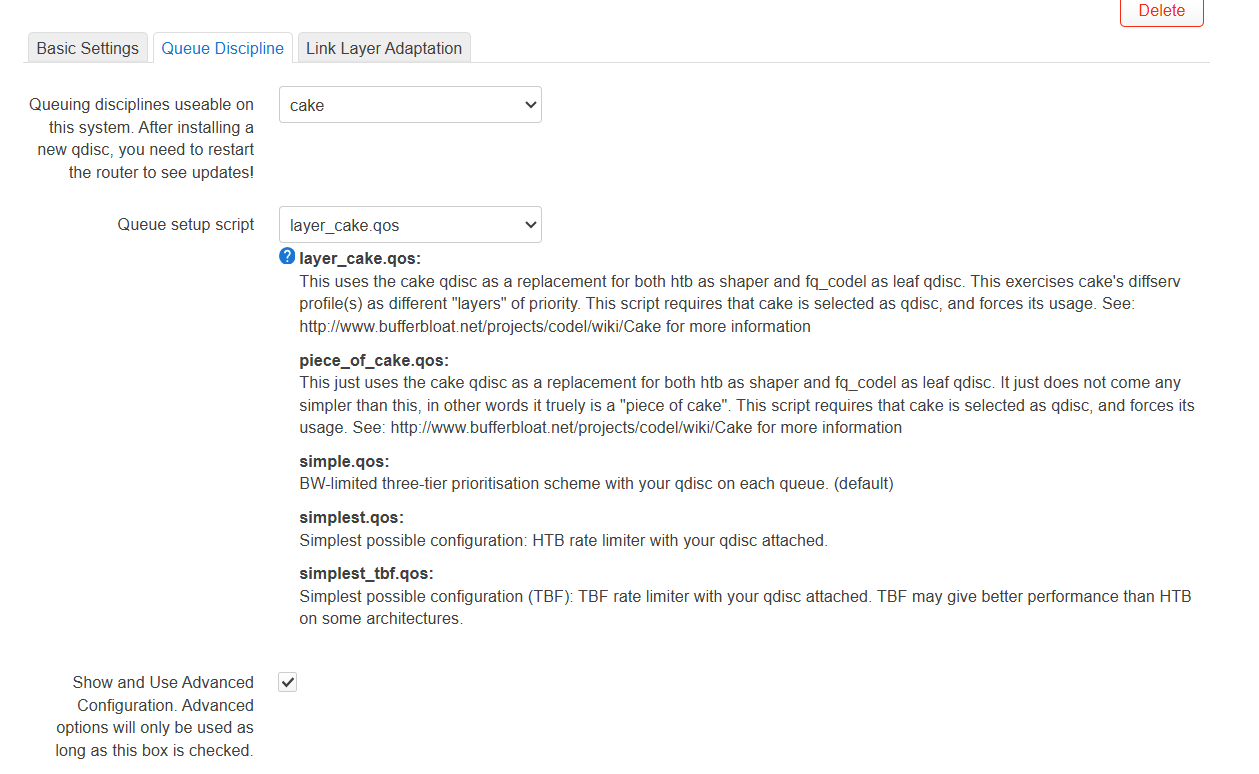
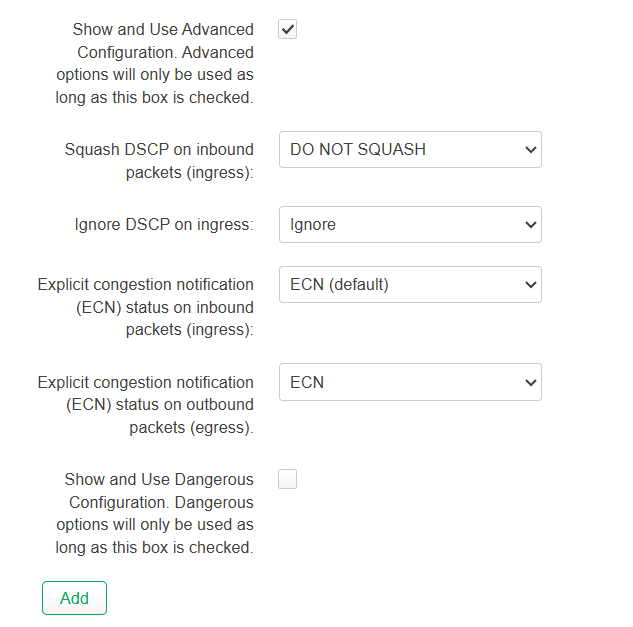
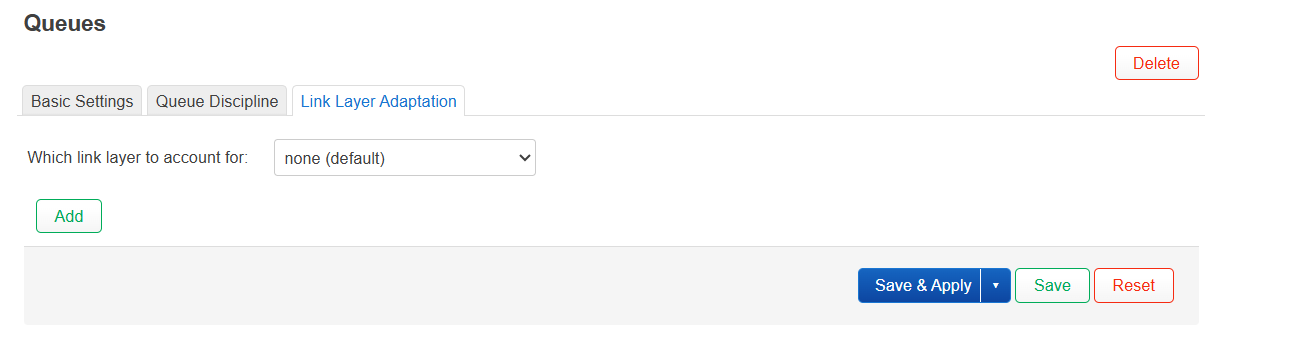
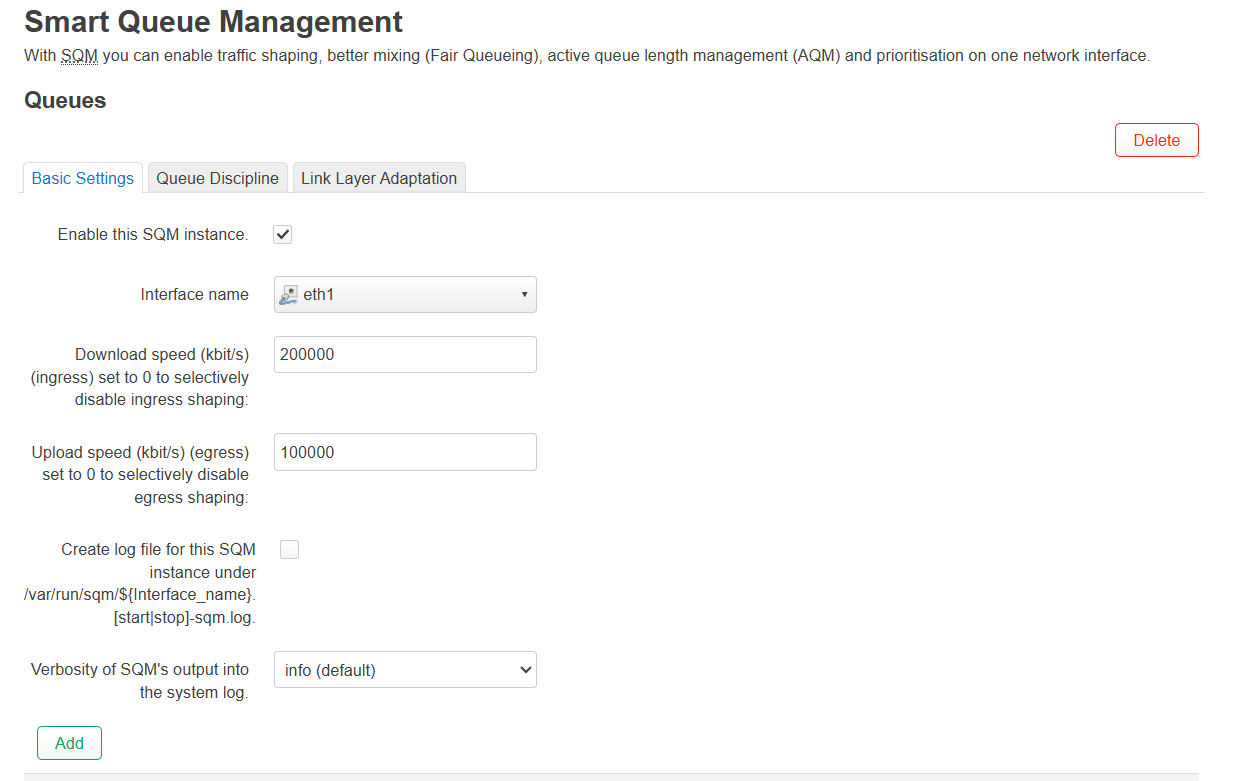
Here are my settings for this below. I would really appreciate some assistance as I feel i'm doing something wrong as surely I should not have to cap my bandwidth that much? It also causes an issue for everyone else in my house as this bandwidth cap is to the wan, so all my devices so even when my Dad is watching a youtube vid/s (with these settings applied) whilst me and my brother are playing can cause the video to lag/long time to buffer (gaming is fine). All I really need is for the bandwidth to be capped for the 4 xbox's only (not all the devices in my house like mobile phones, firestick, etc)
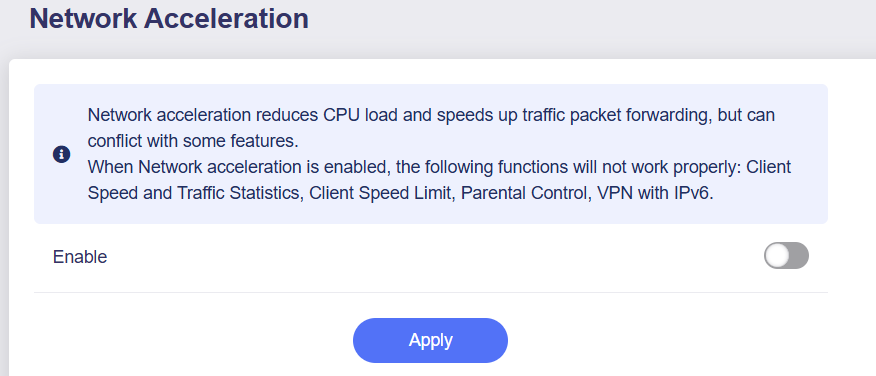
Network acceleration is turned off when I enable the SQM instance btw.
Packet steering is off (I tried turning it on but don’t think it helped)
Any ideas as I really think my settings are wrong.
Are your modem connected in bridge (passtrough) mode? modem in router mode could increase latency. Enable packet steering with all cores, because if you disable HW Offloading and enable SQM, your CPU should manage all packets and is better if you distirbute work across all cores.
You can have bufferbloat in many points in your connection: Wifi (not an issue because you are wired), your router, ISP modem, even ISP infrastructure (traffic shaping, load balancing, etc), so even usually your router could be the buffer, is not the only reason of latency.
High latency is an undesirable thing, but you have to balance: If you reduce throughput, you should obtain low latency because data flow is also reduced, but if you pass the point that your throughput is so slow that is unusable, i would prefer to have some latency and better throughput.
Take into account that hardware offloading should improve your throughput (specially with 1Gb download link) and some of the latency because packets use a different high speed route that allows to bypass cpu processing. SQM prioritizes packets at the cost that CPU has to process all packets, so you take a throughput hit, and if your processor receives more packets that it can process, can be so busy that actually increases latency (thats why you should consider packet steering to all cores).
I won’t help fix the issue unfortunately, but I would just want to share that I was also trying to fix bufferbloat on my Flint 2 yesterday and I wasn’t able to do it.
I have my ISP modem in modem mode, not in router mode. I have similar settings as you (I didn’t change the advanced settings in the queue discipline tab though) and the lowest I could go is like +15ms with download active. I was only able to get +0ms on upload.
I’m on 600/30 connection. The download latency stabilizes once I get throughput lower than 500/450Mb, it gets to around +15ms and stays that way no matter how low I will go. My understanding is that sometimes ISP itself is the problem and they have bufferbloat on their system, so no matter what you will do with your router it will be always there.
I think there are a few important points worth clarifying:
SQM is designed to mitigate bufferbloat issues.
Bufferbloat generally only occurs when the broadband link is fully saturated, as that’s when buffers actually get filled.
(So if your connection is rarely saturated, you may not need to enable SQM at all.)
SQM must apply to all devices; otherwise, it cannot effectively manage queue sizes to mitigate bufferbloat.
(This means you can’t limit only some devices while leaving others unrestricted.)
Given that your main goal is gaming optimization—and your download bandwidth is much higher than your upload bandwidth, which makes downstream saturation less likely—we recommend the following:
Leave the SQM download rate set to 0 (i.e., no limit).
Focus on tuning the SQM upload rate, and run a bufferbloat test while paying attention only to the Upload Active result.
(In-game latency + Upload Active latency below ~60–100 ms is usually good enough for most games, except very latency-sensitive FPS titles.)
Also keep in mind that in-game latency fluctuations are influenced by many factors, such as the path from your ISP to the game server and the server’s own load. This means that even after tuning SQM, some latency variation can still occur.
Thanks for the replies all. My download is roughly 1gb and upload is 100mb any ideas what figure to put in the boxes at all please to get an A+ rating?
My current settings now:
packet steering is: on
hardware acceleration: disabled
If this is the result after a series of adjustments on your end, then it’s likely already the most suitable configuration for your current environment.
Since SQM is not applied to the download, your family can continue using streaming services normally.
For the upload, with Upload Active showing a latency increase of +0 ms, bufferbloat should not affect latency-sensitive applications such as gaming.
@jinz24 Are you using PPPoE or dhcp on the router? If its pppoe you want to use Cake I would suggest you should apply this to the pppoe-wan interface not eth1. Only use eth1 if your WAN is DHCP setup.
In addition, if it is pppoe you would want to set the link-layer adaptation to ethernet with overhead and set an overhead to a safe value of 44 (I forget what the correct lowest value is but you cant really go wrong with it being slightly too high).
You should be able to set the upload bandwidth to at least 90Mbps and still have 0 buffer bloat upstream with this config, you shouldn’t need to be as low as 30.
I’m using DHCP and I have multiple Xbox's. I'm actually using a tplink extension upstairs and using a ethernet cable from the extension into my Xbox as can’t directly use a ethernet cable from the flint2 router into my Xbox.
I'm using fq codel and simple and current settings are 200 mb up and 9mb down (SQM) in order for things to be ok ish.
It sounds like SQM isn’t solving your problem. If you are having to set it that low it’s either congestion on the Virgin Media side or latency introduced by the Wifi bridge.
SQM is designed to reduce latency in scenarios like you are uploading files to the cloud and maxing out your 100mbps upload, this is when SQM will keep latency increases from happening.
SQM can only help when the congestion is on your specific internet connection through the router, it will have no real effect on congestion inside virgin media or inside your home on other devices.
If you are having to set that low its more helping by luck to reduce the amount of traffic you can put on the wifi or into Virgins network that could be congested than doing the job its really designed to do.
Regards the download the CPU in the flint is probably not powerful enough to manage a gigabit connection (you need much more powerful CPU than is in these routers to do gigabit) so performance will be very restricted in this direction, this is why 0 (disabled) is recommended to not overload the Flint CPU.
Note upload/download in SQM settings is in relation to the port you configure it on the router. If on a LAN Port the settings are reversed. (LAN Port ‘download’ is towards your LAN device and ‘upload’ is from you lan device towards router)