I purchased the GL-X2000 and can get the set up working. I followed these insturctions, but still nothing:
Manually configure static IP on client devices - GL.iNet Router Docs 4
T-Mobile SIM card. Any help would be greatly appreciated. I need it to be a static IP for my office.
Hi
Could you please provide more details regarding your specific requirements?
The tutorial you referenced covers configuring a static private LAN IP address (not a public IP address) on the client side. This is typically applicable for devices that cannot automatically obtain an address via DHCP, or in scenarios where the DHCP server on the router has been disabled for a specific reason.
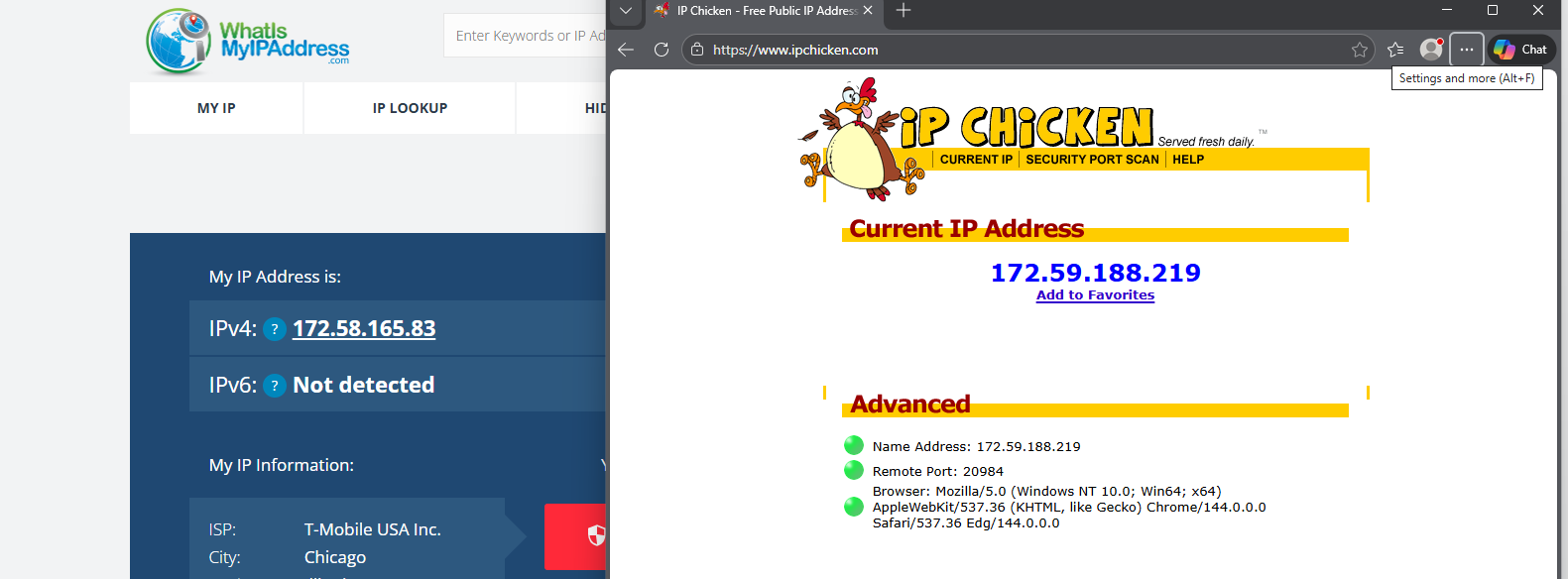
So we need to have a static IP address to upload to a remote VPN server. I looked up my IP address and it shows 2 different IP addresses. I thought setting the router with a specific reservation would resolve the static address. The ipv4 remains the same for the internet address, but when we look it up like with IP Chicken or What is my ip address it is different.
I need the static address to stay the same to use the external server to upload docs. I even bought a static ip from IP Burger, but nobody seems to know how to assist with assigning it to this router.
If you need the GL-X2000 itself to directly have a static public IP, you may need to contact your ISP to ask whether they can offer a plan that provides this.
However, if you only need to ensure that devices connected to the X2000 access the internet through a single static public IP so that a server can perform some form of access control, then you can indeed use a VPN provider that offers static IP addresses for this purpose.
Just make sure the provider supports OpenVPN or WireGuard. You can then configure it on the router by following the tutorials below: