I have a Flint 3. I have noticed that my synology NAS appears online then offline every few seconds in my clients list. This issue has been occuring for several months and I have confirmed no IP conflict, ports on the NAS are functioning fine, changed ethernet cables, cleaned ethernet ports, tried connecting to different ports on the router, tried both ports on the Synology. Nothing I do keeps the device connected in the devices list. The Flint 3 is new to my network. I did not notice this issue when connected to my old router.
Hi,
Thank you for providing the detailed information and for completing the previous cable and port checks.
We would first like to confirm whether this behavior only affects the status displayed on the Clients page. When the NAS is shown as Offline, can you still access it normally, such as opening the DSM interface or accessing the files stored on the NAS?
If the NAS remains fully accessible while it is displayed as Offline, the issue may be related to the client status update rather than an actual network disconnection.
If the NAS also becomes inaccessible when it is shown as Offline, it would be helpful if you could let us know whether DSM access and file access are both affected.
This information will help us determine whether the issue is limited to the status display or involves an actual network interruption.
Thank you for your patience and cooperation.
Thank you for your reply. I appreciate any guidance you can offer.
The behavior is only affecting the client status displayed on the clients page. I am able to access the NAS normal.
Hi,
Thank you for update.
The network connection itself appears to be working normally, and the behavior may be related to how the NAS status is updated on the Clients page.
Could you please check whether the following option is enabled in Synology DSM?
Control Panel → Network
General → Advanced Settings → Reply to ARP requests if the target IP address is a local address configured on the incoming interface
You may refer to Synology’s Network Routing guide for the detailed steps.
If this option is currently disabled, could you please enable it, apply the change, and then observe whether the NAS continues to switch between Online and Offline on the Clients page?
Thank you again for your patience and cooperation.
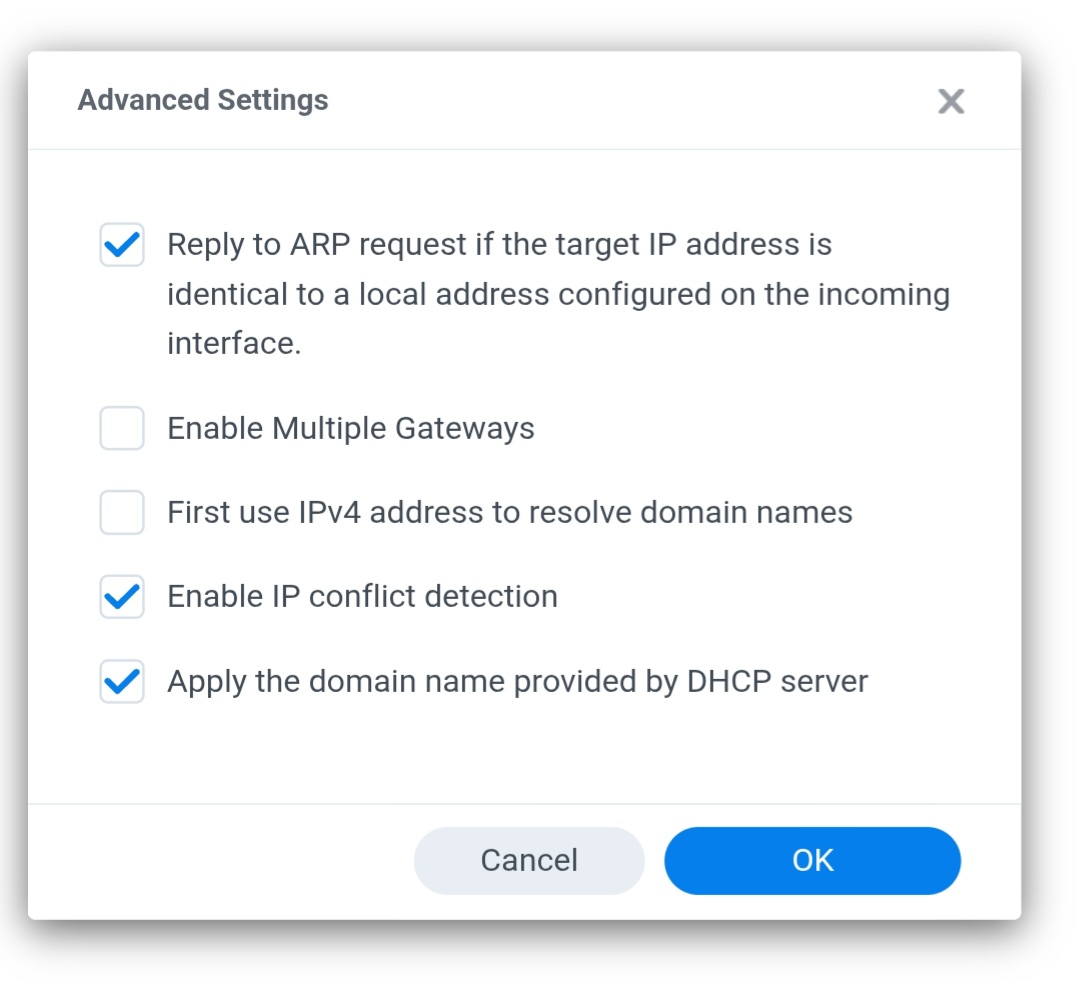
Hi,
Thank you for update.
Since the NAS remains accessible when it is shown as Offline, and the ARP-related setting is already enabled, this appears less likely to be caused by an actual network disconnection.
To help us further understand the behavior, could you please confirm how the NAS network interfaces are currently configured?
- Are both Synology LAN ports connected to the Flint 3, or is only one LAN port being used?
- Is Link Aggregation / Bonding (such as Adaptive Load Balancing) enabled on the Synology NAS?
Thank you again for your patience and cooperation.
I only have one ethernet from the synology to the Flint 3.
Link aggregation was turned on for a prior setup, but I have since deleted the bond from the interface. Now I only have one connected LAN interface, and the other interface is disconnected.
Hi,
At this point, the behavior seems more likely related to the client status detection or refresh mechanism rather than an actual connectivity issue.
We have recorded this behavior for further evaluation. If you notice connectivity problems in the future, such as DSM becoming unreachable or file transfers being interrupted, please feel free to let us know and we will continue investigating.
Thank you for your patience and cooperation.
Understood.
Update to this. My NAS recently had a motherboard failure. After an RMA the NAS is operational again however this online/offline issue still persists. I’m patiently waiting on a fix.