hello, i got got my gl-mt3000, and the tailscale verison is 1.80.3-1 (OpenWrt)
that is over 12 months old.
so, please, how can i upgrade it to latest stabe?
thanks much, david
hello, i got got my gl-mt3000, and the tailscale verison is 1.80.3-1 (OpenWrt)
that is over 12 months old.
so, please, how can i upgrade it to latest stabe?
thanks much, david
@Sskanse, thanks very much for the quick reply, but it looks very complicated and a bit scary.
in the past, i owned and used the micro-router usb stick and ar-705s-ext and would not expect them to support tailscale.
so, i spent a lot of money to purchase a new router with tailscale.
now, only to find the version of tailscale is approx. 15 months old!
i really would prefer an official solution from gl-inet.
It is neither complicated nor scary. Very easy and straightforward with only a couple of clicks.
ok, but now there are two ways, which one to choose?
https://www.reddit.com/r/GlInet/s/2isZYRc1lm
or
https://forum.gl-inet.com/t/script-update-tailscale-on-nearly-all-devices/37582
@admon, thanks much for the quick reply.
i noticed that
--no-tiny Uses full Tailscale binaries instead of tiny version
as i would prefer not using unknown third-party binaries.
no disrespect to you ;wink
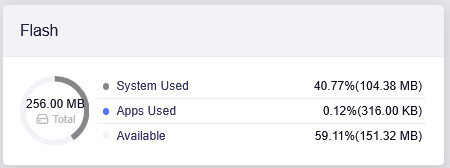
i think i have space for it and if i have a lack of space problem in the future, i could --restore
the reason i purchased the ml3000 is that it has 256MiB flash.
with my old ar-750s-ext, space was always an issue
correct?
root@GL-MT3000:~# df
Filesystem           1K-blocks      Used Available Use% Mounted on
/dev/root                56064     56064         0 100% /rom
tmpfs                   245692      5408    240284   2% /tmp
/dev/ubi0_2             160100       312    154952   0% /overlay
overlayfs:/overlay      160100       312    154952   0% /
tmpfs                      512         0       512   0% /dev
now, i think there is a third way.
great that there seems to be many ways to solve my problem.
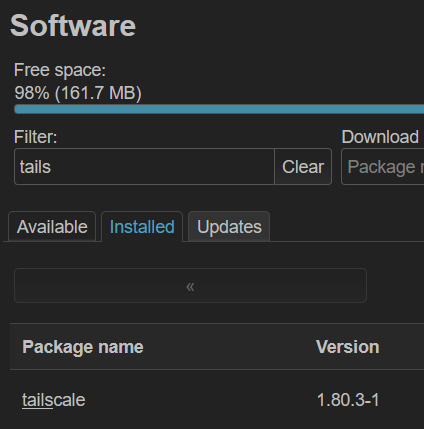
I install luci, and noticed that under software there is
Try them all if you’d like but I told you which one I’m using at the moment.
thanks, but i chose the @admon script using ./update-tailscale.sh --no-tiny
so far, so good
I use @admon 's script too. Simple, easy to redo after a FW update, options, good for small units with low memory.
I would recommend to trust my binaries since they even contain fixes developed by GL itself  But you are welcome to use
 --no-tiny if you like to.