I bought a GL.iNet GL-AXT1800 (Slate AX) specifically to tether to my iPhone 17 Pro Max and provide home internet over cellular. The goal is to use the iPhone’s USB tethering/hotspot connection as the WAN source for the router.
The issue is that the router intermittently loses internet access even when the iPhone itself still has a working cellular connection and the iPhone’s own hotspot Wi-Fi continues functioning. Sometimes unplugging/replugging the phone restores connectivity immediately.
What I’ve already tried:
Disabled network status checking/failover detection on the router
Continuous keep-alive traffic/pings every ~30 seconds to prevent hotspot sleep
What I suspect:
It almost feels like brief cellular band transitions (5G ↔ 5G UC/LTE) or Apple hotspot state changes are momentarily interrupting the tether session, and the router fails to properly recover/reinitialize the WAN connection afterward.
Additional observations:
Directly connecting devices to the iPhone hotspot is generally more stable than routing traffic through the GL-AXT1800
Signal strength is usually around 3 bars of 5G
Performance can suddenly improve or degrade without changing location
Sometimes the router appears connected to the tether source but has no actual internet access
Disabling WAN failover behavior seemed to improve stability somewhat
Has anyone successfully made an iPhone + GL.iNet setup stable for long-term home internet use? Are there hidden settings, modem behaviors, TTL tweaks, USB stability issues, DHCP lease quirks, MTU settings, or known iPhone tethering limitations that I may have missed?
Using 2 iphone 8 SE for remotework. (2020 + 2022)
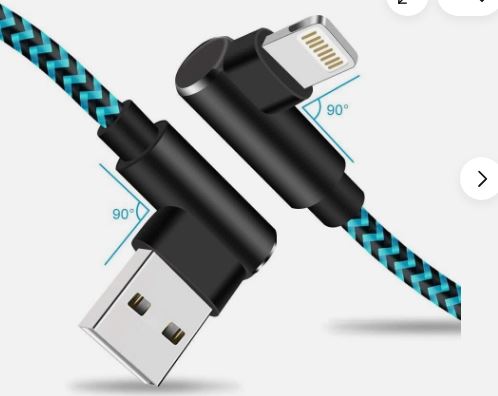
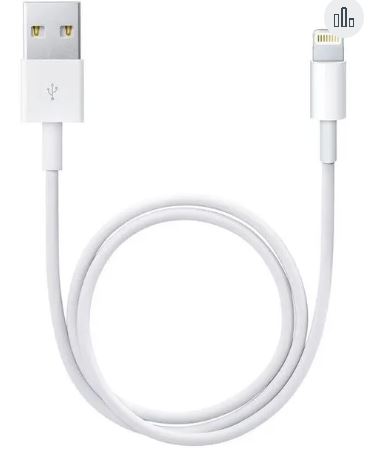
Always have some good cables.
Get a stack of 3-5 cables.
One of them may be more stable then the other.
Also i am using Slate6 and a Beryl 6.
Beryl seems to be slightly better in tethering.
But cables are important. Separate the charging cables you carrying around with you from the cables you use for the routers for tethering.
That’s fair. I actually am using a pretty high-quality cable already, but I may still test a few others just to rule it out completely since tethering seems unusually sensitive to brief disconnects.
What makes me think it’s something deeper is that the iPhone itself still has working internet/hotspot when the router loses WAN access. It almost feels like the tether session gets “stuck” during a brief interruption and the router fails to recover automatically until I unplug/replug the phone.
Have you noticed whether your setups ever drop specifically during 5G/5G UC transitions or brief signal changes?
Wanted to update that the cable was actually the problem even though what I had was a data transfer cable there’s something about Apple made cables that just are better when paired with Apple products I have no issues with the router now. Thanks for the help
 cheers