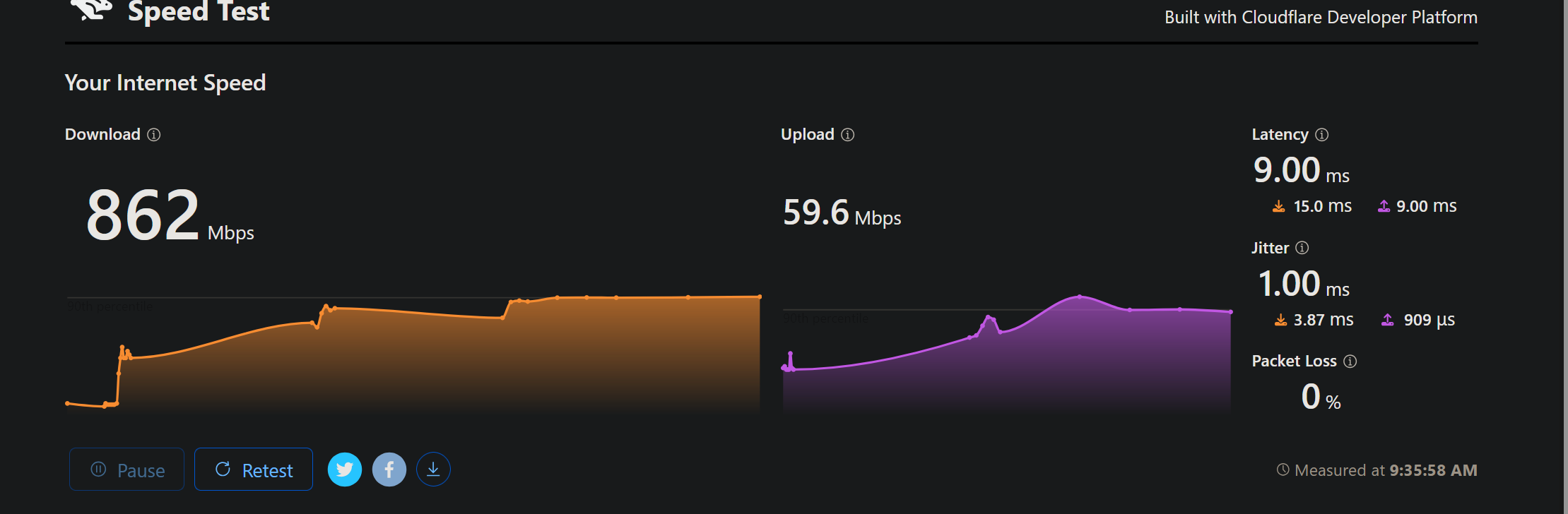
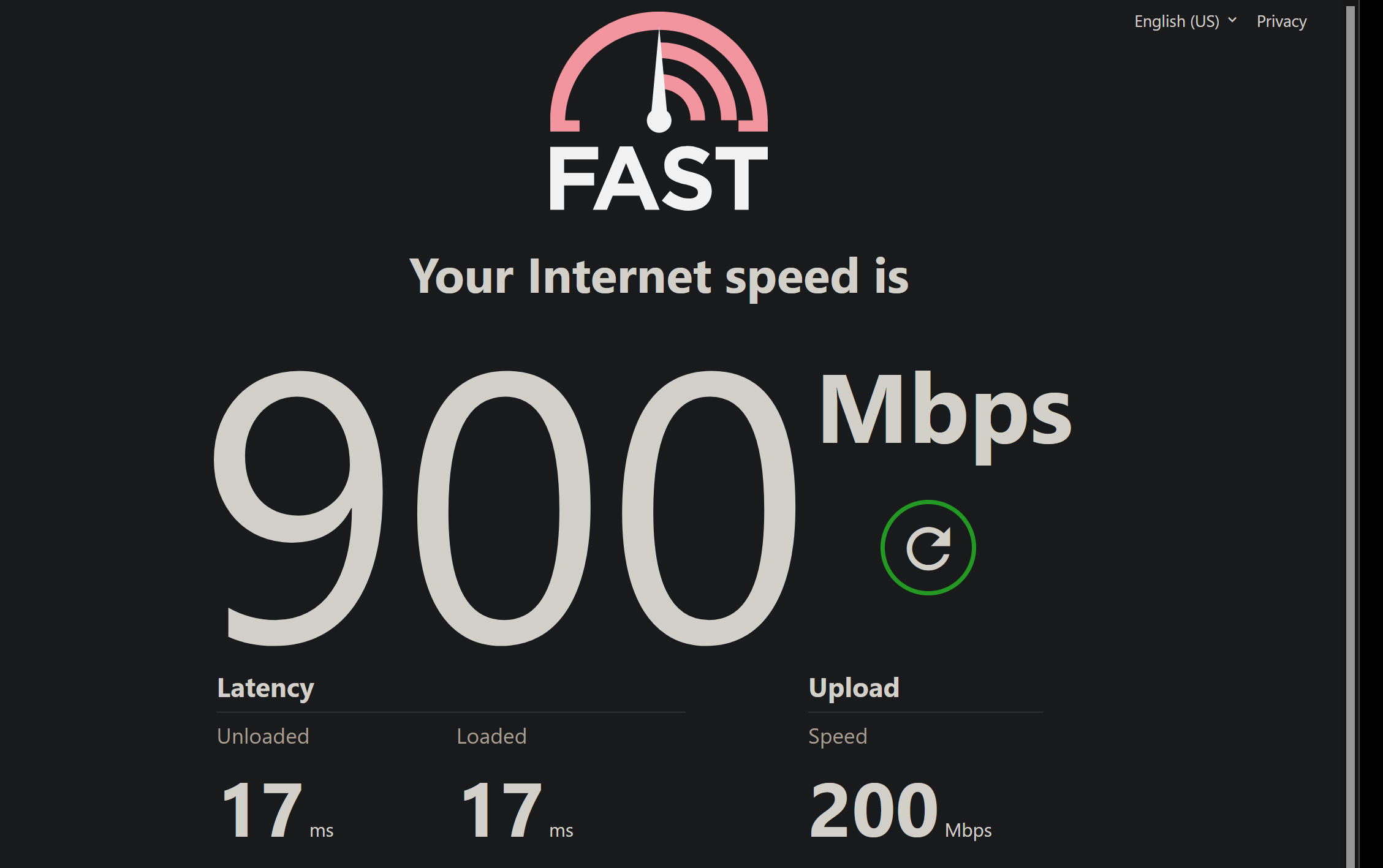
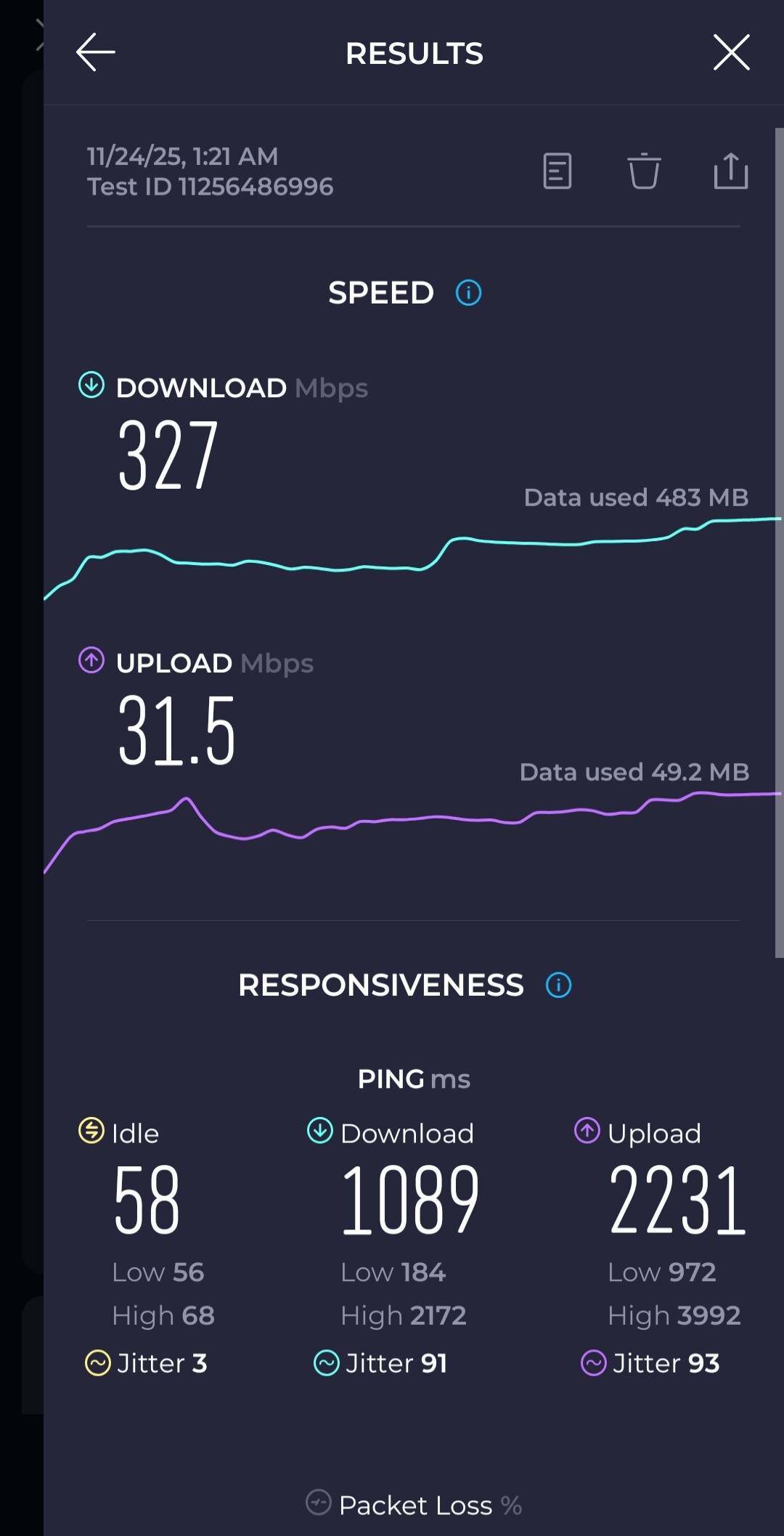
Been fighting with this Flint 2 router now over the past 24 hours trying to figure out the problem. Even gone as far as flashing the firmware to the newer beta version, AND factory resetting everything to stock.
Problem being is that I have a 1Gbps fiber connection symmetrical, however the upload speeds I am getting are less than unsatisfactory at a mere 50-60mbps. Download is just fine. After factory reset and doing a speed test everything seemed back to normal. Great, I got my settings all dialed back in and did ANOTHER speed test, multiple different ones. Everything still seemed normal again.
Fast forward a few hours of some intense online gaming, started feeling as though it was possibly lagging so I quit the game to take a break and decided to run another test. And what do we have? Right back at fuck all of 50mbps on the upload. I been using the new QOS with the gaming profile which was working, but now it's obviously not.
I have recently replaced all the CAT 6 cables with brand new ones from a reputable brand. AND to make sure it is the router as the culprit I have directly connected myself to the ONT device where the fiber connects and speeds are 100%. Back on the router, and back to utter crap.
At this point not much else to do, whether it be some piece of hardware shitting the bed or whatever, this thing needs to be swapped out. I guess I will also try and contact the support team but I've gotten the best help from the forums in the past which connected me to the support team so thought I would post here first.
Very disappointed.. I hope this is not a common issue. I don't know what else to try. The only thing I have is my ports forwarded for my 2 online games I play, WiFi setup for my mobile devices (which ALSO show the speed slow down so it isn't a bad LAN port), and Adguard home is running. Just me at home, no one else using the network.
Please advise. Prior firmware 4.8.3 stable had the same exact problem. Last test on my WiFi devices appears they're also getting minor packet loss / drops now too which never happens. My main system is directly wired into the router, and to reiterate the problem does NOT occur when I directly plug into the ONT. Fresh firmware, fresh factory reset.
Network offload is disabled, ipv6 is disabled (ISP doesn't have native). Can't believe this device is only a few months old and no longer working properly.