There doesn’t seem to be a good way to achieve your goal with the current topology and configuration.
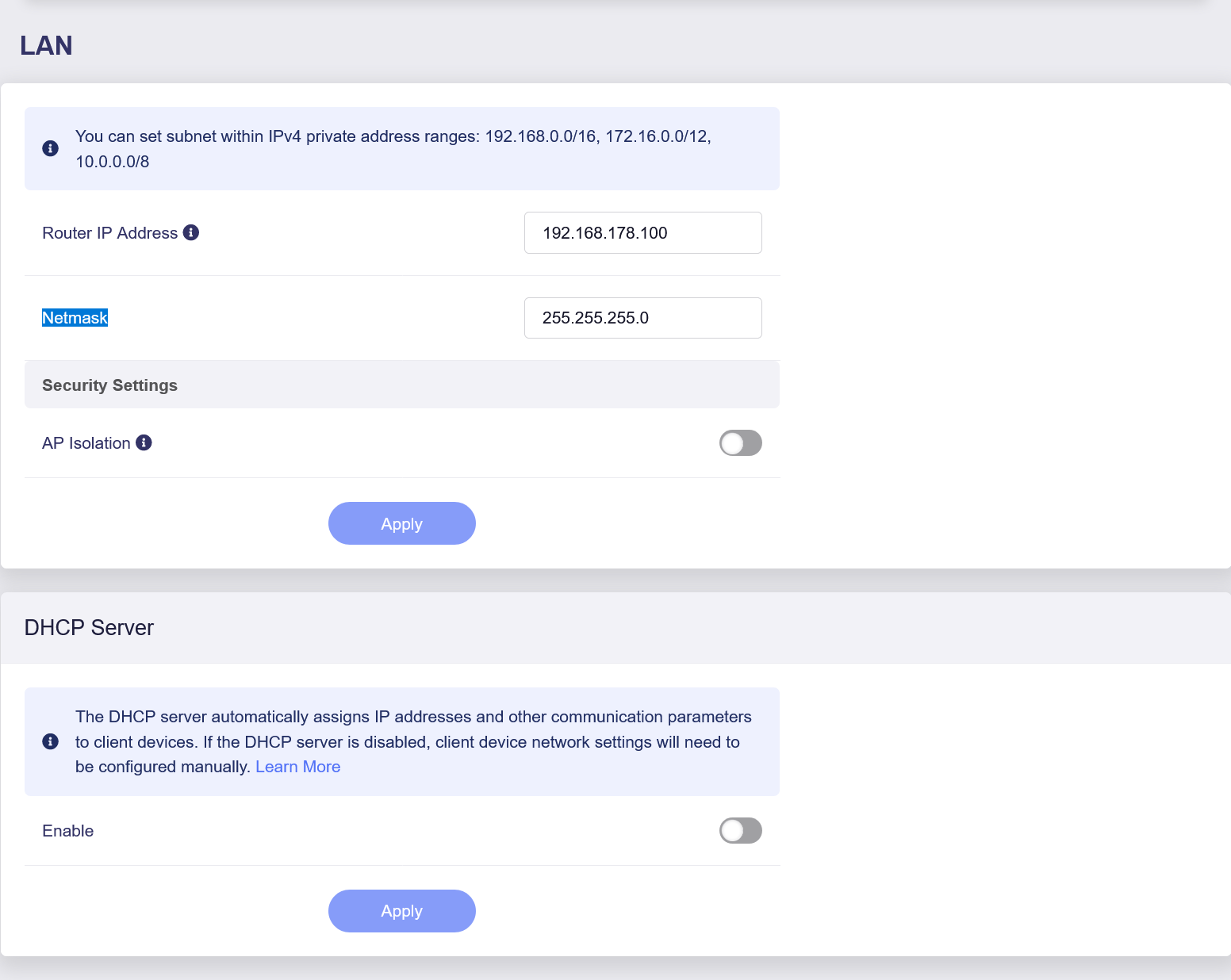
The Fritzbox is acting as the DHCP server, while DHCP on the MT6000 has been disabled. As a result, all LAN clients receive 192.168.178.1 as their gateway address.
Therefore, even devices that are directly connected to the MT6000’s LAN will still send their Internet traffic to the Fritzbox, and the MT6000 will follow this setup by forwarding the traffic directly to the Fritzbox at Layer 2 (bypassing the VPN tunnel).
We recommend the following two possible solutions, depending on how much flexibility and separation you need between VPN and non-VPN devices.
Solution 1: Assign the VPN Gateway Per Device (Simple Setup)
Overview
Devices that should use the VPN are manually configured to route traffic through the Flint 2. Other devices continue to use the Fritzbox normally.
Steps
Identify the devices that need to use the VPN.
For those devices, manually set the default gateway to the Flint 2’s IP address: 192.168.178.100 OR
Configure the Fritzbox DHCP server to automatically assign this gateway to selected devices.
Behavior
Devices using the Flint 2 as their gateway will route traffic through the VPN.
Other devices will continue to use the Fritzbox directly.
Pros
No changes to the existing network topology.
All LAN devices remain in the same subnet.
Devices can communicate with each other at Layer 2.
Limitations
VPN usage is not automatic based on where a device is connected.
Devices will not automatically bypass or use the VPN when switching between Fritzbox and Flint 2 connections.
Gateway settings must be managed per device.
Solution 2: Separate Subnets for VPN and Non-VPN Devices (More Flexible)
Overview
The Flint 2 acts as a downstream router behind the Fritzbox, creating a separate LAN for VPN devices while still allowing access between both networks.
Network Topology
Fritzbox LAN: 192.168.178.0/24
Flint 2 WAN: 192.168.178.100
Flint 2 LAN: 192.168.180.0/24
Steps
Connect the WAN port of the Flint 2 to a LAN port of the Fritzbox.
Configure the Flint 2 to use a different LAN subnet, for example:
the setup works fine so far. The network topology I chose is the following:
Fritzbox LAN: 192.168.178.0/24
Flint 2 WAN: 192.168.178.100
Flint 2 LAN: 192.168.8.0/24
In the meantime, I enabled the 2.4 GHz Guest Wifi. Clients connected to the guest network get an IP address of the subnet 192.168.9.0/24. Those “guest” clients:
cannot ping clients connected to the Flint 2 LAN (expected)
can control clients connected to the Flint 2 LAN (not expected), example given below*
can ping clients connected to the Fritzbox LAN (not expected)
can connect to the web interface of the Fritzbox (not expected)
However, I expected that - connected to the guest network - none of the above things would work. What do I need to change the current behavior to the expected one?
*Example: Smartphone connected to the guest network can control smart lights via a Philips Hue bridge connected to the Flint 2 LAN.
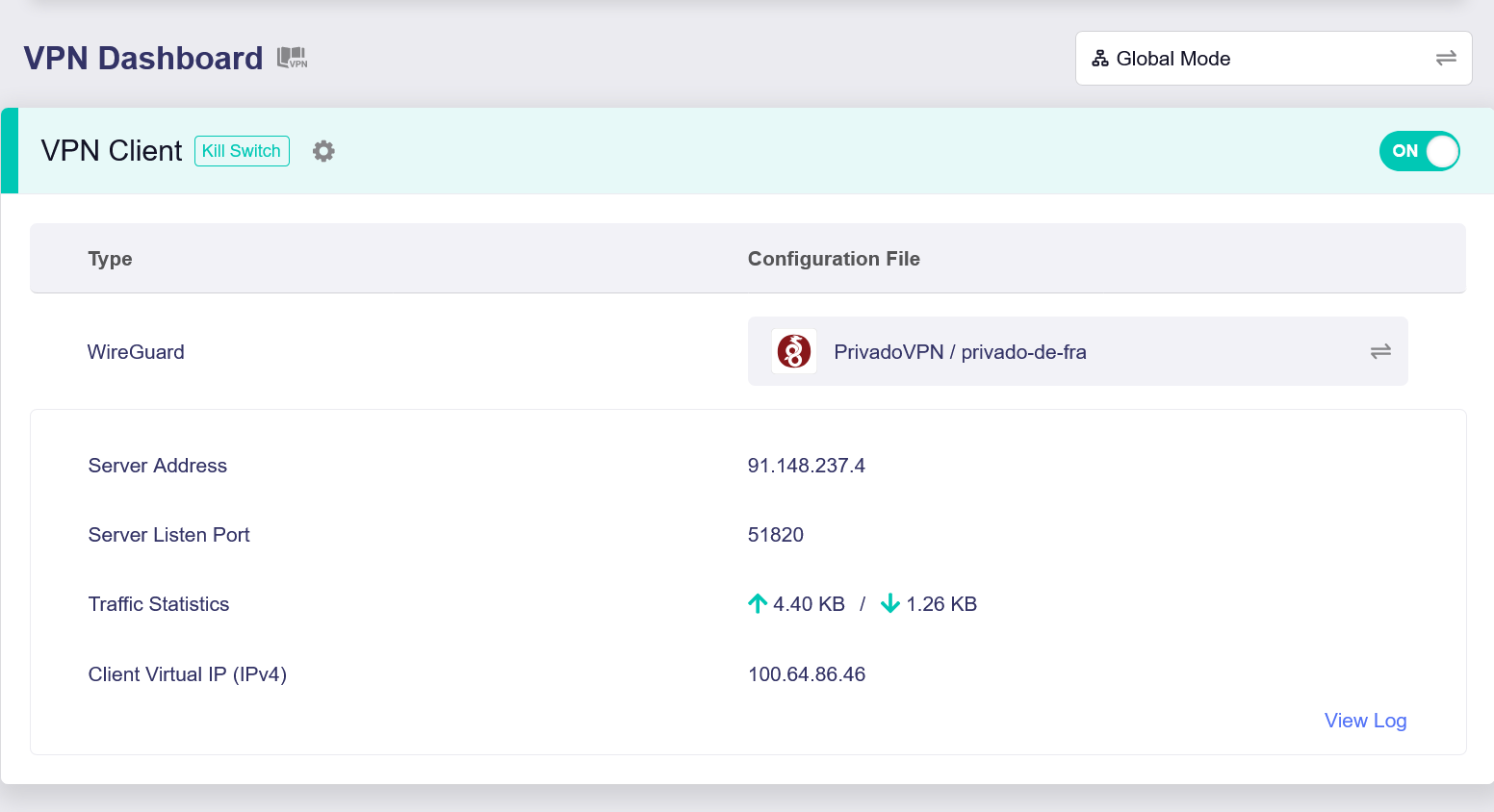
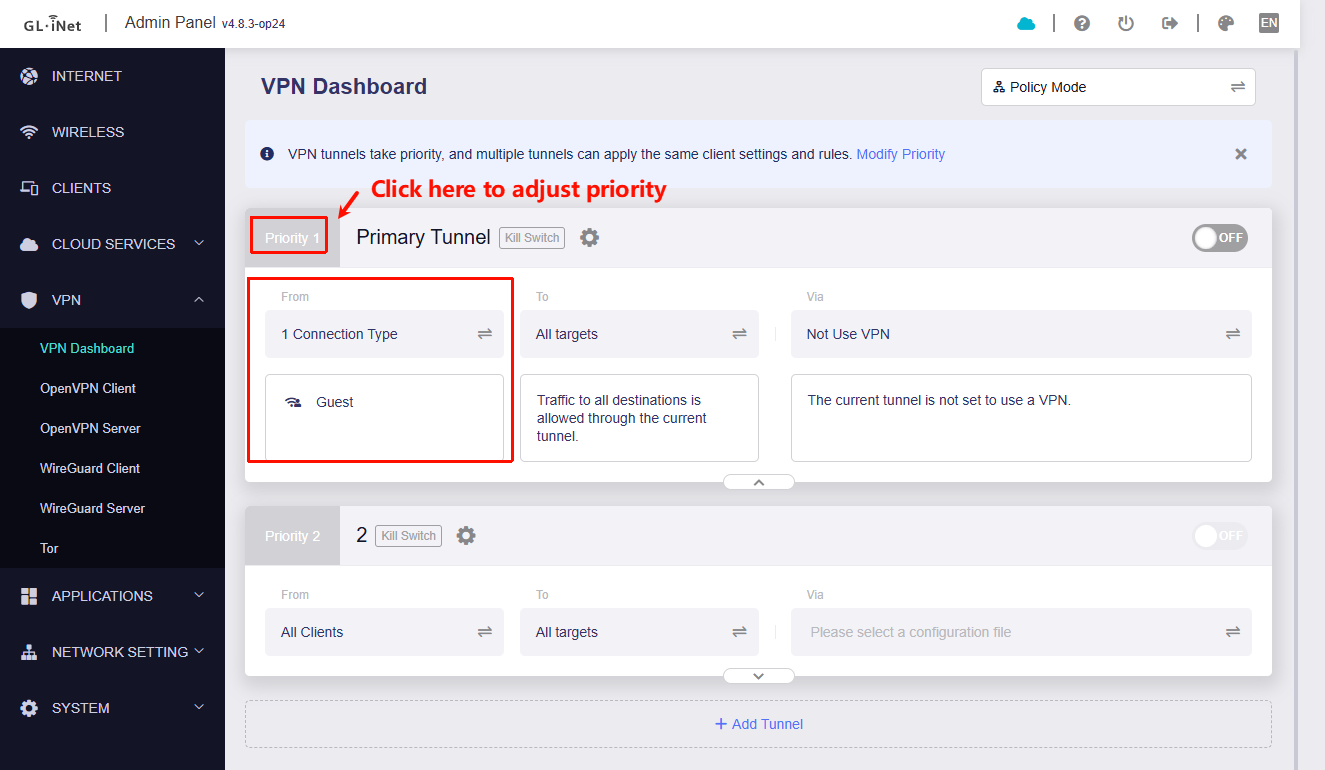
Another thing that I want to reach is, that the devices connected to the guest Wifi should not use the VPN tunnel. To accomplish this, I added a VPN tunnel in the VPN Dashboard with the following settings:
From: "Specified Connection Types" => "Guest"
To: "All targets"
Via: "Not Use VPN"
However, clients still get an IP from the VPN server. Any hint how to configure this correctly is appreciated.
Sorry for the late reply—we’ve just returned from the Chinese New Year holiday.
Since ping from Guest to LAN is not working, we believe the isolation is functioning as expected. Please check whether your IoT devices have other ways to be controlled remotely (e.g., via cloud services), rather than relying solely on the local network.
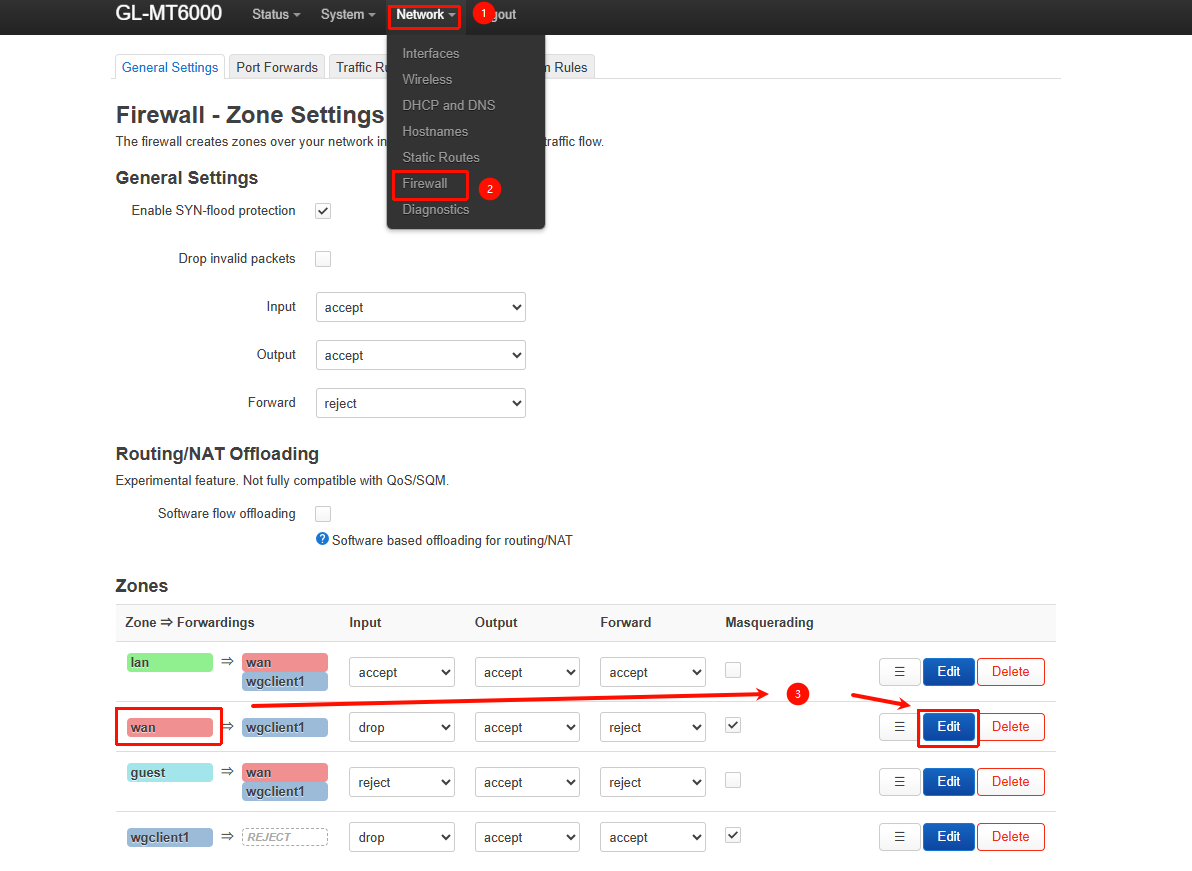
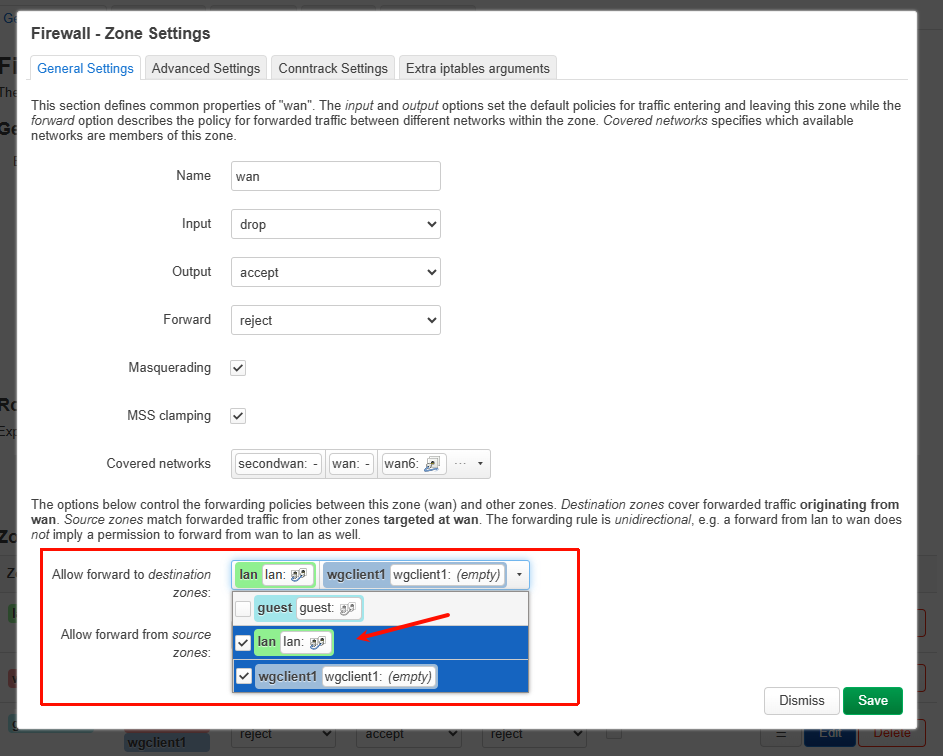
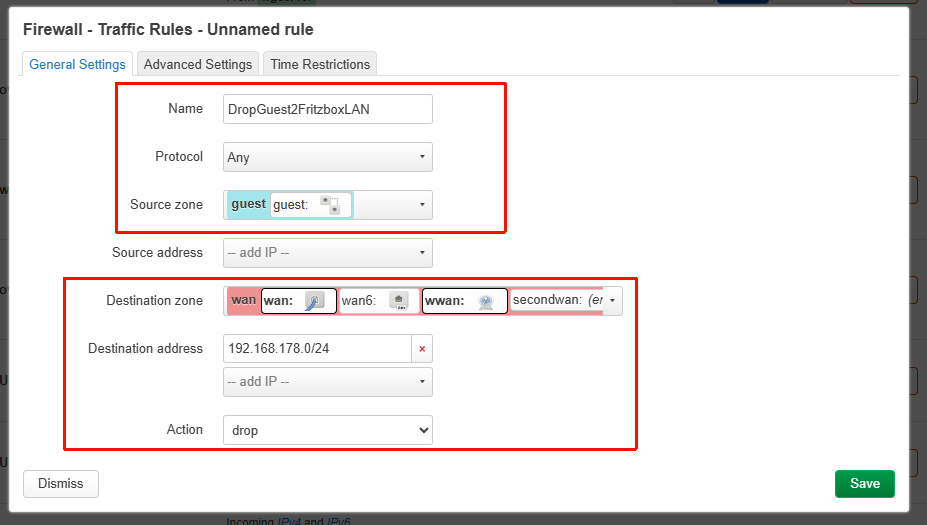
Because the Fritzbox’s LAN is treated as the WAN zone from the Flint 2’s perspective, traffic from Guest or LAN to the Fritzbox LAN is not blocked by default, as this is required for internet access.
You can add the following rule under Luci → Network → Firewall → Traffic Rules to do that:
Please chek whether the Guest VPN Police rule is placed at the top (highest priority) to prevent other rules from matching first and causing Guest traffic to be routed through the VPN.