Transmission with external ssd

Hello all, i have successfully installed transmission and I plugged in an external usb ssd formatted ntfs. The ssd is properly mounted.

However I struggle selecting it in transmission as storage device (so downloads should go to the ssd). Can someone please tell me how to do this? Thank you! This is on a glmt3000

Hi

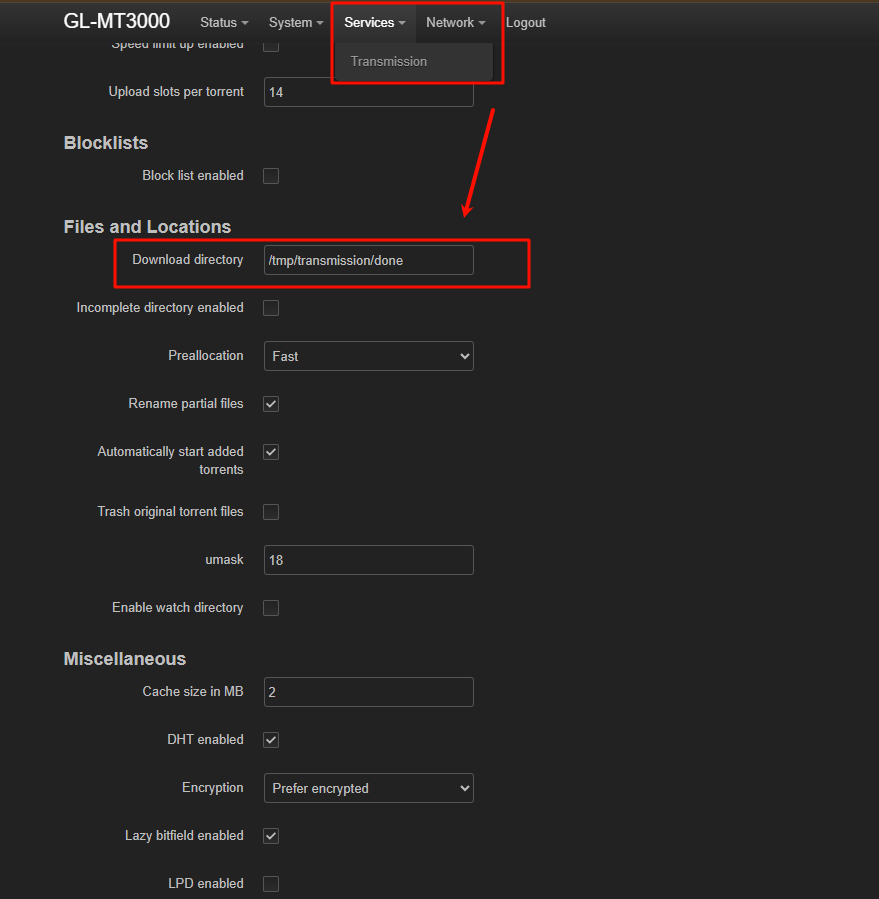
If the external SSD is already mounted correctly, you should be able to set it as the download directory in Transmission.

You can find the mount path by SSHing into the router and running the following command:

root@GL-MT3000:~# df -h
Filesystem                Size      Used Available Use% Mounted on
/dev/root                54.8M     54.8M         0 100% /rom
tmpfs                   240.2M      6.7M    233.4M   3% /tmp
/dev/ubi0_2             160.0M      3.9M    151.5M   2% /overlay
overlayfs:/overlay      160.0M      3.9M    151.5M   2% /
tmpfs                   512.0K         0    512.0K   0% /dev
/dev/sda1               119.2G      6.2G    113.1G   5% /tmp/mountd/disk1_part1

Among these, /dev/sda1 is my USB drive, mounted at /tmp/mountd/disk1_part1.

1 Like

Thank you so much. I have done this and it seems to now download where it should.

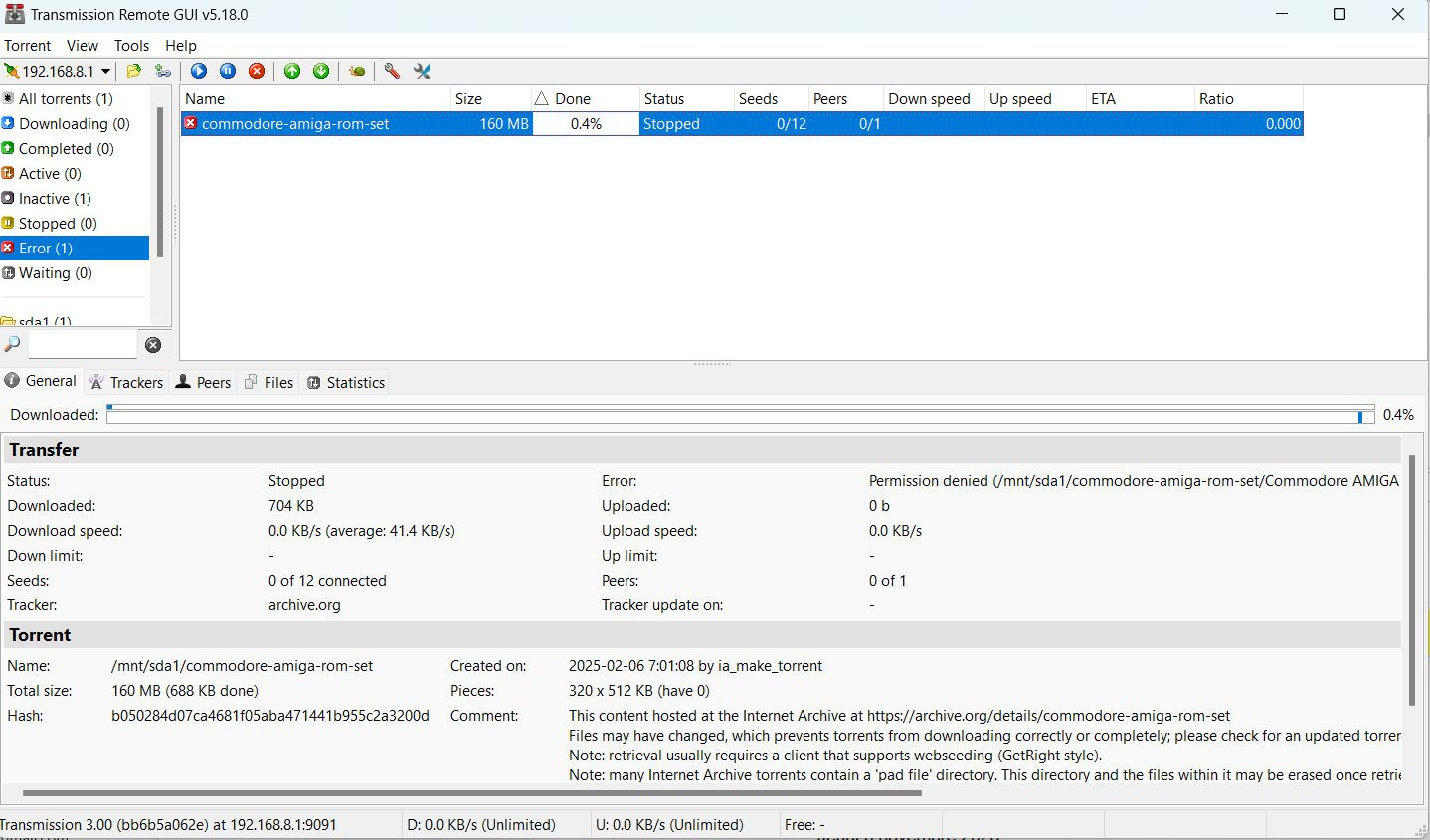
But I have a new challenge now. When trying my very first download ( to /mnt/sda1 ) I get an error message in the Transmission interface, saying “ Permission denied” and it does not download

How do I fix this?

Thank you so much again!

This is what I see when doing df - h

root@GL-MT3000:~# df -h
Filesystem Size Used Available Use% Mounted on
/dev/root 54.8M 54.8M 0 100% /rom
tmpfs 239.9M 30.0M 209.9M 13% /tmp
/dev/ubi0_2 159.8M 10.1M 145.0M 7% /overlay
overlayfs:/overlay 159.8M 10.1M 145.0M 7% /
tmpfs 512.0K 0 512.0K 0% /dev
/dev/sda1 476.9G 107.0M 476.8G 0% /mnt/sda1

If I use a desktop PC torrent client (so not the GLiNet router) - that works with no problem at all

It appears that the external SSD may have incorrect file permissions.

Please verify and adjust them as needed:

# Check the current permissions
ls -ld /mnt/sda1

# Grants full read/write/execute access to all users
chmod -R 777 /mnt/sda1

# Verify the updated permissions
ls -ld /mnt/sda1

Refer: Linux file permissions explained

Thank you. You helped. What you suggested did not work. But it lead to a discovery: my SSD was formatted NTFS and for some reason (old NTFS driver?) that did not work (I was unable to make it rw). After reformatting the SSD to ext3 it works (no need to change the permissions, they are by default rw). Thank you, all seems to work now!
2 Likes