Hi, i recently set up a new flint 2 router (GL-MT6000). My router is connected to my modem on the WAN port. I have another laptop connected to the router on the WAN/LAN1 port (set to LAN). I have my wifi working and am able to connect several devices to it and able to access internet, however, the laptop connected over the wired connection does not have internet access.
I went through this page - Ethernet - GL.iNet Router Docs 4 and my setup appears to be correct. I do not see any warning on the WAN page (Ethernet - GL.iNet Router Docs 4) . What else can i look at to get my wired device internet access ?
- Double - check the Port Configuration
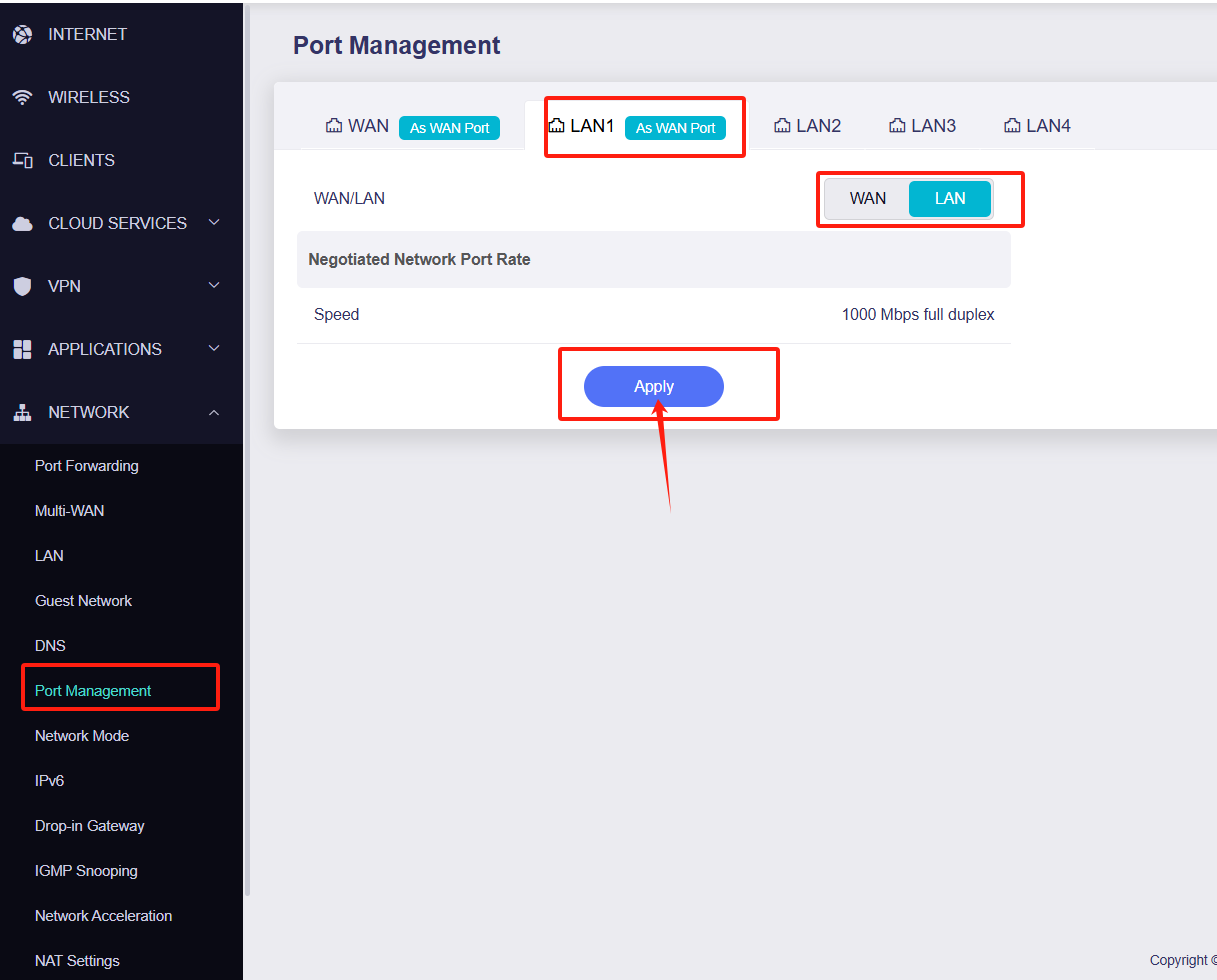
WAN/LAN1 is definitely set to LAN mode (not WAN).
-
Check whether the DHCP mode is turned on in the laptop, and use ipconfig/ipconfig to check whether the IP address is successfully obtained
-
Change the Ethernet connection to another LAN port for testing, and try to change the network cable
Here's a screenshot of the port management screen on my router -
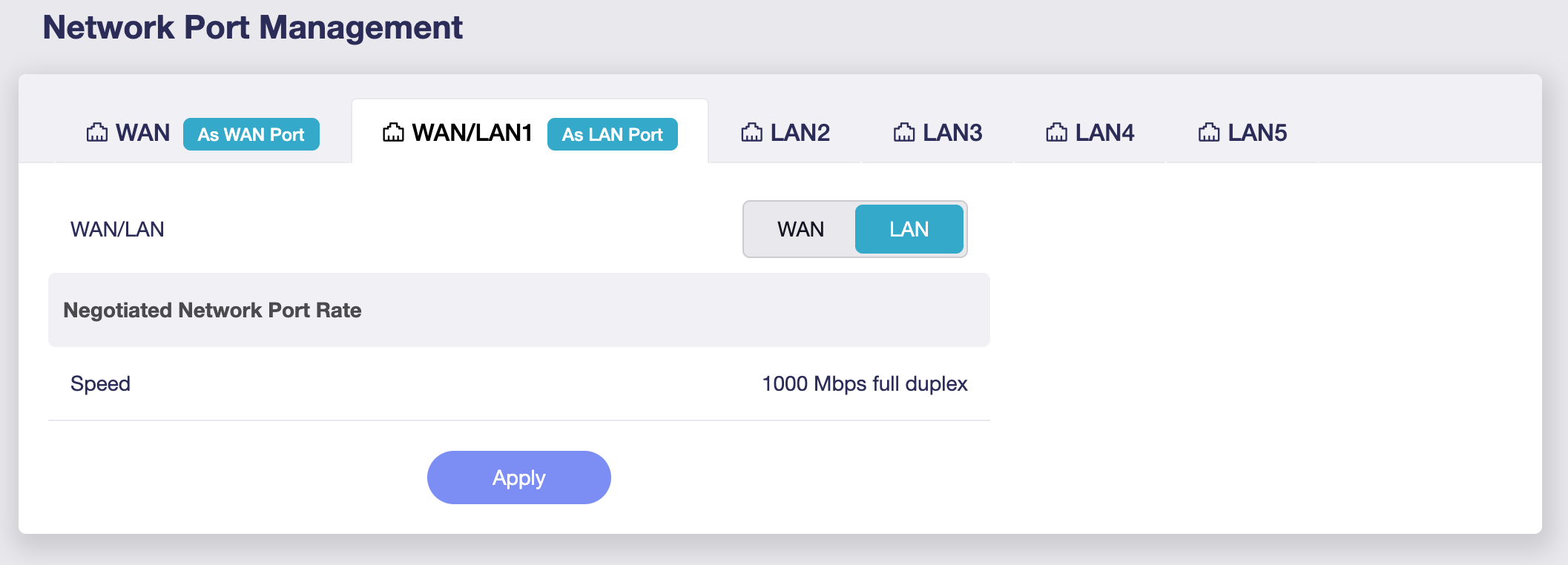
DHCP is turned on on the laptop, i have reserved an IP for it on the router(192.168.0.200) which i see it is getting assigned. Here's the output of nmcli on the laptop -
eth0: connected to Wired connection 1
        "Qualcomm Atheros QCA8171"
        ethernet (alx), 28:D2:44:A4:AF:4D, hw, mtu 1500
        ip4 default
        inet4 192.168.0.200/24
        route4 default via 192.168.0.1 metric 20100
        route4 192.168.0.0/24 metric 100
        inet6 fe80::9df1:be5a:131b:db08/64
        route6 fe80::/64 metric 1024

lo: connected (externally) to lo
        "lo"
        loopback (unknown), 00:00:00:00:00:00, sw, mtu 65536
        inet4 127.0.0.1/8
        inet6 ::1/128

wlan0: disconnected
        "Intel 7260"
        wifi (iwlwifi), CA:A9:3F:2B:FC:26, hw, mtu 1500

p2p-dev-wlan0: disconnected
        "p2p-dev-wlan0"
        wifi-p2p, hw

DNS configuration:
        servers: 192.168.0.1
        domains: lan
        interface: eth0
I am able to ping other devices on my network from this laptop, able to ssh into the wired laptop from other devices as well. I have already tested connecting to other ports and using a different cable, but see same behaviour.
Strange that you can access the device over Lan but no WAN on the laptop, you could try checking the DNS settings on flint 2, change it from automatic to cloudflare for example. Sometimes I find myself having to switch from manual to automatic DNS on the router when I experience some routing issues, mainly when wireguard has been running.
If that fails I would probably look at making sure you are on the latest firmware and perform a factory reset to rule out any other conflicts. Looking at your device IPs it seems to suggest you have changed the default IP range on the flint 2 too so not sure what else you haven't mentioned.
Thanks. There's nothing else that ive changed on the router (except obviously setting up the wifi ssids and password). I had changed the router's IP in the LAN settings before i even set up the wifi SSIDs and connected my devices , and they all seemed to connect fine, so i dint think that would have anything to do with the wired device not getting wan. Apart from the different LAN IP space, everything on the router is default.
I have the latest firmware (v4.7.7) (i was prompted to upgrade it the first time my router was online, which i did).
The only other thing that ive done is after adding the wired device, i reserved a fixed IP for it (which i already mentioned). My DNS is on automatic (default), i tried switching to manual and then back, but that doesnt help.
I will try to reset the router later today to see if that helps.
Have you made sure your laptop NIC adapter properties are also set to default? Also you don't have any VPN software / app installed on the laptop which might be preventing access, like a kill switch?
But yeah, try resetting the routers firmware and keep it all default. Then follow the docs again.
1 Like
@tux2586 - did you manage to reset the router? What was the outcome?
Hi, sorry, i could not get to this yesterday, but i tried resetting this today but it still did not work. However, the issue is solved for me now. I connected my device to the wifi and then tried to access internet (which i was able to). Once done, i disabled my wifi interface and now i am back to my wired connection and am able to access the internet . I think this has to do with some config on my laptop OS and not with the router itself.
Thank you for the help and apologize for the false alarm.
1 Like
It does sound like a DHCP lease issue of some sort. Anyway, glad you have a resolution.