Subject: USB Drive Not Detected in Device Management (Flint 2, FW 4.8.3) - block ubus object missing
Hardware & Environment:
- Router Model: GL.iNet Flint 2 (GL-MT6000)
- Firmware Version: 4.8.3 (release)
- USB Capacity: 128MB
- Drive Format: FAT32 (Verified Healthy)
Problem Description:
The USB drive is not appearing in the router's Web UI under Device Management (reads "No Device Detected"). However, the drive is physically detected by the kernel and works perfectly when mounted manually via SSH.
It appears the communication layer between the system and the UI (ubus) is failing to report the drive status.
Reproduction Steps:
- Plug the USB drive into the USB 3.0 port.
- Navigate to the Web UI
Device Management->USB Recognition. - The page displays "No Device Detected."
Troubleshooting Performed:
- File System Integrity: Checked the drive on Windows; reported healthy. Reformatted to FAT32 to ensure compatibility.
- Kernel Detection:
dmesgshows the device is detected successfully (sdcconnected,sdc1partition identified). - Manual Mount: Successfully mounted the drive manually using
mount -t vfat /dev/sdc1 /mnt/sdb1. I could read/write files (testedtouch). - Configuration: Ran
block detect, which generated valid UUID and mount options. Imported config usinguci import fstaband restarted the service. - Service Status:
opkg list-installed | grep blockconfirmsblock-mountis installed.- However, running
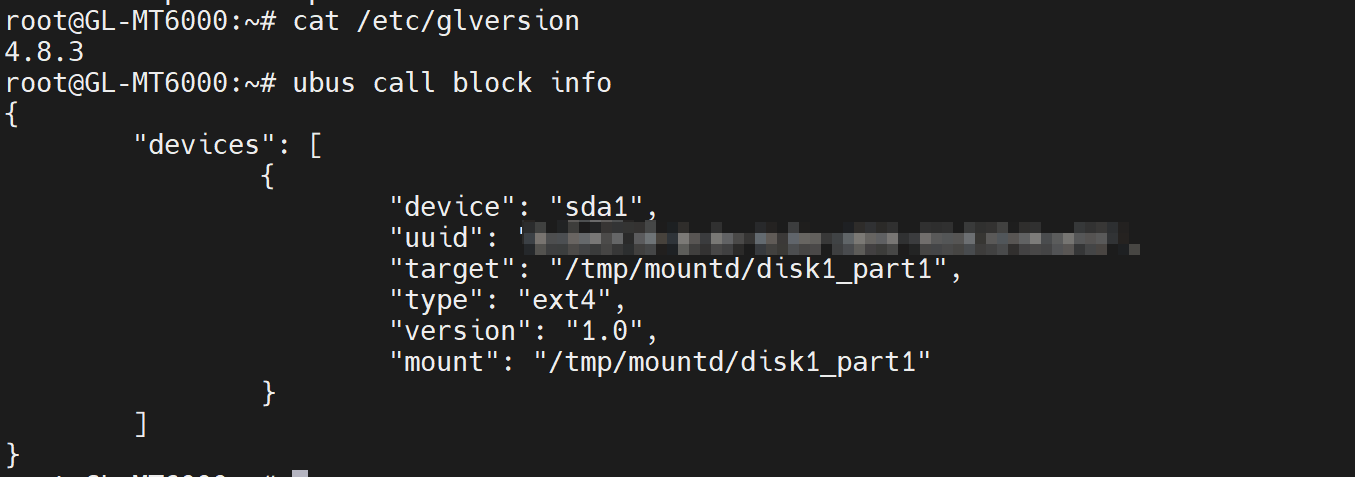
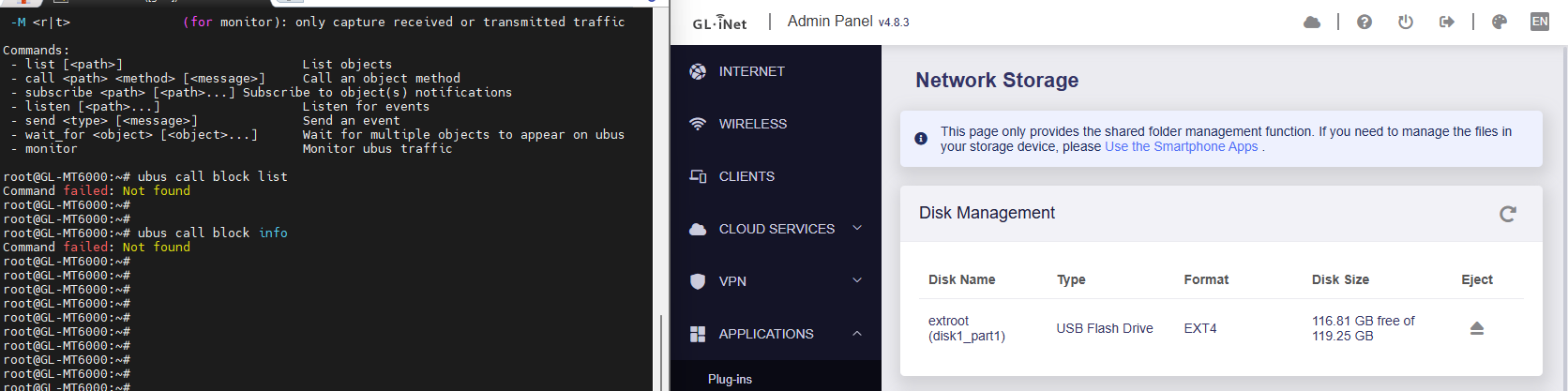
ubus call block listreturns:Command failed: Not found. ubus listshowshotplug.blockis present, but the genericblockobject is missing from the list.- The binary exists at
/sbin/block, but the service does not seem to be exposing itself toubus.
Relevant Logs:
1. Kernel Detection (dmesg) - Earlier Connection Attempt:
[20101.213386] usb 1-2: USB disconnect, device number 2
[20706.680439] 7986@C08L2,ap_peer_disassoc_action() 3645: ASSOC - 1 receive DIS-ASSOC request
[20706.688806] 7986@C01L2,wifi_sys_disconn_act() 1002:  wdev_idx=0
[20706.694975] 7986@C08L3,hw_ctrl_flow_v2_disconnt_act() 172: wdev_idx=0
[20706.702037] 7986@C13L2,MacTableDeleteEntry() 1938: Del Sta:[REDACTED]
[20706.709294] 7986@C08L2,ap_peer_disassoc_action() 3645: ASSOC - 1 receive DIS-ASSOC request
[20901.003480] usb 1-2: new high-speed USB device number 3 using xhci-mtk
[20901.156405] usb-storage 1-2:1.0: USB Mass Storage device detected
[20901.162733] scsi host1: usb-storage 1-2:1.0
[20902.183819] scsi 1:0:0:0: Direct-Access     General  UDisk            5.00 PQ: 0 ANSI: 2
[20902.192654] sd 1:0:0:0: [sdb] 245760 512-byte logical blocks: (126 MB/120 MiB)
[20902.200006] sd 1:0:0:0: [sdb] Write Protect is off
[20902.204795] sd 1:0:0:0: [sdb] Mode Sense: 0b 00 00 08
[20902.209958] sd 1:0:0:0: [sdb] No Caching mode page found
[20902.215265] sd 1:0:0:0: [sdb] Assuming drive cache: write through
[20902.222777]  sdb: sdb1
[20902.226565] sd 1:0:0:0: [sdb] Attached SCSI removable disk
[21145.869806] FAT-fs (sda1): FAT read failed (blocknr 6336)
1b. Kernel Detection (dmesg) - Latest Attempt (Fresh Plug-in):
[21953.357878] usb 1-2: USB disconnect, device number 4
[21963.905731] usb 1-2: new high-speed USB device number 5 using xhci-mtk
[21964.058636] usb-storage 1-2:1.0: USB Mass Storage device detected
[21964.065049] scsi host2: usb-storage 1-2:1.0
[21965.086062] scsi 2:0:0:0: Direct-Access     General  UDisk            5.00 PQ: 0 ANSI: 2
[21965.094800] sd 2:0:0:0: [sdc] 245760 512-byte logical blocks: (126 MB/120 MiB)
[21965.102145] sd 2:0:0:0: [sdc] Write Protect is off
[21965.106939] sd 2:0:0:0: [sdc] Mode Sense: 0b 00 00 08
[21965.112119] sd 2:0:0:0: [sdc] No Caching mode page found
[21965.117429] sd 2:0:0:0: [sdc] Assuming drive cache: write through
[21965.124891]  sdc: sdc1
[21965.128220] sd 2:0:0:0: [sdc] Attached SCSI removable disk
2. Configuration (block detect output):
config 'mount'
        option  target  '/mnt/sdc1'
        option  uuid    '9A84-35A9'
        option  enabled '1'
3. Ubus Status Check:
root@GL-MT6000:~# ubus call block list
Command failed: Not found

root@GL-MT6000:~# ls -l /sbin/block
-rwxr-xr-x    1 root     root         45075 Oct 15 21:05 /sbin/block
Suspected Root Cause:
The block-mount package is installed and the binary exists, but it is not starting correctly or failing to register with the ubus system daemon. Consequently, the UI cannot list the drives, even though the kernel supports the device.