Under firmware v4.9.0, Mullvad's WireGuard tunnel connects but LAN clients lose internet (blackhole rule, not Tailscale-related)
Device: GL-MT3600BE (Beryl 7)
Firmware version: v4.9.0 (stable)
Previous firmware: v4.8.x — Mullvad worked correctly for several months before upgrading
VPN/feature involved: Mullvad, stock WireGuard client (not Tailscale)
Symptom:
Enabling the Mullvad WireGuard tunnel shows green/connected in the VPN Dashboard. LAN clients (tested on a laptop) immediately lose all internet access, though the router's own admin panel remains reachable from those clients. After several minutes, the tunnel itself degrades to yellow/unstable. Disabling the VPN restores internet access immediately.
Steps to reproduce:
- Configure a Mullvad WireGuard profile on the VPN Dashboard.
- Enable the tunnel. Status shows green/connected within seconds.
- From a connected LAN client, attempt to reach the internet (e.g. ping 8.8.8.8, load a webpage).
- Observe: no connectivity from the client, despite the tunnel showing connected.
- After several minutes with the tunnel enabled, its status degrades to yellow.
What I've ruled out:
- Not a Mullvad server issue: manually refreshed the server list from the VPN client profile tab, and tested multiple different exit servers with the same result.
- Not a captive portal issue: this occurred on a hotel network where normal (non-VPN) internet access was already confirmed working before enabling the tunnel.
- Not an MTU issue at the router level: pinging 8.8.8.8 directly from the router via SSH succeeds with no packet loss, at latency consistent with the direct WAN path (not the VPN tunnel) — but this is expected either way, since router-originated traffic doesn't appear to follow the same routing/fwmark path as LAN client traffic.
Evidence:
Handshake succeeds and stays current, but transfer counters show only keepalive-sized traffic, even while a LAN client is actively trying to reach the internet:
root@GL-MT3600BE:~# wg show
interface: wgclient1
  public key: ...
  listening port: 38200
  fwmark: 0x8000

peer: ...
  endpoint: 23.234.103.127:3420
  allowed ips: 0.0.0.0/0, ::/0
  latest handshake: 5 seconds ago
  transfer: 92 B received, 328 B sent
  persistent keepalive: every 25 seconds
ip rule list while the tunnel is up and clients have no internet:
root@GL-MT3600BE:~# ip rule list
0:	from all lookup local
1:	from all iif lo lookup 16800
800:	from all lookup 9910 suppress_prefixlength 0
6000:	from all fwmark 0x1000/0xf000 lookup 1001
6000:	from all fwmark 0x8000/0xf000 lookup main
9000:	not from all fwmark 0/0xf000 lookup main
9910:	not from all fwmark 0/0xf000 blackhole
9920:	from all iif br-lan blackhole
9920:	from all iif br-guest blackhole
10000:	from 10.67.12.23 lookup 1001
20000:	from all to 10.67.12.23 lookup 1001
32766:	from all lookup main
32767:	from all lookup default
90028:	from all iif lo lookup 1001
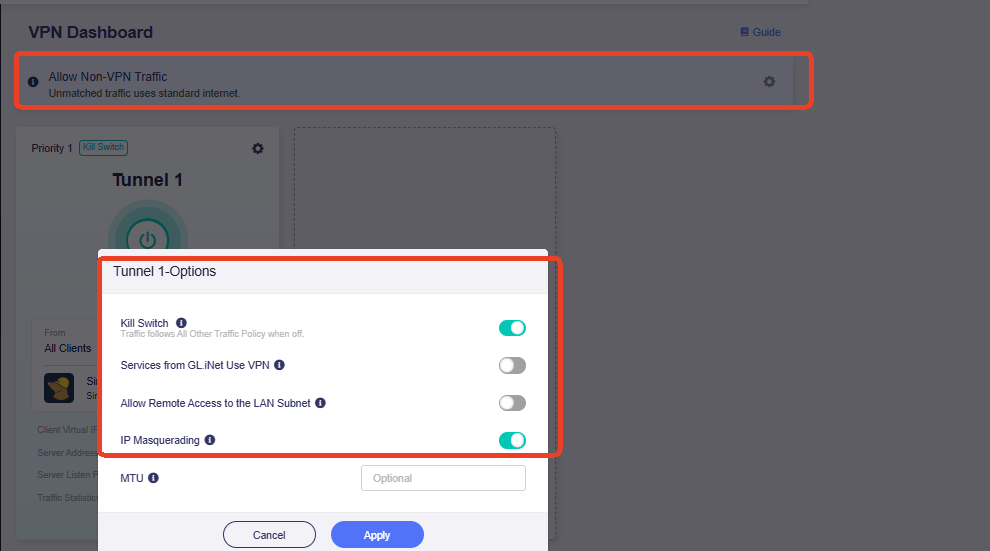
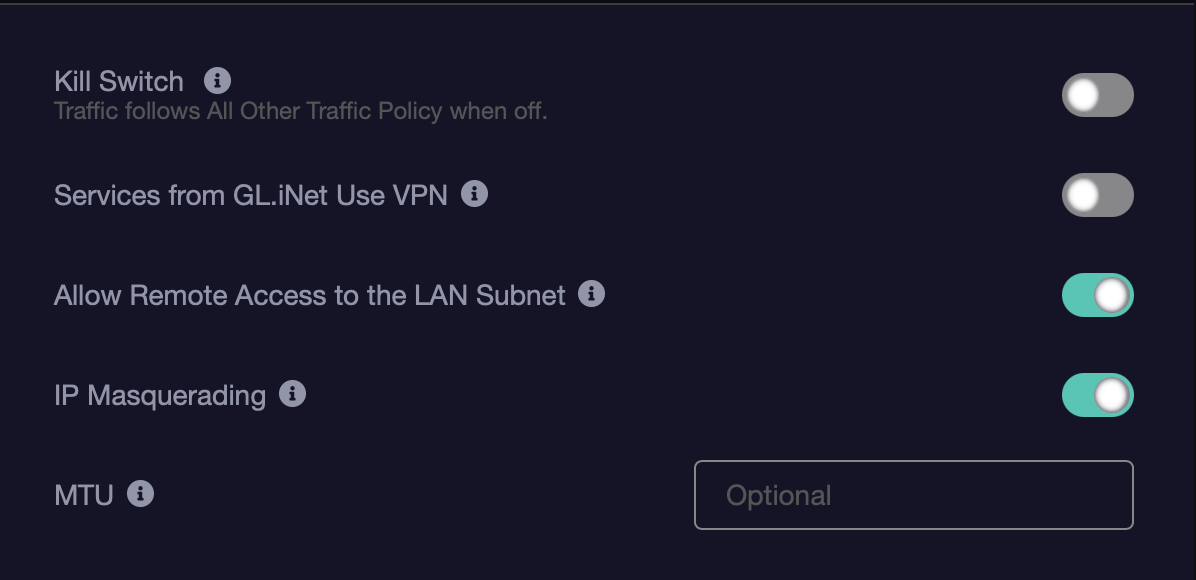
The 9920: from all iif br-lan blackhole / br-guest blackhole rules appear to be catching LAN client traffic that should be matching the 6000: from all fwmark 0x1000/0xf000 lookup 1001 rule (routing into the VPN table) instead.
Repeated log entries while the tunnel is up:
daemon.err dnsmasq[31640]: Conntrack connection mark retrieval failed: No such file or directory
(dozens of times per second, for the duration the tunnel was enabled). I'm not certain whether this is related to the fwmark tagging not applying correctly to LAN traffic, or an unrelated/benign dnsmasq log line — flagging it since the timing lined up, but not asserting a causal link.
Note on a similar-looking existing report: There's a thread about Flint 3 / v4.8.4 with Tailscale describing the same 9920 blackhole rules (Flint 3 - 4.8.4 - Tailscale Breaks LAN Internet Access Due to GL VPN Kill Switch Blackhole Rules), but staff traced that one to a Tailscale-specific nftables fwmark byte-order bug, since fixed on Tailscale's side. Since I'm not running Tailscale at all, this looks like a separate occurrence of the same blackhole mechanism with a different trigger — flagging in case it's useful context, not assuming it's a duplicate of that issue.
Workaround tested: Manually deleting the two 9920 rules via SSH (ip rule del from all iif br-lan blackhole and same for br-guest) restores connectivity temporarily, but is not durable — the rules regenerate on VPN restart or reboot.
Happy to provide additional logs if that would be helpful.