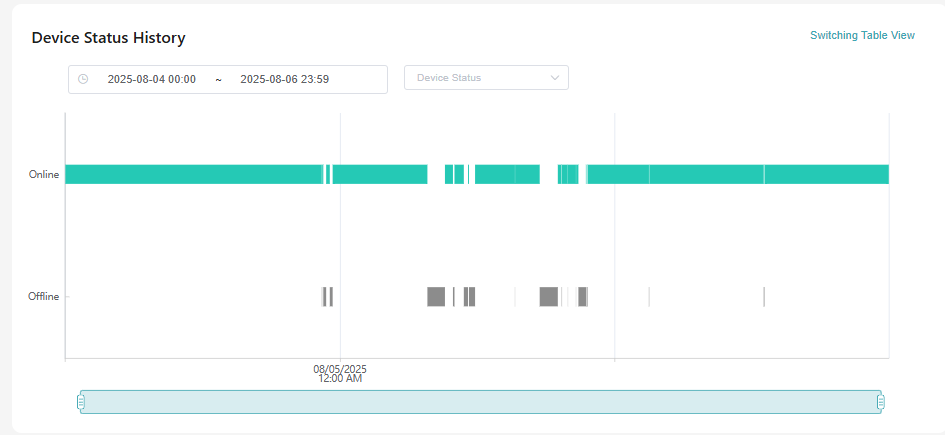
My router is the X3000 latest 4.8 firmware.
+CFUN: 1
OK
+CSQ: 26,99
OK
+COPS: 0,0,"SFR",13
OK
My router is the X3000 latest 4.8 firmware.
+CFUN: 1
OK
+CSQ: 26,99
OK
+COPS: 0,0,"SFR",13
OK
I’ll post here step by step, but I have vnstat2 installed on my Beryl AX, emailing me the graphs nightly. We can’t use curl to do the email, because it isn’t compiled with the necessary protocol, so it needs to be mstmp. vnstat for older kernels should be similar.
#!/bin/sh
RECIPIENT_EMAIL=""
SENDER_EMAIL=""
SUBJECT="OpenWrt vnStat Traffic Report for $(date +%F)"
TMP_DIR="/tmp"
#Interface to use
INTERFACE="apclix0"
for cmd in vnstat vnstati msmtp base64; do
if ! command -v "$cmd" >/dev/null 2>&1; then
echo "Error: Required command '$cmd' not found. Please install it." >&2
exit 1
fi
done
vnstati --summary -o "$TMP_DIR/summary.png" -i $INTERFACE
vnstati --days -o "$TMP_DIR/daily.png" -i $INTERFACE
vnstati --months -o "$TMP_DIR/monthly.png" -i $INTERFACE
vnstati -hg -o "$TMP_DIR/hourly.png" -i $INTERFACE
vnstati -t -o "$TMP_DIR/top.png" -i $INTERFACE
if [ ! -f "$TMP_DIR/summary.png" ] || [ ! -f "$TMP_DIR/daily.png" ] || [ ! -f "$TMP_DIR/monthly.png" ]; then
echo "Error: Failed to generate vnstati graphs." >&2
exit 1
fi
BOUNDARY_MIXED="$(head /dev/urandom | tr -dc A-Za-z0-9 | head -c 32)"
BOUNDARY_RELATED="$(head /dev/urandom | tr -dc A-Za-z0-9 | head -c 32)"
SUMMARY_BASE64=$(base64 "$TMP_DIR/summary.png" | tr -d '\n')
DAILY_BASE64=$(base64 "$TMP_DIR/daily.png" | tr -d '\n')
MONTHLY_BASE64=$(base64 "$TMP_DIR/monthly.png" | tr -d '\n')
HOURLY_BASE64=$(base64 "$TMP_DIR/hourly.png" | tr -d '\n')
TOP_BASE64=$(base64 "$TMP_DIR/top.png" | tr -d '\n')
(
echo "From: $SENDER_EMAIL"
echo "To: $RECIPIENT_EMAIL"
echo "Subject: $SUBJECT"
echo "MIME-Version: 1.0"
echo "Content-Type: multipart/mixed; boundary="$BOUNDARY_MIXED""
echo
echo "--$BOUNDARY_MIXED"
echo "Content-Type: multipart/related; boundary="$BOUNDARY_RELATED""
echo
echo "--$BOUNDARY_RELATED"
echo "Content-Type: text/html; charset="UTF-8""
echo "Content-Transfer-Encoding: 7bit"
echo
echo ""
echo ""
echo ""
echo "
Attached below are the network traffic graphs generated by vnStat.
"rm "$TMP_DIR/summary.png" "$TMP_DIR/daily.png" "$TMP_DIR/monthly.png" "$TMP_DIR/hourly.png" "$TMP_DIR/top.png"
echo "Email with vnStat graphs sent successfully."
Hi,
I’m on Flint 2 latest firmware and after updating the list, I can’t find vnstat. Any idea on how to install this?
Hi,
Please check it again, I can find the vnstat in GL repo.
root@GL-MT6000:~# opkg update
Downloading https://fw.gl-inet.com/releases/mt798x/kmod-5.4.246/aarch64_cortex-a53/mediatek/Packages.gz
Updated list of available packages in /var/opkg-lists/glinet_core
Downloading https://fw.gl-inet.com/releases/mt798x/packages-4.5/aarch64_cortex-a53/glinet/Packages.gz
Updated list of available packages in /var/opkg-lists/glinet_gli_pub
Downloading https://fw.gl-inet.com/releases/mt798x/packages-4.5/aarch64_cortex-a53/packages/Packages.gz
Updated list of available packages in /var/opkg-lists/glinet_gli_packages
Updating database.
Database update completed.
root@GL-MT6000:~# opkg list |grep vnstat
luci-app-vnstat - git-20.108.38431-8f34e10 - LuCI Support for VnStat
luci-app-vnstat2 - git-20.332.74200-03c77da - LuCI Support for vnStat 2
luci-i18n-vnstat-ar - git-22.277.72334-3923199 - Translation for luci-app-vnstat - العربية (Arabic)
luci-i18n-vnstat-bg - git-22.277.72334-3923199 - Translation for luci-app-vnstat - български (Bulgarian)
luci-i18n-vnstat-bn - git-22.277.72334-3923199 - Translation for luci-app-vnstat - বাংলা (Bengali)
luci-i18n-vnstat-ca - git-22.277.72334-3923199 - Translation for luci-app-vnstat - Català (Catalan)
luci-i18n-vnstat-cs - git-22.277.72334-3923199 - Translation for luci-app-vnstat - Čeština (Czech)
luci-i18n-vnstat-da - git-22.277.72334-3923199 - Translation for luci-app-vnstat - Dansk (Danish)
...
root@GL-MT6000:~# cat /etc/glversion
4.8.2
For the Flint 2, I think you want vnstat2. Both should show up if you are on "available" and filter for vnstat.
Ok, I've now revised the AI-generated script to cover all configured interfaces and loop through the interfaces and the graphs that are selected. The revised script for step #7:
  #!/bin/sh

  #  Recipient email address
  RECIPIENT_EMAIL="<where you are sending this>"

  #  Sender email address
 SENDER_EMAIL="<who is sending this>"

 >#  Subject of the email
  SUBJECT="OpenWrt vnStat Traffic Report for $(date +%F)"

  #  Temporary directory for image generation
  TMP_DIR="/mnt/external/vnstat"

  #  Get the interfaces vnstat is monitoring
  interfaces=$(uci get vnstat.@vnstat[0].interface)

  # If you only want a particular interface, comment out prior line and uncomment next line
  #INTERFACE="apclix0"
  #Make sure these are active in Luci or the script will error output

  #Select outputs
  # -s creates an overview of total traffic
  # -d creates a graph of daily traffic
  # -m creates a graph of monthly traffic
  # -hg creates a graph of hourly Traffic
  # -t creates a graph of top traffic days
  outputs=" s d m hg t"
  #
  #Boundary strings for the email
  BOUNDARY_MIXED="$(head /dev/urandom | tr -dc A-Za-z0-9 | head -c 32)"
  BOUNDARY_RELATED="$(head /dev/urandom | tr -dc A-Za-z0-9 | head -c 32)"
  #
 >Encode_Image ()
  {
 	(
 		echo "";
  		echo "--$BOUNDARY_RELATED";
  		echo "Content-Type: image/png;name=\"$1.png\"";
  		echo "Content-Transfer-Encoding: base64";
 		echo "Content-Disposition: inline;filename=\"$1.png\"";
  		echo "Content-Id: <$1_graph>";
  		echo "";
  		echo "$2";
  	) >> "$3"
  }

  # ==============================================================================
  #                      SCRIPT LOGIC
  # ==============================================================================

  # Check for required commands
  for cmd in vnstat vnstati msmtp base64; do
    if ! command -v "$cmd" >/dev/null 2>&1; then
      echo "Error: Required command '$cmd' not found. Please install it." >&2
      exit 1
    fi
  done

  # Generate the graphs

  for output in $outputs
  	do
  		for interface in $interfaces
  		do
  			filename="$TMP_DIR/vnstat"_"$output"_"$interface".png
 			vnstati -$output -o "$filename" -i $interface
  		done
  	done

  # Construct the email body with HTML and inline images
  (
    echo "From: $SENDER_EMAIL"
    echo "To: $RECIPIENT_EMAIL"
    echo "Subject: $SUBJECT"
    echo "MIME-Version: 1.0"
    echo "Content-Type: multipart/mixed; boundary=\"$BOUNDARY_MIXED\""
    echo
    echo "--$BOUNDARY_MIXED"
    echo "Content-Type: multipart/related; boundary=\"$BOUNDARY_RELATED\""
    echo
    echo "--$BOUNDARY_RELATED"
    echo "Content-Type: text/html; charset=\"UTF-8\""
    echo "Content-Transfer-Encoding: 7bit"
    echo
    echo "<!DOCTYPE html>"
    echo "<html>"
    echo "<body>"
    echo "<h3>Traffic Report for $(uname -n) - $(date +'%B %d, %Y')</h3>"
    echo "<p>Attached below are the network traffic graphs generated by vnStat.</p>"
    ) > mail.txt

   # Loop through the interfaces to provide inline places for the graphs
   # Note to script: need to limit these for desired outputs
    for interface in $interfaces
  	do
  		graphname="$interface""_graph"
  		(
  		echo "<h4>Summary for $interface</h4>"
  		echo "<img src=\"cid:vnstat_s_$graphname\" alt=\"Daily Summary\" width=\"600\">"
  		echo "<br/>"
  		echo "<h4>Hourly Traffic for $interface</h4>"
  		echo "<img src=\"cid:vnstat_hg_$graphname\" alt=\"Hourly Traffic\" width=\"600\">"
  		echo "<br/>"
  		echo "<h4>Daily Traffic for $interface</h4>"
  		echo "<img src=\"cid:vnstat_d_$graphname\" alt=\"Daily Traffic\" width=\"600\">"
  		echo "<br/>"
 		echo "<h4>Monthly Traffic for $interface</h4>"
  		echo "<img src=\"cid:vnstat_m_$graphname\" alt=\"Monthly Traffic\" width=\"600\">"
  		echo "<h4>Top Traffic for $interface</h4>"
  		echo "<img src=\"cid:vnstat_t_$graphname\" alt=\"Top Traffic\" width=\"600\">"
  		echo "<br/>"
  		echo "</body>"
  		echo "</html>"
  		echo
  		) >> $TMP_DIR/mail.txt

  	done

    for interface in $interfaces
  	do
  	for output in $outputs
 	do
 		filename="vnstat"_"$output"_"$interface"
 		image_base64="$(base64 "$filename.png" | tr -d '\n')"
 		Encode_Image "$filename" "$image_base64" "$TMP_DIR/mail.txt"
  	done
 	done

    (
    echo ""
    ) >> $TMP_DIR/mail.txt


    (
    echo "--$BOUNDARY_RELATED--"
    echo ""
    echo "--$BOUNDARY_MIXED--"
  ) >> $TMP_DIR/mail.txt
  msmtp -t < "$TMP_DIR/mail.txt"
  rm "$TMP_DIR/mail.txt"
  # Clean up temporary image files
  echo "" > "$TMP_DIR/report"
  for output in $outputs
  	do
  		for interface in $interfaces
  		do
  			filename="$TMP_DIR/vnstat"_"$output"_"$interface".png
  			echo $filename >> "$TMP_DIR/report"
  			rm $filename
  		done
  	done

  echo "Email with vnStat graphs sent successfully."
If you upgrade firmware, you will need to rework this a bit even if you keep settings. The packages will need to be reinstalled, which will wipe the vnstat database. So you will want to rename it, install the packages, and then restore the name. The script if saved in the same folder will also be wiped and need to be reinstalled.
Note also that I've found it necessary now to revise the cron job to first cd to the script directory, and join the command with &&: "59 23 * * * cd /mnt/external/vnstat && ./email_vnstat".