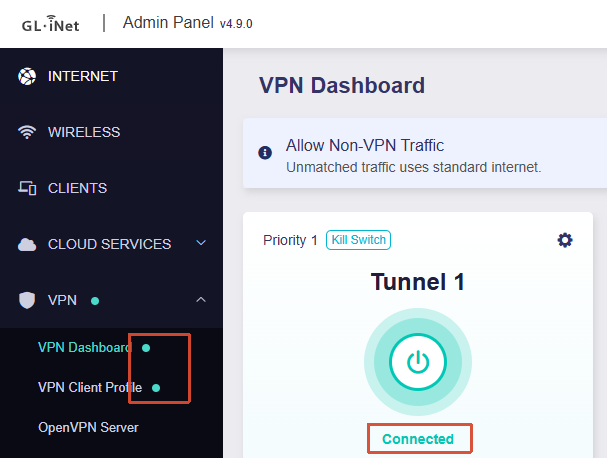
Morning all. I’m new to the whole OpenWRT experience and looking to learn.
I’m trying to set up a VPN policy that will route traffic from a specific MAC address through the VPN — but only when it accesses certain IP addresses and URLs.
I’ve followed the guides, but it doesn’t seem to route the traffic through the VPN when I connect to those IPs. Does anyone have any ideas on what might be going wrong?
Im using the Flint2 on the OP24 4.9.0 firmware.
Sat May 30 11:37:07 2026 daemon.notice netifd: Network device 'wgclient1' link is up
Sat May 30 11:37:07 2026 user.notice firewall: Reloading firewall due to ifup of wgclient1 (wgclient1)
Sat May 30 11:37:08 2026 user.notice vpn-failover-watcher: action=exit iface=wgclient1 source=setup-timeout reason=startup-connecting-timeout result=connected
Sat May 30 11:43:15 2026 daemon.info dnsmasq[1]: read /tmp/hosts/dhcp.wgclient1 - 4 names
Sat May 30 11:43:15 2026 daemon.info dnsmasq[1]: read /tmp/hosts/dhcp.wgclient1 - 4 names
Sat May 30 11:43:31 2026 daemon.notice netifd: wgclient1 (12512): rm: can't remove '/tmp/wireguard/wgclient1_state': No such file or directory
Sat May 30 11:43:32 2026 daemon.notice netifd: Network device 'wgclient1' link is down
Sat May 30 11:43:32 2026 daemon.notice netifd: Interface 'wgclient1' is now down
Sat May 30 11:43:32 2026 daemon.info dnsmasq[1]: read /tmp/hosts/dhcp.wgclient1 - 4 names
Sat May 30 11:43:34 2026 user.notice firewall: Reloading firewall due to ifdown of wgclient1 ()
Sat May 30 11:43:35 2026 user.notice vpn-failover-trigger: action=skip iface=wgclient1 source=hotplug reason=ifdown cause=iface_disabled
Sat May 30 11:44:15 2026 daemon.notice netifd: Interface 'wgclient1' is setting up now
Sat May 30 11:44:16 2026 daemon.info dnsmasq[1]: read /tmp/hosts/dhcp.wgclient1 - 4 names
Sat May 30 11:44:16 2026 daemon.info dnsmasq[1]: read /tmp/hosts/dhcp.wgclient1 - 4 names
Sat May 30 11:44:20 2026 daemon.notice netifd: Interface 'wgclient1' is now up
Sat May 30 11:44:20 2026 daemon.notice netifd: Network device 'wgclient1' link is up
Sat May 30 11:44:20 2026 user.notice vpn-failover-watcher: action=exit iface=wgclient1 source=setup-timeout reason=startup-connecting-timeout result=connected
Sat May 30 11:44:20 2026 user.notice firewall: Reloading firewall due to ifup of wgclient1 (wgclient1)
Sat May 30 11:44:53 2026 daemon.info dnsmasq[1]: read /tmp/hosts/dhcp.wgclient1 - 4 names
Sat May 30 11:44:53 2026 daemon.info dnsmasq[1]: read /tmp/hosts/dhcp.wgclient1 - 4 names