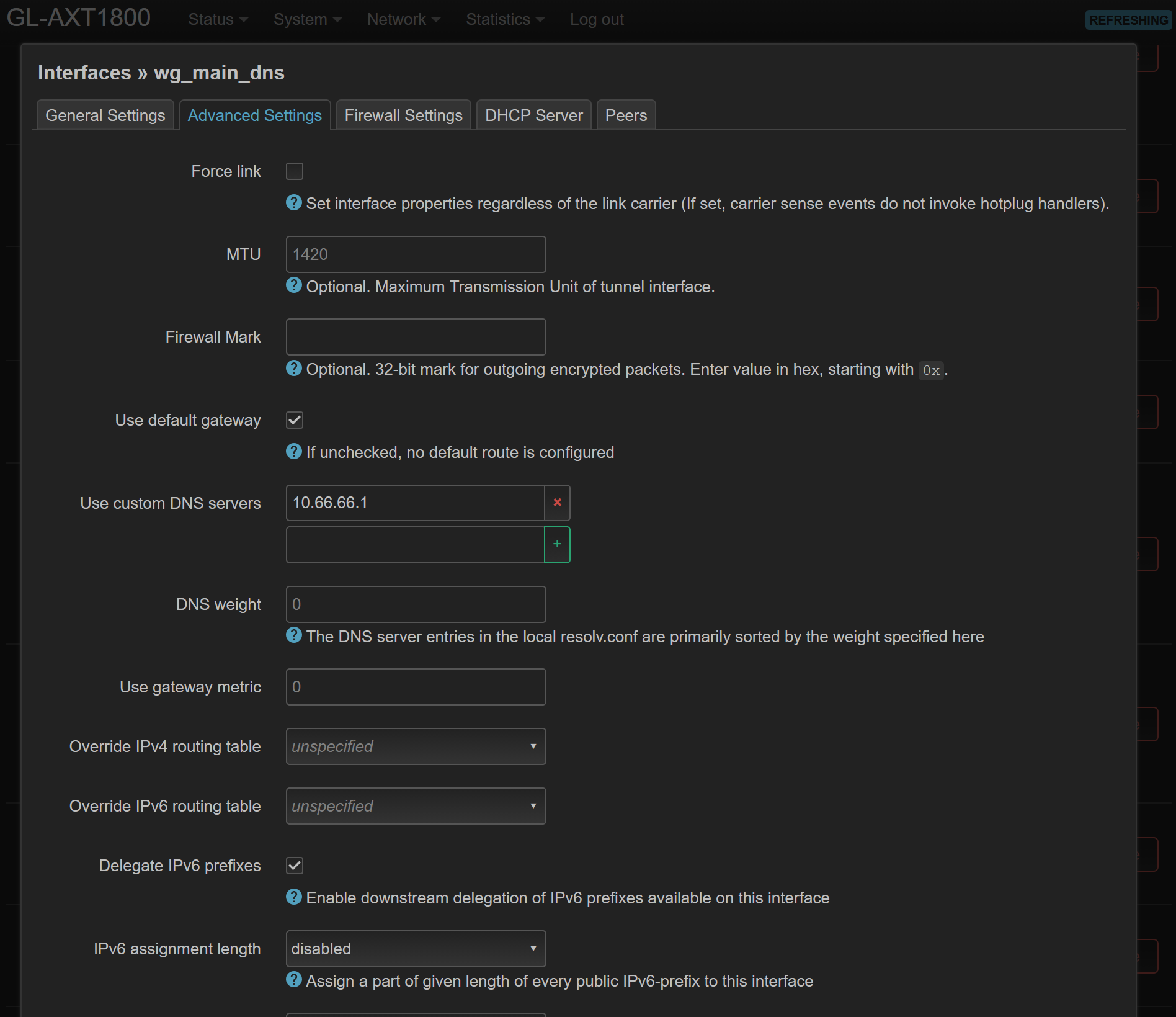
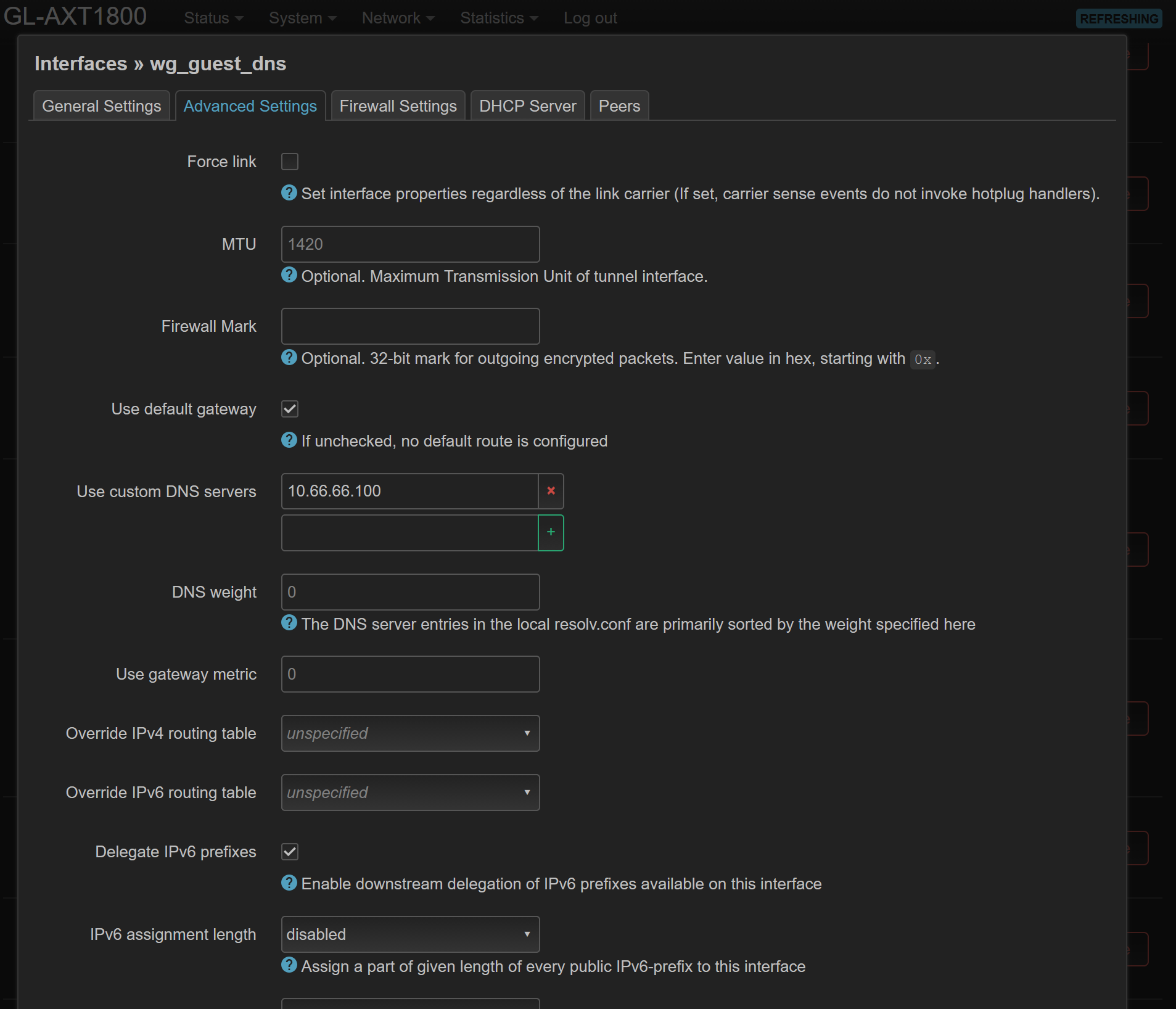
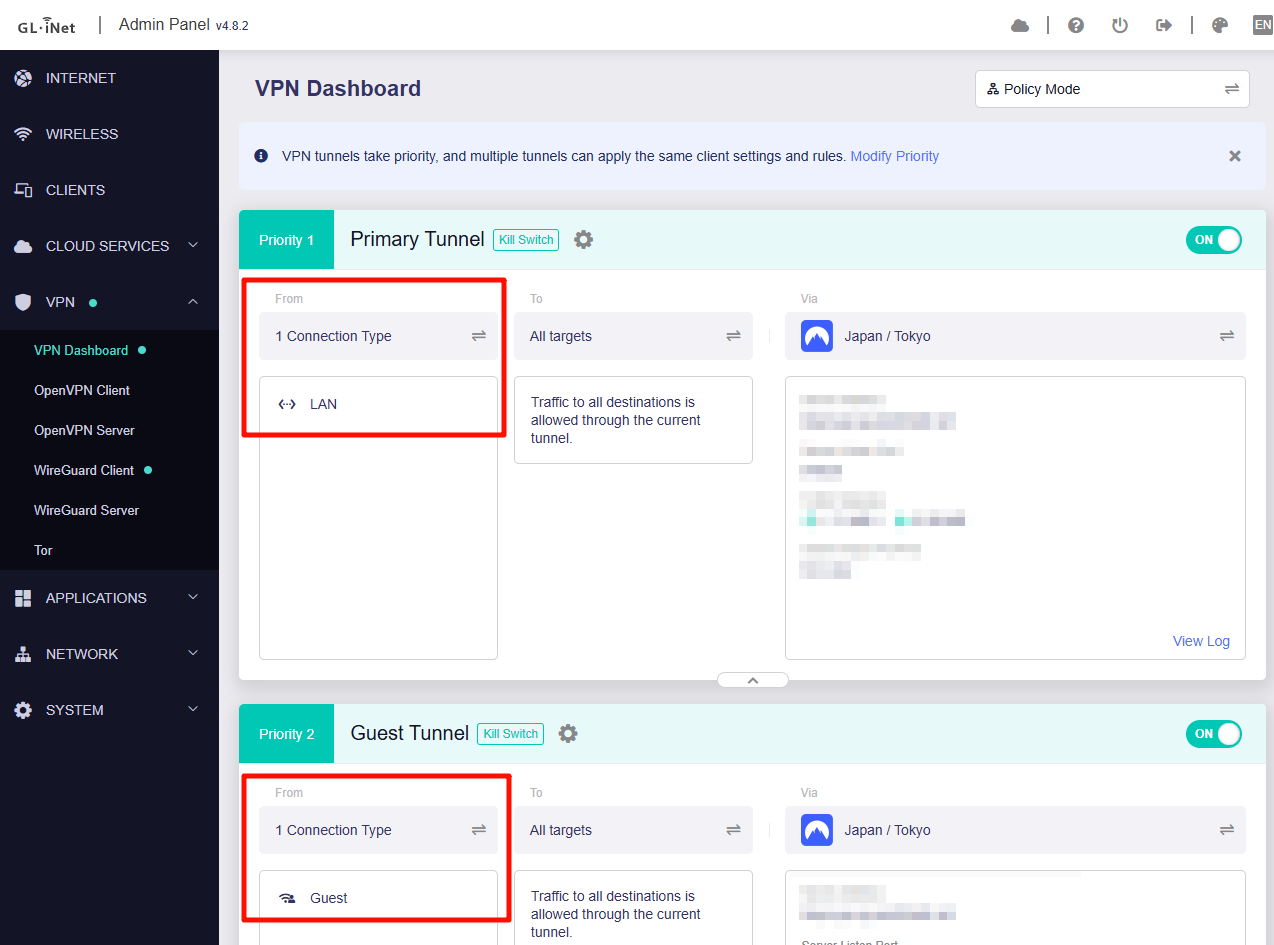
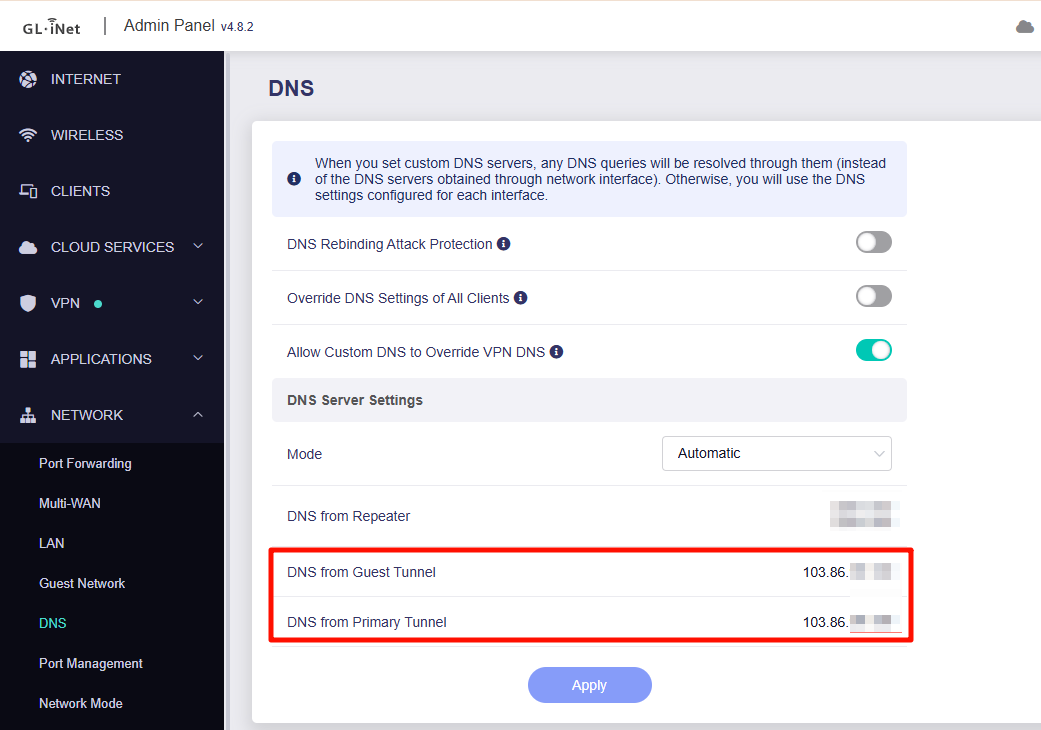
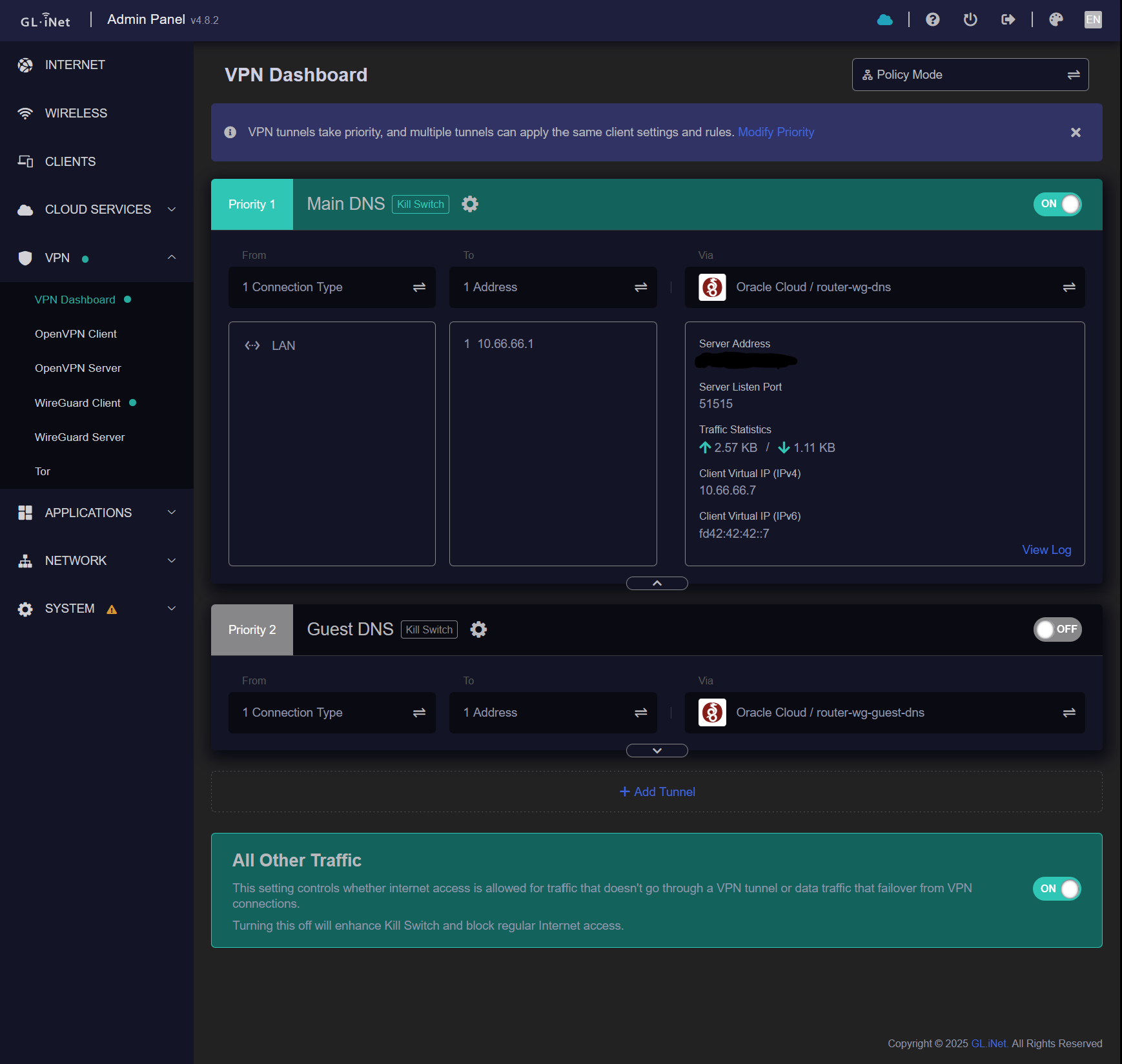
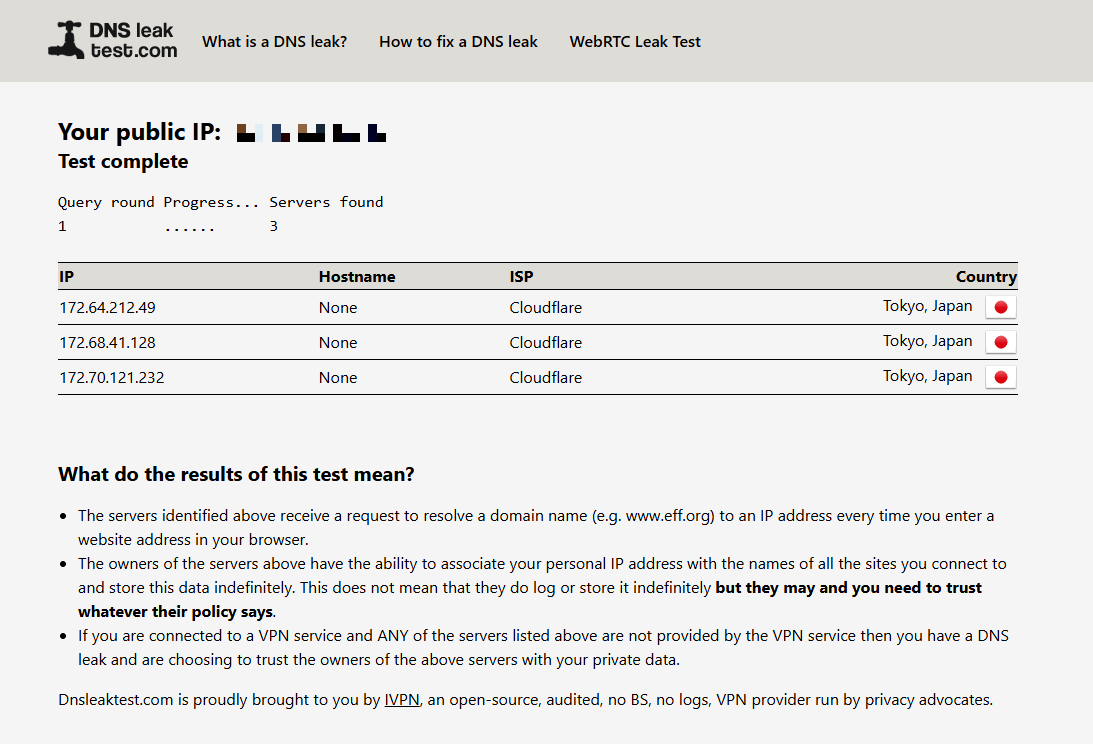
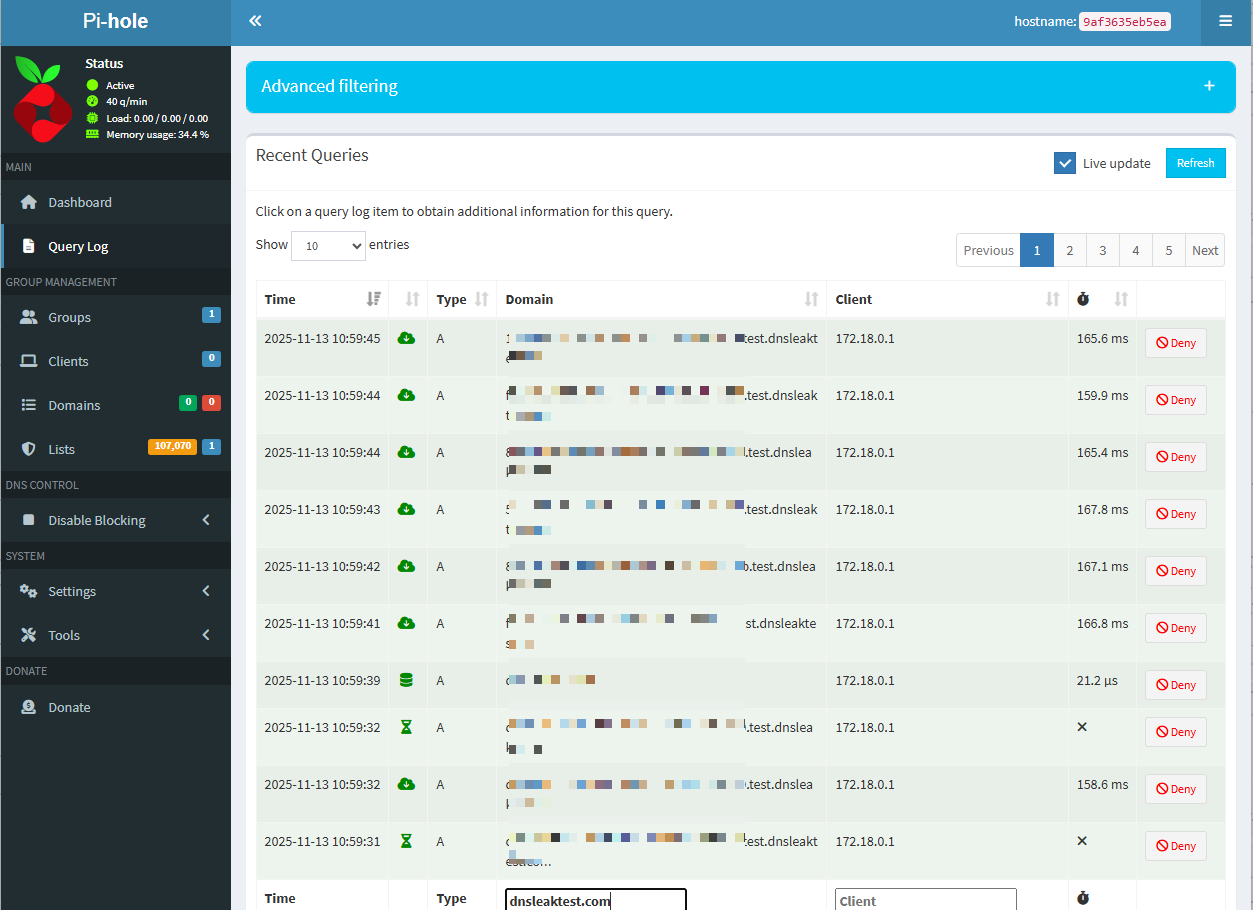
I'm using an AXT1800 running firmware 4.8.2. My setup is that I'm using 2 wireguard clients in Luci in order to forward all DNS queries to a remote pihole I have. The reason why I use Adguard is I want to seperate DNS queries sent from clients on the main and guest networks and send them through different wireguard tunnels. This part of the setup works perfectly fine, however what doesn't is when I try to use the VPN.
I have the same config I use in Luci for the DNS, in the main GL UI but the allowed ips changed to allow all traffic. When Adguard is disabled the VPN works perfectly, however when Adguard is enabled I can't connect to my pihole using the allow all traffic config.
I believe this is some sort of firewall conflict with some rules that Adguard creates as the logs indicate Adguard complains about not being able to resolve the DNS. Before updating to 4.8.2 I had just deleted 2 firewall rules Adguard created which were just named “unnamed_rule” and the setup would work perfectly fine. Now the issue is that there are many more rules Adguard adds and I can't determine which one is the culprit.
I was thinking perhaps there is some kind of firewall rule I could add which could fix this but I'm unsure on what to do as I'm still quite a beginner with all of this.
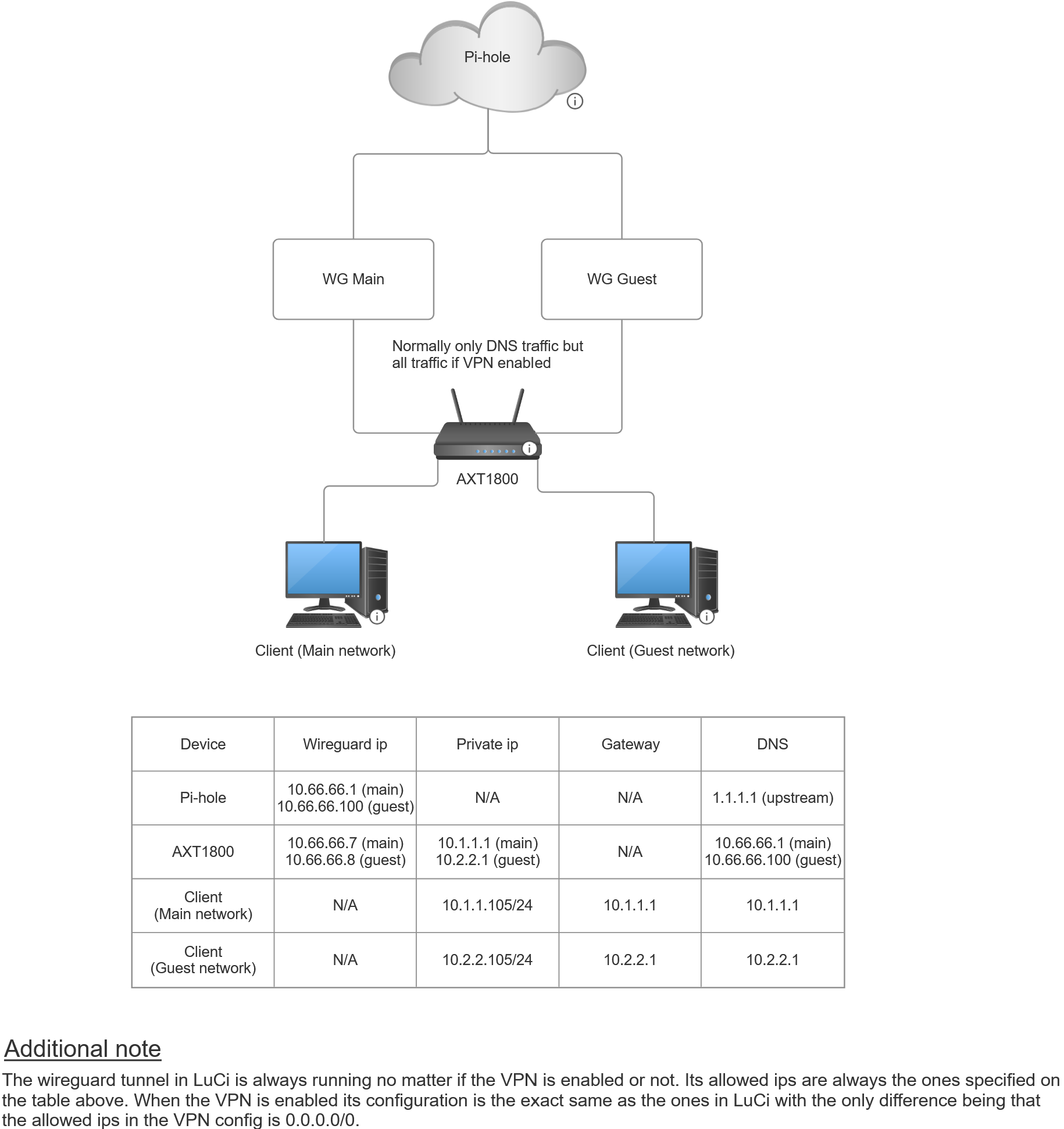
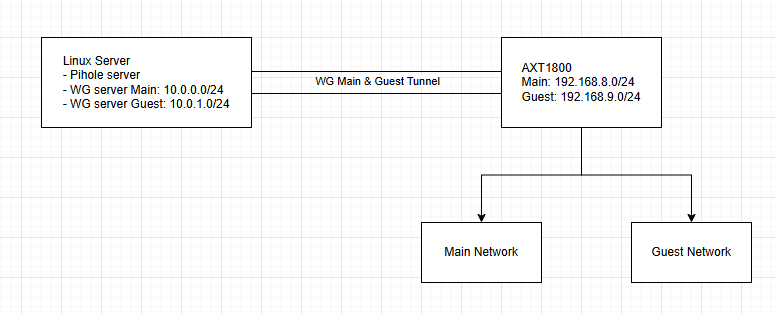
Could you draw a detailed network topology diagram including IP addresses, gateways, DNS, VPN addresses, and other configurations so we can better understand your user case?
Additionally, which firewall rules were removed would make it work in version 4.7.x?
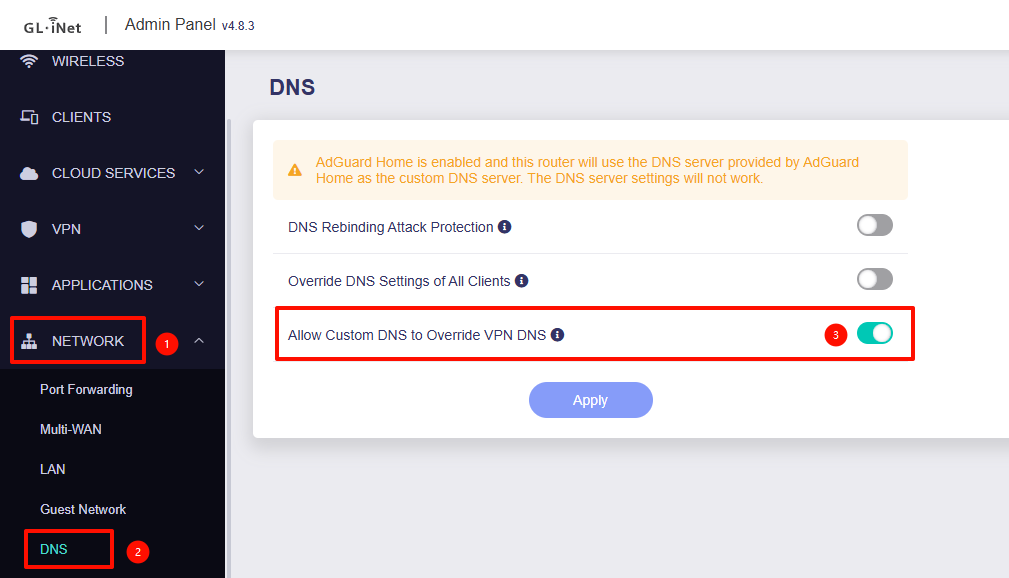
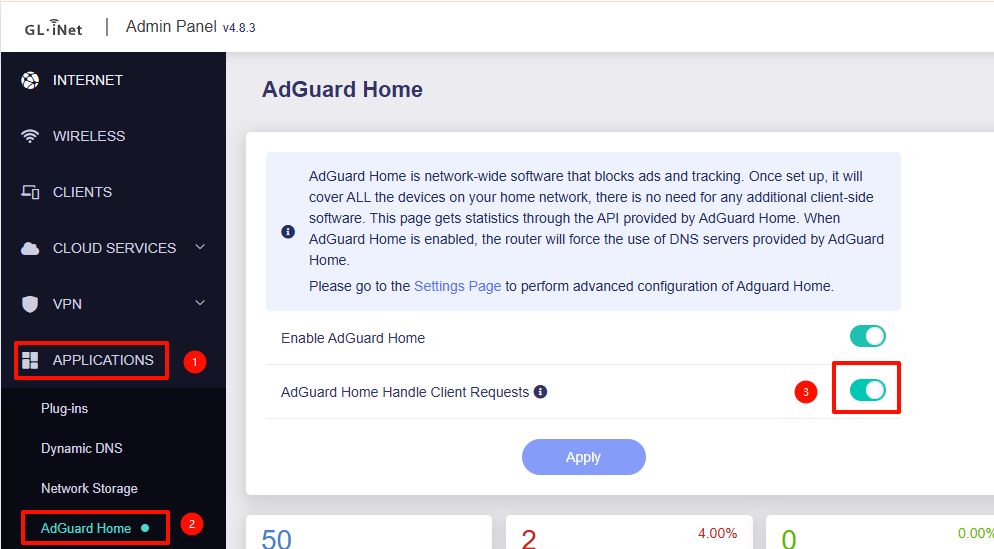
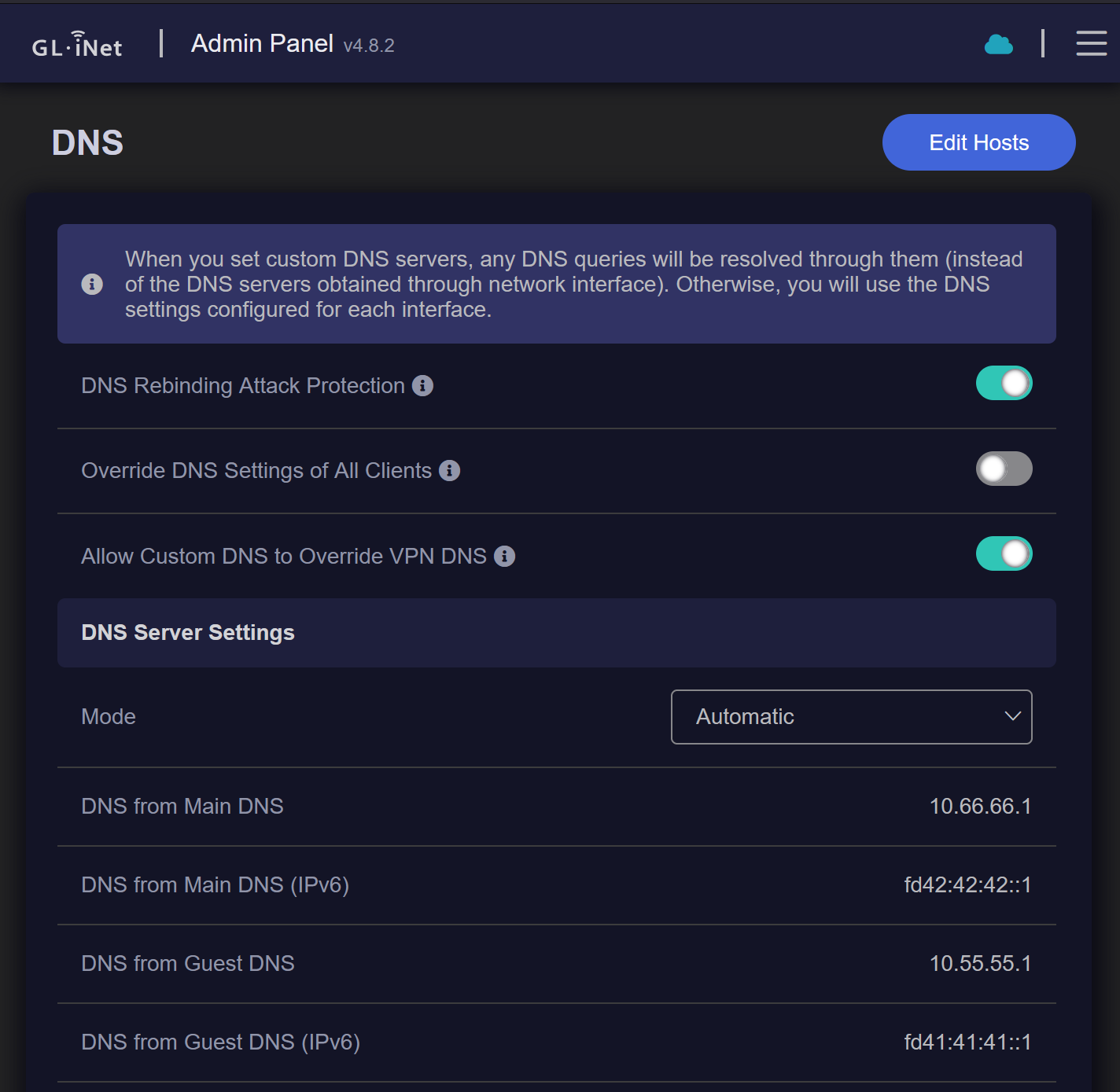
Please try disabling "AdGuard Home Handle Client Requests" and "Allow Custom DNS to Override VPN DNS".
This should allow the LAN client to use the VPN DNS directly.
After disabling "Allow Custom DNS to Override VPN DNS" the only way I got it to work was disabling Adguard completely, only turning off its client DNS handling didn’t change anything in my case. Even then it only worked sometimes, it connects to Youtube but not Amazon or my university’s webpage.
Also, I did more testing and it works completely fine with other providers (such as NordVPN and surfshark) with both Adguard and "Allow Custom DNS to Override VPN DNS" enabled with https://www.dnsleaktest.com (and other ip tests) showing the VPN’s ip while showing my Pi-Hole’s ip as the DNS server, which is how I want it to work. It only doesn’t work when both the VPN and DNS configs point to the same Pi-Hole.
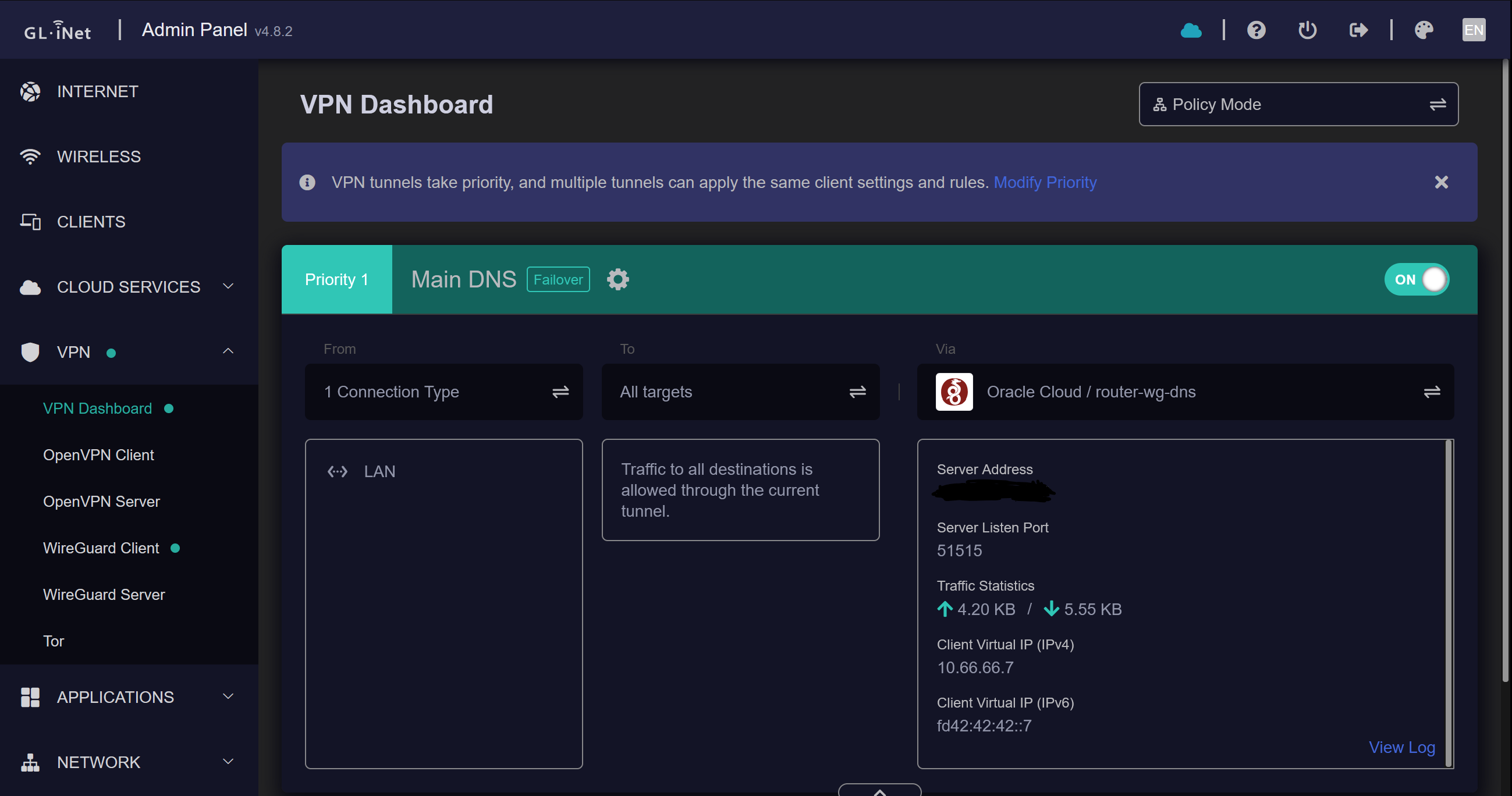
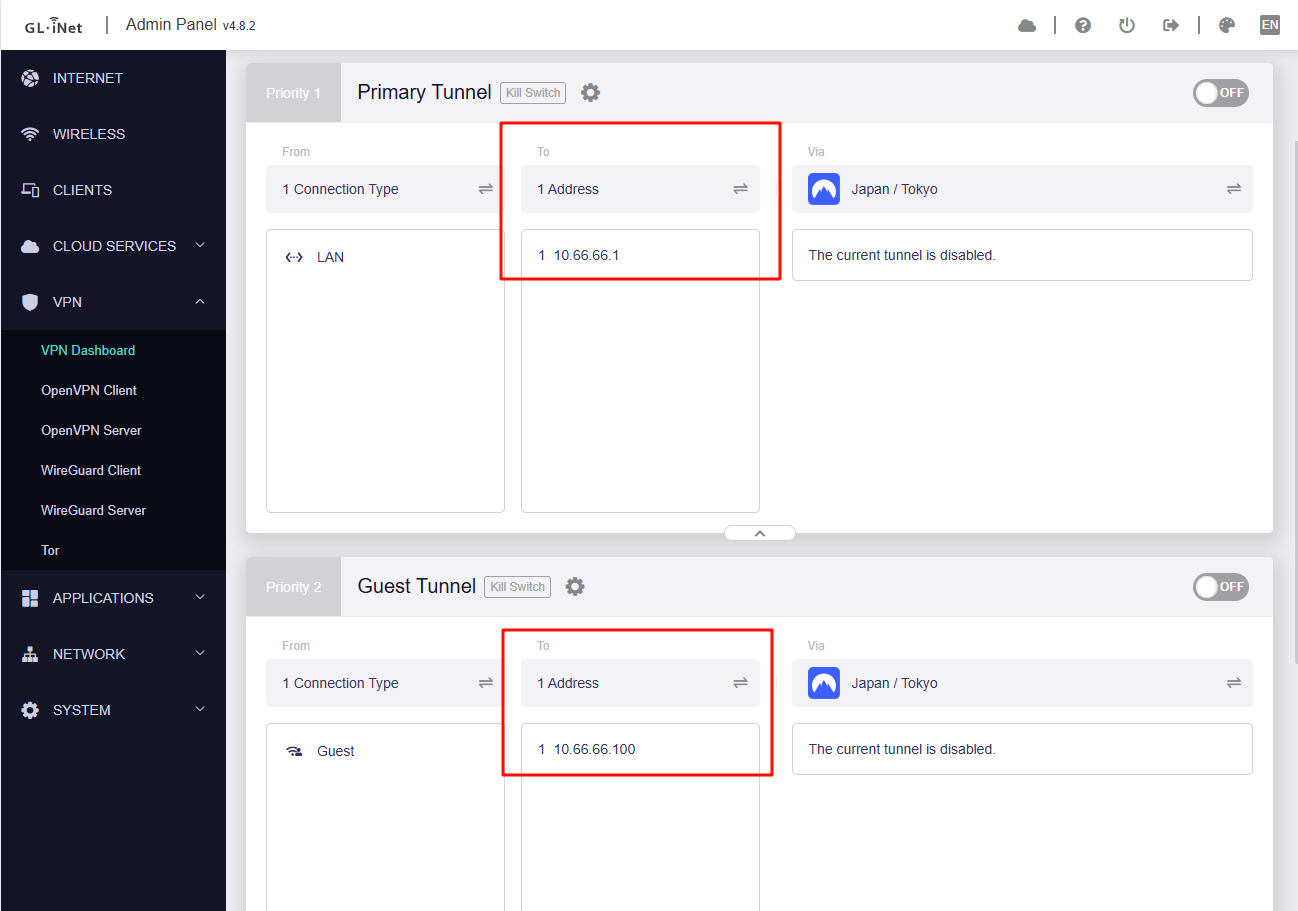
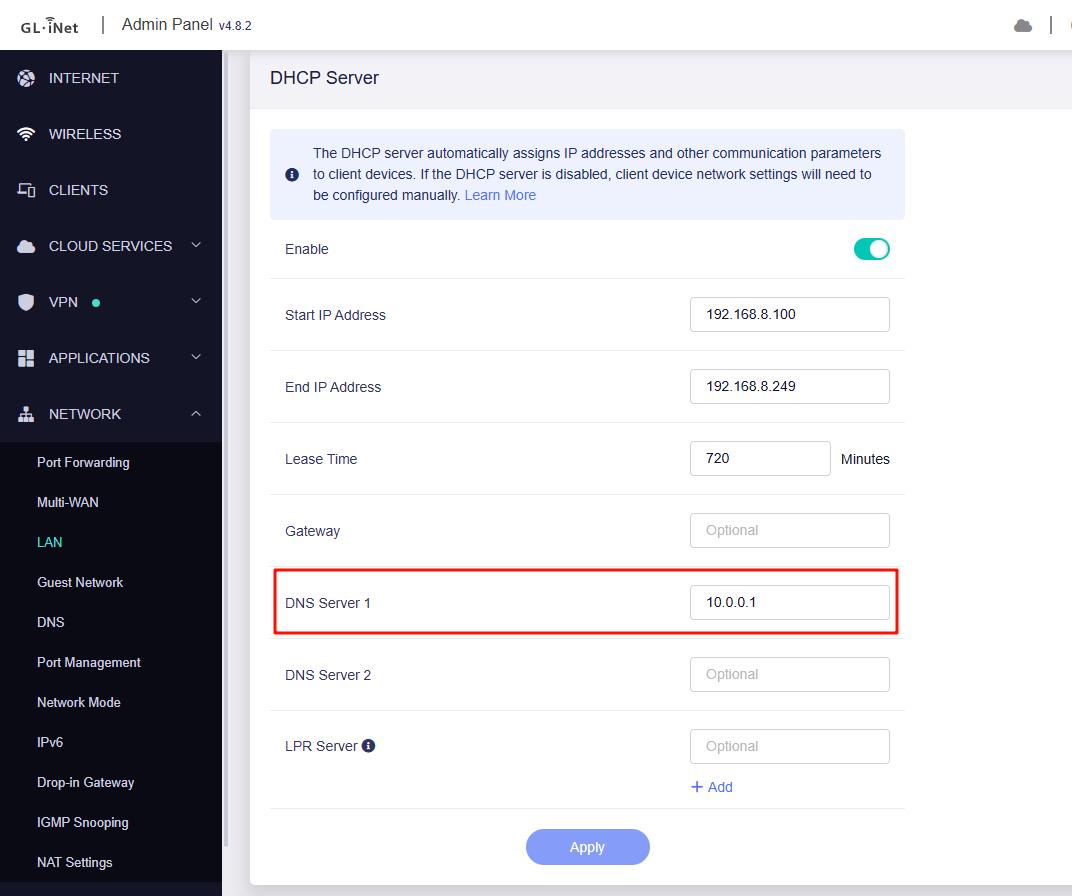
Yes, you are right! I don’t even use it for ad blocking as the Pi-Hole does that, the only reason why I’m using it is so I can have clients on the main and guest networks use a separate DNS. So, pointing main network clients DNS to 10.66.66.1 and guest clients DNS to 10.66.66.100. If there is a way of doing this without Adguard, I believe this might be a better solution in this case rather than messing with Adguard.
Yes that’s true, but I’d like to have a separate wireguard tunnel as shown in the diagram so I can better keep track of both networks and their statistics on my Pi-Hole interface.
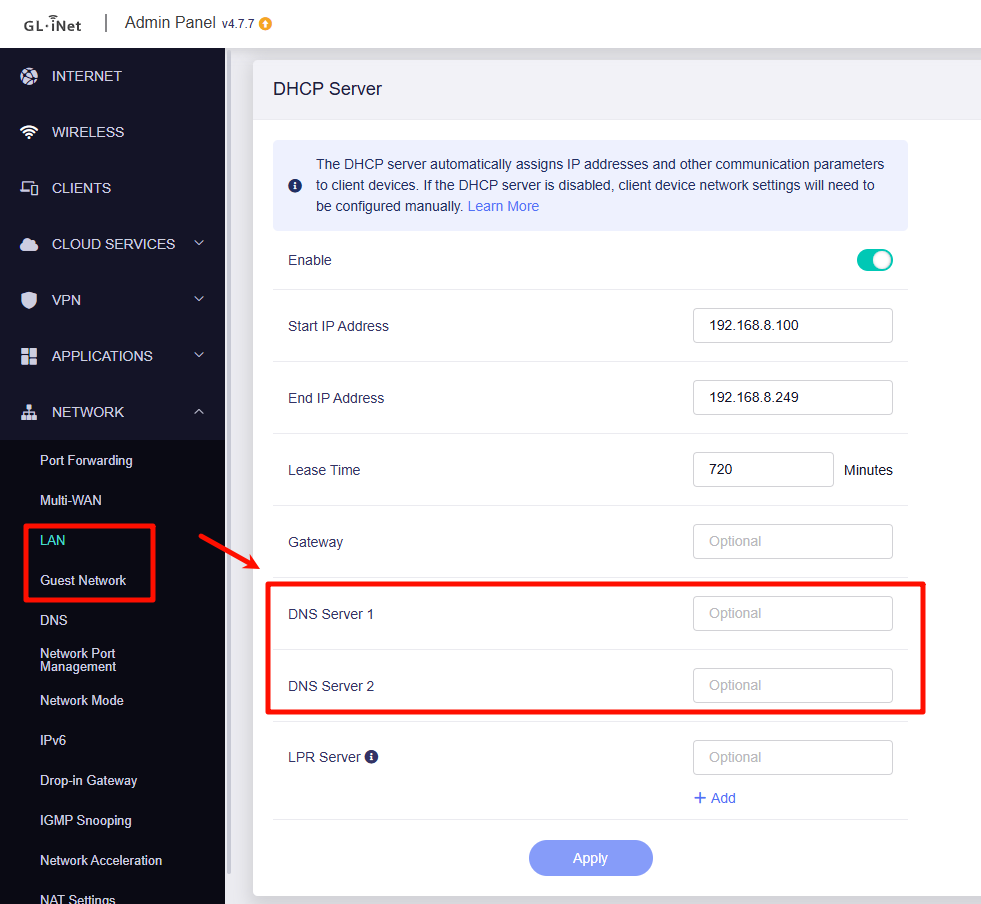
I set the DNS server 1 of my guest network to 10.66.66.100, however in my Pi-Hole interface I can see that traffic is going through the main tunnel. Also if I turn off “Override DNS Settings of All Clients“ the client on the guest network cannot access the internet.
If you’re configuring WireGuard via LuCI, proper traffic separation between your main and guest networks requires installing and configuring luci-app-pbr.
As a simpler alternative, the GL.iNet UI’s Policy VPN feature natively supports traffic splitting and DNS handling without additional setup.
I have tried this however it has failed to work. The configuration I used when testing is as follows:
Adguard and all the wireguard configs in LuCi were disabled. DNS was set to automatic and all 3 options in the DNS menu enabled.
What I tested:
[Interface]
Address = 10.66.66.7/24,fd42:42:42::7/64
PrivateKey = x
DNS = 10.66.66.1, fd42:42:42::1
MTU = 1420

[Peer]
AllowedIPs = 10.66.66.1/32, fd42:42:42::1/128
Endpoint = x
PersistentKeepalive = 25
PublicKey = x
PresharedKey = x
With this I get no internet connection on connected clients but DNS is detected correctly in the DNS menu. I also tried changing the targets to:
10.66.66.1
fd42:42:42::1
Which didn’t work. I also tried setting it to the endpoint ip address but that also didn’t work.
Note: The wireguard configuration works completely fine with allowed ips set to 0.0.0.0/0 and ::0
After following the steps you provided I get an internet connection however DNS leak test websites show my isp’s DNS instead of my Pi-Hole and I get no traffic in Pi-Hole.
(Adguard and the wireguard interfaces I added in LuCi disabled again)
VPN configuration:
This behaviour is quite unexpected for me as the DNS page clearly shows the correct DNS and the wireguard configuration used seems to work correctly. I also tried setting the DNS to just 10.66.66.1 which made no difference. Is there something I’m missing about the repeater settings or something similar?
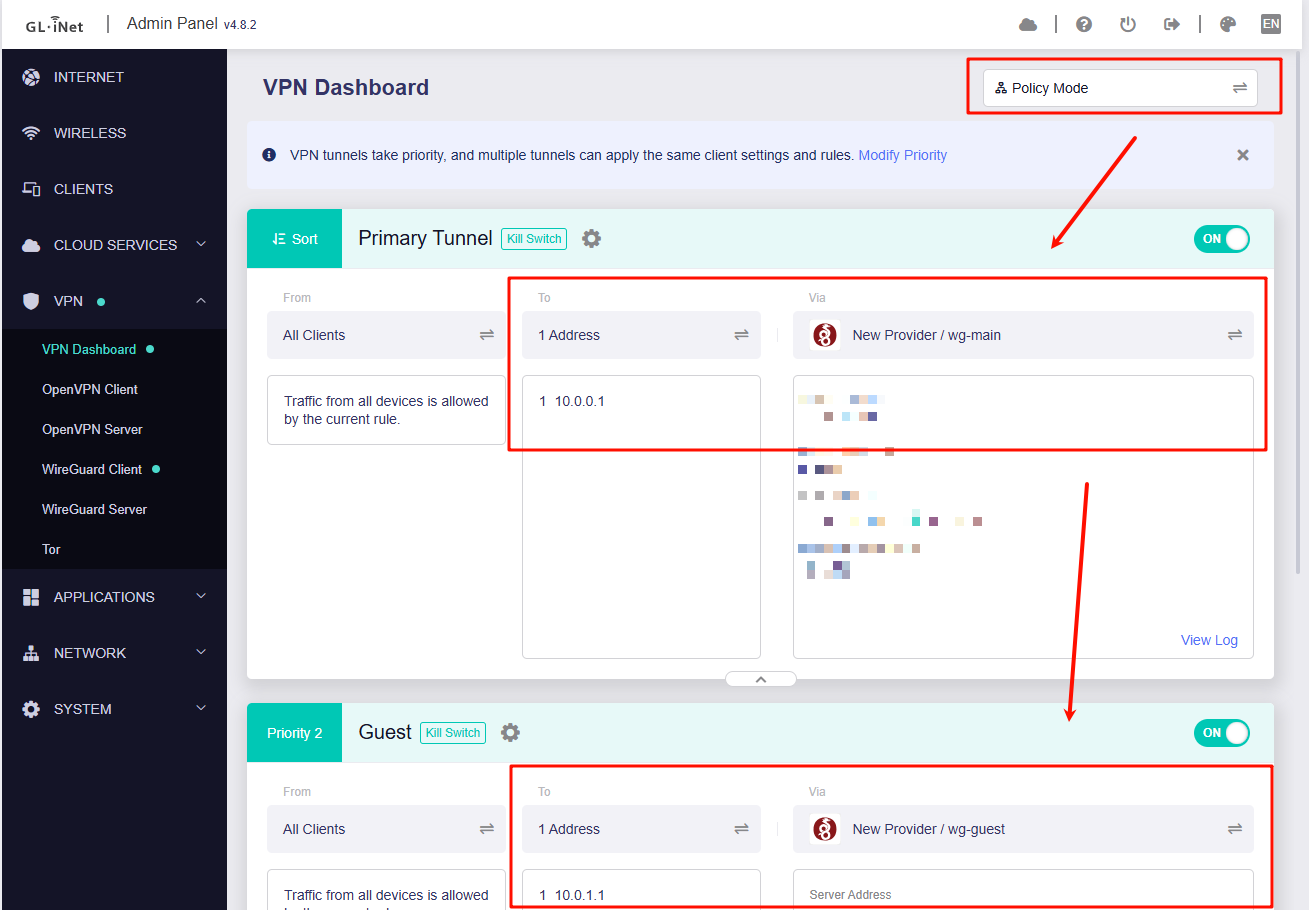
After further verification, we found that when DNS → Automatic Mode and VPN Policy Mode are enabled, only domains listed in the Policy will use the VPN’s DNS.
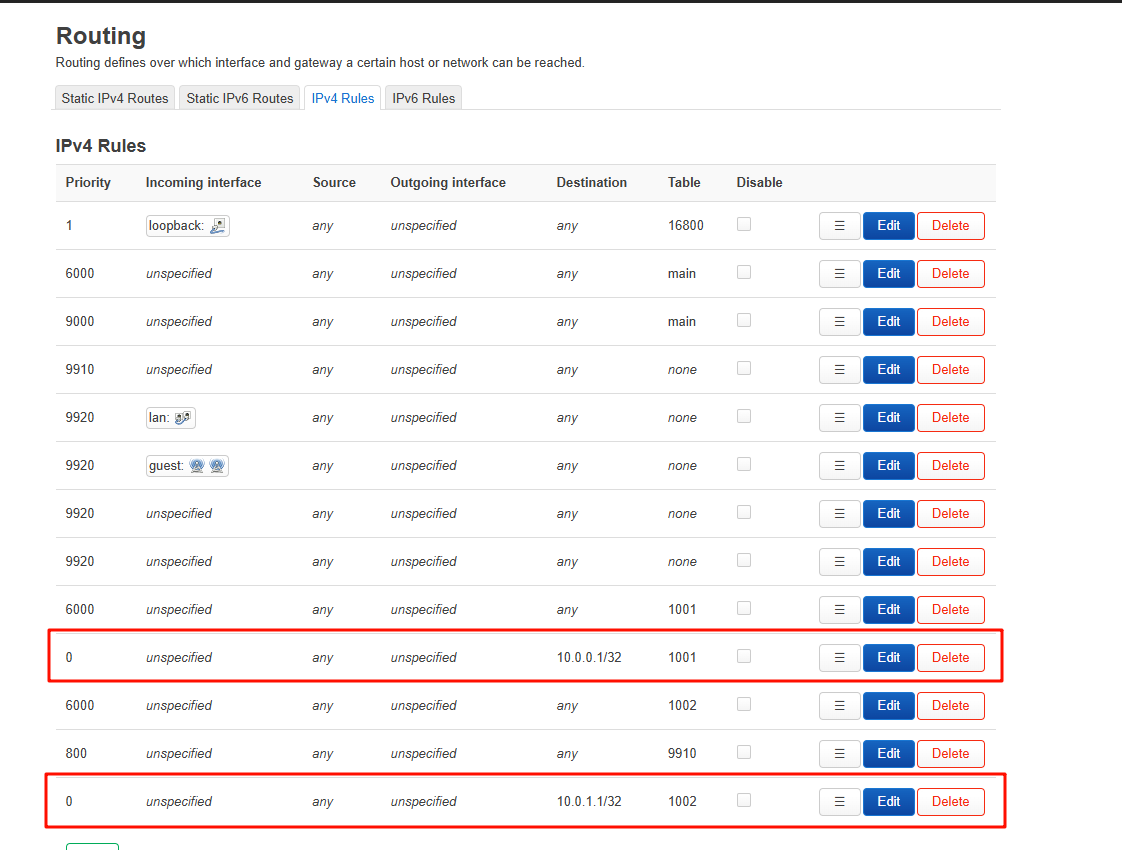
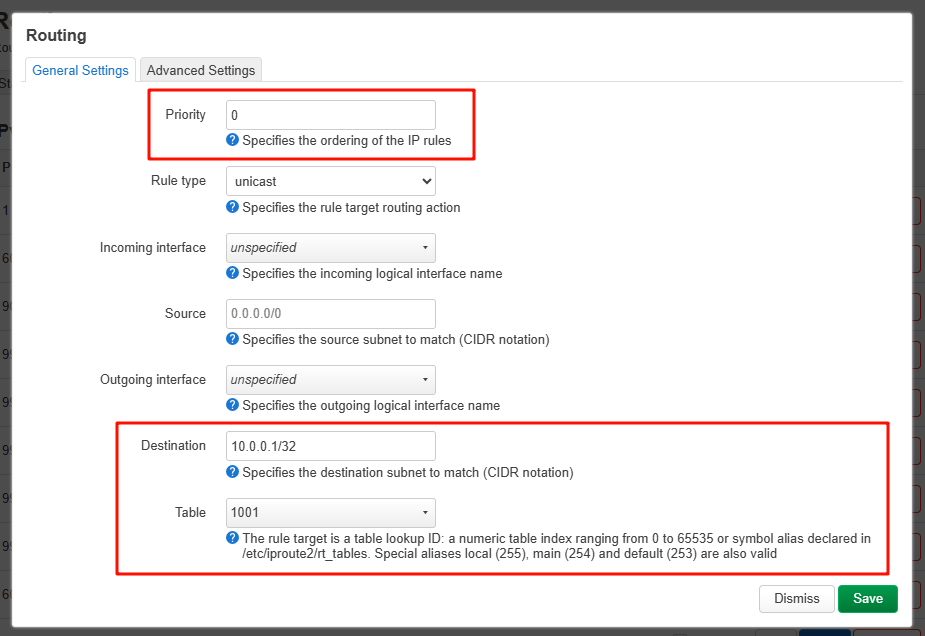
Additional routing rules must be added to enforce VPN DNS usage.
We also noticed that your WG Main and WG Guest interfaces share the same subnet. This may cause routing conflicts and prevent proper functionality.
Below is the verified configuration we tested locally after applying improvements.
This is the solution! After following the steps exactly and making sure to have the exact same order in the routing page as the given image, it works perfectly! Thank you very much for all the help and time you spent on this matter
Edit: Sorry for the edit but there are still some issues. When I disable the guest network or turn off the VPN policy responsible for guest DNS, it completely ignores my DNS settings (even if set manually) and uses my ISP's DNS.
When it does work, it occasionally leaks DNS causing ads that were supposed to be blocked by Pi-Hole to slip through. The routes I set up also go out of order when this happens and after putting the setup back the exact same way as before, now I only get my ISP's DNS only.
Edit 2: The issue seems like it is caused by the “Override DNS Settings of All Clients“ setting. After disabling it there appear to be no leaks.