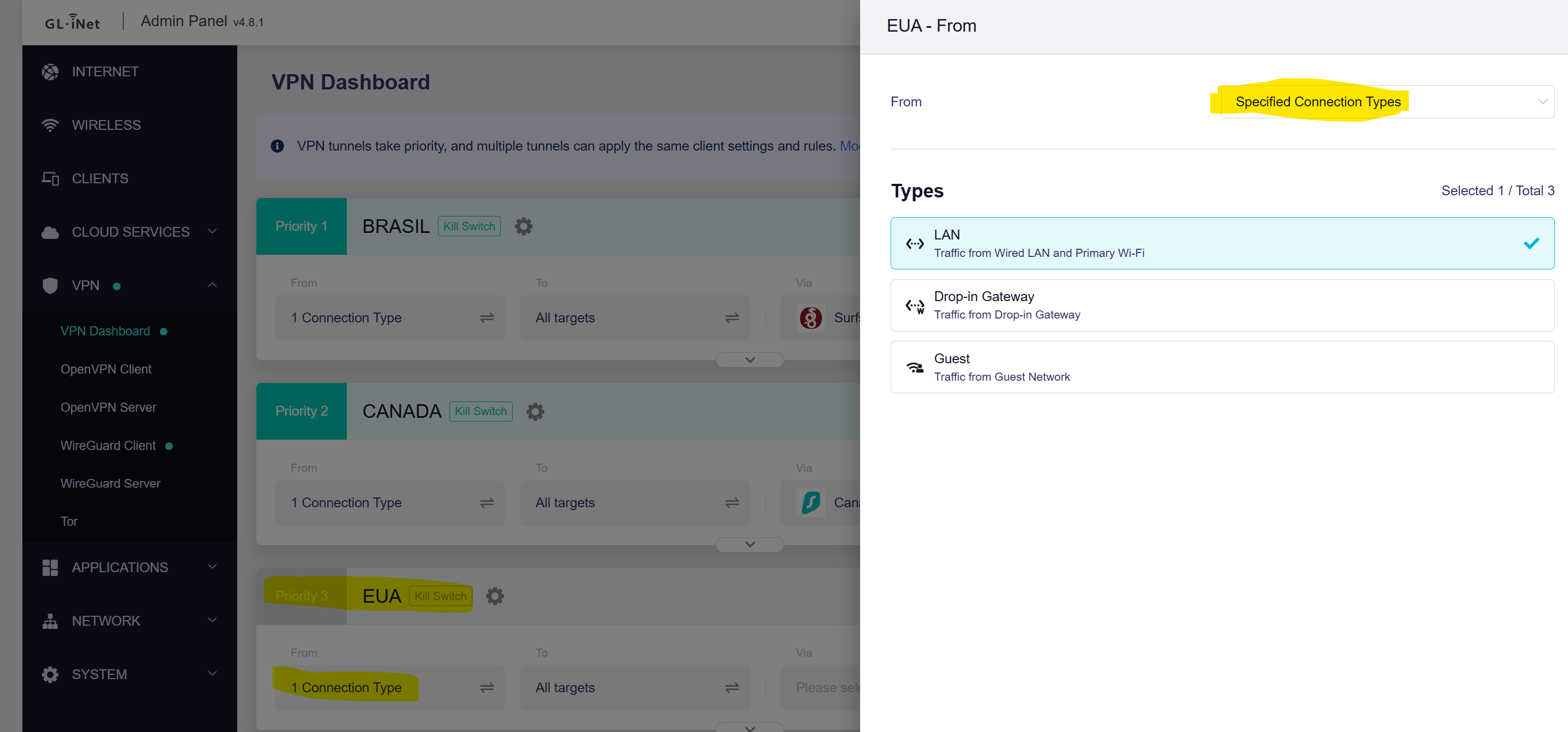
Since already have main and guest WiFi, I think just need to add one WiFi radio.
Main: LEOBR -> Brazil VPN Traffic
Guest: LEOCA -> Canadian VPN Traffic
Iot: LEOUSA -> USA VPN Traffic
Upgrade to the v4.8.x firmware for the router.
SSH to the router, and execute these commands:
uci add network device # =cfg150f15
uci set network.@device[-1].type='bridge'
uci set network.@device[-1].name='br-iot'
uci set network.iot=interface
uci set network.iot.proto='static'
uci set network.iot.device='br-iot'
uci set network.iot.ipaddr='192.168.11.1'
uci set network.iot.netmask='255.255.255.0'


uci set dhcp.iot=dhcp
uci set dhcp.iot.interface='iot'
uci set dhcp.iot.start='100'
uci set dhcp.iot.limit='150'
uci set dhcp.iot.leasetime='12h'


uci add firewall zone # =cfg17dc81
uci set firewall.@zone[-1].name='iot'
uci set firewall.@zone[-1].input='REJECT'
uci set firewall.@zone[-1].output='ACCEPT'
uci set firewall.@zone[-1].forward='REJECT'
uci add_list firewall.@zone[-1].network='iot'
uci add firewall forwarding # =cfg18ad58
uci set firewall.@forwarding[-1].src='iot'
uci set firewall.@forwarding[-1].dest='wan'
uci add firewall rule # =cfg1792bd
uci set firewall.@rule[-1].name='Allow-DHCP'
uci add_list firewall.@rule[-1].proto='udp'
uci set firewall.@rule[-1].src='iot'
uci set firewall.@rule[-1].dest_port='67-68'
uci set firewall.@rule[-1].target='ACCEPT'
uci add firewall rule # =cfg1892bd
uci set firewall.@rule[-1].name='Allow-DNS'
uci set firewall.@rule[-1].src='iot'
uci set firewall.@rule[-1].dest_port='53'
uci set firewall.@rule[-1].target='ACCEPT'

uci set wireless.wifi5g1=wifi-iface
uci set wireless.wifi5g1.device='wifi1'
uci set wireless.wifi5g1.network='iot'
uci set wireless.wifi5g1.mode='ap'
uci set wireless.wifi5g1.ssid='GL Router-IoT-5G'
uci set wireless.wifi5g1.encryption='psk2+ccmp'
uci set wireless.wifi5g1.key='goodlife'
uci set wireless.wifi5g1.wds='1'
uci set wireless.wifi5g1.isolate='0'
uci set wireless.wifi5g1.hidden='0'
uci set wireless.wifi5g1.ifname='wlan14'
uci set wireless.wifi5g1.ieee80211k='1'
uci set wireless.wifi5g1.bss_transition='1'
uci set wireless.wifi5g1.sae='0'
uci set wireless.wifi5g1.disabled='0'

uci set wireless.wifi2g1=wifi-iface
uci set wireless.wifi2g1.device='wifi0'
uci set wireless.wifi2g1.network='iot'
uci set wireless.wifi2g1.mode='ap'
uci set wireless.wifi2g1.ssid='GL Router-IoT-2.4G'
uci set wireless.wifi2g1.encryption='psk2+ccmp'
uci set wireless.wifi2g1.key='goodlife'
uci set wireless.wifi2g1.wds='1'
uci set wireless.wifi2g1.isolate='0'
uci set wireless.wifi2g1.hidden='0'
uci set wireless.wifi2g1.ifname='wlan04'
uci set wireless.wifi2g1.ieee80211k='1'
uci set wireless.wifi2g1.bss_transition='1'
uci set wireless.wifi2g1.sae='0'
uci set wireless.wifi2g1.disabled='0'

uci commit

reboot
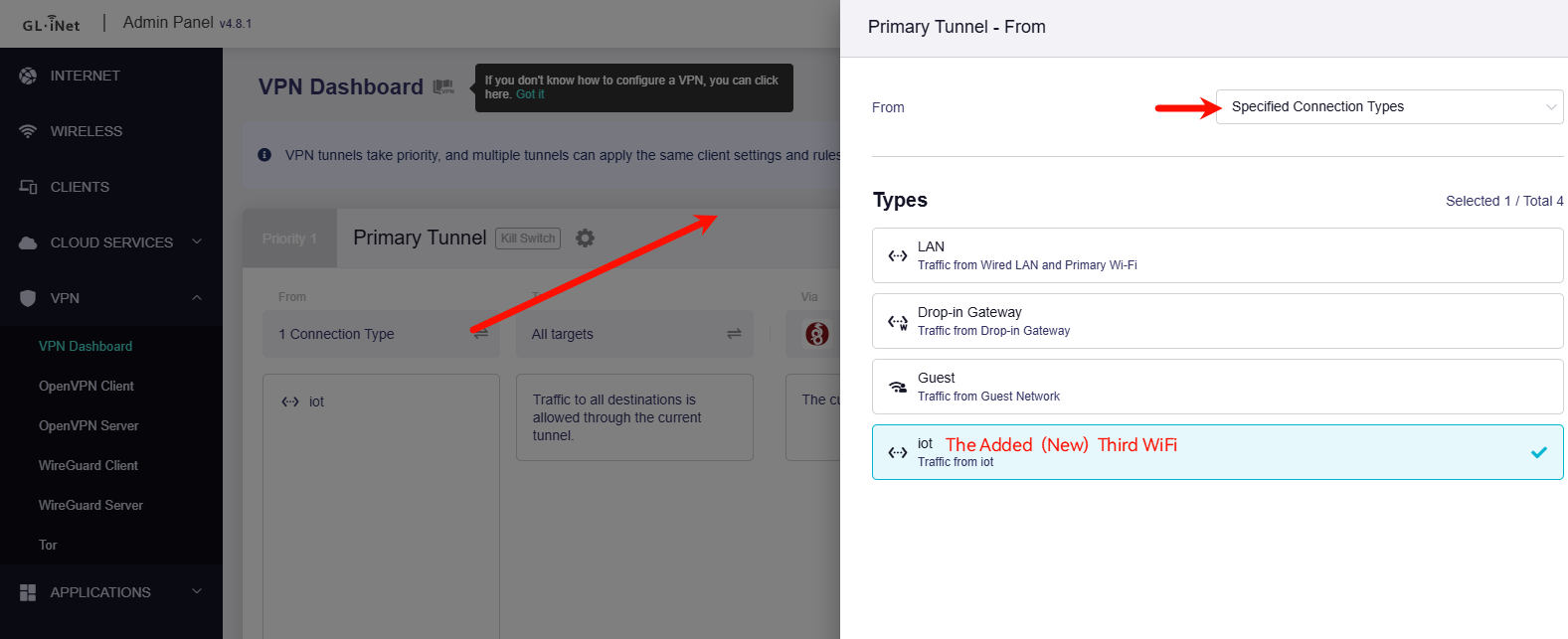
After the router is restarted, you will find an new third WiFi radio, named "GL Router-IoT-2.4G/5G", password "goodlife", IP is "192.168.11.0/24", it can access each other within the subnet (isolate disabled), but it cannot access Main and Guest network.
Switch the VPN mode to policy, and fine the "iot", then configure the VPN tunnel rules you want.