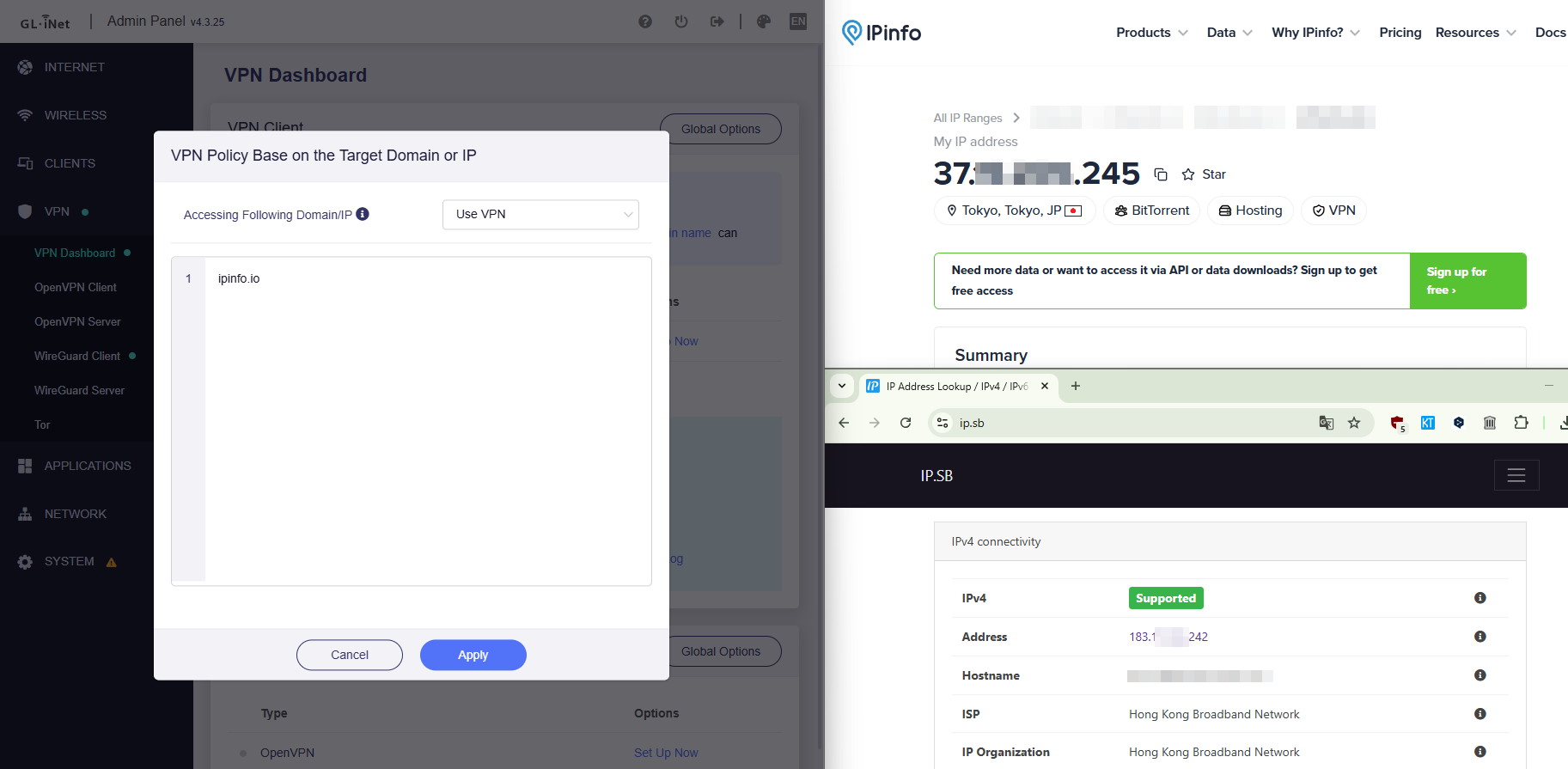
Using the Policy Mode of the VPN features with the “Specified Domain / IP List” option I ran into an issue.
When providing a list of domains, the feature doesn’t seem to work. The services are not accessed through the VPN.
There are no issues when providing IP addresses.
When the mode is switched to “Exclude specified Domain / IP List”, then the provided domains are accessed via the VPN.
However, also all other domains that were not specified, are also accessed through the VPN.
It acts the same as “All targets”.
Other VPN connections with lower priority also don’t work. This makes sense, as their domains and IP addresses are also matched by the logic of the “exclude domains” logic of the previous one.
If I make them a higher priority, then they take precedence and it they work.
These rules only contain IP addresses, no domains. So maybe the issue is just with domains.
This issues persists on the Beryl 7 and also on my Opal.
- Beryl 7 (GL-MT3600BE)(Firmware Version 4.8.5)
- Opal (GL-SFT1200)(Firmware Version 4.3.25)
AdGuard is disabled, when using the Beryl 7.
It would be great, if the “Specified Domain / IP List” would just work with the domains provided.
Are there any steps I need to do first, that I could have missed?
Are other people affected by this as well?
Note:
It also impaired my ability to send email over SMTP with my local email client Thunderbird. This happens with Gmail as well as my own mail server.
They don’t block me from sending email when on a VPN, normally. It turned out, that it was an issue with a specific location of my VPN provider. Just switching to another location, fixed the issues somehow.
My connection to the SMTP servers of my email providers should have never been routed through the VPN at all. It just ended up being “captured”, as I had switched to the “exclude” mode, to make it work at all.